



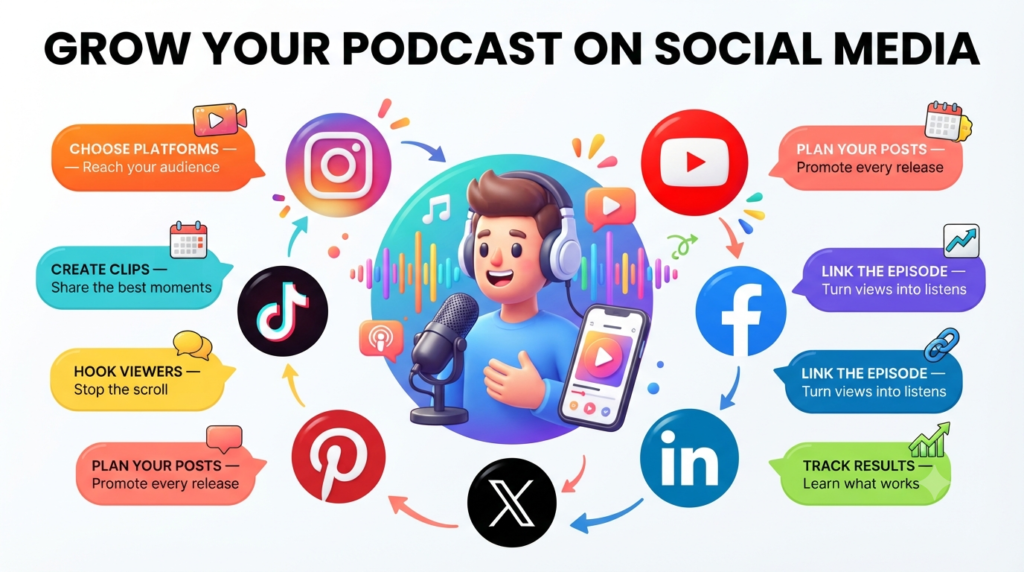
Every post should point to one clear next step, such as a link to the full episode. That holds whether you post daily or once a week. Below, you will find how social media brings in listeners, how to choose platforms, turn episodes into clips, build a campaign around each release, and track what works.
How Does Social Media Promotion Grow a Podcast?
A podcast grows from social media when a post catches the attention of someone scrolling, takes them straight to the right episode, and leaves them wanting to hear more.
Social platforms are now a main route to new shows. In a 2026 study by Sounds Profitable, 61% of listeners said they discovered their favorite shows through YouTube and social media combined.
A view only shows that someone watched a clip, not that they went on to play the full episode, so clips help people find shows, but less often than view counts suggest.
Choose Your Audience and Platforms
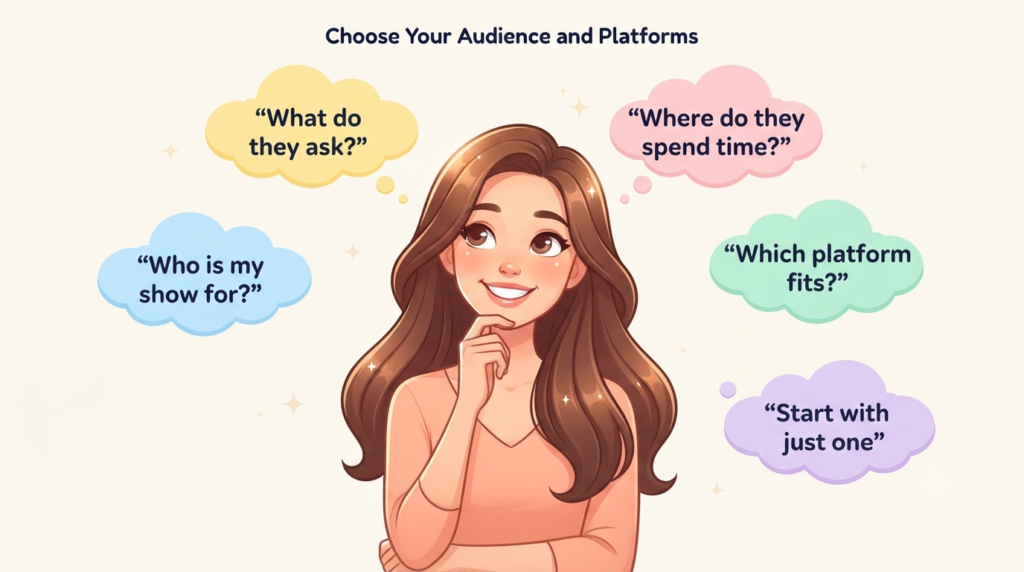
Podcast posts work best when they speak to one clear group of people on the right platform. So it helps to decide who the show is for and where those people spend their time.
Define the Person Your Show Serves
Before promoting a podcast, decide exactly who it is for. “Runners” is too broad. “People training for their first marathon” is specific enough to tell you what to post.
Think of the questions those people keep asking, then post the part of an episode that answers one. For a running podcast, that could be a guest explaining how to recover after a long run or the host answering what to eat on race day.
Stay with the same audience for at least a month so you can tell what is working.
Give Each Platform a Specific Job
Start with one platform, the one where your listeners already watch podcast content. If you’re not sure, ask them where they find new shows.
- YouTube: Post short clips and link the full episode. A podcast on YouTube is a playlist of video episodes, and YouTube’s own analysis found that video podcasts perform better than those with a still image, especially when hosts appear on camera.
- Instagram: Use Reels to reach new people and Stories to tell your followers about a new episode, as this guide to Instagram strategies for podcasters explains.
- LinkedIn: Suits business shows. Share a short clip about a problem your listeners face at work.
- TikTok, Facebook, and X: Add these only if your listeners already use them, and adapt the same short clips for each.
Turn Key Moments Into Standalone Posts
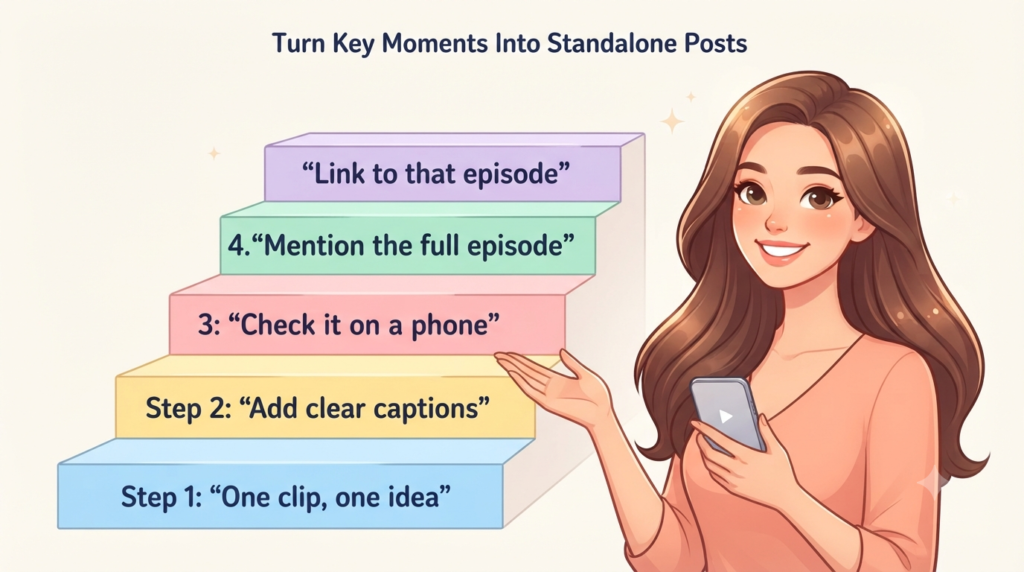
What you post on each platform is a short clip cut from an episode, usually under a minute, that a new viewer can follow without hearing the rest of the show.
Choose Clips That Deliver One Complete Idea
Whatever the platform, a clip works when it gives the viewer one complete idea. Look for a moment where the speaker asks or raises a question and then answers it fully, so a first-time viewer understands the whole point without hearing the rest of the episode. Strong candidates include:
- A direct reply to a common question
- A mistake and its fix
- A short method the guest walks through
Keep the context the speaker gave so the cut doesn’t change what they meant. An exaggerated disagreement may gather comments, but it attracts an audience the full episode won’t satisfy. While you edit, mark timestamps so picking clips later doesn’t mean listening to the whole recording again.
Package Each Clip for Where It Will Be Seen
A strong moment still has to get past the scroll. How a clip opens, reads, and looks on a phone decides whether people watch it. Whether they send it on decides how far it travels beyond your followers.
- Opening: Start with the most specific or surprising line instead of a slow introduction.
- Captions: Add captions and check them for names and technical terms, since many people watch with the sound off.
- Preview: Watch the clip on a phone so buttons from the app do not cover faces or text.
- Sharing: Make the clip useful or interesting enough for viewers to send to someone else. Watch time and sharing can help content reach people beyond your existing followers, so focus on clips that hold attention and give viewers a reason to pass them along.
Audio-only shows don’t need to film anyone. YouTube’s podcast guidance says you can publish audio with a still image or an animated sound wave. For each clip, display your podcast artwork or an animated sound wave, add captions, and use the original audio as the soundtrack. This lets viewers follow the conversation even when the show has no on-camera footage.
Each platform also needs its version of the clip. Save the original, then make a separate copy for each platform with its size and caption. For example, a clip made for Instagram Reels needs a different caption and framing when you post it on LinkedIn.
Make the Path From Post to Episode Short
A clip can do its job and still not bring in a listener. Plenty of viewers never reach the full episode because they don’t know it exists, they can’t find the link, or the link doesn’t work where they’re watching. Start by telling viewers there’s a full episode, then use the links each platform allows.
Tell Viewers That a Full Episode Exists
Viewers often cannot tell that a clip belongs to a longer show. When Sounds Profitable’s research asked viewers how they recognize a full episode behind a clip, the most common answers were the creator mentioning it and an on-screen title flagging it, followed closely by a sense that the story was incomplete. Build these signals into every clip.
- Say the episode name aloud near the end.
- Show a simple title card.
- End the clip right after the answer, then point to the rest of the conversation in the full episode.
Work Within Each Platform’s Linking Rules
- YouTube: URLs in Shorts descriptions and comments are not clickable. The related video option attaches a link to one of your videos beneath the channel handle, and the longer video’s description can then carry the clickable listening links once your channel has YouTube’s advanced features turned on.
- Instagram: The profile link does most of the work. Point it at the latest episode or at a landing page that offers one choice instead of a menu of options.
For LinkedIn, TikTok, Facebook, and X, check each platform’s own help page before relying on a clickable link in a post.
Send viewers to the page for the episode the post is about, not to your homepage. If the clip was about what to eat on race day, the link should open that episode. The page should have a short summary, a play button, and clearly labeled links to listen in the apps your audience uses. This saves viewers the trouble of searching your homepage for the episode they just saw in the clip.
Turn Each Episode Into a Campaign You Can Sustain
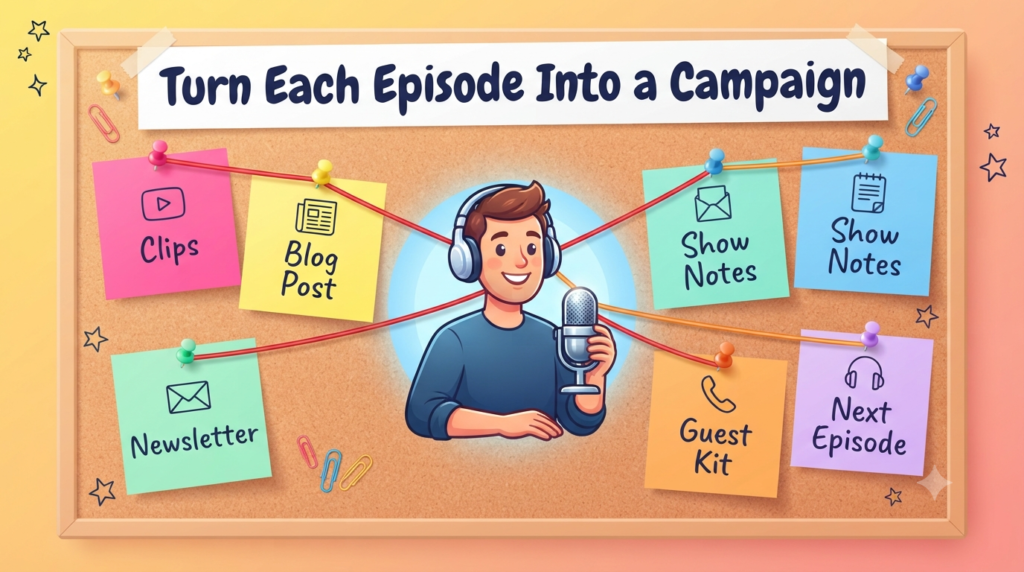
One episode can fill a week of posts if the plan stays small enough to repeat with every release. The simplest way to start is to decide which posts go out before the episode, on release day, and after it.
Plan a Small Set of Assets Around Release
Before recording, note the audience problem the episode addresses. After editing, plan a sample week in which each post does something different.
- Before release, open with a question that previews the topic.
- On release day, publish the main answer as a clip.
- A few days later, share a practical checklist or carousel.
- At the end of the week, reply to an audience question.
One set of podcast growth strategies suggests spreading three to five clips per episode across different days, which gives each platform several chances to surface the show.
A single long interview holds enough material for a blog post, several social clips, a newsletter section, and a set of show notes. If that is too much to produce by hand, these podcast marketing tools can help with repurposing, social posting, and email.
Keep a shared sheet that lists each clip, its approved wording, the link it points to, the publication date, and the owner. If the workload grows too large for the team, post less often before lowering the quality of the clips.
Bring Guests and Communities Into the Campaign
Guests can bring the show to people who already trust them. Send each guest a small sharing kit.
- An approved clip.
- The episode link.
- Suggested wording they may edit.
Send the kit about two days before publication, with a caption written in the guest’s own voice, and let them choose when to post. This makes sharing easier, as the Instagram guide recommends.
In online groups such as Facebook groups or forums, give a helpful answer before mentioning an episode, follow each group’s rules, and link only where links are welcome. Assign one person to reply, because questions from the audience show where an explanation was unclear and give you topics for future episodes.
Give Listeners a Reason to Return
A campaign should bring people back after their first listen, not only attract new ones. End each episode page and each set of show notes with one recommendation for what to hear next, plus a sentence saying how it connects to the episode they just finished. For example, after an episode about a feedback conversation, recommend a follow-up episode on handling pushback.
Clips can also bring back listeners who have stopped listening. Sounds Profitable’s research found that most listeners say they would follow a host they like from a full show into clips. So a short clip can remind past listeners why they subscribed, as well as introduce your show to new people.
Measuring the Impact of Social Media on Your Podcast
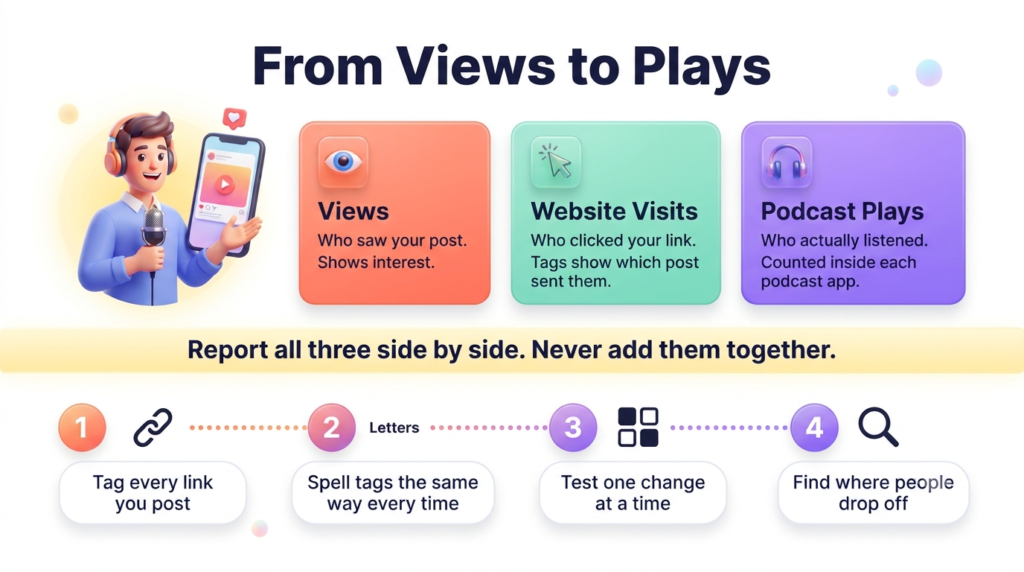
Social media only helps your podcast if it leads people to listen. To see whether it does, track views, website visits, and podcast plays separately, since each tells you something different, and look for where people drop off. Report the three side by side and never add them into one number.
Website visits
Website visits count the people who click from a post to your site. Tracking tags added to your links show which post each visitor came from, so you can see what is sending people to your episodes.
- Tag your links. Google Analytics lets you add short labels, called UTM tags, to the end of any link you post. When someone clicks, the tags show which platform and which campaign sent the visit.
- Spell tags the same way every time. Google advises using identical spelling and capital letters, because the tags treat capital and small letters as different. If you write “Instagram” once and “instagram” the next time, one campaign splits into separate rows. Pick one style, such as all lowercase, and use it for every link.
- Example of a tagged link. For a clip posted on Instagram, you could tag the link with the platform (instagram) and the episode (episode_12). When visitors arrive, you can tell they came from that Instagram clip rather than from another post.
Podcast plays
Your website tags show who arrived, but not who listened. Listening data is kept inside each podcast app.
- Spotify. Spotify for Creators shows new and returning listeners, listening time, and how many listeners come back from week to week. It can also count plays that come from links you create inside Spotify for Creators, so make a separate link for each social platform to compare them.
- Downloads vs. plays. Other platforms count downloads, while Spotify counts plays. These are different measures, so keep them apart or add a note explaining the difference.
- Label estimates. A tagged visit can’t prove that someone finished an episode in another app, so call any such figure an estimate. Judge results against your own past episodes instead of a benchmark from elsewhere.
Test One Change at a Time
To find out what works, change only one thing and keep everything else the same. For example, test two opening lines on similar clips while keeping the format, topic, and call to action consistent. Compare their watch time, engagement, and clicks where those metrics are available. Repeat the test with several posts before deciding which opening works better.
One result can be luck, so repeat the test on a few more posts before you trust it.
Then check where people drop off and fix that part.
- People stop watching in the first few seconds. Try a different opening line.
- People watch to the end but don’t tap the link. Say clearly what to do next, or move the link.
- People visit your website but don’t listen. Check that your episode page and player work.
Keep a short log of each test. For each one, write down what you changed, which two posts you compared, and which one got more views and clicks. After a few tests, you will see which choices work for your show.
Note how long each post takes to make. A video that takes hours to edit is hard to post every week. If a format wears you out, switch to a simpler one you can keep up, such as a short clip with captions.
Grow Your Podcast Audience With Live Sessions on Social Media
Live sessions are another way to turn social followers into regular listeners. A live recording or listener Q&A lets people ask questions, vote in polls, and feel part of your podcast, and a platform like Airmeet makes it easy to host. You can set up a registration page, share the link in your social posts, and record or stream the session with Airmeet for Podcasters, which also helps turn the recording into short clips. The registration list shows who is genuinely interested in your podcast, and the recording gives you fresh content to post afterward. At the end of each session, point attendees to your latest episode so they know what to listen to next.
Final Thoughts on Promoting a Podcast on Social Media
Posting on social media does not grow a podcast unless people end up listening. A clip introduces the show to a viewer, and the full episode is what turns that viewer into a listener.
To promote a podcast on social media well, know who the show is for, post short clips that give one complete idea, and make the full episode easy to find. Then check what the results show, change one thing at a time, and keep what works.
End every post by telling people what to do next, such as tapping the link to hear the full episode. That one step is what turns a viewer into a listener.
Frequently asked questions
Three to four posts per week, built from one episode and spread across different days, is a good starting pace. Hold that pace for a month before judging the results. Daily posting is not required. Instagram guidance for podcasters suggests the same range for that platform and notes that quality matters more than frequency. Post more only when your team can maintain quality and respond to replies.
Carousels, story polls, quote cards, text posts, behind-the-scenes notes, and listener question replies all work alongside clips, and mixing them gives followers more than one reason to listen.
- Carousels. Carousels are the strongest format for deepening connections with existing followers on Instagram. Give each slide one claim and use them to summarize a framework from the episode.
- Story polls. On Instagram, a launch-day story poll gives followers a small action to take before the episode link appears.
- Quote cards. Use them only when the quotation is exact and makes sense without the surrounding conversation.
- Text posts. A clear opinion followed by its reasoning suits professional networks such as LinkedIn.
- Behind-the-scenes notes. A short note on what the guest changed your mind about gives followers a personal reason to listen.
- Listener question replies. Answer a viewer’s question with a relevant moment from an older episode.
A new podcast gets its first listeners by posting clear, useful clips for one type of listener and making the full episode easy to find. Start with these steps.
- Stick to one subject. Pick one subject for one type of listener, so a visitor who watches a clip and lands on your page finds more episodes on the same subject.
- Post clips before launch. In the weeks before your first episode, share a short clip that tells people who the show is for and what it helps with. This is one of the growth strategies recommended for new podcasts.
- Write clear episode titles. Say what the episode is about instead of using a clever title so people who see a clip can easily find the full episode.
- Ask people to share. Message your guests and friends and ask them to share your first episodes.
- Be patient. Growth is usually slow at the start, so keep posting at a pace you can maintain.
If you have a limited budget, consider promoting a post that has already performed well organically. This gives you an initial indication of which content resonates with your audience. Paid promotion can also help test a new audience or campaign, but define your goal and budget before spending.
Test it before you change anything. Post another clip from the same episode and see if it performs well too. Then check whether the extra views lead to more full-episode plays, and whether the new viewers are the kind of listeners you want. If two or three clips beat your usual results in the same way, you’ve found a pattern worth building on. If not, it was probably a one-off.