


Turn a large webinar audience into a sequence of focused one-to-one conversations. Airmeet’s Serendipity Session matches available participants for a host-defined time, supports contact exchange in chat, and moves participants to the next available match.


Pair prospects with peers or subject-matter experts so passive attendance becomes a relevant conversation and a clearer follow-up cue.
Connect customers with specialists or other users for fast knowledge exchange that complements the formal session.
Create focused introductions across partner roles, ticket tiers, or registration attributes when supported matching rules are available.
Give senior attendees a time-boxed, low-friction way to meet more relevant peers without navigating a crowded open lounge.

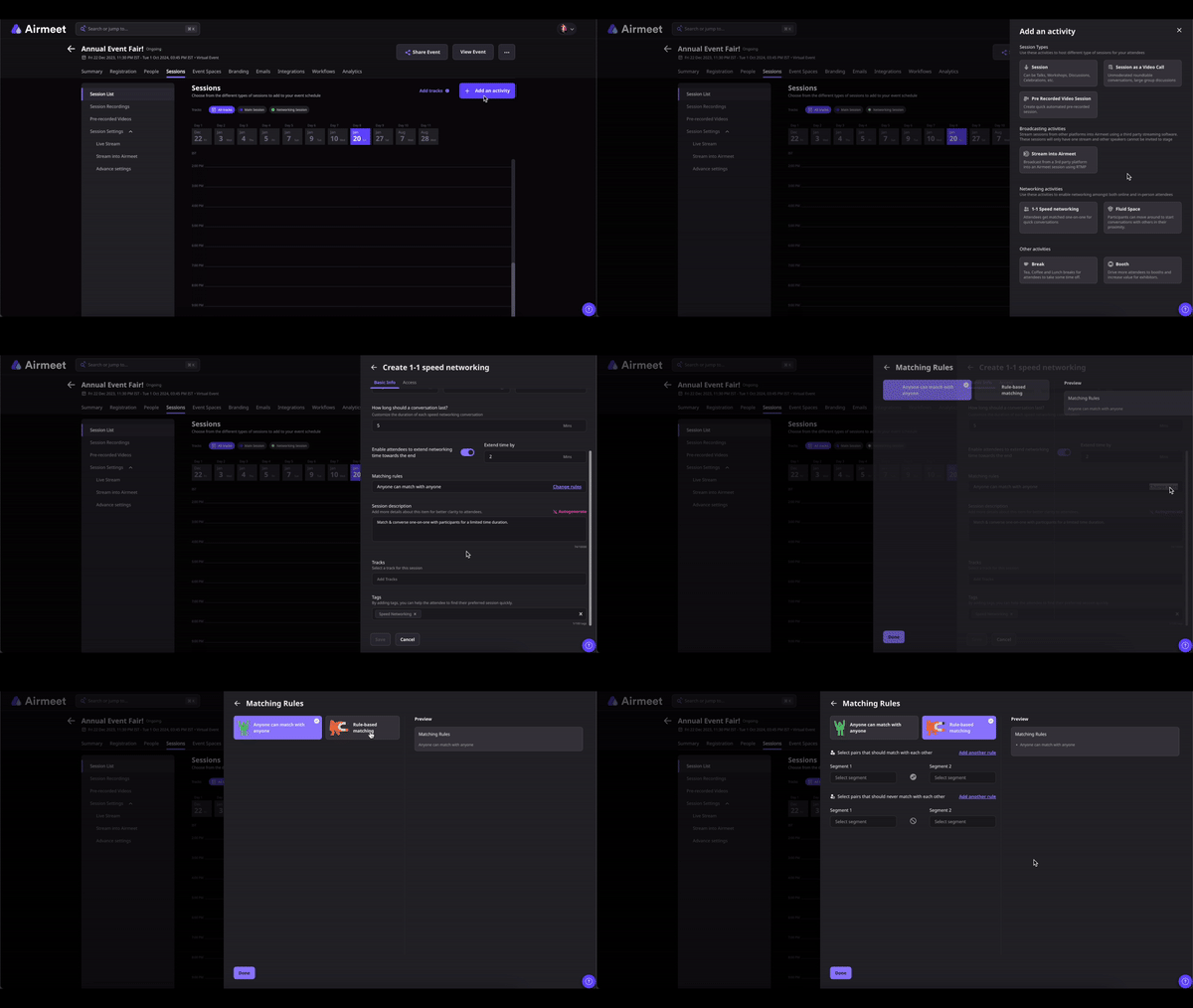
From the Event Dashboard, navigate to Sessions and create a new Serendipity Session (Speed Networking). Enter the session title, schedule, and networking duration.
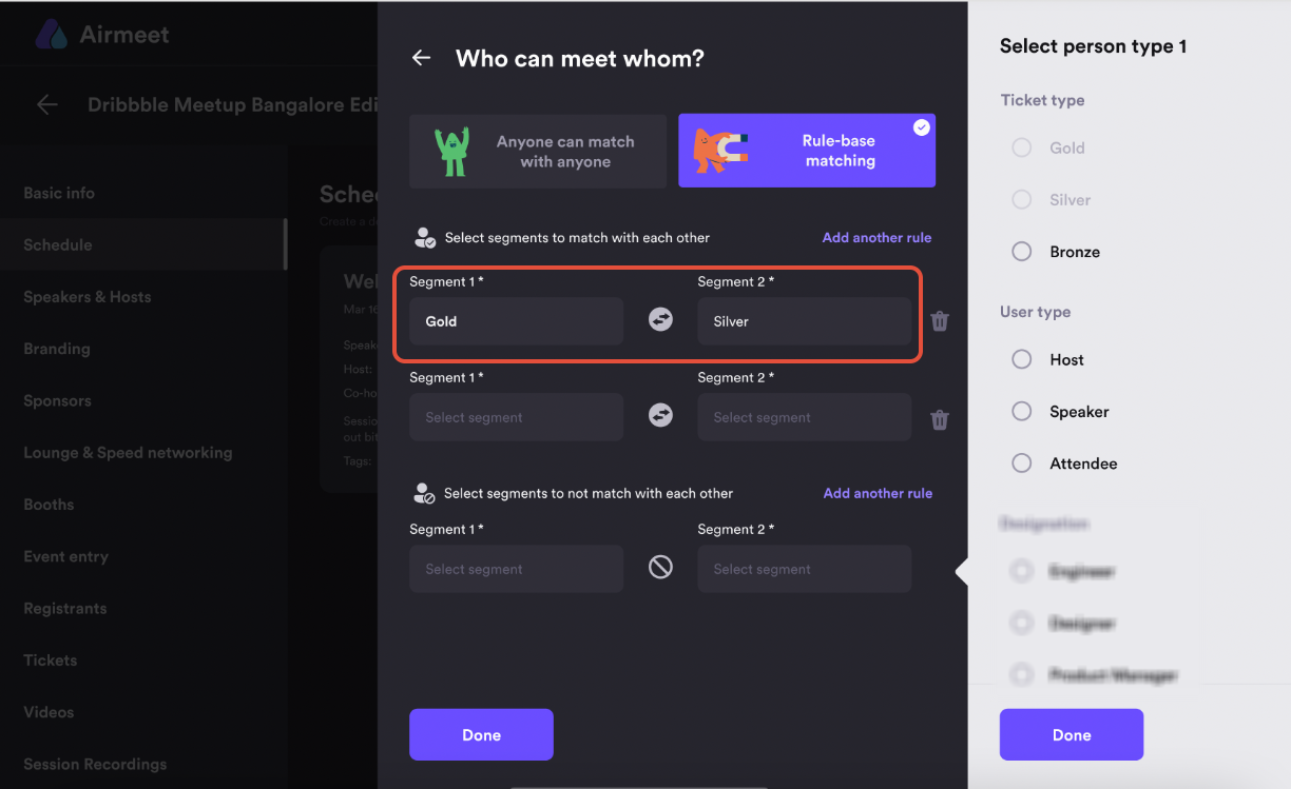
Choose the duration for each one-to-one conversation. On eligible plans, you can also configure participant matching rules based on supported categories such as ticket type, registration fields, or user type.
Save the configuration and publish the Speed Networking session as part of your event agenda. Participants will see the networking session when it becomes available.
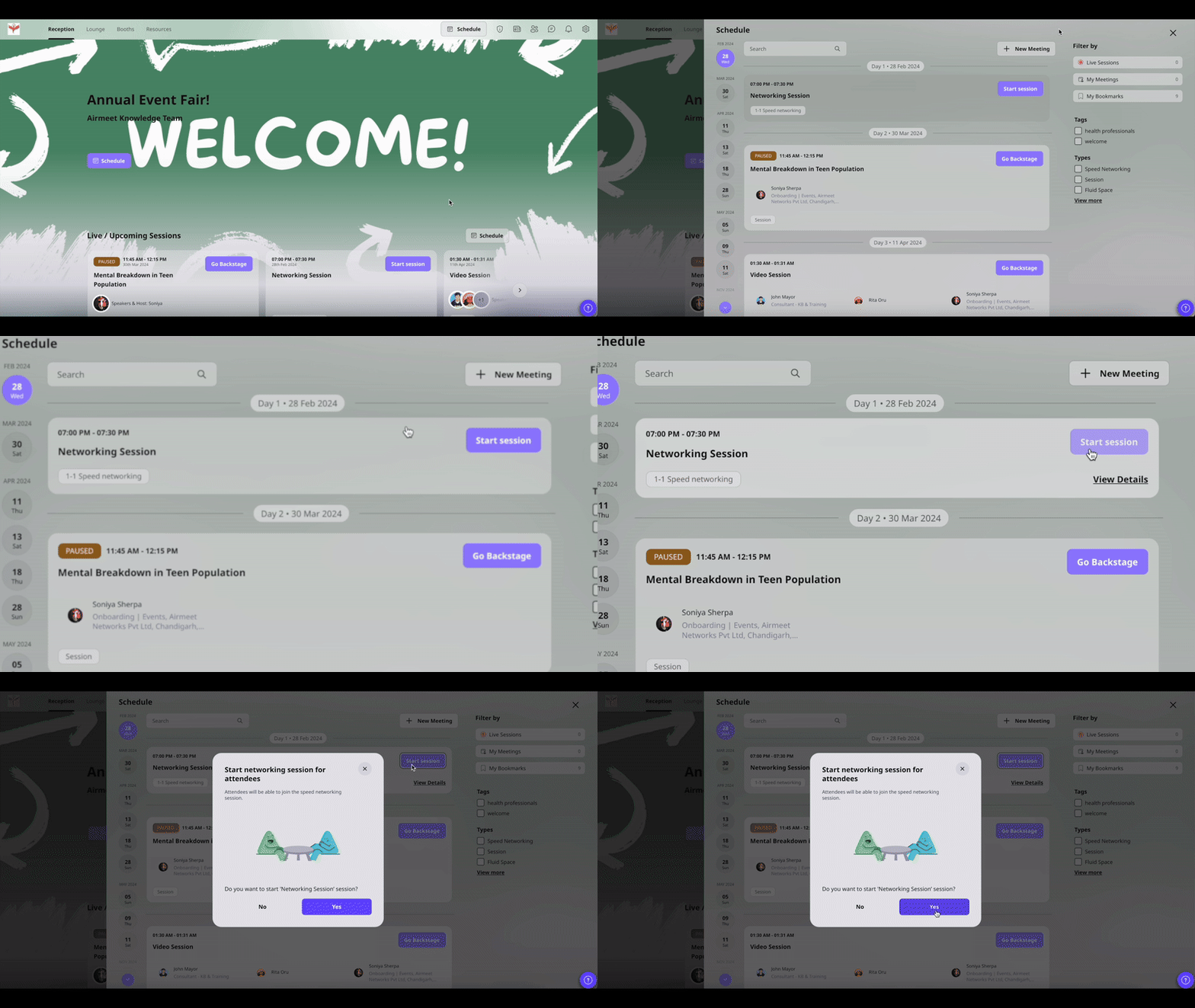
When the scheduled time arrives, the organizer starts the Speed Networking session. Participants can then join from the event schedule or networking area, depending on the event format.
Airmeet automatically pairs each participant with another available attendee for a one-to-one conversation. During the conversation, participants can –
– Enable camera and microphone.
– Chat with each other.
– Exchange information.
– Discuss shared interests or business topics.
As the conversation approaches its end, Airmeet displays a 30-second countdown. When the timer expires, participants are automatically matched with another available attendee, allowing multiple networking conversations during a single session.

Speed Networking is Airmeet’s Serendipity Session: a scheduled event experience that matches participants for short, one-to-one conversations and then moves them to another available match when the meeting ends.
Once the organizer starts the session, attendees can join from the event schedule or the relevant event area, depending on the event format. Camera and microphone permissions must be enabled in the browser.
Participants are matched automatically with another available attendee. On eligible Airmeet plans, organizers can configure matching rules based on supported participant categories such as ticket type, registration fields, or user type to create more relevant networking conversations.
Yes. Eligible plans allow organizers to configure matching rules before the session begins, helping encourage or prevent specific participant pairings. These rules cannot be changed after the networking session starts.
The organizer sets the attendee conversation duration when configuring the session. Participants see a flashing 30-second timer as the current meeting approaches its end.
Once the conversation timer ends, Airmeet automatically connects participants with the next available attendee, allowing them to continue networking throughout the scheduled session.
Yes. Participants can use the built-in chat during each networking conversation to exchange contact information, share resources, or continue the discussion after the event.
Depending on the event format and organizer settings, participants may be able to pause their networking experience or skip a match. Organizers can also choose whether the Skip this Match option is available.
Yes. Speed Networking is available for both webinar and virtual event formats. The participant entry experience may vary slightly depending on the event type.
Speed Networking works well after keynote sessions, product launches, customer webinars, and partner events. Use it to create meaningful one-to-one conversations that help attendees build relationships and give sales teams richer context for post-event follow-up.
Yes. Participants can join an active Speed Networking session after it begins. Airmeet matches them with the next available attendee, allowing them to participate in the remaining networking rounds.


Incredible Companies Use Airmeet

Most loved Virtual Events Platform

Incredible Companies Use Airmeet

Most loved Virtual Events Platform

Incredible Companies Use Airmeet
Most loved Virtual Events Platform

