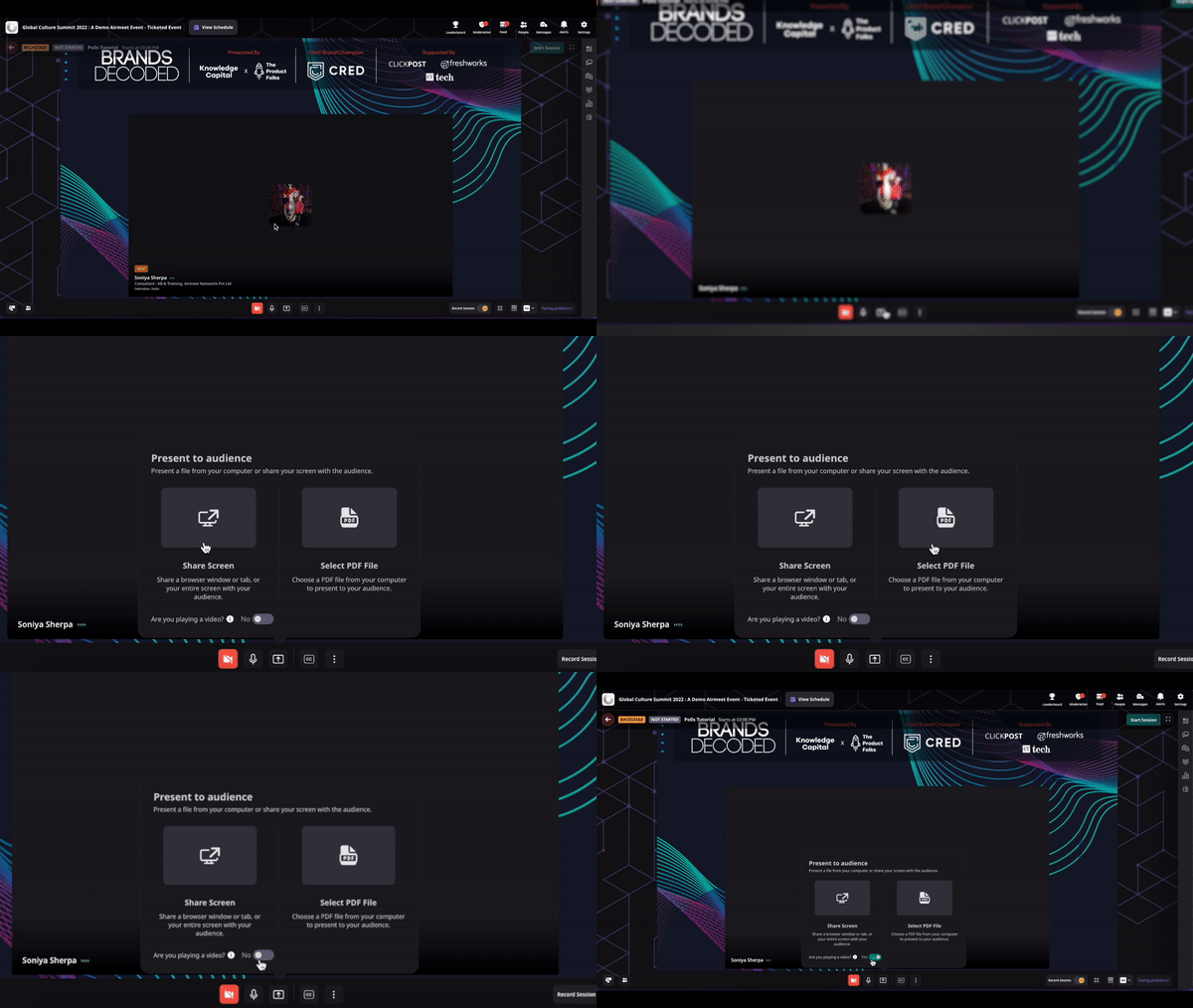
Put experienced live-event operators behind every critical moment, from speaker readiness and backstage cues to embedded technical response and attendee rescue, so your team stays focused on the audience, the message, and the pipeline.
Your most valuable live moments leave no room for slow recovery.
One wrong screen share, a missed executive cue, or a VIP blocked by browser permissions can break attention at the exact moment your message should convert.
External speakers arrive unprepared Untested hardware, browsers, or networks become visible problems once the session starts.
Production runs thin in real time Live producers juggling cues, layouts, slides, and escalating messages at once cannot always catch everything.
Technical incidents pull focus When marketers shift their attention from moderation and engagement to resolving technical issues, the audience feels it.
High-value attendees quietly leave Attendees who cannot join or hear the session will not wait for help to find them.
The Solution
A live operations layer built around continuity.
Airmeet Whiteglove services bring preparation, production, and rapid response into one coordinated plan.
Speaker onboarding and rehearsals Dry runs, hardware and browser checks, connection verification, presentation flow, and cue expectations so no presenter walks in cold.
Virtual stage management Backstage cues, screen-share transitions, speaker movement, studio layouts, and run-of-show execution handled by a dedicated operator.
Dedicated in-event technicians Embedded specialists resolve organizer, presenter, and VIP technical incidents in real time without pulling your team away from the audience.
Attendee triage concierge Frontline help for login, browser, audio, and video issues with clear escalation for priority guests who need to be back in the room fast.
Whiteglove coverage delivers the most value when a live disruption could weaken brand trust, engagement, or conversion.
Pipeline webinars
Protect the experience when every attendee may become a qualified conversation.
Product launches
Coordinate demos, executives, and transitions so the narrative lands cleanly.
Leadership summits
Give VIP speakers and guests discreet, immediate technical support.
Customer events
Keep education, advocacy, and community moments moving without visible disruption.
The real operator and attendee experience.
STEP-BY-STEP PROCESS
Turn the event brief into a controlled live show.
Step 1. Scope
Before anything else gets scheduled, lock in the operational brief. Confirm event goals, session format, number of speakers, VIP attendees, team owners for each workstream, and the escalation path if something goes wrong during the live show. The cleaner the brief is going in, the faster the team can respond on the day.
Step 2. Rehearse
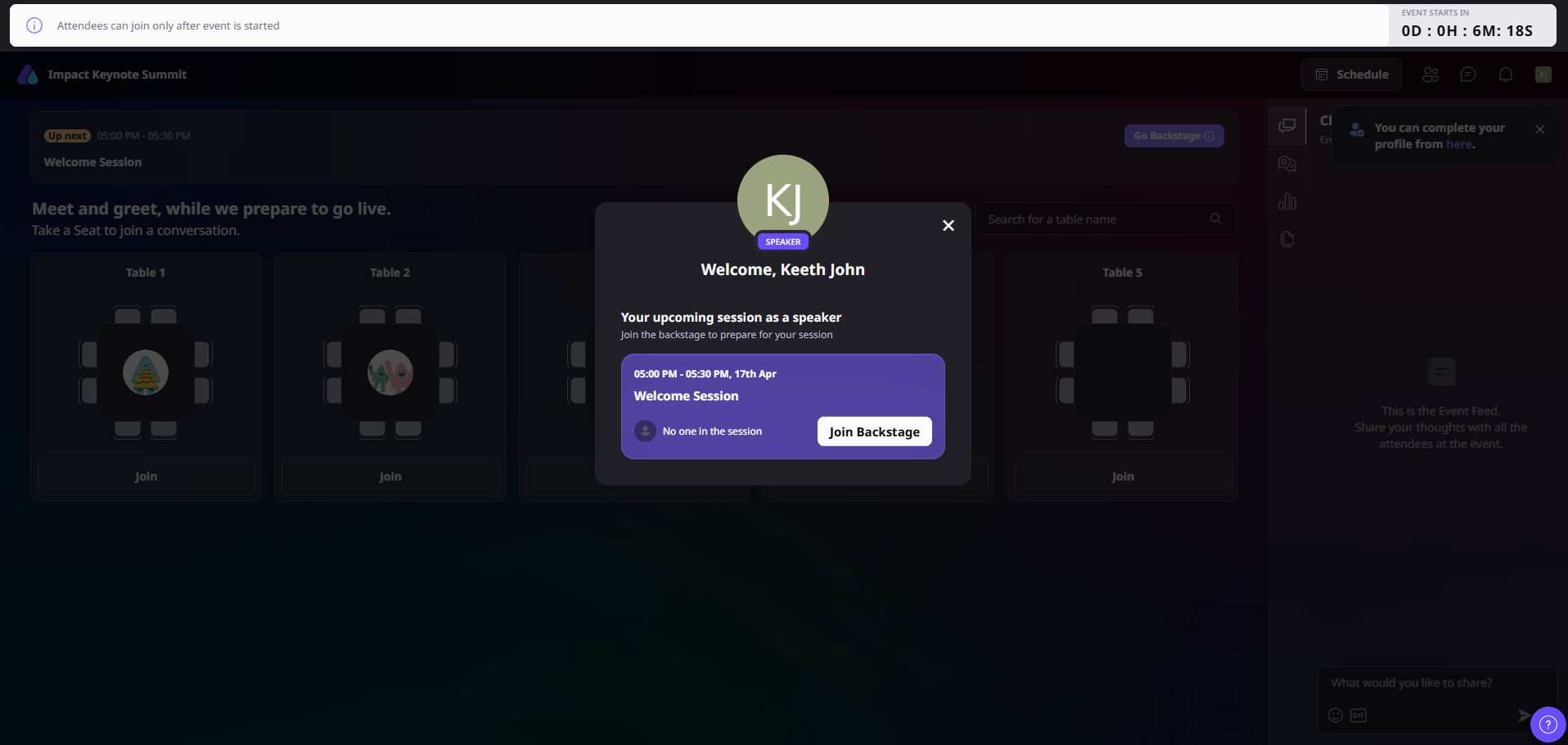
Path: Event Dashboard > View Event > Go Backstage
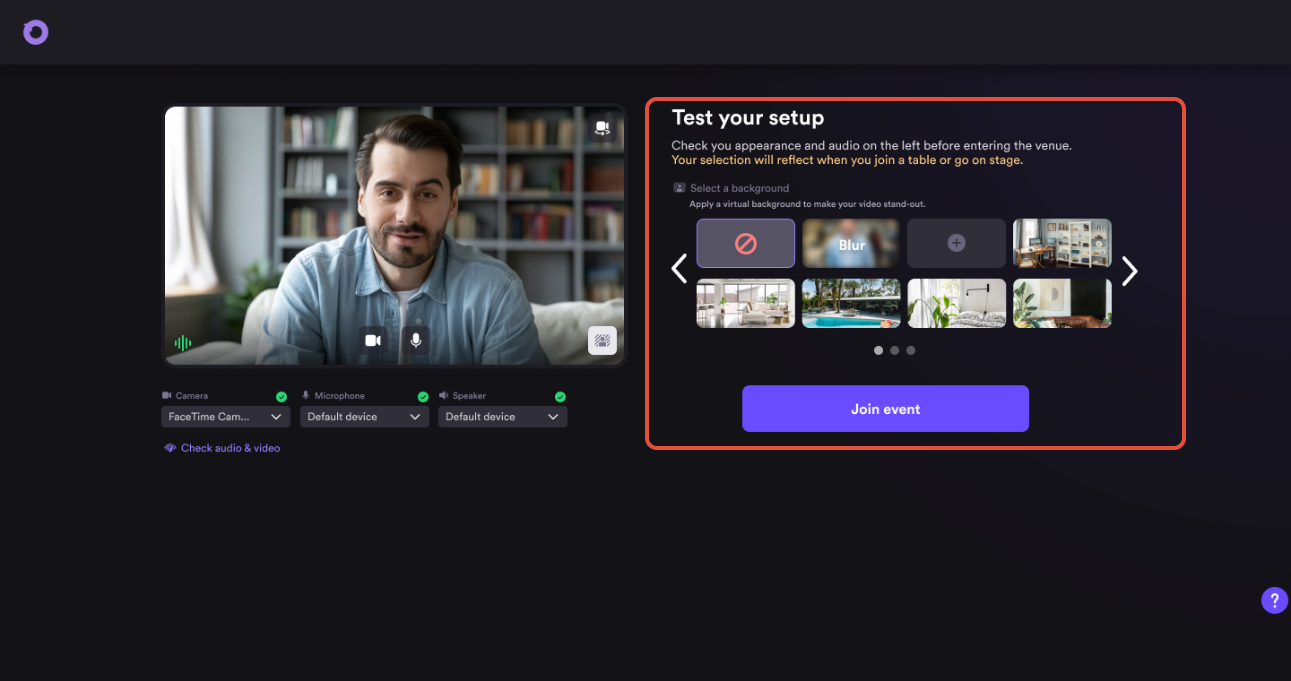
Use Airmeet’s preview mode to run the full dry run without starting the live event. Speakers join via their speaker link, click Go Backstage from the Schedule section, and the operations team runs through every element before a single attendee is in the room.
The rehearsal covers:
Hardware checks including camera, microphone, and headset
Browser compatibility and permission verification
Connection quality and bandwidth testing
Presentation flow and slide transitions
Screen-share handoff between speakers
Backstage entry and cue expectations
Run-of-show walkthrough so every speaker knows exactly when they go live
Step 3. Run Backstage
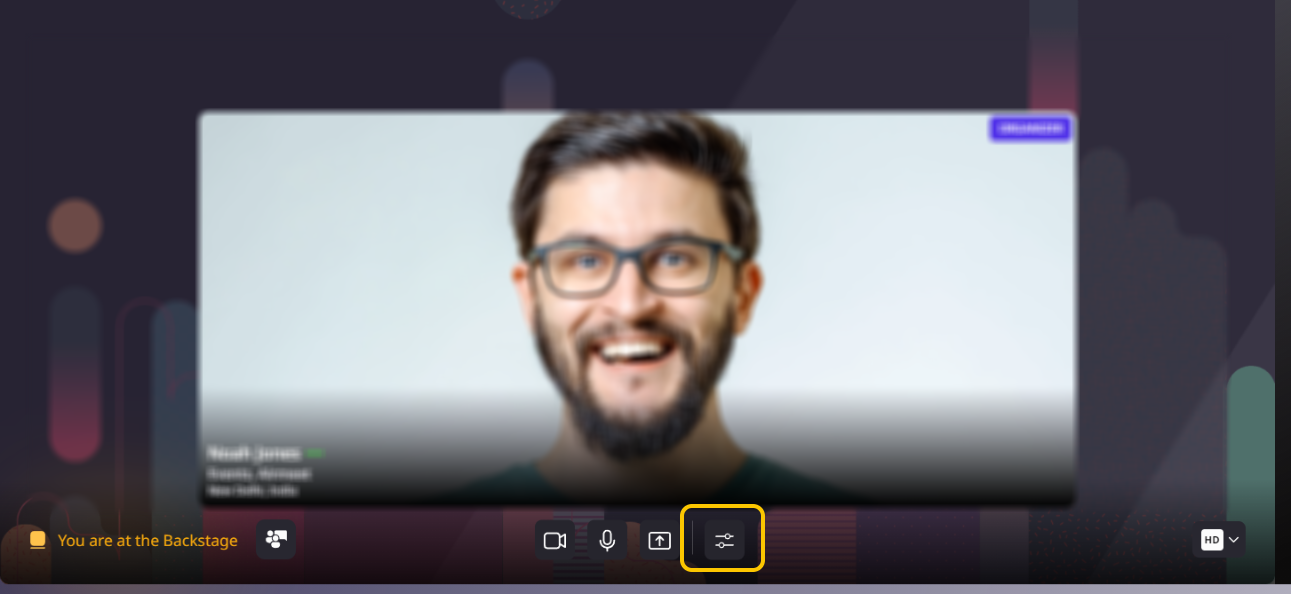
Path: Schedule > Go Backstage > Manage Tray
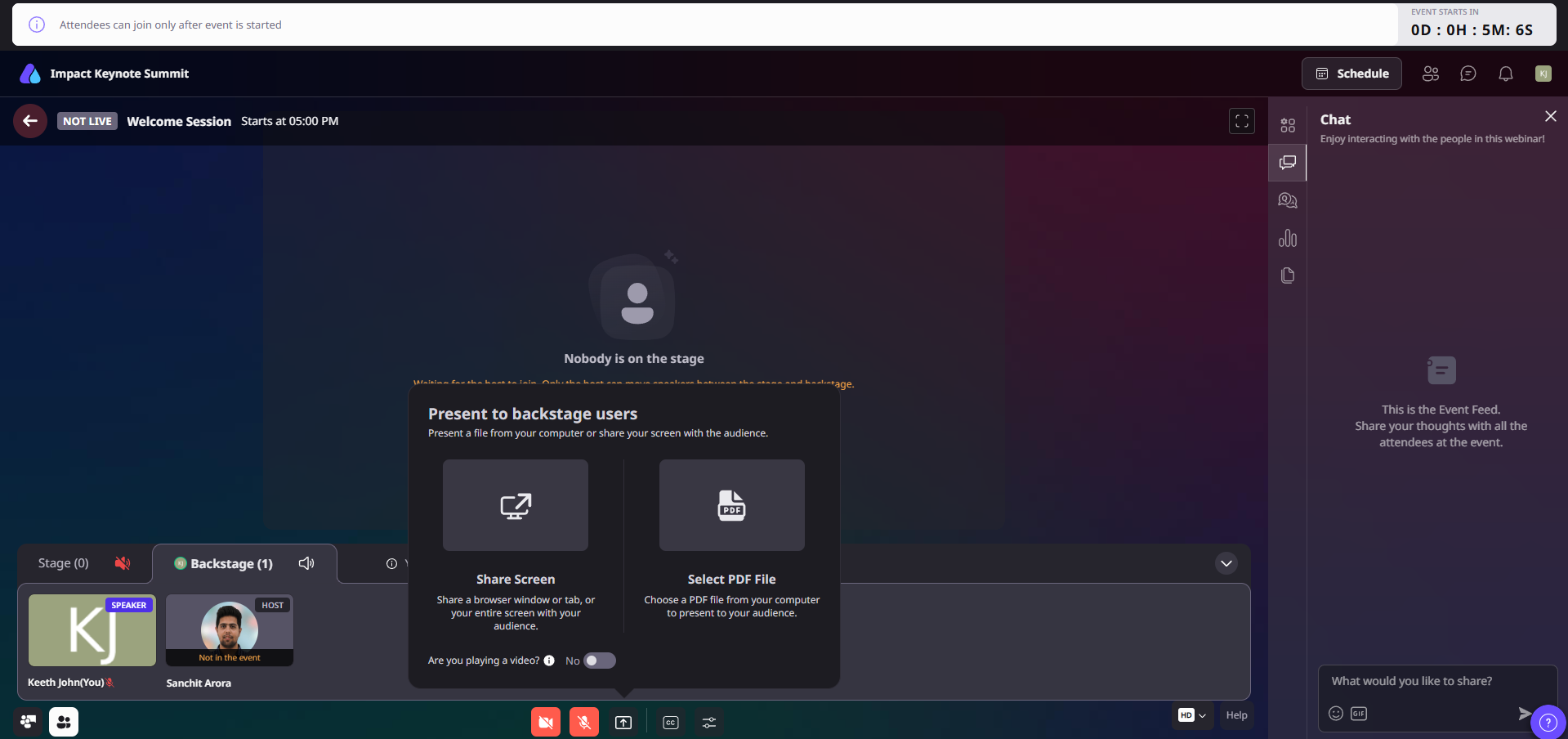
Once the event starts, the operations team runs backstage as a live coordination layer. Speakers join backstage via the Schedule section and wait in the private space until it is their turn.
From the manage tray, the host or co-host can:
Push a speaker to the stage by hovering over their tile and clicking Move to Stage
Pull a speaker back to backstage mid-session by clicking Move to Backstage
Move a backstage screen share to the live stage without moving the presenter
Coordinate cues, studio layouts, and screen-share transitions in real time
The audience sees none of this. The backstage stays private throughout the session.
Step 4. Triage Live
Embedded technicians monitor the live session from inside the event and respond to issues as they happen. The agreed response plan covers three levels:
– Organizer and host issues: Login failures, session control problems, or audio drops affecting the host
– Speaker issues: Camera freezes, mic drops, screen-share failures, or cue misses mid-presentation
– Attendee issues: Login blocks, browser permission failures, audio or video interruptions, and priority guest escalations
Issues are triaged in order of audience impact. VIP and executive attendees get priority recovery. The goal is resolution before the disruption becomes visible to the broader audience.
Step 5. Review
After the session ends, the operations team captures a post-event incident log covering what happened, when it happened, how it was resolved, and how long resolution took. The findings feed into future event planning to reduce the likelihood of similar issues recurring.
Pair the operational review with your marketing metrics including attendance rate, session drop-off, engagement scores, and influenced pipeline to get a complete picture of how the event performed.
WHY CHOOSE AIRMEET
Platform capability and human operations, designed to work as one.
Airmeet gives operators backstage, preview, live-stage, speaker-management, engagement, and troubleshooting controls. Whiteglove services add dedicated people and operating discipline around those controls.
One operating environment Rehearsal, backstage execution, engagement, and analytics all live in the same platform. No tool switching mid-show.
Invisible expertise Your brand stays in the foreground. The operations team works behind it.
Priority recovery Clear ownership and a defined triage path so incidents get resolved before they become visible.
Revenue-event focus Every service element is designed around the moments that influence engagement and follow-up.
help Center
Relevant Help Articles
Explore guides and tutorials to help you create, customize, and host exceptional events on Airmeet.
A premium live-event operations layer for teams that want expert preparation and hands-on execution around an Airmeet event. The scope covers speaker onboarding, rehearsals, backstage stage management, embedded technical support, and attendee triage.
Premium and Enterprise teams running high-stakes webinars, executive events, product launches, customer programs, or multi-speaker broadcasts where live-event risk could affect brand trust or pipeline.
Yes. The service model includes technicians embedded in the live event to monitor and respond to organizer, speaker, and VIP technical issues in real time.
Presenters complete a pre-event dry run covering hardware, browser permissions and compatibility, camera and microphone selection, connection quality, presentation flow, backstage entry, and cue expectations.
The attendee-triage concierge covers frontline help for login, browser, audio, and video interruptions, with the goal of getting high-value attendees back into the experience quickly.
Potentially. Coverage depends on event format, session concurrency, audience size, run time, and the number of operators required. Confirm the production plan and staffing before launch.
Early enough to lock the run of show, rehearse external presenters, test critical media, identify backups, and agree on escalation paths. Complex or multi-track events benefit from more lead time.
Airmeet features
Other Features to Explore
Discover more powerful features that help you create engaging, branded, and seamless event experiences with Airmeet.
“I was really excited to see how alive Airmeet seemed. The first time I raised my virtual hand to ask a question, I was brought up on stage, my camera flipped on, and I was able to talk with the presenters, that was the sold-moment in my head! That is what I wanted. We weren't going to be speaking at our audience. We wanted a two-way engagement. With the analytics in the background, that was my “Aha moment!”
Victoria YounesExecutive Events Manager
Incredible Companies Use Airmeet
Most loved Virtual Events Platform
“I was really excited to see how alive Airmeet seemed. The first time I raised my virtual hand to ask a question, I was brought up on stage, my camera flipped on, and I was able to talk with the presenters, that was the sold-moment in my head! That is what I wanted. We weren't going to be speaking at our audience. We wanted a two-way engagement. With the analytics in the background, that was my “Aha moment!”
Victoria YounesExecutive Events Manager
Incredible Companies Use Airmeet
Most loved Virtual Events Platform
“I was really excited to see how alive Airmeet seemed. The first time I raised my virtual hand to ask a question, I was brought up on stage, my camera flipped on, and I was able to talk with the presenters, that was the sold-moment in my head! That is what I wanted. We weren't going to be speaking at our audience. We wanted a two-way engagement. With the analytics in the background, that was my “Aha moment!”
Victoria YounesExecutive Events Manager
Incredible Companies Use Airmeet
Most loved Virtual Events Platform
“I was really excited to see how alive Airmeet seemed. The first time I raised my virtual hand to ask a question, I was brought up on stage, my camera flipped on, and I was able to talk with the presenters, that was the sold-moment in my head! That is what I wanted. We weren't going to be speaking at our audience. We wanted a two-way engagement. With the analytics in the background, that was my “Aha moment!”