Turn one live production feed into a coordinated, multi-channel revenue moment. Broadcast to multiple destinations, bring expert guests on instantly with a web link, and capture recordings built for faster post-event editing and reuse.
Webinars shouldn’t require three disconnected production workflows
Revenue-focused webinars are expected to reach audiences wherever they already spend time, feature credible experts, and become reusable campaign content. But every extra destination, guest handoff, and recording tool can add bandwidth pressure, backstage coordination, and file-management risk—exactly when marketers need a confident, on-brand show.
Reach is fragmented Separate outbound feeds can multiply setup, monitoring, and failure points.
Guest access slows the show Account creation, downloads, or complicated instructions can cost valuable rehearsal time.
Live content disappears too quickly A single mixed recording limits editing options and slows clips, follow-up, and campaign reuse.
Production effort is hard to scale Teams repeat the same routing, onboarding, and recording work for every webinar.
The Solution
One cloud production layer for reach, guests, and reusable content
Multi-Channel Live Streaming brings essential production capabilities into one workflow. Send one contribution feed to the cloud, route the live program to multiple destinations at once, invite remote participants through a simple browser link, and capture the session—including local recording options intended to support higher-quality post-production.
Multistreaming Broadcast to several destinations while your device sends only one feed to the cloud.
Guest Management Invite speakers, customers, executives, and partners instantly with a simple web link.
Recording Capture sessions for replay and reuse, with local recording options for a stronger editing source.
One repeatable workflow Reduce tool switching and give producers a clearer path from rehearsal to distribution.
BUILT FOR REAL WEBINAR FORMATS
Benefits for different virtual event use cases
Match the same streamlined production workflow to the moments that drive pipeline, trust, education, and partner reach.
Product launches
Go live once and meet buyers across multiple channels without multiplying the device-side feed.
Thought leadership
Bring a hard-to-book executive or subject-matter expert on through a simple guest link.
Customer education
Record the session, refine it, and turn a live workshop into durable enablement content.
Partner webinars
Distribute a shared show across partner and brand destinations while keeping production coordinated.
See the real backstage and Speaker Chat experience
Why Airmeet
Why Choose Airmeet for Multi-Channel Live Streaming
Airmeet already connects live event delivery with the audience experience marketers need around it. This new streaming workflow extends that foundation: broader reach without multiplying the contribution feed, faster access to outside expertise, and recordings that can keep working after the live session ends. The result is more than a broadcast—it is a more scalable workflow for producing, distributing, and reusing revenue-focused webinars.
Built for B2B webinar programs Pair live distribution with branded sessions, attendee engagement, and post-event workflows.
Cloud-first operational clarity Keep the device-side contribution simple while the cloud handles multi-destination distribution.
Lower guest friction Make it easier to feature customers, partners, executives, and industry experts at the moment they matter.
A stronger content lifecycle Move from live session to replay, editing, clips, nurture, and sales follow-up with fewer dead ends.
help Center
Relevant Help Articles
Explore guides and tutorials to help you create, customize, and host exceptional events on Airmeet.
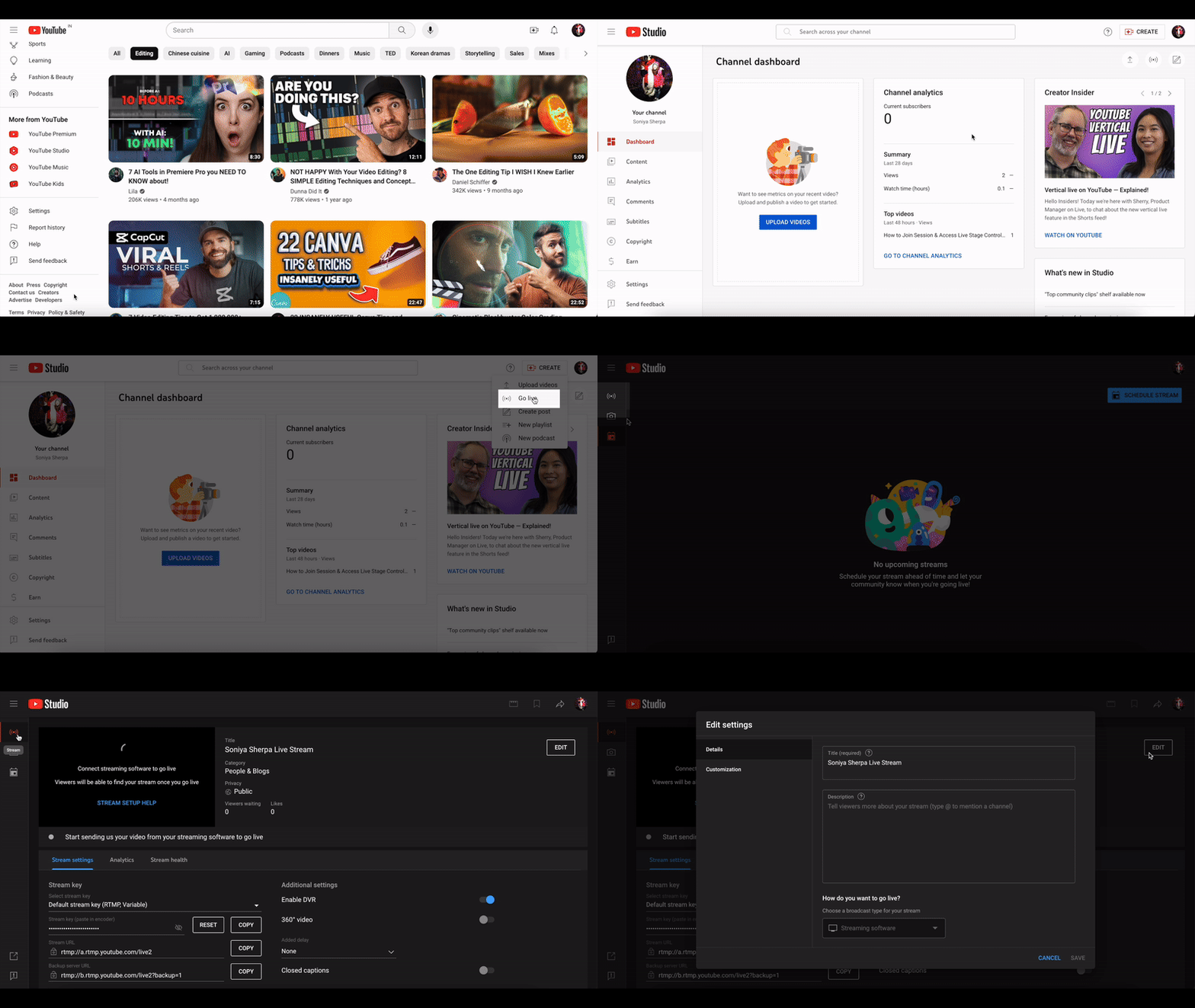
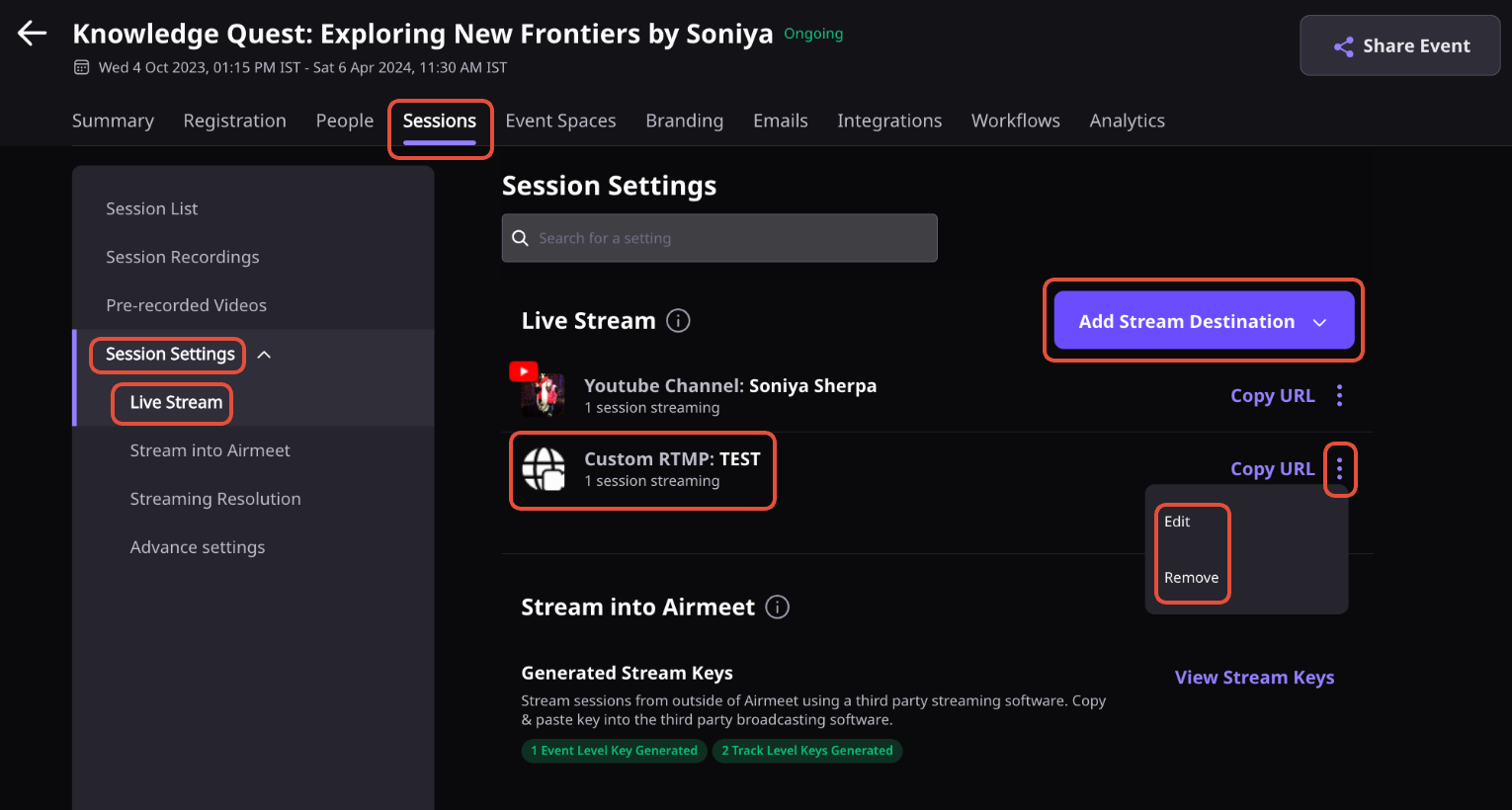
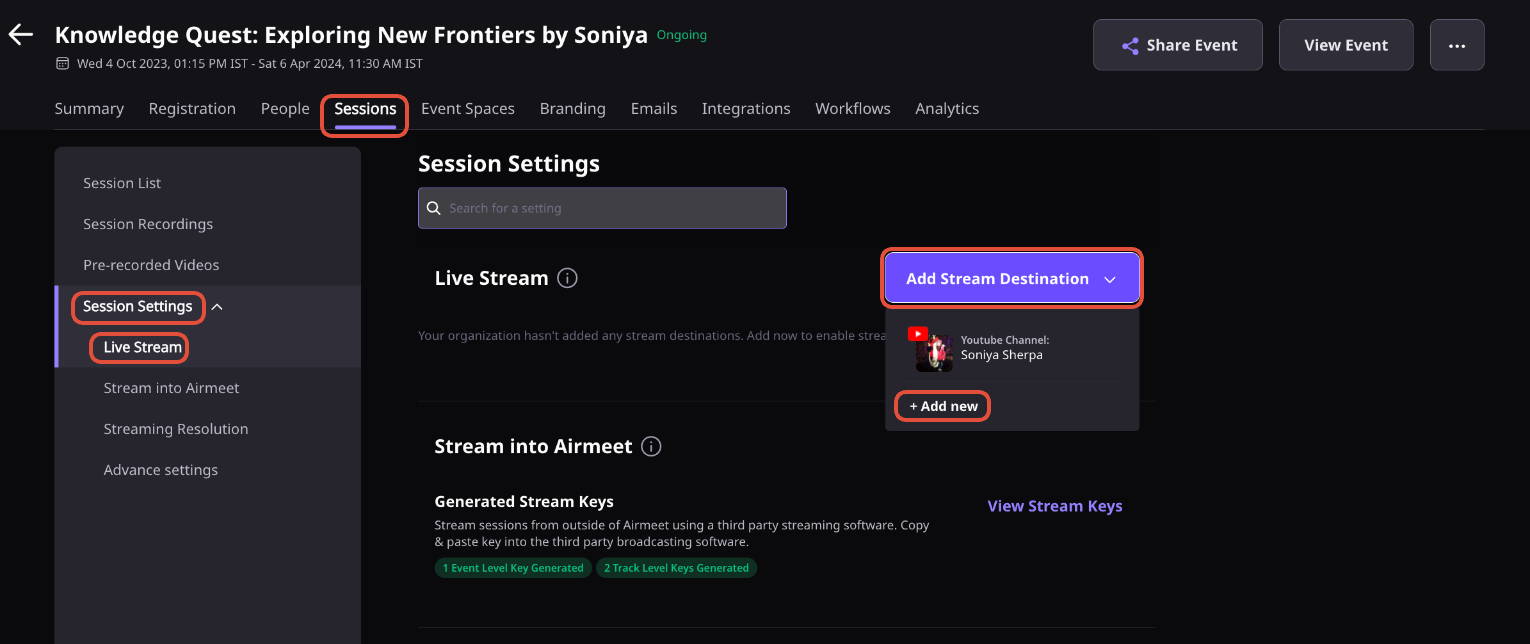
How to stream out an Airmeet session using custom RTMP
It is a new Airmeet streaming workflow described as three connected capabilities: simultaneous multistreaming from a single device-to-cloud feed, instant guest invitations through a web link, and cloud or local recording options for post-event use.
Your device sends one contribution feed to the cloud. The cloud then distributes the live program to multiple configured destinations, reducing the need to originate a separate device-side feed for each channel.
A cloud recording is captured by the hosted platform and made available after processing. Local recording captures media on the contributor or producer side and can provide a higher-quality source for editing when the feature is configured and supported.
Yes. You can reuse session recordings as replay access and clip creation. Multi-Channel Live Streaming is positioned to make that content lifecycle faster, but processing times and editing capabilities can vary by configuration.
It complements them. Existing capabilities cover social streaming and custom RTMP. The new capability is positioned around routing one device contribution to several destinations through the cloud.
Run a full rehearsal covering the device upload connection, each destination’s credentials and permissions, guest browser access, audio monitoring, local disk space, recording consent, fallback communication, and a short recording playback check.
Airmeet features
Other Features to Explore
Discover more powerful features that help you create engaging, branded, and seamless event experiences with Airmeet.
“I was really excited to see how alive Airmeet seemed. The first time I raised my virtual hand to ask a question, I was brought up on stage, my camera flipped on, and I was able to talk with the presenters, that was the sold-moment in my head! That is what I wanted. We weren't going to be speaking at our audience. We wanted a two-way engagement. With the analytics in the background, that was my “Aha moment!”
Victoria YounesExecutive Events Manager
Incredible Companies Use Airmeet
Most loved Virtual Events Platform
“I was really excited to see how alive Airmeet seemed. The first time I raised my virtual hand to ask a question, I was brought up on stage, my camera flipped on, and I was able to talk with the presenters, that was the sold-moment in my head! That is what I wanted. We weren't going to be speaking at our audience. We wanted a two-way engagement. With the analytics in the background, that was my “Aha moment!”
Victoria YounesExecutive Events Manager
Incredible Companies Use Airmeet
Most loved Virtual Events Platform
“I was really excited to see how alive Airmeet seemed. The first time I raised my virtual hand to ask a question, I was brought up on stage, my camera flipped on, and I was able to talk with the presenters, that was the sold-moment in my head! That is what I wanted. We weren't going to be speaking at our audience. We wanted a two-way engagement. With the analytics in the background, that was my “Aha moment!”
Victoria YounesExecutive Events Manager
Incredible Companies Use Airmeet
Most loved Virtual Events Platform
“I was really excited to see how alive Airmeet seemed. The first time I raised my virtual hand to ask a question, I was brought up on stage, my camera flipped on, and I was able to talk with the presenters, that was the sold-moment in my head! That is what I wanted. We weren't going to be speaking at our audience. We wanted a two-way engagement. With the analytics in the background, that was my “Aha moment!”