




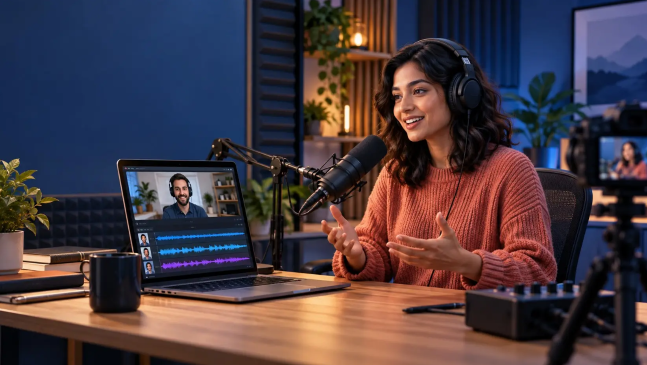
For video podcasts, an HD webcam or camera can also help capture high-quality visuals. The right podcast recording software can support high-quality audio and video recording, along with features such as editing, background noise removal, transcription, filler-word removal, and more.
In this blog, we’ll take a look at 11 of the best podcast recording tools for creators, along with their features and capabilities.
11 Best Podcast Recording Software and Tools
Here are 11 podcast recording platforms worth considering:
1. Airmeet Podcast
Airmeet Podcast is the first platform in the list that allows creators to record remote podcasts and video interviews with studio-quality audio and high-quality video. Creators can invite guests from anywhere, capture their stories, and record the podcast with ease. Airmeet also enables creators to edit the recording, polish the episode, and prepare it to promote on social media platforms.
Features that Airmeet Podcast Offers
- HD audio and video recording
- Branding
- Screen sharing
- Live podcast streaming
- Podcast episode editing
- Podcast content repurposing
Pros
- Supports high-quality audio and video podcasts recording
- Offers professional branding options
- Provides separate tracks for recording
Cons
- Does not have a built-in royalty-free music library
Best For:
Remote video interview podcasts
2. Riverside
Riverside is the AI-powered podcast recording platform that allows creators to record, edit, repurpose, and distribute studio-quality content with ease. Creators can record podcasts solo or with guests in up to 4K video quality and crystal-clear audio. Riverside offers a local recording feature, enabling creators to capture up to 4K video and uncompressed audio in separate tracks without the need for a robust internet connection.
Creators can edit remote guest recordings, add brand logos and colors, and add in an outro and embed customizable animated captions, making the episode look professional and visually appealing. Plus, creators can stream the recorded episode to various social media platforms in full HD at the same time such as LinkedIn, YouTube, Instagram, Twitch, and more.
Features that Riverside Offers
- Remote guest recording
- Separate audio and video tracks
- Local recording
- Magic clips
- Transcribing
- Magic audio
- AI Co-creator
- AI translation
- AI-Twin
- Caption
- AI-show notes
- Social scheduling
Pros
- Supports local recording
- Offers an AI-powered tool to polish podcast episode
- Multistreaming capabilities
Cons
- In order to make use of advanced features, creators have to purchase a premium plan
Best For:
Remote video interviews
3. Descript
Descript is a podcast recording and editing platform that allows creators to seamlessly record, transcribe, edit, turn into short clips, and publish their podcast episodes. This platform lets creators record podcast interviews remotely. Whether it’s audio only or 4K video, it lets you record interviews with your podcast co-hosts and guests in crystal-clear audio and video, all from the comfort of your home (or wherever your recording studio is located).
Descript gives you a text-based editor tool that lets you easily remove unnecessary words and background noise from your audio and video episodes with a single click, add voice-overs, and correct audio errors using AI voice cloning. Creators can turn longer podcast episodes into shorter clips to promote on social media.
Features that Descript Offers
- 4K recording
- Multitrack recording
- Multitrack audio editing
- Screen recorder
- AI captions and subtitles
- AI templates
- Text-to-speech
- Green screen video editor
Pros
- Supports for translating the episode into 20+ languages
- Offers an AI-powered green-screen effect to remove video background
- Offers a free plan with 1 media hour per month, 100 AI credits, and watermark-free 720p exports
Cons
- Live broadcasting of podcasts is not a core workflow
Best For:
Professional audio and video podcasts
4. SquadCast
Squadcast is an online podcast recording platform that supports high-quality remote guest, audio, and video recordings. This platform offers creators the flexibility to create professional-grade audio content from anywhere in the world. Creators can connect with co-hosts or guests and record the podcast online with pristine audio quality, ensuring that podcast episodes sound high-quality and professional.
Features that SquadCast Offers
- Remote guest recording
- Studio quality audio and video recording
- Local & cloud audio recording
- Backstage management
- Green room
- Transcription
- Screen recording
Pros
- User-friendly interface and easy setup
- Supports local & cloud audio recordings
- No software download for guests
Cons
- Creator plans can be expensive for creators with low budgets
Best For:
Remote guest podcasts
5. Zencastr
Zencastr is known for recording studio-quality podcasts, capturing HD video and crystal-clear audio from your browser or phone. Zencastr enables creators to record episodes locally on their devices, ensuring high-quality audio and video even when the WiFi connection is weak.
Plus, this platform offers separate tracks for each participant, allowing them to record episodes on their own separate track, which gives them greater editing control in post-production. Creators can invite up to 6 guests to a single episode and give them a link to join the session from a browser, eliminating the need to download software.
Features that Zencastr Offers
- 4K video recording
- Local recording
- Separate tracks for each participant
- AI-powered podcast editing
- Live HD broadcasting
- Transcription (10 languages supported)
- Podcast hosting and publishing
- Visuals and branding
- Short-form clip creation
Pros
- Combines local recording with cloud backups
- Supports mobile recording
- Supports unlimited studio-quality recording
Cons
- Zencastr mobile is available for iOS devices, not Android ones
Best For:
Remote audio & video podcasts
6. Boomcaster
Boomcaster supports studio-grade remote guest recording in both audio and video formats. This platform offers an easy setup and lets creators record a solo episode or remote guest interview. Boomcaster provides ISO + mix tracks, giving each guest a separate track and the best control over the production. With custom studio branding, creators can add a branded logo, color, and layout, modify the episode background, and change the show’s appearance and feel.
Features that Boomcaster Offers
- Studio-grade audio & 4K video
- Local recording
- Separate tracks for each participant
- Custom studio branding
- Livestreaming
- Transcript editor & teleprompter
- Backstage for guests
Pros
- Records uncompressed WAV audio locally on each participant’s device
- Supports remote interviews from a browser
- Built-in AI editing tool to remove silences, awkward pauses, or unwanted sections from the episode
Cons
- A starter plan has a recording time limit of 5 hours, which is quite short
Best For:
Audio and video interview podcasts
7. Audacity
Audacity is a free, open-source multi-track audio editor and recorder that creators can operate on Windows, macOS, GNU/Linux, and other operating systems. Audacity allows creators to record live audio through a microphone or mixer and digitize recordings from other media, as well as capture streaming audio. After recording is done, creators can cut, copy, join, and mix audio from podcast episodes using its editing tools. The software supports non-destructive editing, which allows adjustments to be made without altering the original audio file.
Features that Audacity Offers
- Multitrack editing
- Noise reduction tools to remove background noise
- AI Transcription
- Audio cutter
- Reverse audio
- Audio trimmer
- Split audio
- Vocal remover
Pros
- It is completely free to use
- Offers powerful audio editing tools
- Provides an audio effects feature to enhance recording
Cons
- Does not support video recording
Best For:
Audio-only podcasts
8. StreamYard
StreamYard is a podcast recording software that allows creators to record, customize, store, and promote the episodes. Creators can invite up to 10 guests in a single episode and record high-quality audio and video with ease. StreamYard lets creators multistream episodes to all social media platforms at once, such as Facebook, YouTube, Instagram, LinkedIn, X (Twitter), Twitch, and more. Additionally, this platform offers AI-powered noise removal to record studio-quality sound, creating a superior podcast experience for listeners.
Features that StreamYard Offers
- Remote guest recording
- Local recording
- Branding
- Green screen
- Screen sharing
- Custom banners, backgrounds, and overlays
- Separate audio files
- 7 video layout templates
- Content repurposing into shorts & reels
Pros
- Offers royalty-free music to the background
- Offers powerful branding tools
- Guests can join the studio from any device, and they don’t need to download software
Cons
- Does not offer enough editing features
Best For:
Live video podcasts
9. Restream
Restream provides creators a high-quality studio to record podcasts with remote guests, repurpose its content, and distribute episodes across multiple platforms. Creators can record the episode with up to 9 guests. With their AI Podcast Clip Maker, creators can convert long video podcast episodes into short, engaging clips. AI will pinpoint the most shareable soundbites from the episode, trim them, and deliver vertical videos ready to promote on TikTok, YouTube Shorts, and Instagram Reels.
Features that Restream Offers
- Remote guest recording
- Local recording
- AI podcast clip maker
- Multistreaming
- Recording storage
- Screen sharing
- Branding
- Podcast video content repurposing
Pros
- Live stream podcast to 30+ platforms
- Supports browser-based streaming
- Allows the use of multiple cameras in the studio
Cons
- A standard plan only streams three channels of podcast episodes
Best For:
Audio and video podcasts
10. Podcastle (Now Async)
Podcastle is a podcast recording platform that records episodes in crisp 4K video and uncompressed WAV audio. This platform supports branding, allowing creators to customize the studio with a brand logo, color, font, and background. Podcastle is a podcast audio and video editor that helps creators polish their recordings and produce professional-quality episodes.
Their Magic Dust is Async’s AI-powered audio enhancer, which eliminates background noise from episodes, levels out distracting sudden increases in volume, and refines your voice so it sounds melodious, clear, and natural.
Features that Podcastle Offers
- Podcast recording studio
- Audio editor
- Video editor
- Magic dust
- AI clips
- Branding
- Screen sharing
- Hosting and publishing
Pros
- Records all interview participants locally in 4K
- Built-in teleprompter allows hosts to display scripts directly while recording
- AI transcription automatically converts recorded audio into text
Cons
- The free plan includes only 1 hour of remote recording
Best For:
Podcast creators looking for an all-in-one recording and editing platform
11. Alitu
Alitu is a podcast recording platform that allows creators to record high-quality audio and video with up to 10 people. Creators can brand the recording studio with their name as if it were their own. Alitu is a strong podcast recording tool for creators, as it combines recording, editing, audio cleanup, transcription, and publishing in one platform.
Features that Alitu Offers
- Remote guest recording
- Audio editor
- Audio clean-up
- Built-in music library
- Audio transcription
- Podcast hosting
- Podcast website
Pros
- User-friendly interface and easy to use
- Gives you a dedicated podcast website where you can upload all the episodes
- Lets you publish your podcast on all the major platforms like Apple Podcasts, Spotify, and more
Cons
- Pricing is relatively expensive for beginner creators
Best For
Solo and video interview podcasts
Final Thoughts
The best podcast recording software won’t just record the episode but also allow you to edit and enhance the episode, which looks professional and engaging. All the podcast platforms covered here support audio and video podcast recording, let you have a remote guest interview, edit the content from it, turn long episodes into short clips, and distribute to various social media platforms, broadening your podcast’s reach to massive audiences.
FAQ
Airmeet Podcast, Riverside, and Descript are the best podcast recording software for new creators, as these tools offer a user-friendly interface and easy podcast recording setup—requiring no recording, editing, or technical background for creators.
Creators need equipment that includes:
- Microphone
- Headphone
- HD webcam
- Mic stand or boom arm
- LED light
- Laptop, desktop, or computer
- Strong Wi-Fi connection