Turn a crowded sponsor roster into a clear value hierarchy. Differentiate partner packages, protect premium visibility, and create a more intentional brand experience across revenue-focused webinars and virtual events.
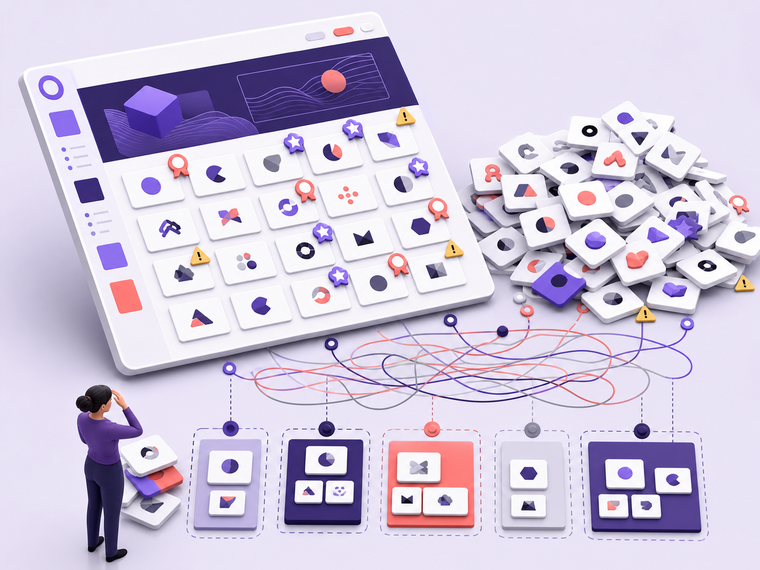
Flat sponsor visibility makes premium packages harder to prove.
When every partner appears in the same undifferentiated list, attendees cannot quickly read the sponsorship hierarchy and marketers lose a visible way to support package value. The result is often a crowded logo wall, avoidable placement negotiations, and a weaker bridge between sponsorship revenue and the event experience.
Premium partners can feel indistinguishable from entry-level sponsors.
Large sponsor rosters become difficult to scan and maintain.
Sales teams have less visible packaging logic to support renewals.
The Solution
Build a sponsor hierarchy attendees can understand at a glance.
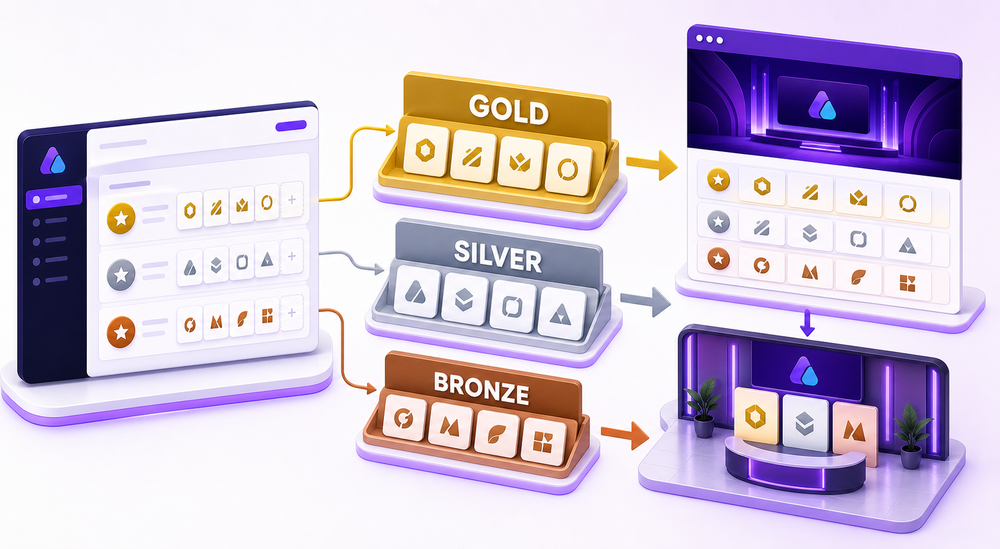
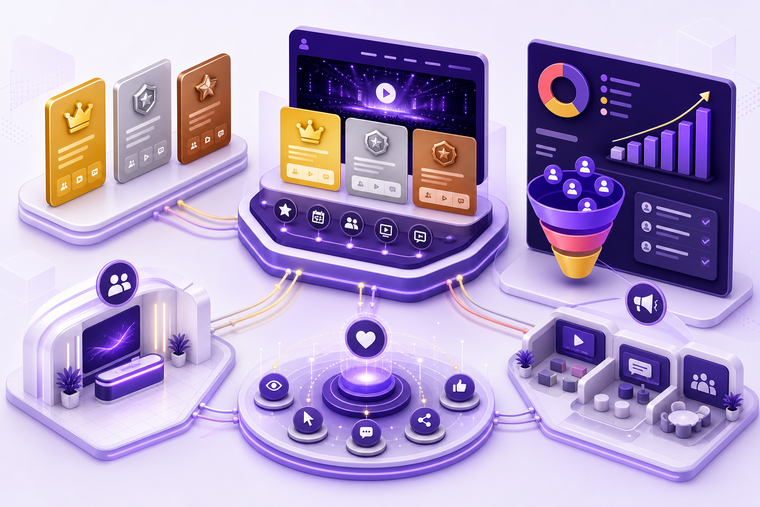
From the Airmeet event dashboard, organizers can manage sponsor tiers, assign each sponsor to the right level, and publish an ordered partner experience to attendee-facing event surfaces.
Airmeet includes editable Gold, Silver, and Bronze sponsor tiers by default and supports up to 10 sponsor tiers with up to 50 sponsors per tier, making it suitable for both small webinars and large virtual conferences.
Editable defaults: rename, add, edit, or remove tiers.
Up to 10 tiers: structure complex partner programs.
50 per tier: support broad sponsor rosters.
BUILT FOR EVENT PORTFOLIOS
One feature, multiple revenue-event use cases.
Use the hierarchy that fits the commercial model of each event while keeping the attendee experience clean and easy to scan.
Revenue webinars
Protect the spotlight for a headline partner while giving supporting sponsors a clear, credible place in the attendee journey.
Multi-track virtual conferences
Scale recognition across a larger partner roster without turning the landing page or reception into an undifferentiated logo wall.
Recurring event series
Carry a consistent sponsor hierarchy across a webinar program so partner recognition feels repeatable, intentional, and easy to sell.
Actual Product Screenshots
Step-by-Step Process
Setting up Sponsor Tiers in Airmeet helps teams organize partner visibility, showcase sponsorship levels, and create a more structured attendee experience.
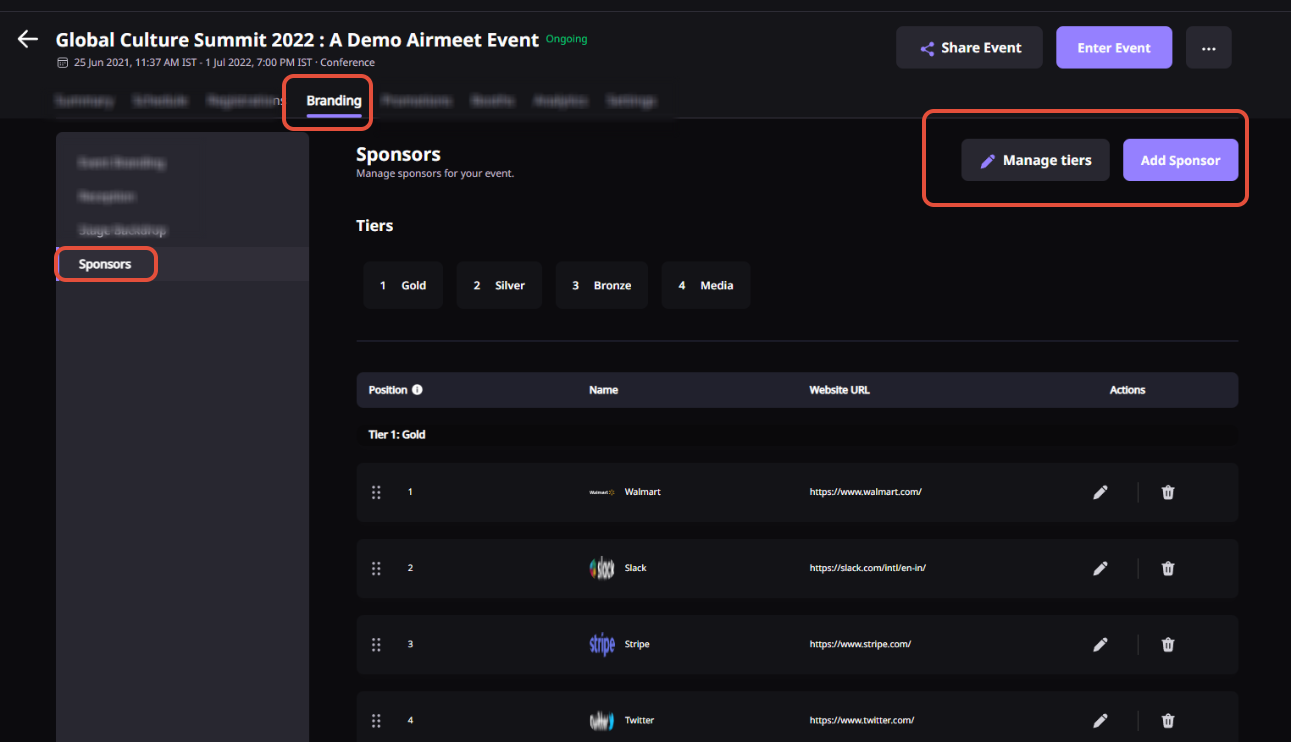
Step 1. Open Sponsor Settings
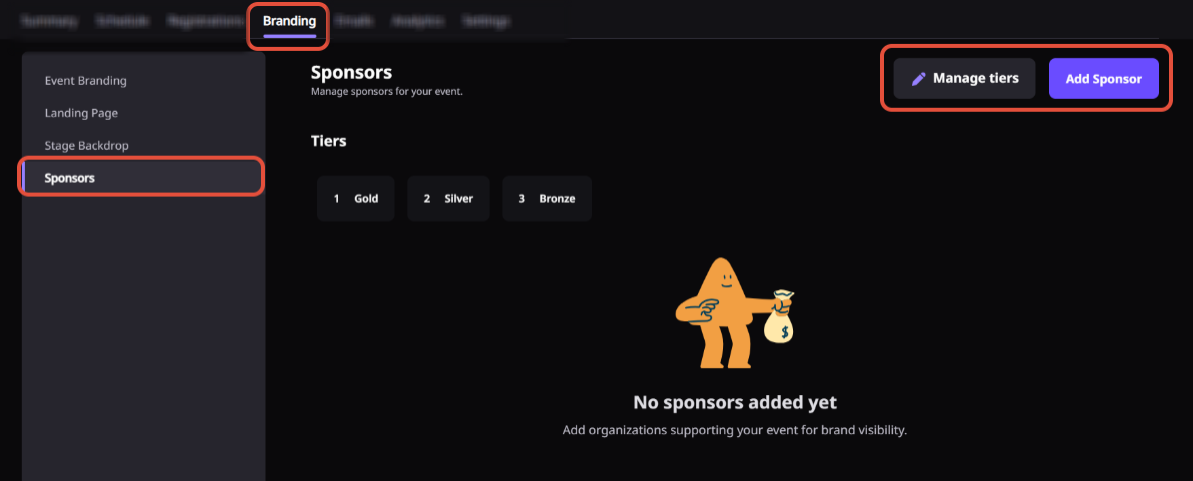
From your Airmeet Event Dashboard, navigate to “Sponsors” to begin managing sponsor information.
Step 2. Configure Sponsor Tiers
Airmeet provides Gold, Silver, and Bronze sponsor tiers by default. You can rename existing tiers, create new ones, edit their names, or remove unused tiers based on your sponsorship packages.
Step 3. Add Sponsors
Create a sponsor profile by entering sponsor details, uploading the sponsor’s logo, and providing relevant information such as a website or company description.
Step 4. Assign Sponsors to a Tier
Select the appropriate sponsor tier for each partner to organize sponsor visibility according to your sponsorship package hierarchy.
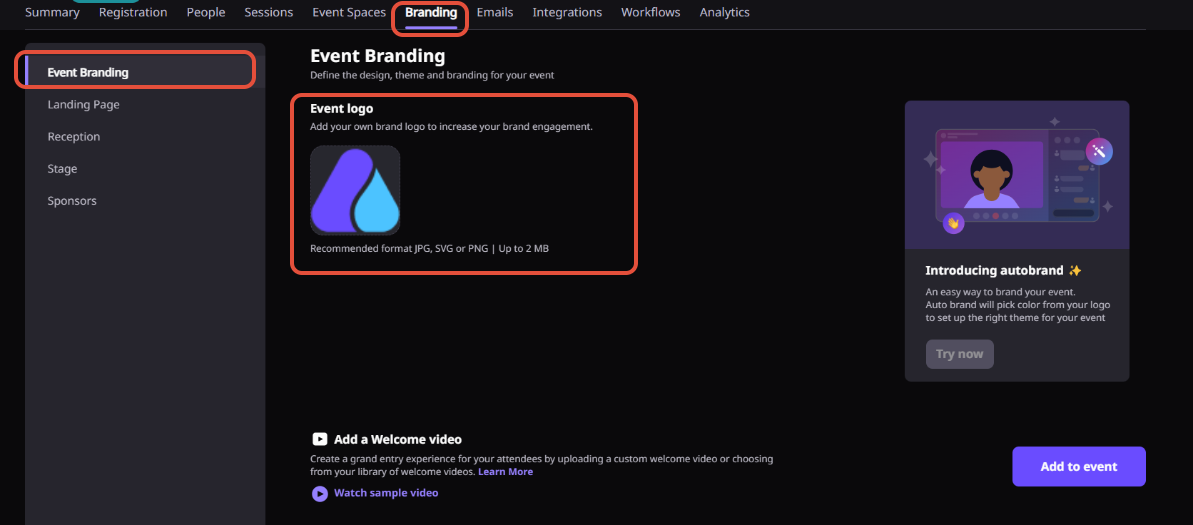
Step 5. Review Branding
Verify sponsor logos, tier names, and overall presentation to ensure the sponsor showcase aligns with your event branding and commercial commitments.
Step 6. Publish Your Event
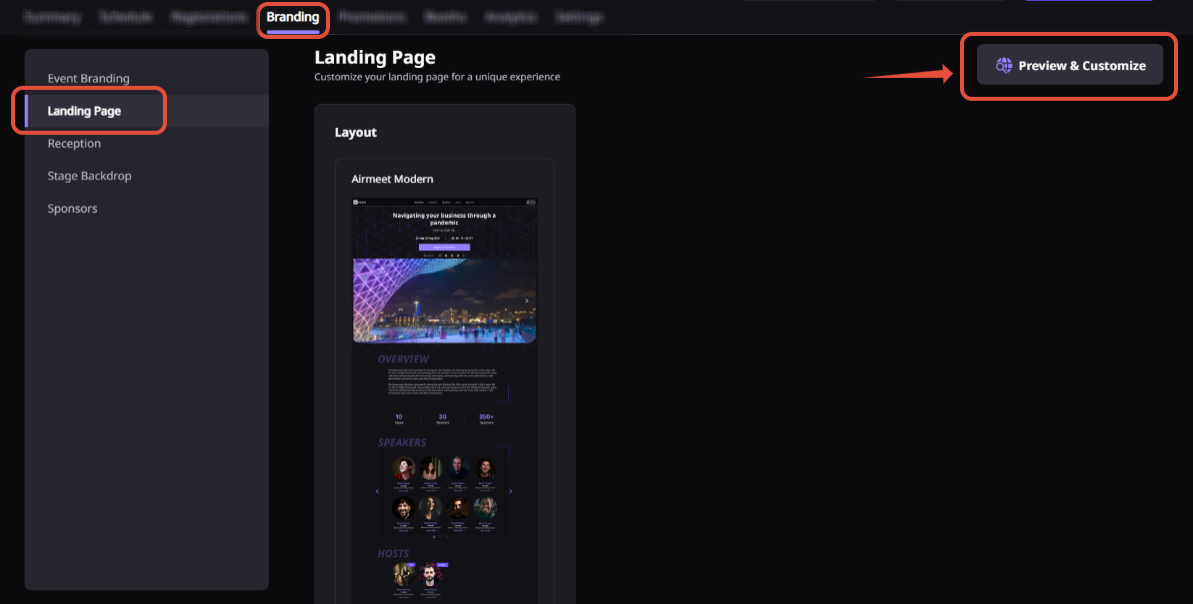
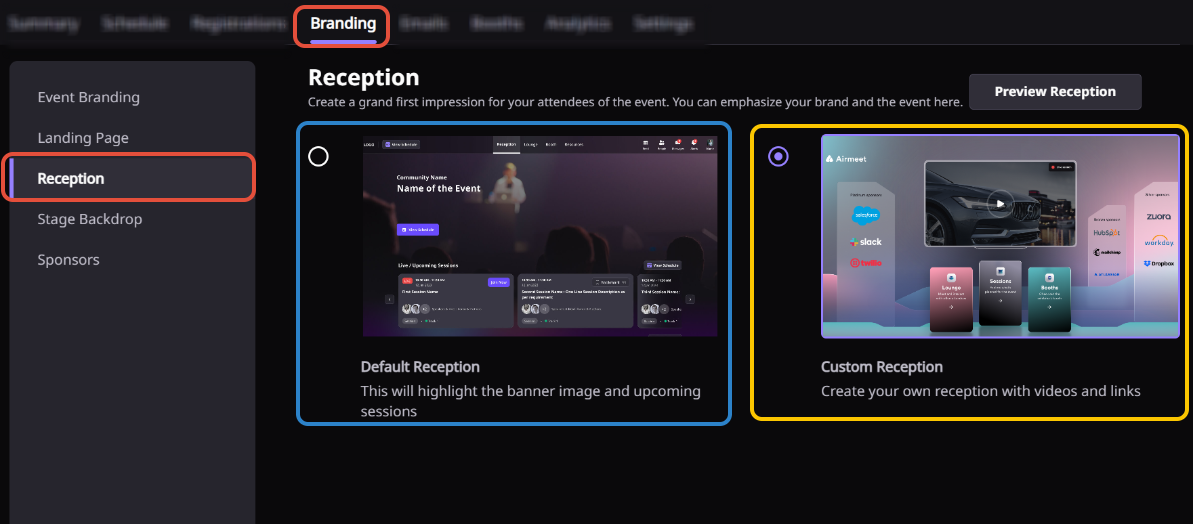
Once sponsors and tiers are configured, publish the event. Sponsors will appear on attendee-facing surfaces such as the Event Landing Page and the Default Reception, depending on your event layout.
WHY CHOOSE AIRMEET
Connect sponsor packaging to an event
experience built for engagement.
Sponsor Tiers sit inside Airmeet’s broader event branding and sponsor workflow, helping marketers move from a spreadsheet promise to visible, attendee-facing recognition.
Clear Sponsorship Hierarchy Translate sponsorship packages into an easy-to-understand visual structure that highlights premium partners and reinforces sponsor value.
Easy Sponsor Management Manage small webinar sponsor lists or large conference partner programs from a single dashboard.
Better Sponsor Visibility Display sponsors across attendee-facing event surfaces, including the Event Landing Page and Default Reception, creating greater exposure throughout the event experience.
Professional Brand Presentation Support high-quality sponsor logos and transparent artwork for a polished, professional sponsor showcase.
help Center
Relevant Help Articles
Explore guides and tutorials to help you create, customize, and host exceptional events on Airmeet.
Sponsor Tiers help organizers group sponsors into different levels, making it easier to showcase sponsorship packages and highlight premium partners. This creates a clear sponsor hierarchy for attendees and increases visibility for top-tier sponsors.
Airmeet includes Gold, Silver, and Bronze as the default sponsor tiers. You can rename, edit, remove, or create additional tiers to match your sponsorship packages.
Yes. You can create custom sponsor tiers from the Sponsors section of the Event Dashboard and organize sponsors according to your event’s sponsorship structure.
Yes. Sponsor Tiers are supported across webinar, virtual event, and hybrid event formats, allowing you to maintain a consistent sponsorship experience regardless of the event type.
For the best display quality, upload sponsor logos in JPEG, PNG, or SVG format with the recommended size of 400 × 200 pixels and a maximum file size of 1 MB. Using a transparent background is recommended for a cleaner appearance.
Choose tier names that clearly reflect your sponsorship packages, such as Headline Partner, Platinum Sponsor, Gold Sponsor, or Community Partner. Clear naming helps attendees understand sponsor prominence and reinforces the value of each sponsorship level.
“I was really excited to see how alive Airmeet seemed. The first time I raised my virtual hand to ask a question, I was brought up on stage, my camera flipped on, and I was able to talk with the presenters, that was the sold-moment in my head! That is what I wanted. We weren't going to be speaking at our audience. We wanted a two-way engagement. With the analytics in the background, that was my “Aha moment!”
Victoria YounesExecutive Events Manager
Incredible Companies Use Airmeet
Most loved Virtual Events Platform
“I was really excited to see how alive Airmeet seemed. The first time I raised my virtual hand to ask a question, I was brought up on stage, my camera flipped on, and I was able to talk with the presenters, that was the sold-moment in my head! That is what I wanted. We weren't going to be speaking at our audience. We wanted a two-way engagement. With the analytics in the background, that was my “Aha moment!”
Victoria YounesExecutive Events Manager
Incredible Companies Use Airmeet
Most loved Virtual Events Platform
“I was really excited to see how alive Airmeet seemed. The first time I raised my virtual hand to ask a question, I was brought up on stage, my camera flipped on, and I was able to talk with the presenters, that was the sold-moment in my head! That is what I wanted. We weren't going to be speaking at our audience. We wanted a two-way engagement. With the analytics in the background, that was my “Aha moment!”