Create an engaging virtual reception where attendees can orient themselves, discover key event areas, watch welcome content, explore sponsors, access resources, and move confidently into sessions or networking.
Virtual attendees often arrive without the context, direction, or human welcome they would get at a physical venue, which can make the first few minutes feel scattered instead of intentional.
Weak first impression A plain entry point can make the event feel transactional before attendees understand what is available.
Attendees miss key areas Sessions, networking lounges, sponsor zones, help desks, and resources can be overlooked when the lobby is not guided.
More organizer hand-holding Teams spend valuable live time answering basic orientation questions instead of building momentum.
How Airmeet Solves It
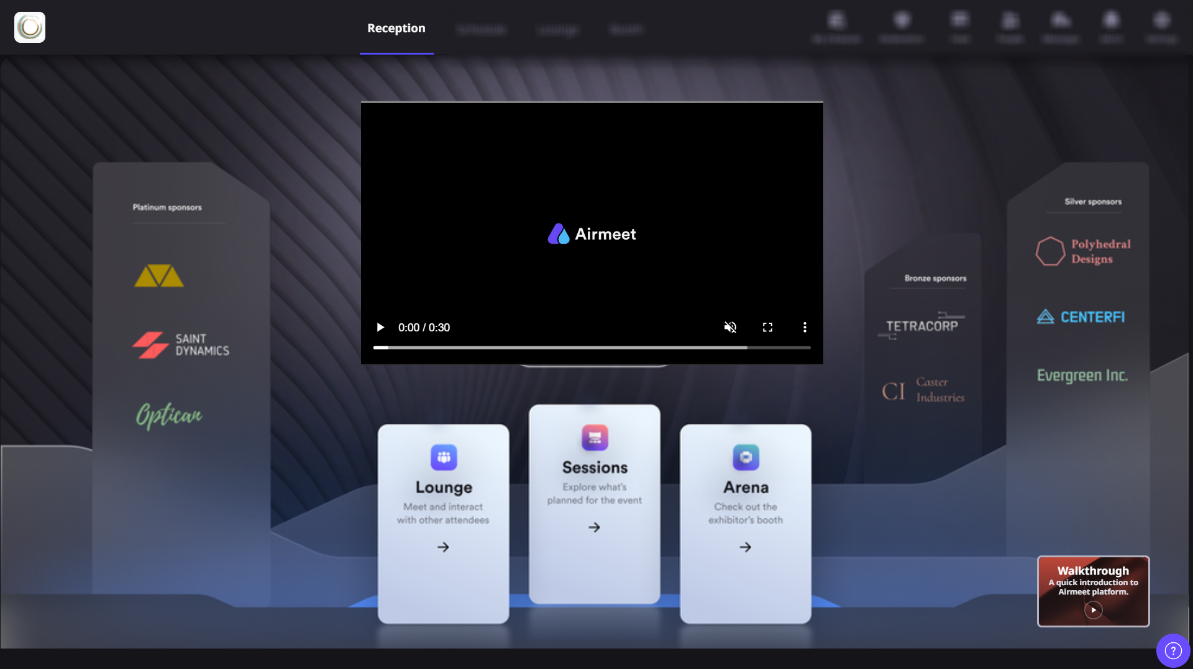
Airmeet helps organizers turn reception into an interactive welcome space that orients attendees, highlights priority actions, and gives the event a polished branded entry point.
Guided welcome experience Use reception as the central place for welcome content, agenda cues, announcements, and entry points.
Interactive attendee actions Help attendees move into sessions, networking, sponsor areas, help desks, and resources from one hub.
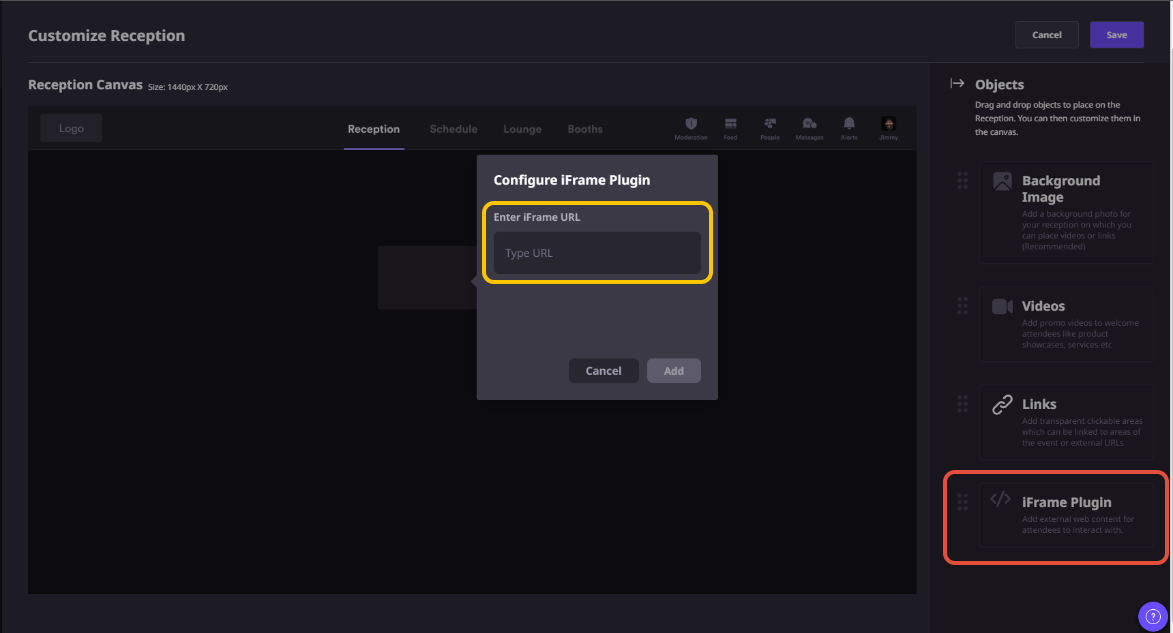
Custom reception setup Shape the reception venue with event-specific content, branding, and embedded experiences.
Engagement before sessions Give attendees something useful to explore before the main programming begins.
Benefits by Event Use Case
Interactive Reception gives every event format a stronger opening moment and a clearer path into the experience.
Webinars
Give attendees a polished welcome before the live session starts.
Conferences
Help attendees find tracks, stages, networking, sponsors, and resources faster.
Product launches
Create a launch foyer with announcements, demo paths, and follow-up resources.
Sponsor showcases
Make partner areas and featured offers easier to discover from the lobby.
Training programs
Guide learners toward modules, materials, support desks, and orientation content.
Community events
Create a familiar gathering space before people move into rooms and discussions.
Actual Product Screenshots
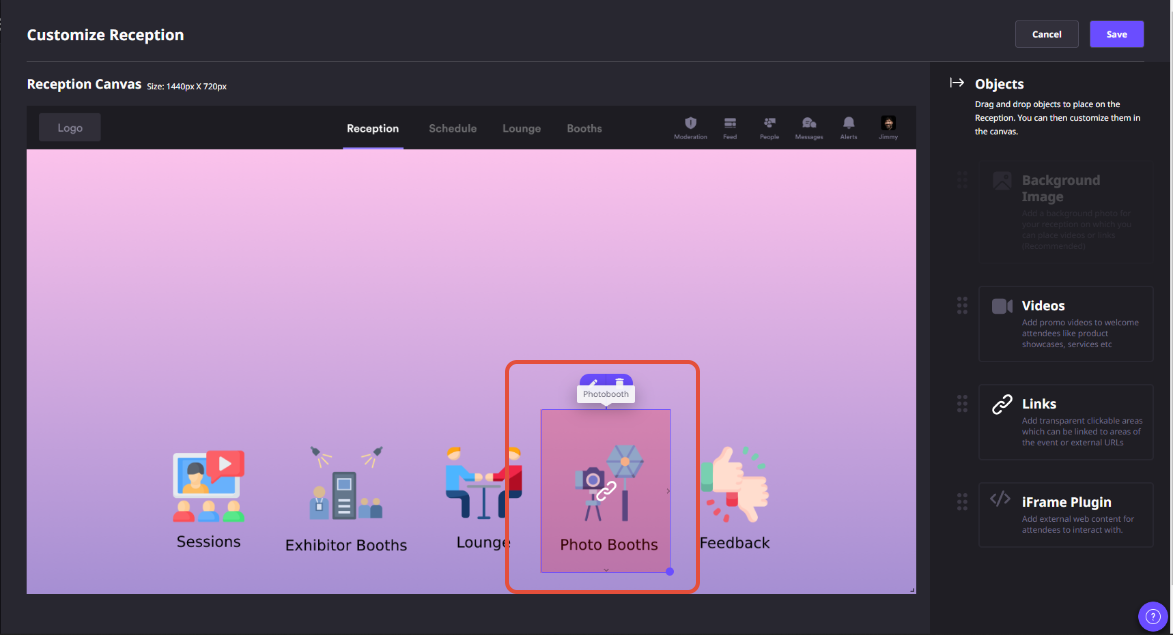
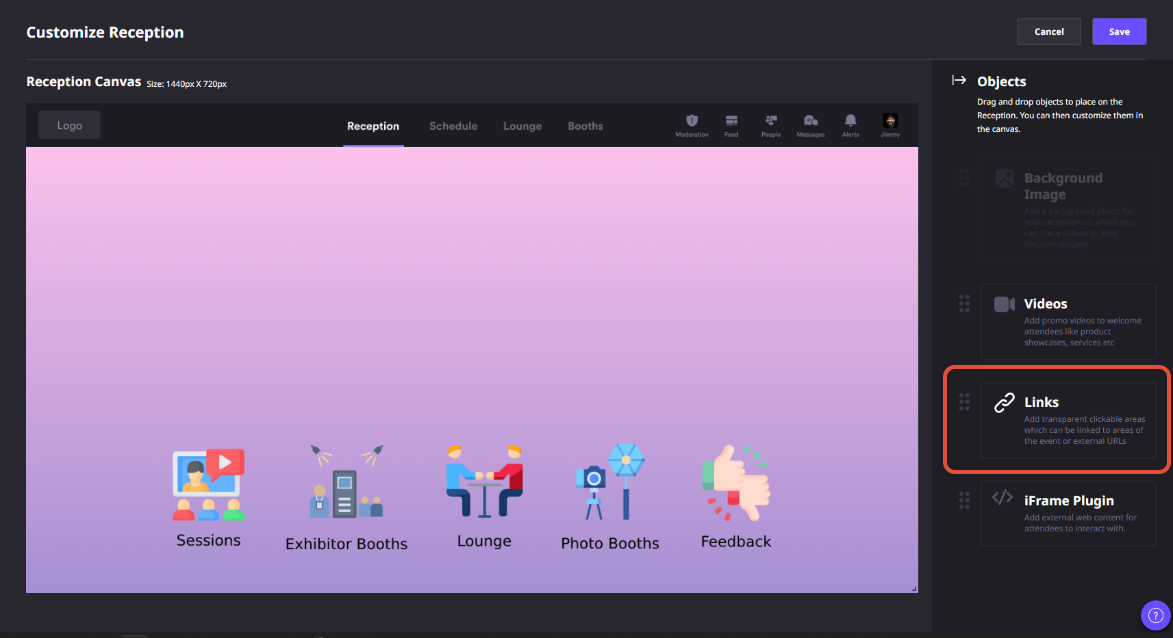
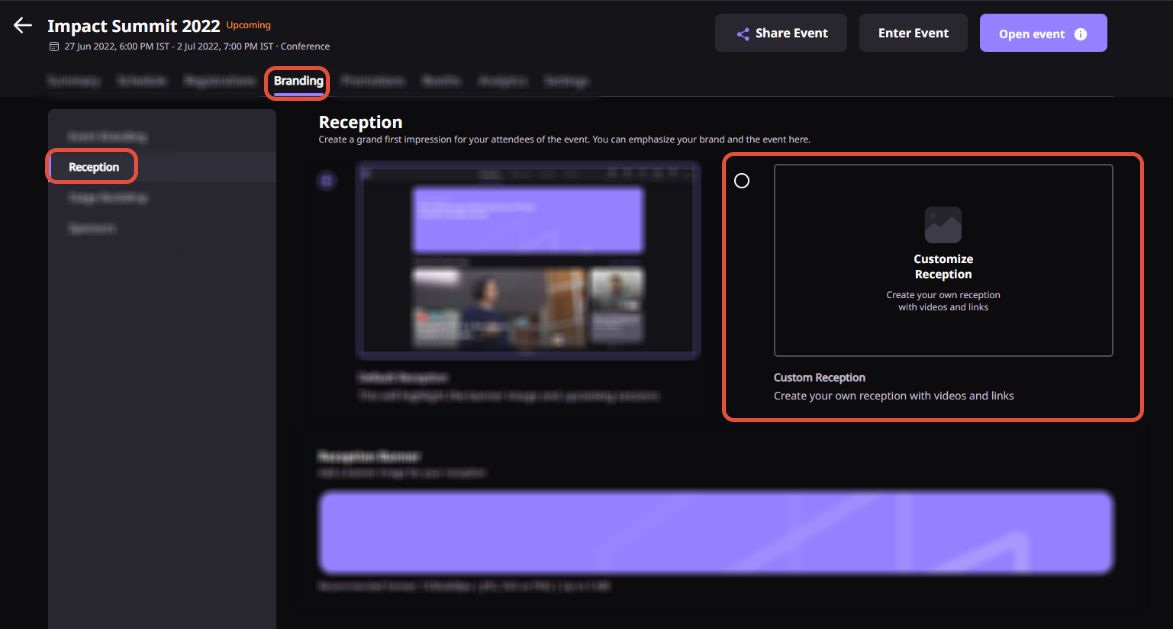
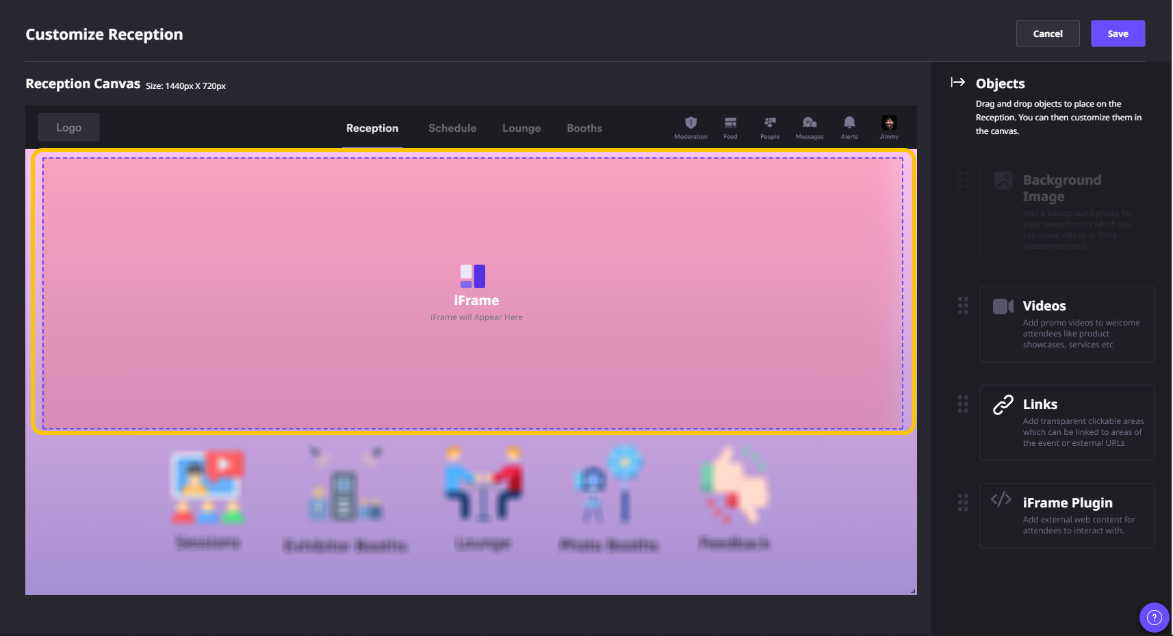
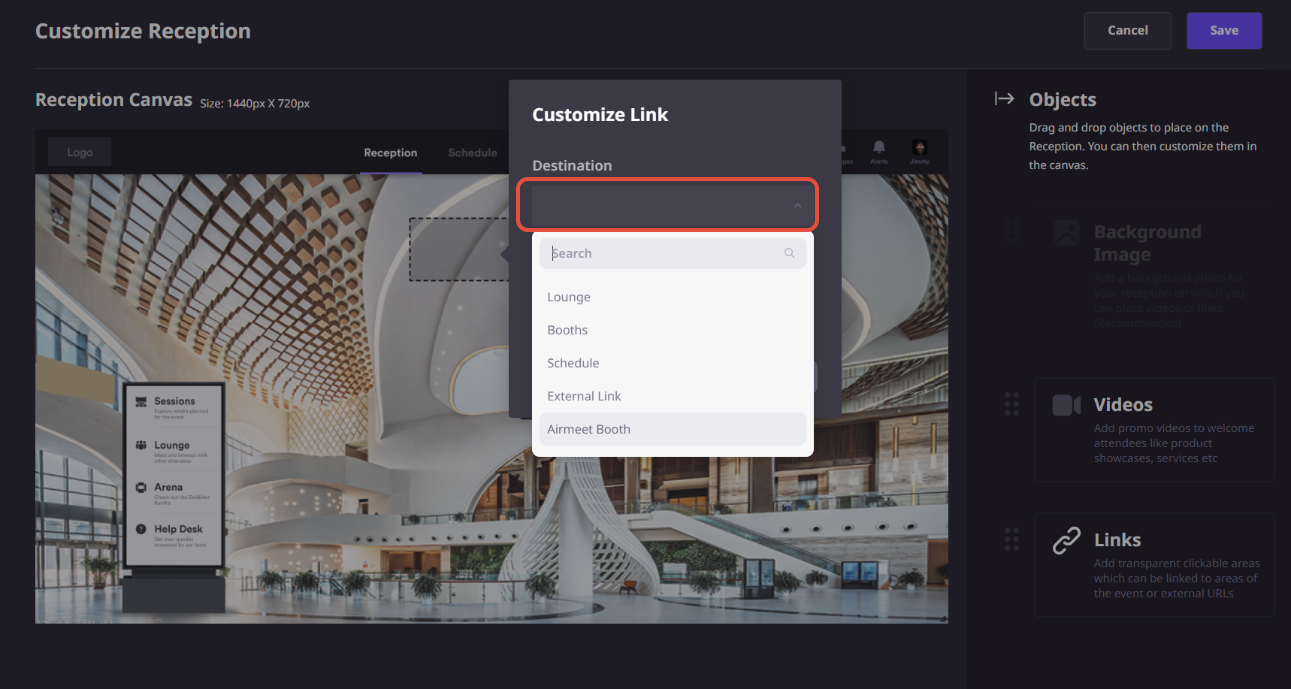
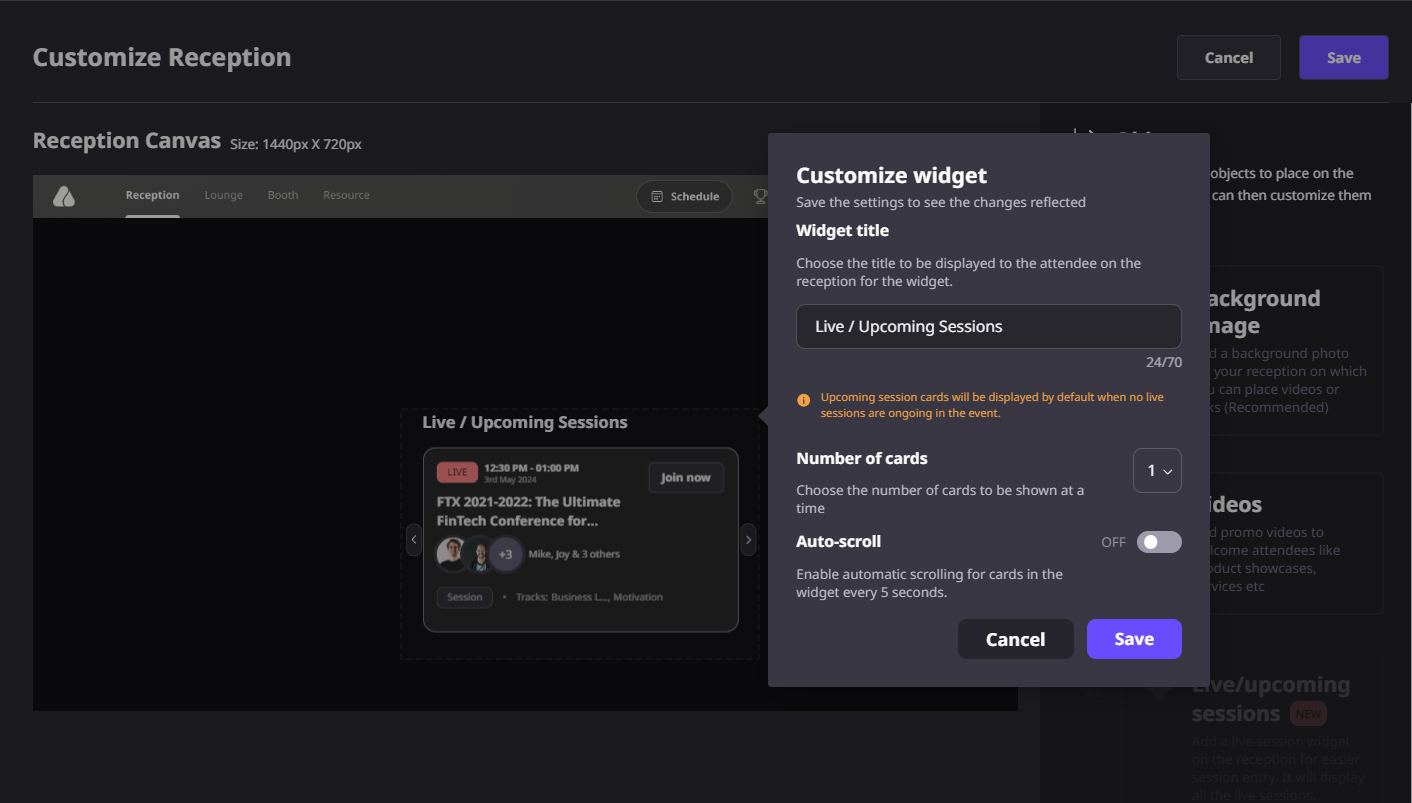
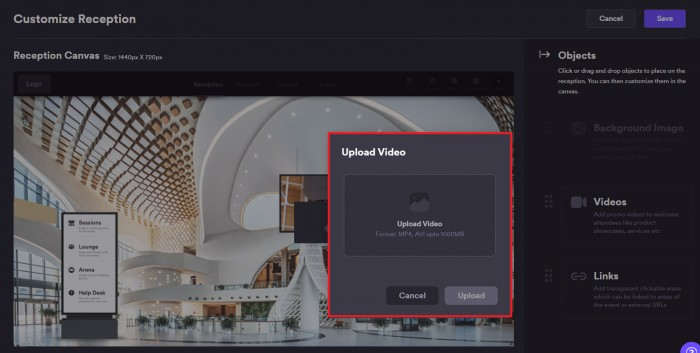
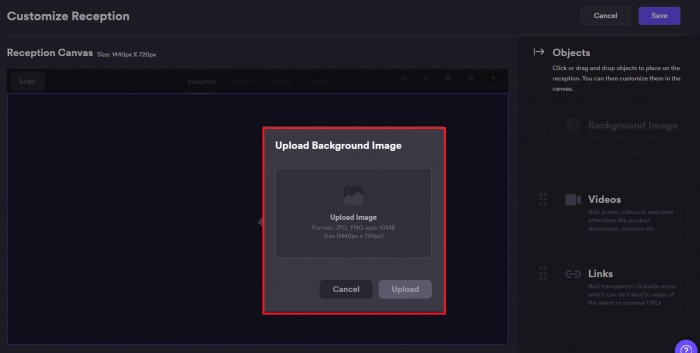
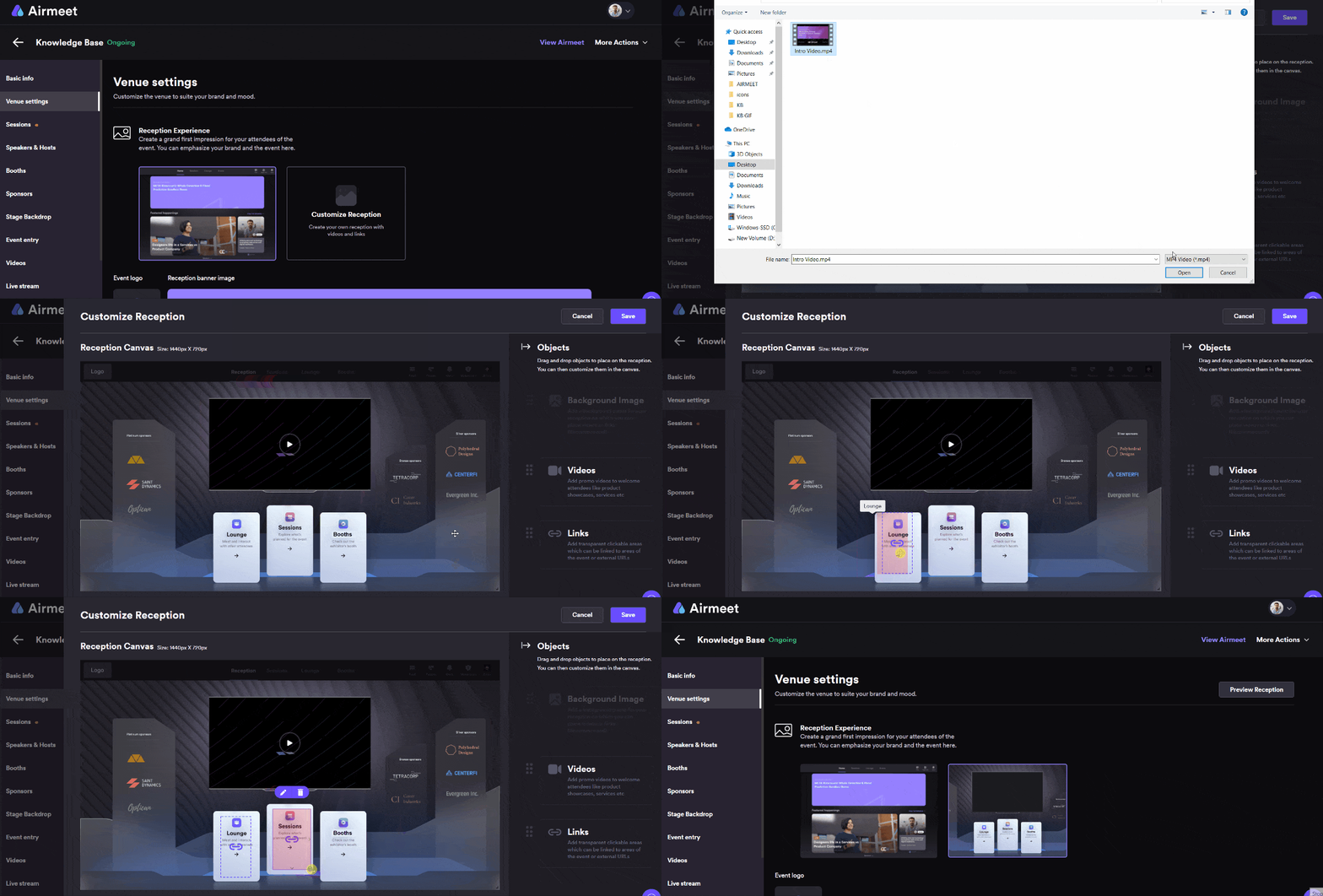
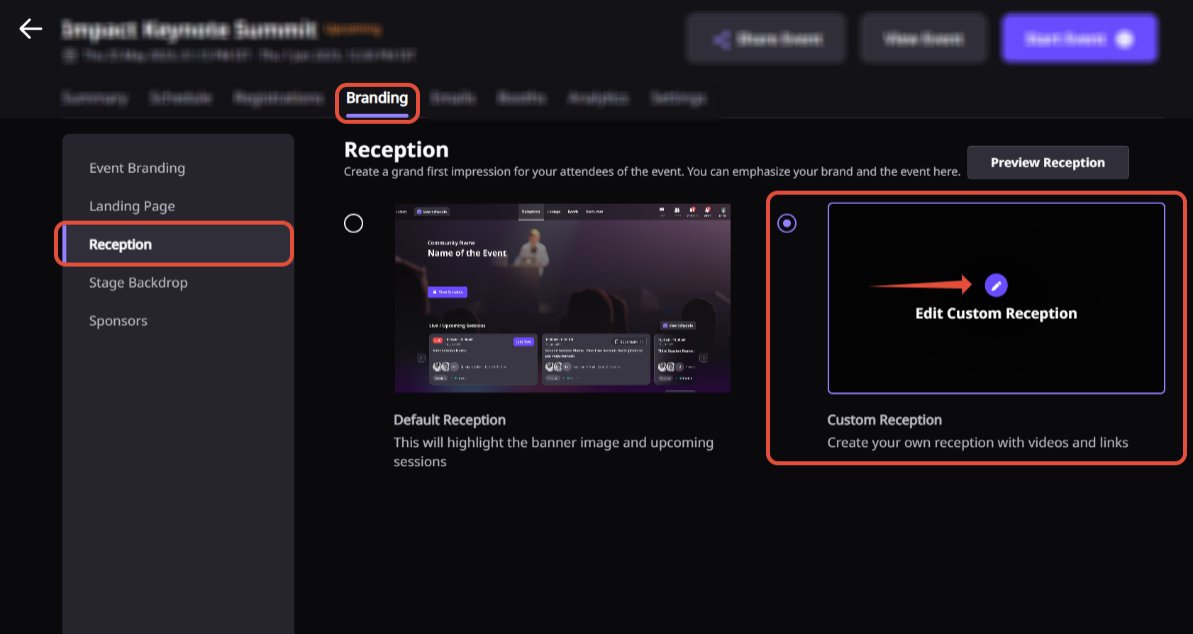
Explore real product screenshots from the Airmeet Help Center that showcase how to set up and customize the Reception Venue for your virtual event.
Step-by-Step Process
The Reception Venue is the first space attendees see when they enter your Airmeet event. Follow these steps to create a welcoming, branded, and interactive reception experience.
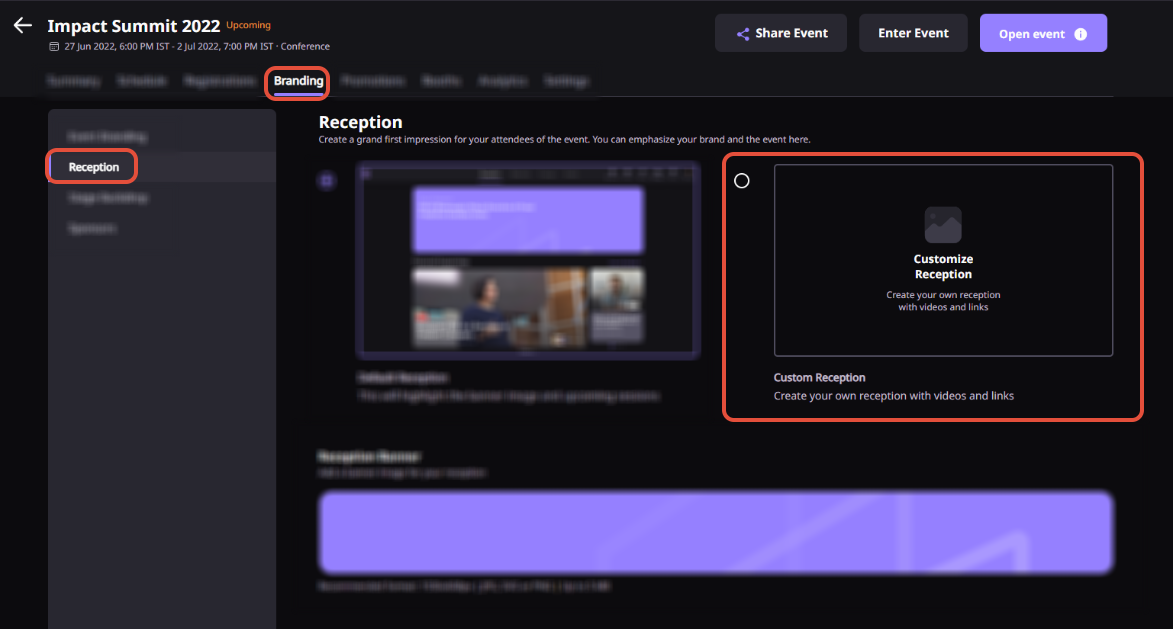
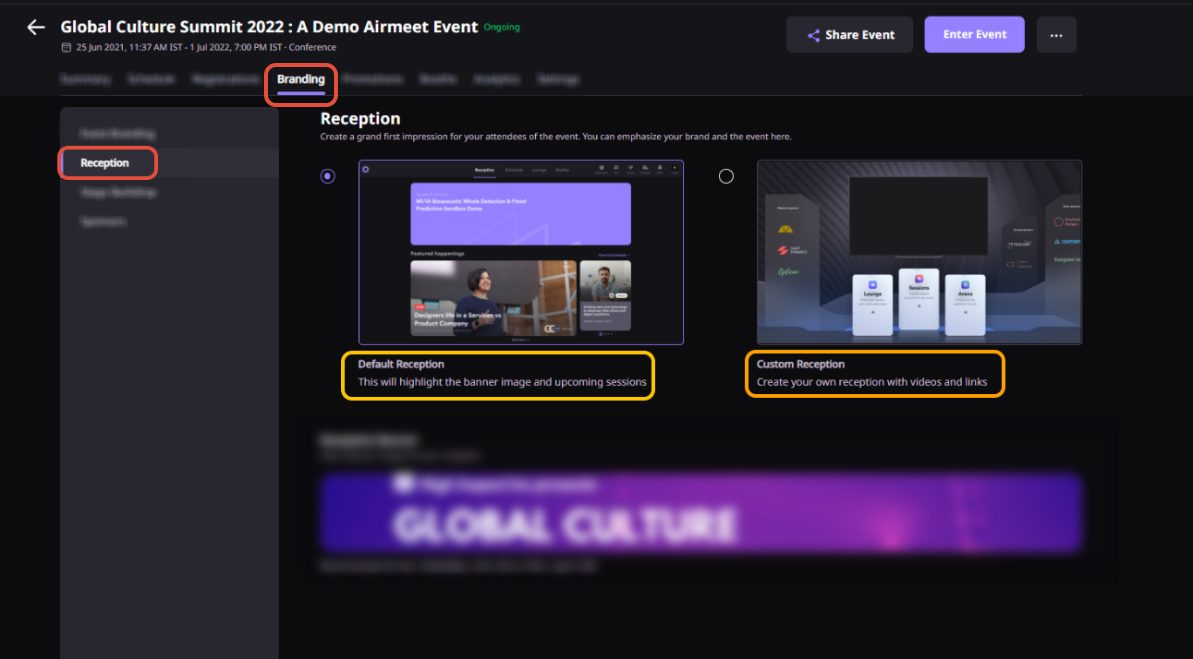
Step 1. Open the Reception Venue
From your “Event Dashboard,” navigate to the “Reception” section. This is your event’s virtual lobby where attendees arrive before exploring sessions, networking spaces, sponsor booths, and other event areas.
Step 2. Customize the Reception Banner
Upload a custom reception banner that reflects your event branding. Use high-quality visuals, event messaging, or campaign graphics to create a strong first impression. You can edit or update the banner at any time before or during the event.
Step 3. Configure Reception Content
Add welcome messages, event descriptions, announcements, agenda highlights, organizer instructions, sponsor information, and helpful resources. Organize the content so attendees immediately understand what the event offers and where they should begin.
Step 4. Add Interactive Elements
Enhance the reception by embedding videos, websites, forms, sponsor content, or other interactive experiences using iframe embeds. You can also highlight important calls to action that encourage attendees to explore different areas of the event.
Step 5. Preview the Attendee Experience
Review the reception page to ensure banners, content, embedded elements, and navigation appear correctly. Verify that attendees can easily find sessions, networking areas, sponsor booths, help desks, and event resources.
Step 6. Publish and Welcome Attendees
Save your changes and publish the “Reception Venue.” Once live, attendees will enter a branded welcome space where they can interact with event content, discover key areas, and confidently navigate the rest of the event.
Why Choose Airmeet for Interactive Reception
Airmeet brings welcome content, event orientation, sponsor visibility, resources, and attendee movement into one polished reception experience so teams can create stronger first impressions and smoother live moments.
A more memorable event entry point Airmeet reception helps the event feel like a destination, not just a link attendees open before a session.
Built for pre-session engagement Attendees can explore, interact, and understand the event before the first session begins, improving early momentum.
Flexible for different formats The reception experience can support webinars, summits, expos, launches, trainings, networking events, and community programs.
Central hub for orientation Organizers can bring together welcome content, agenda direction, announcements, sponsor access, help, and resources in one place.
Stronger sponsor and resource visibility Reception can guide attention to partner areas, sponsor booths, featured content, offers, downloads, and key calls to action.
Less confusion during live moments A guided reception reduces basic where-to-go questions so hosts and moderators can focus on delivering the event.
help Center
Relevant Help Articles
Explore guides and tutorials to help you create, customize, and host exceptional events on Airmeet.
How to set up customized reception in an Airmeet event
“I was really excited to see how alive Airmeet seemed. The first time I raised my virtual hand to ask a question, I was brought up on stage, my camera flipped on, and I was able to talk with the presenters, that was the sold-moment in my head! That is what I wanted. We weren't going to be speaking at our audience. We wanted a two-way engagement. With the analytics in the background, that was my “Aha moment!”
Victoria YounesExecutive Events Manager
Incredible Companies Use Airmeet
Most loved Virtual Events Platform
“I was really excited to see how alive Airmeet seemed. The first time I raised my virtual hand to ask a question, I was brought up on stage, my camera flipped on, and I was able to talk with the presenters, that was the sold-moment in my head! That is what I wanted. We weren't going to be speaking at our audience. We wanted a two-way engagement. With the analytics in the background, that was my “Aha moment!”
Victoria YounesExecutive Events Manager
Incredible Companies Use Airmeet
Most loved Virtual Events Platform
“I was really excited to see how alive Airmeet seemed. The first time I raised my virtual hand to ask a question, I was brought up on stage, my camera flipped on, and I was able to talk with the presenters, that was the sold-moment in my head! That is what I wanted. We weren't going to be speaking at our audience. We wanted a two-way engagement. With the analytics in the background, that was my “Aha moment!”
Victoria YounesExecutive Events Manager
Incredible Companies Use Airmeet
Most loved Virtual Events Platform
“I was really excited to see how alive Airmeet seemed. The first time I raised my virtual hand to ask a question, I was brought up on stage, my camera flipped on, and I was able to talk with the presenters, that was the sold-moment in my head! That is what I wanted. We weren't going to be speaking at our audience. We wanted a two-way engagement. With the analytics in the background, that was my “Aha moment!”