Create a cohesive, branded experience within Airmeet, so every live webinar touchpoint—from reception and navigation to sessions, stage visuals, lounges, booths, and sponsor spaces—feels like one campaign built to earn trust and move the pipeline forward.
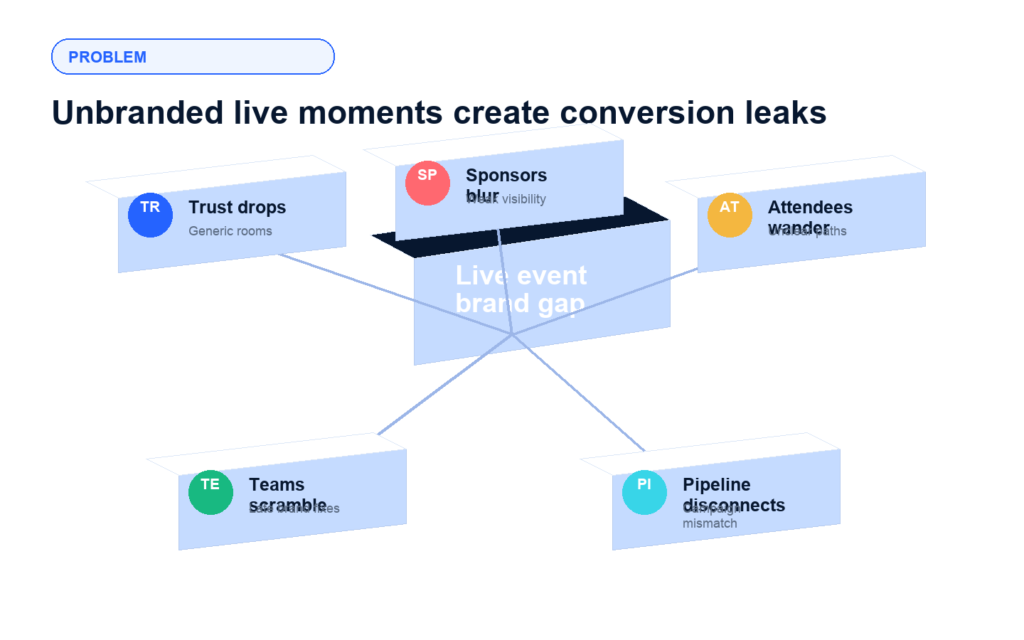
The problem: The live webinar experience often feels disconnected from the campaign
B2B marketers work hard to earn registrations, but the brand experience can suffer once attendees enter the event. A generic room, unclear navigation, inconsistent sponsor presence, or unpolished stage background can make a revenue-focused webinar feel less credible. That hurts attention, sponsor confidence, and the emotional continuity between the campaign promise and the live experience.
Trust drops after the click Attendees judge the quality of a webinar from the moment they enter the event environment.
Sponsor value becomes harder to show Partner and sponsor moments need visible, intentional placements, not afterthoughts.
Navigation friction distracts buyers If attendees cannot quickly understand where to go, engagement signals get weaker.
Brand review happens too late Marketing teams need brandable event surfaces before launch, not manual design fixes during the live run.
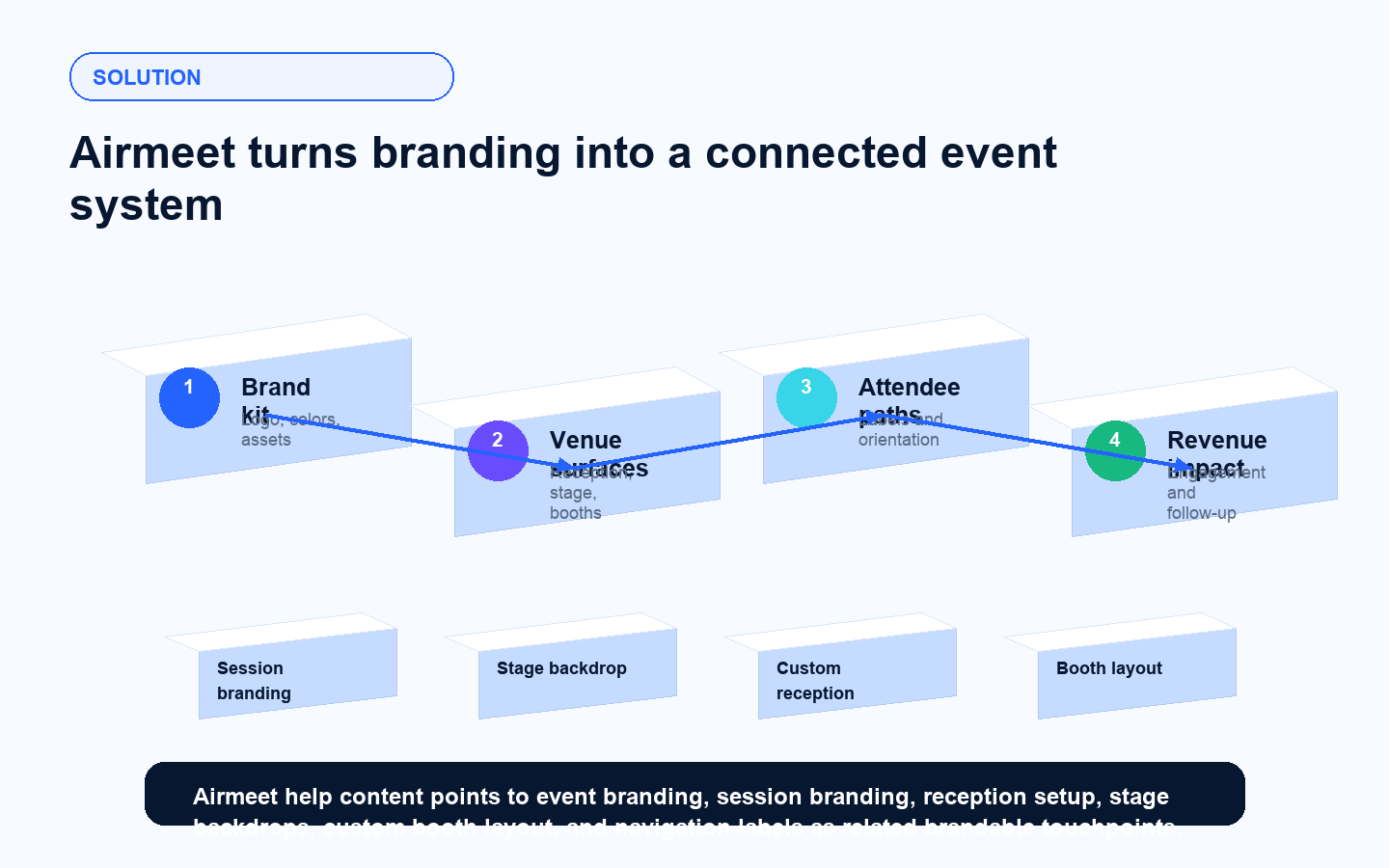
The Solution: Branded Event Surfaces that Carry the Campaign into the Room
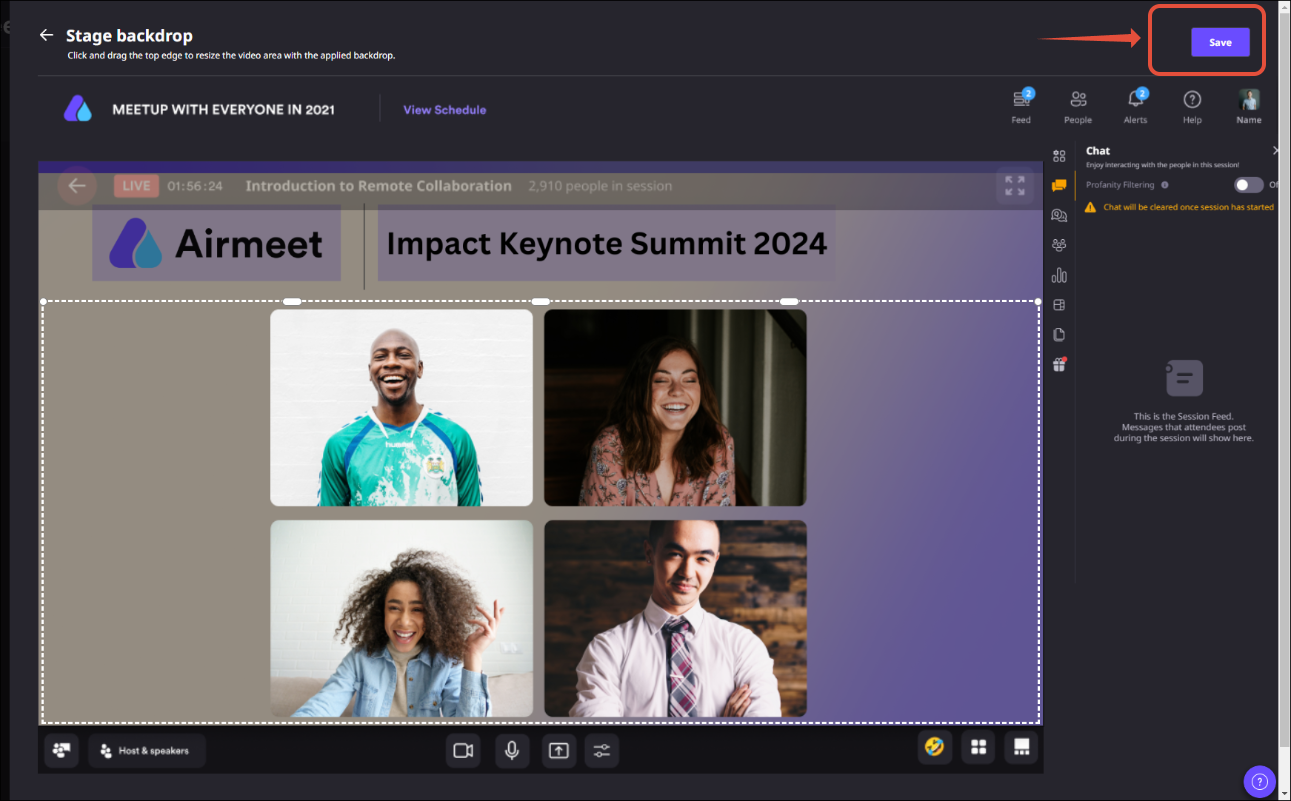
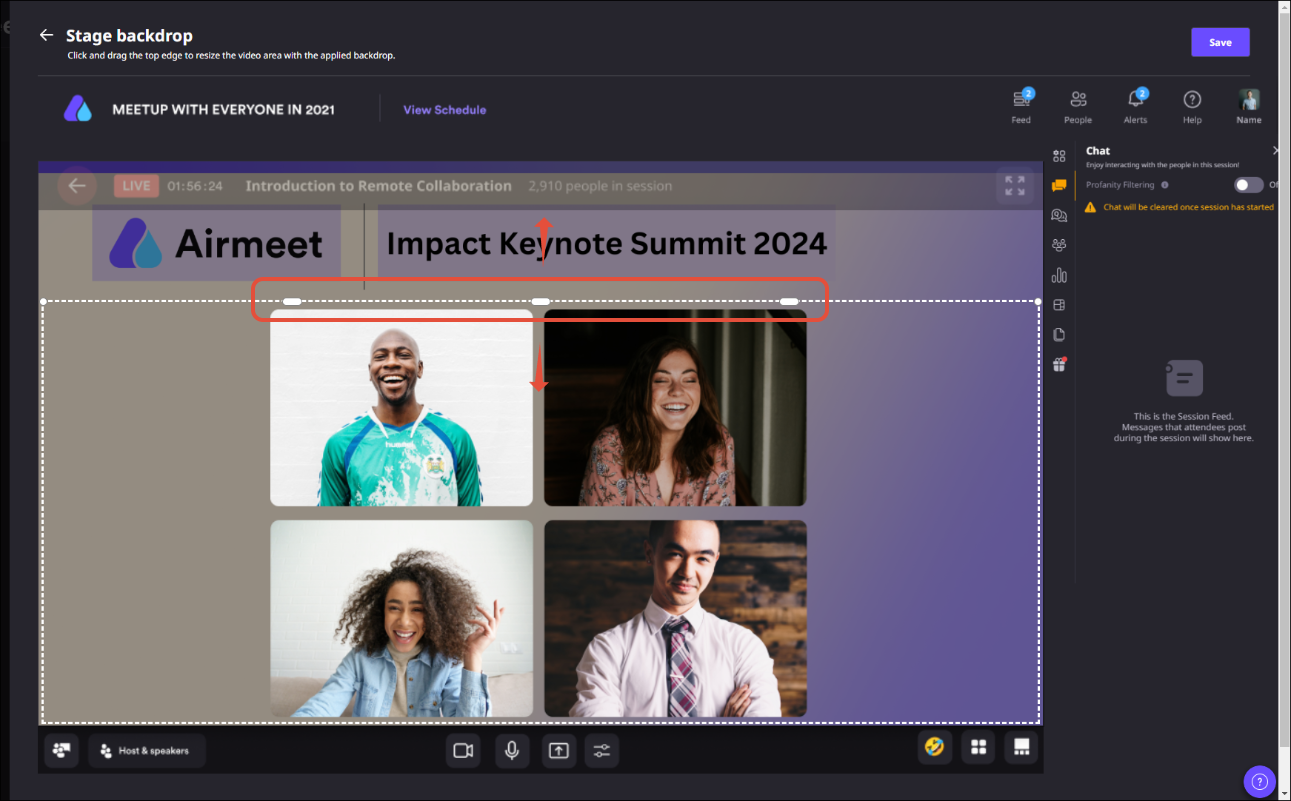
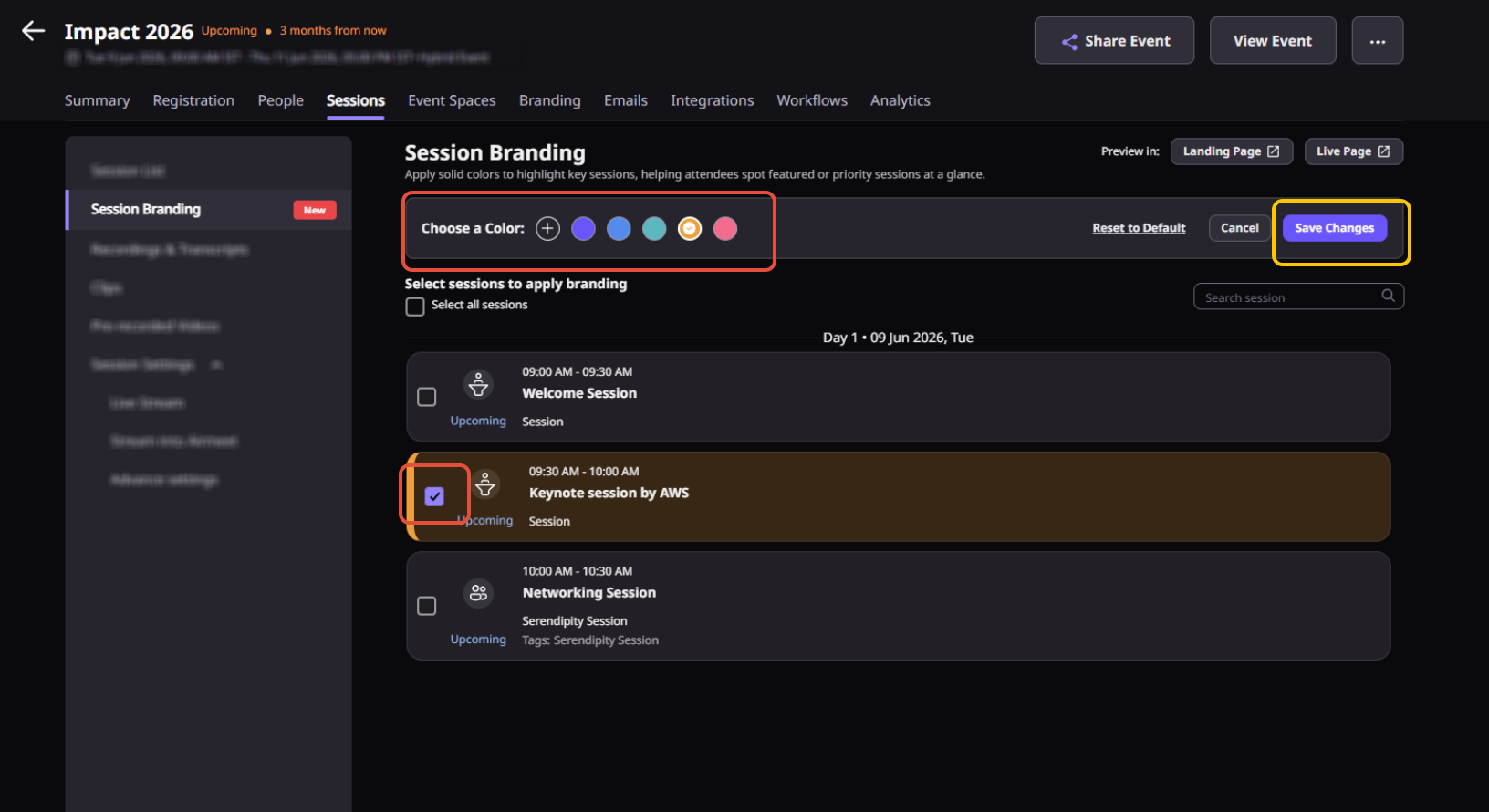
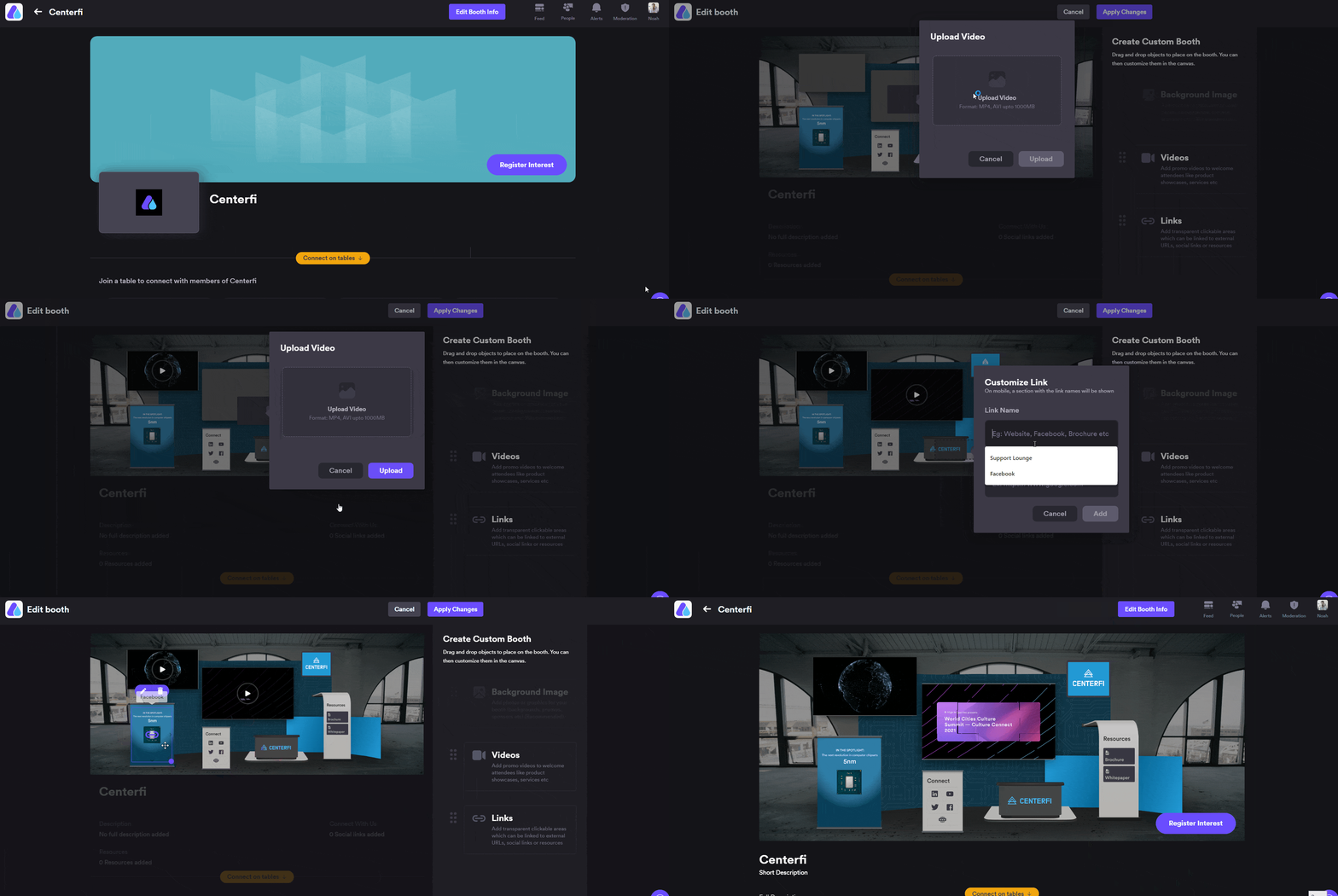
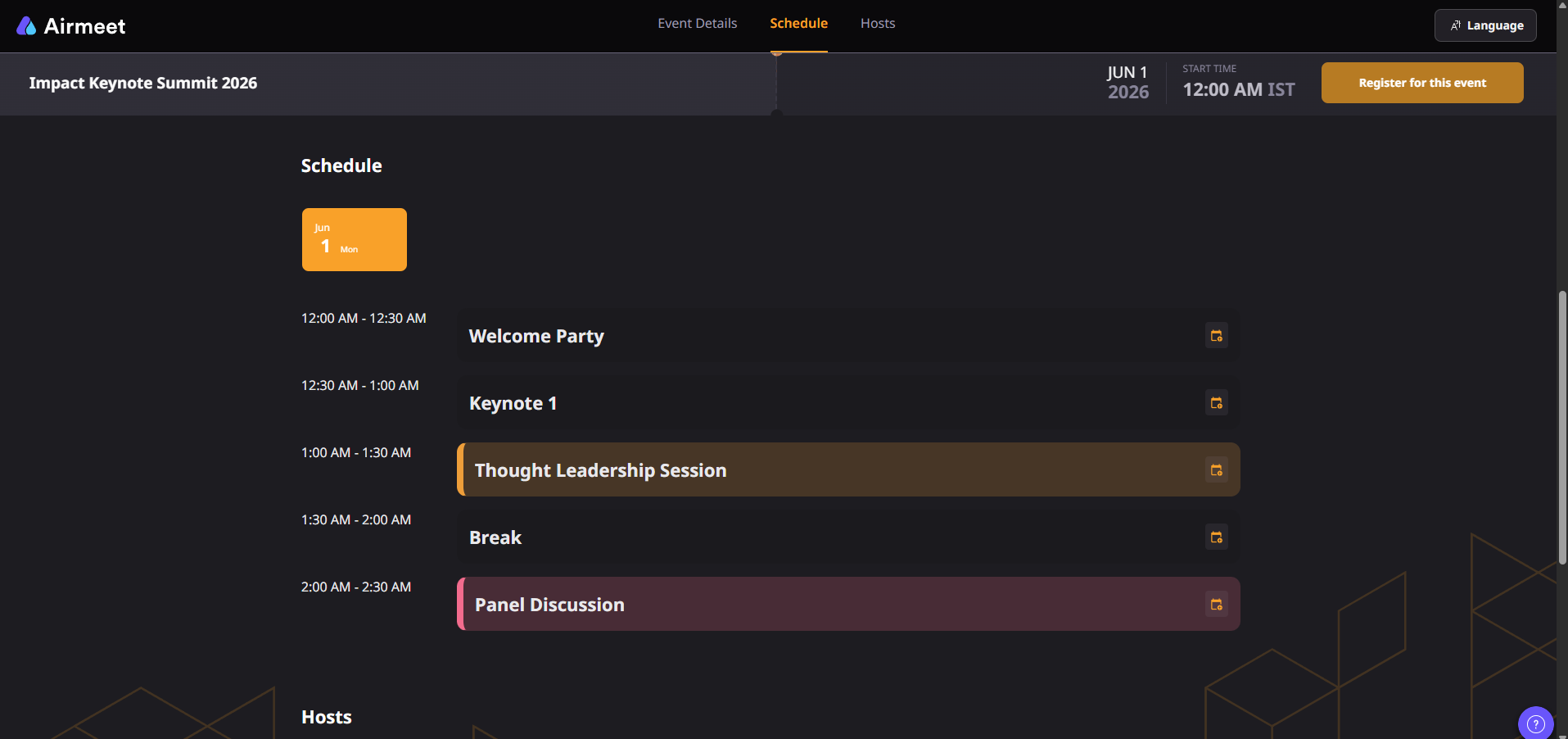
Airmeet gives marketers multiple branding touchpoints across the event experience, including live event branding, event branding setup, session branding, customized reception, stage backdrops, custom booth layouts, and navigation label customization. Together, those controls help teams translate campaign identity into the attendee-facing venue while keeping the experience easier to scan and more useful for sponsors, hosts, and sales follow-up.
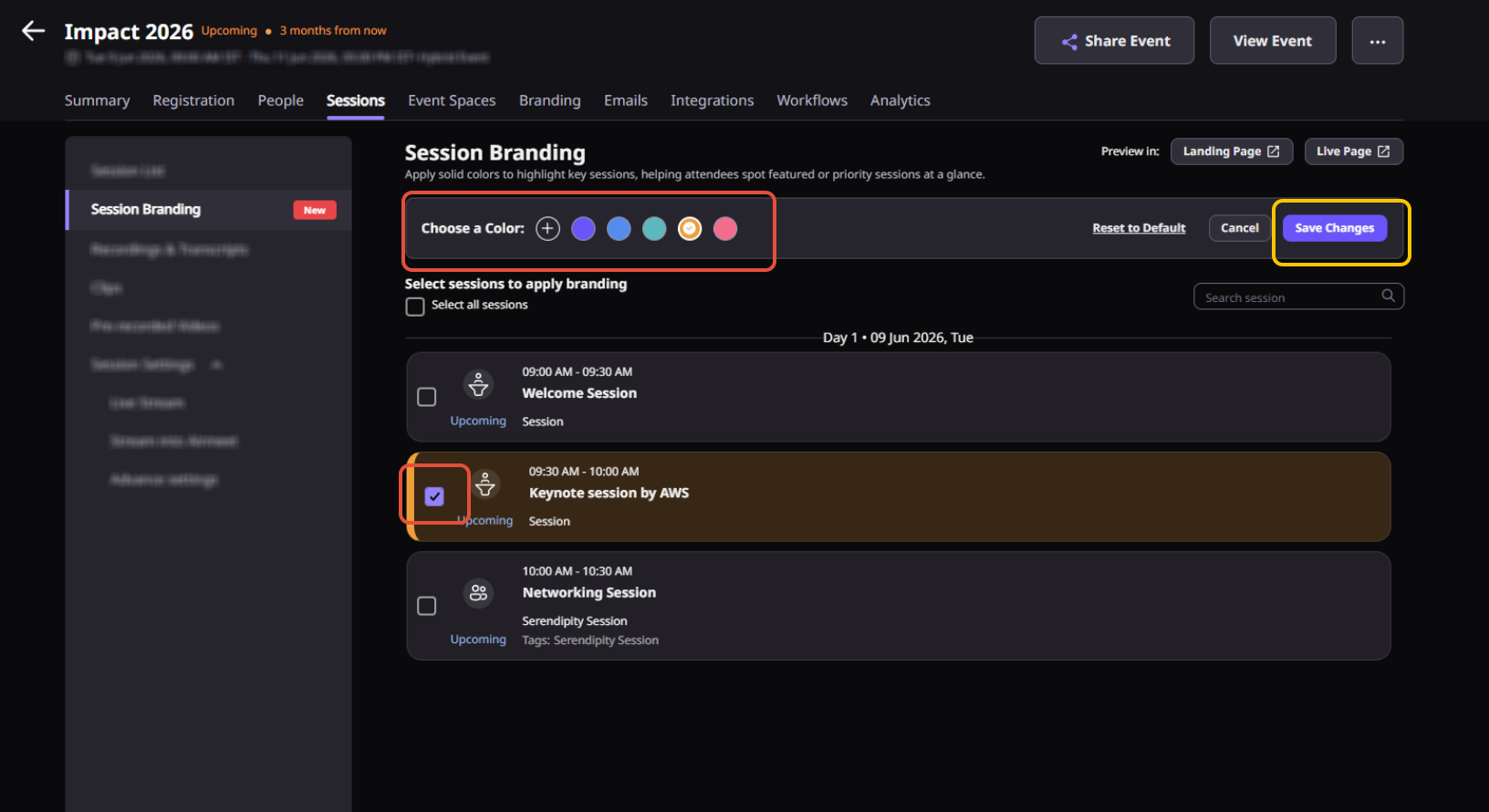
Brand the live experience Use event-level and session-level branding to keep the webinar environment aligned with the campaign identity.
Customize high-impact spaces Plan branded reception, stage, booth, lounge, and navigation moments based on the event format.
Improve attendee orientation Clear labels and branded surfaces help attendees understand what to do next.
Support sponsor and partner programs A polished branded venue gives partner webinars and virtual booths a stronger commercial presence.
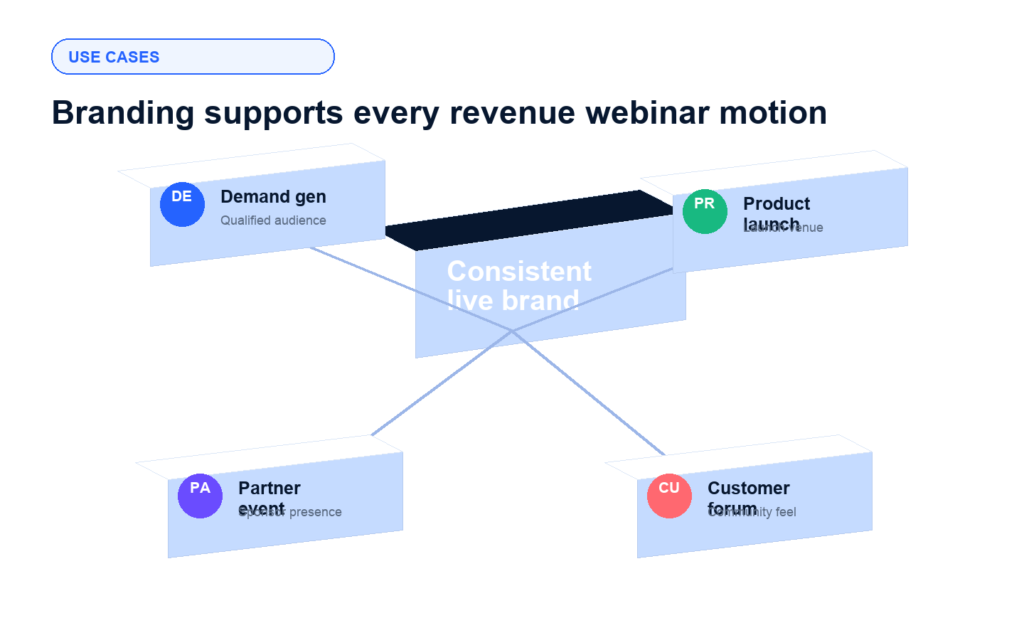
Benefits for different virtual event use cases
In-event branding is most valuable when the webinar has a revenue job to do. It helps event marketers make every format feel intentional, credible, and connected to the next conversion step.
Demand generation webinars
Make the live room feel like the campaign buyers registered for, from first entry to CTA.
Product launches
Turn launch messaging into a branded venue with a stage, reception, and sponsor surfaces.
Partner webinars
Give co-marketing partners visible, polished spaces without fragmenting the attendee journey.
Customer forums
Create a premium community feel across education sessions, lounges, and resource areas.
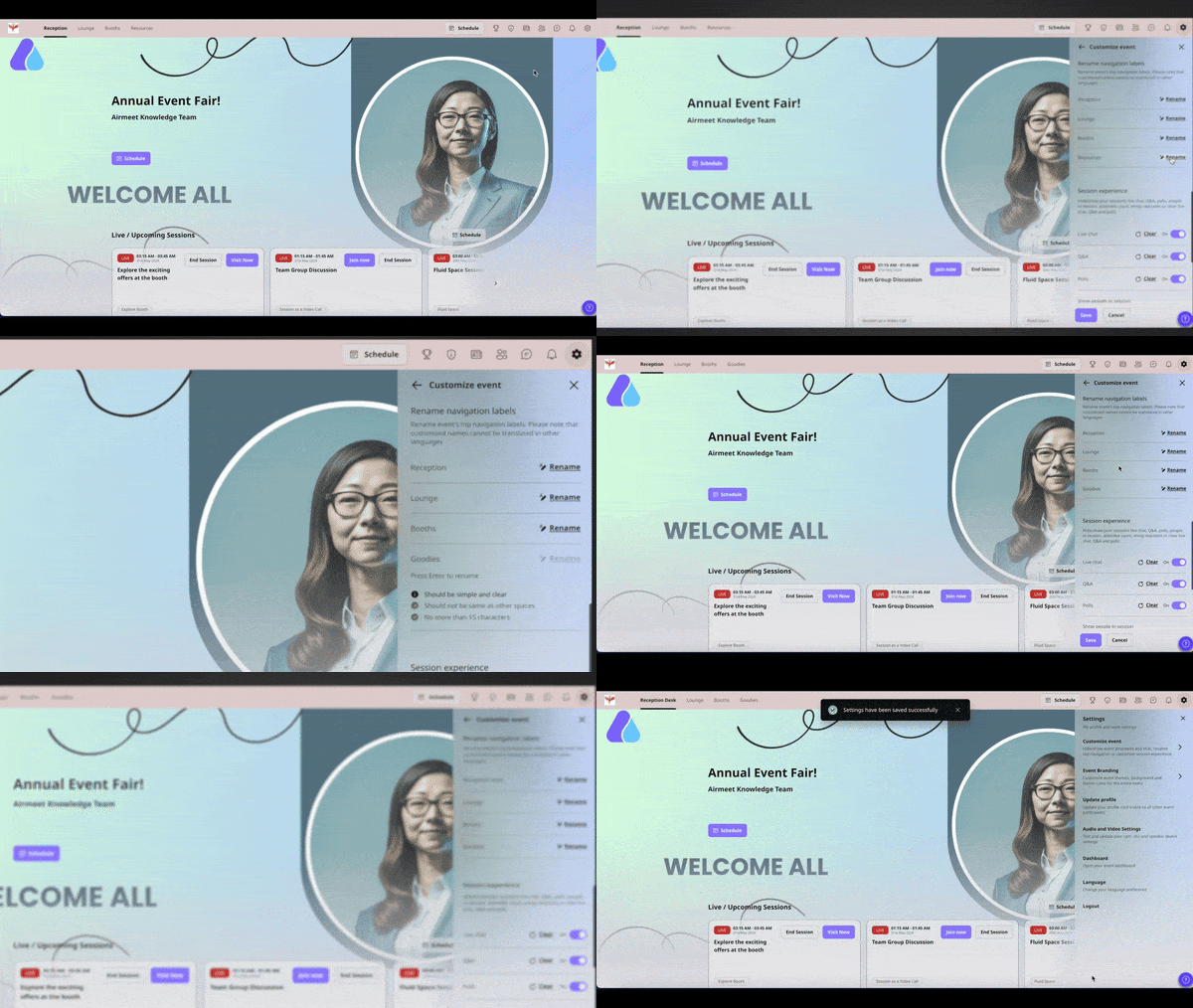
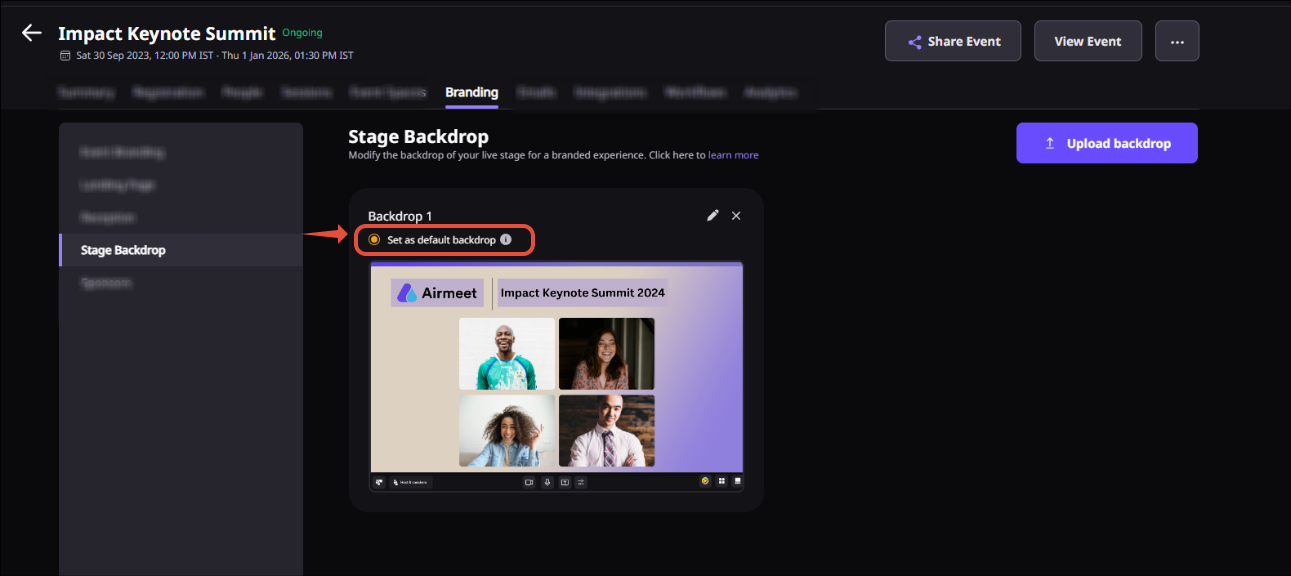
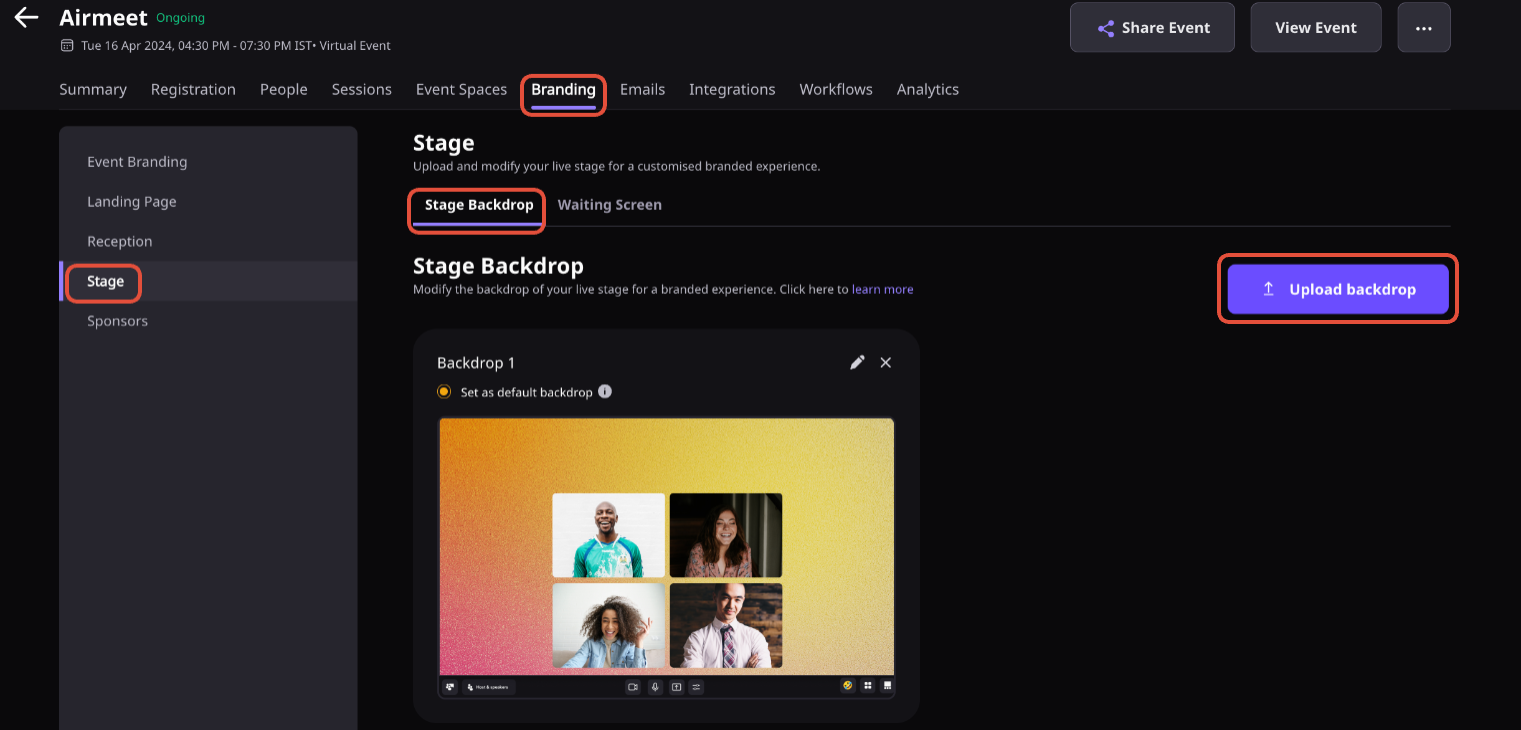
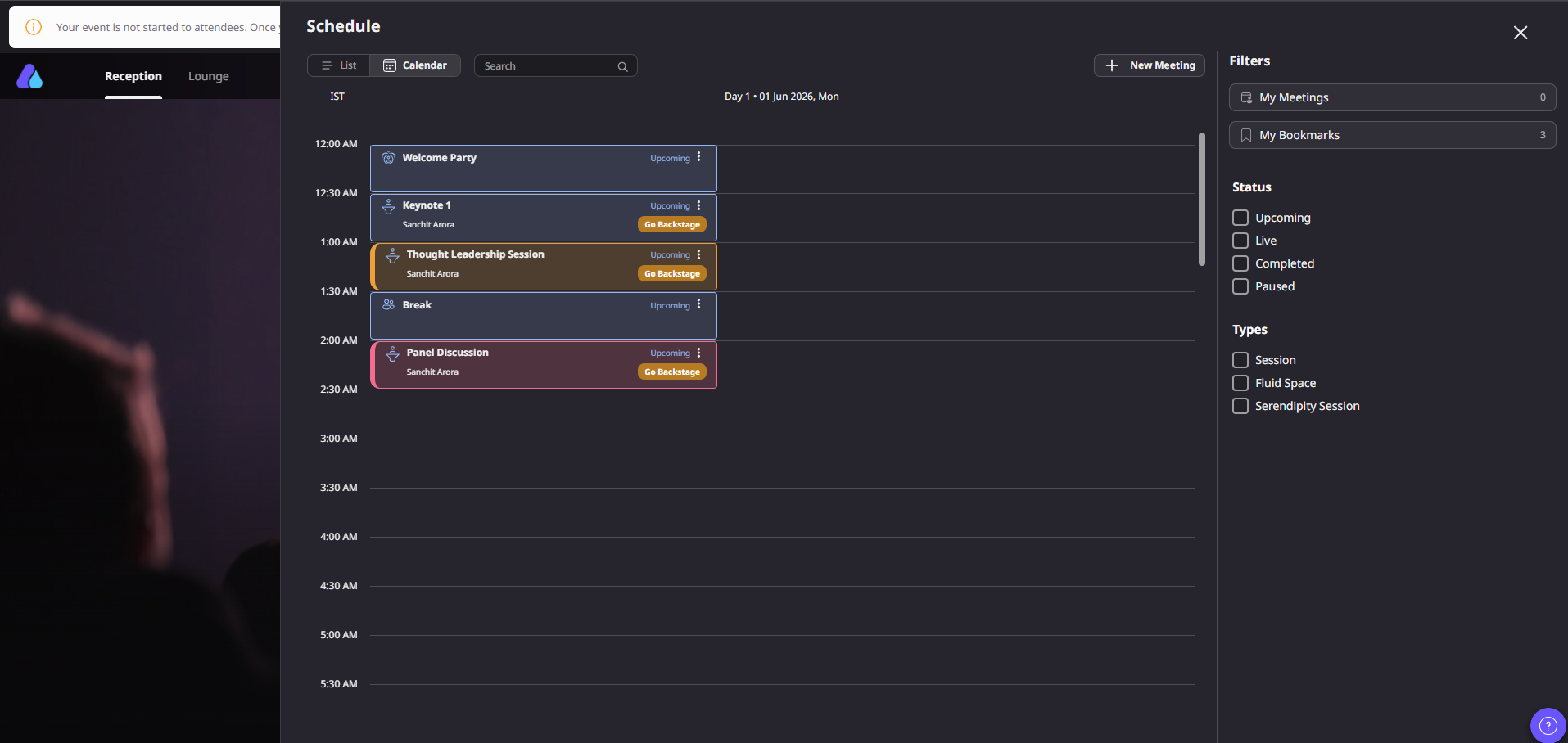
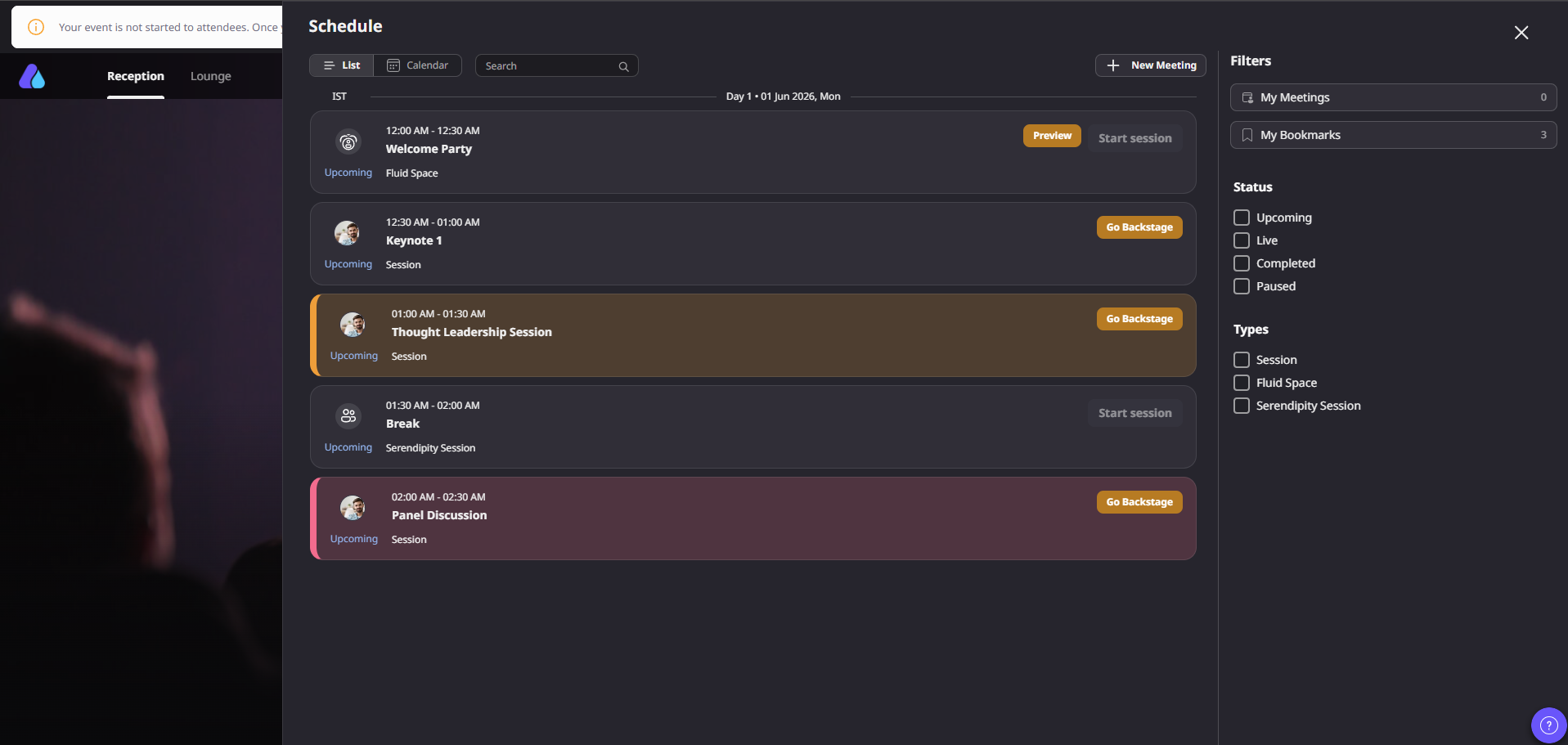
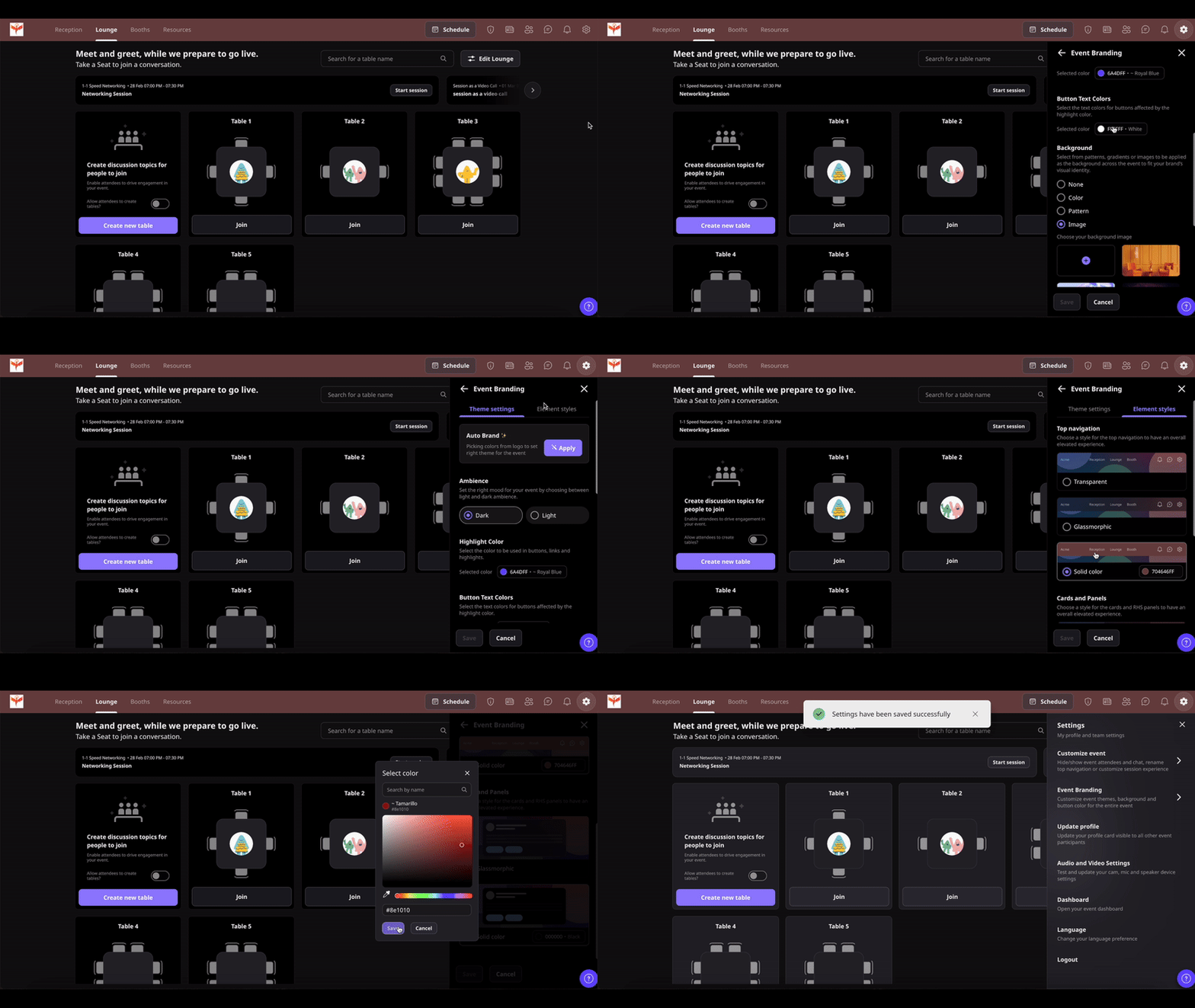
Actual Product Screenshots
Step-by-step process
Step 1. Select the Event Ambience theme.
Go to the “Settings” tab.
Click on the “Event Branding” option.
Auto-brand your event as per your logo colors in one click.
Step 2. Change CTA’s & Font text colors.
Change the event’s accent color according to your preferences.
Select the CTA’s font colors according to your preference.
Step 3. Change Background
A: Choose Color and Background Type 1. None: To remove the background, click “None.” The ambiance theme would be applied in that case. 2. Color: You can also choose your color style from solid, radial gradient, or linear gradient. 3. Pattern: Choose a background pattern for your event. The pattern’s color will be same as the the color you choose in “Step 2.”
4. Image: Select an image to be applied to your background. You can upload an image according to your preference by clicking on the “+” button. Image Dimensions: Image: 1440px x 720px Format: JPG, JPEG, PNG Size: Maximum up to 5 MB Image Settings: To edit the image, like increase or decrease the opacity, blur level, or Zoom level, hover over the image selected, click on the 3 dots, and press “Edit.”
Step 4. Save Your Edits
Click on “Save” for changes to be reflected on the event. You can also make these changes during the event as well.
Step 5. Change or Upload Fonts
You can select a font of your choice from the given list to match your branding preferences. Moreover, you also have the option to upload your own font.
Step 6. Update the Element Styles
Airmeet provides you with the option to style either your top navigation labels or the event card and panels into various element styles and colors.
Why choose Airmeet for this feature
Airmeet is useful for in-event branding because the brand experience is not confined to a single asset. It spans registration expectations, reception, session rooms, stage visuals, navigation, sponsor touchpoints, lounges, booths, engagement, and analytics. For a revenue webinar team, that means fewer disconnected handoffs and a more credible buyer journey from entry to follow-up.
A branded venue, not just a webinar room Shape the attendee-facing environment so the event feels purpose-built for the campaign.
More sponsor-ready moments Use booths, stages, receptions, and partner surfaces to give commercial programs a clearer presence.
Better audience confidence A polished branded experience helps attendees feel comfortable and confident in the content.
Stronger campaign continuity Carry the same story from the invite to the live session to post-event follow-up and sales conversation.
help Center
Relevant Help Articles
Explore guides and tutorials to help you create, customize, and host exceptional events on Airmeet.
In-event branding refers to the branding controls and event-surface customization that help teams make the live Airmeet experience feel aligned with the campaign, company, sponsor, or webinar series.
B2B webinars are often used for pipeline generation, product education, and partner marketing. A branded live environment can improve trust, reduce disorientation, and make the experience feel more credible to buying committees.
Airmeet supports live event branding, event branding setup, session branding, customized reception, stage backdrops, booth layout, and navigation label customization. (Exact options may vary by event format and plan.)
A consistent branded venue can improve audience trust, sponsor value, live engagement, and campaign continuity, all of which support better follow-up and clearer event ROI.
Prepare approved logos, color guidance, stage or reception creative, sponsor assets, event naming, navigation labels, and the conversion path you want attendees to follow during and after the event
Airmeet features
Other Features to Explore
Discover more powerful features that help you create engaging, branded, and seamless event experiences with Airmeet.
“I was really excited to see how alive Airmeet seemed. The first time I raised my virtual hand to ask a question, I was brought up on stage, my camera flipped on, and I was able to talk with the presenters, that was the sold-moment in my head! That is what I wanted. We weren't going to be speaking at our audience. We wanted a two-way engagement. With the analytics in the background, that was my “Aha moment!”
Victoria YounesExecutive Events Manager
Incredible Companies Use Airmeet
Most loved Virtual Events Platform
“I was really excited to see how alive Airmeet seemed. The first time I raised my virtual hand to ask a question, I was brought up on stage, my camera flipped on, and I was able to talk with the presenters, that was the sold-moment in my head! That is what I wanted. We weren't going to be speaking at our audience. We wanted a two-way engagement. With the analytics in the background, that was my “Aha moment!”
Victoria YounesExecutive Events Manager
Incredible Companies Use Airmeet
Most loved Virtual Events Platform
“I was really excited to see how alive Airmeet seemed. The first time I raised my virtual hand to ask a question, I was brought up on stage, my camera flipped on, and I was able to talk with the presenters, that was the sold-moment in my head! That is what I wanted. We weren't going to be speaking at our audience. We wanted a two-way engagement. With the analytics in the background, that was my “Aha moment!”