Broaden Market
Impact with
Immersive Events
Strengthen Bonds,
Boost Engagement
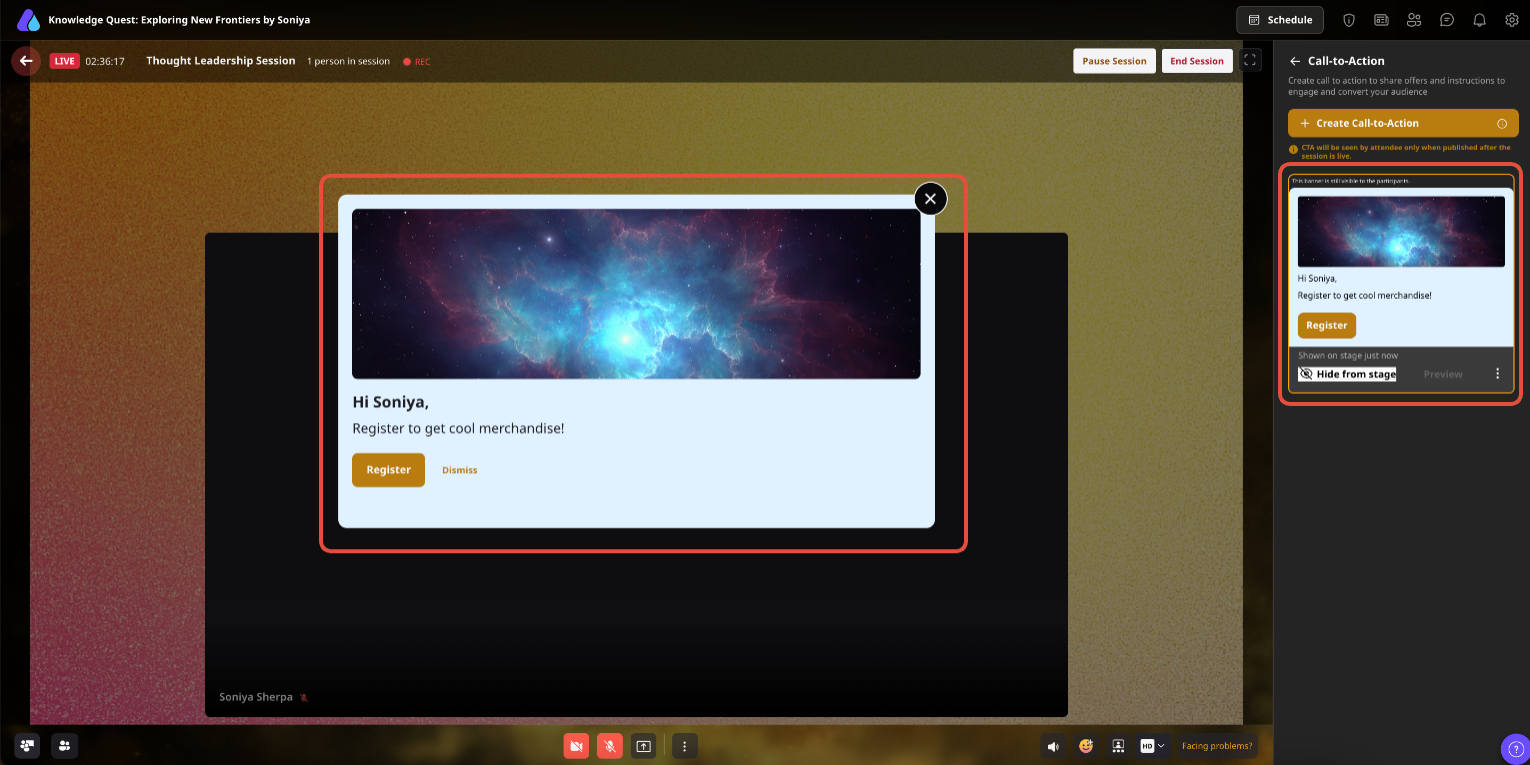
Show a timely offer or instruction on the live stage with a focused message, image, button, and link—so interested attendees can act while the value is still vivid.
The Problem
The Solution
Use Cases
Present a Book a demo action immediately after the product's value becomes tangible.
Offer a relevant guide or research asset while the educational context is still fresh.
Direct attendees to a partner offer, solution page, or shared next step without interrupting the session.
Place a resource, registration, or support pathway exactly where learners are likely to need it.
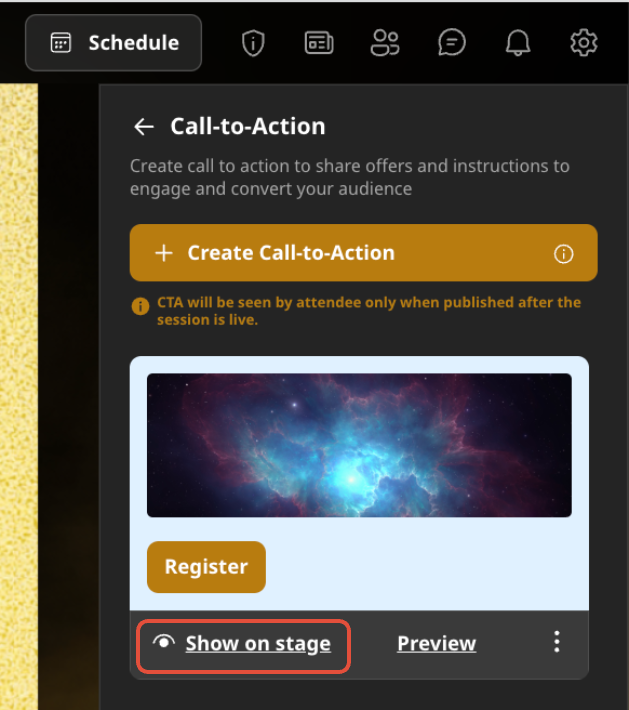
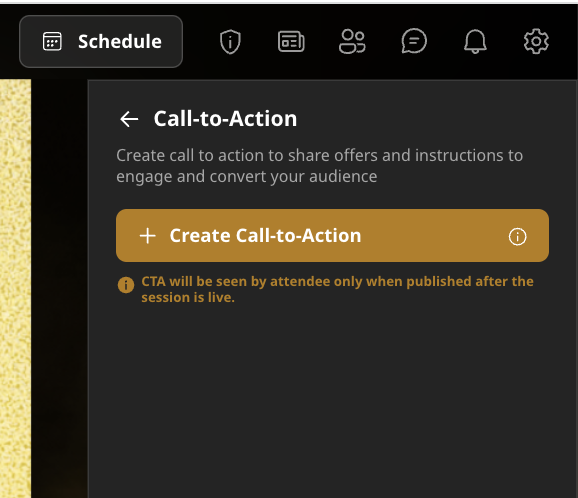
Start your session as the host or co-host, then open the Dynamic CTA option from the session controls.
Add the content for your call to action, including-
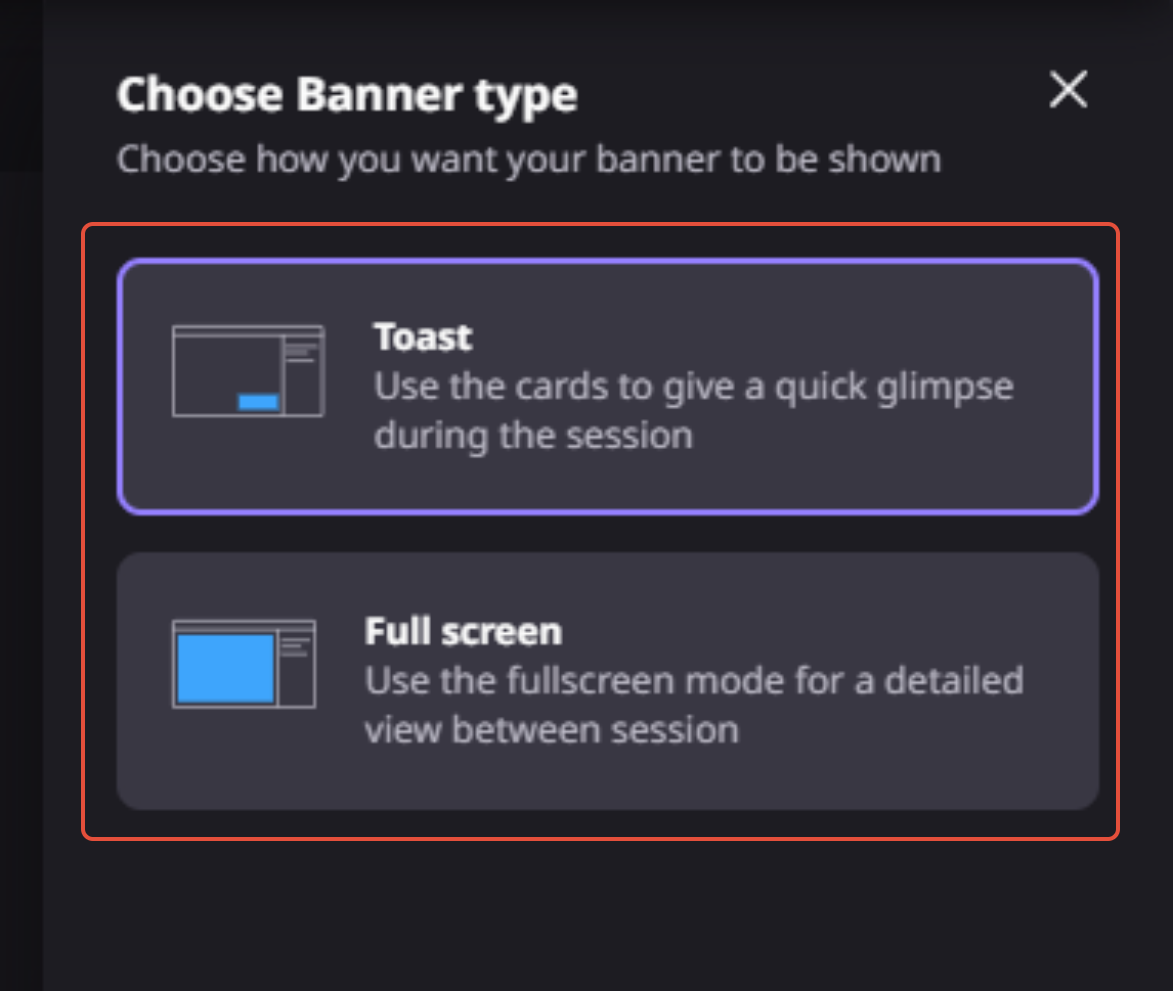
Choose the CTA box and button colors to match your event branding, then decide whether the CTA should appear as a toast notification or a full-screen CTA.
Review the CTA to confirm the content, design, and destination link before making it visible to attendees.
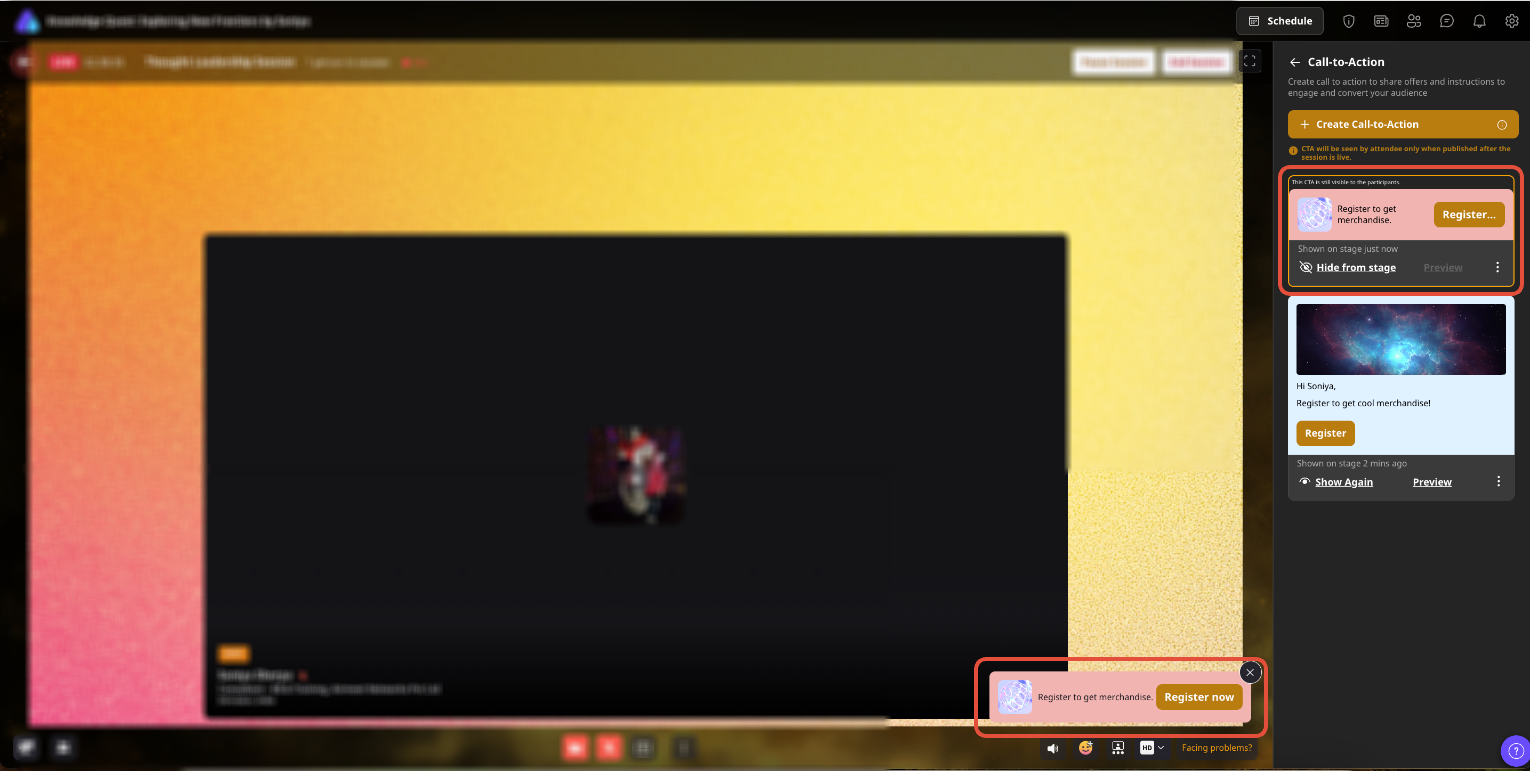
Launch the CTA manually during the session, or configure it to appear automatically at a scheduled time that aligns with the presentation.
Attendees can select the CTA button to visit the linked page, download a resource, book a meeting, register for another event, or complete another desired action.
Use the CTA alongside polls, Q&A, chat, and follow-up campaigns to turn live engagement into measurable business outcomes.
Why Airmeet
Dynamic Calls-to-action are live-session CTA cards that let organizers present an offer or instruction to session participants with a background image, message, button text, and destination link.
Organizers can choose a side toast for a lighter prompt or a full-screen presentation on the live stage for maximum visibility.
Yes. You can publish a CTA manually during the session or schedule it to appear automatically at a predefined time, helping it align with product demonstrations, offers, or other key moments.
A Dynamic CTA can include a background image, message, call-to-action button, destination URL, and customizable CTA box and button colors.
Yes. Organizers can preview the CTA, save it, and then publish it to the stage when the session is live.
Published session CTAs are shown to everyone participating in that live session, including attendees, speakers, exhibitors, and organizers.
No. Dynamic CTAs are created for individual sessions and can’t be copied or reused across other sessions. If you want to use the same CTA elsewhere, you will have to create it again for that session.
No. Session CTAs are not visible in session recordings, so important offers should also be supported by an appropriate follow-up plan.
For the best display, we recommend using a 960 × 320 px background image in JPG, PNG, or SVG format. The image size should not exceed 5 MB.
Launch one focused CTA at the moment when attendee interest is highest. For example, invite demo bookings after a product walkthrough, share a downloadable guide after an educational segment, promote the next webinar before closing remarks, or direct attendees to a relevant landing page while the discussion is still fresh.
Broaden Market
Impact with
Immersive Events
Strengthen Bonds,
Boost Engagement
Incredible Companies Use Airmeet
Most loved Virtual Events Platform
Incredible Companies Use Airmeet
Most loved Virtual Events Platform
Incredible Companies Use Airmeet
Most loved Virtual Events Platform
Incredible Companies Use Airmeet
Most loved Virtual Events Platform
Incredible Companies Use Airmeet
Most loved Virtual Events Platform