Create tailored registration forms that capture the right attendee information, qualify audiences, and improve event follow-up before your event begins.
Generic forms Basic forms miss the data teams need to qualify and segment attendees.
Incomplete attendee context Teams do not always know their role, company, interests, or intent before the event.
Manual follow-up Teams waste time cleaning registration data across spreadsheets and tools.
How Airmeet Solves It
Custom fields Collect the exact details your team needs before attendees enter the event.
Attendee cards Customize attendee cards so hosts understand participants faster.
Flexible formats Use forms across webinars, summits, series, and in-person events.
File uploads Add file upload fields when your workflow needs supporting details.
Benefits by Event Use Case
Discover how Airmeet adapts to different event formats, helping you deliver engaging experiences and achieve your unique event goals.
Webinars
Capture role, company, and topic interest before the session.
Summits
Segment attendees by track, role, region, or audience type.
Product launches
Qualify registrants for demos and launch nurture.
Sponsored events
Collect sponsor-relevant attendee context.
Training programs
Capture learner level, team, and prerequisites.
Event series
Standardize registration across recurring sessions.
Actual Product Screenshots
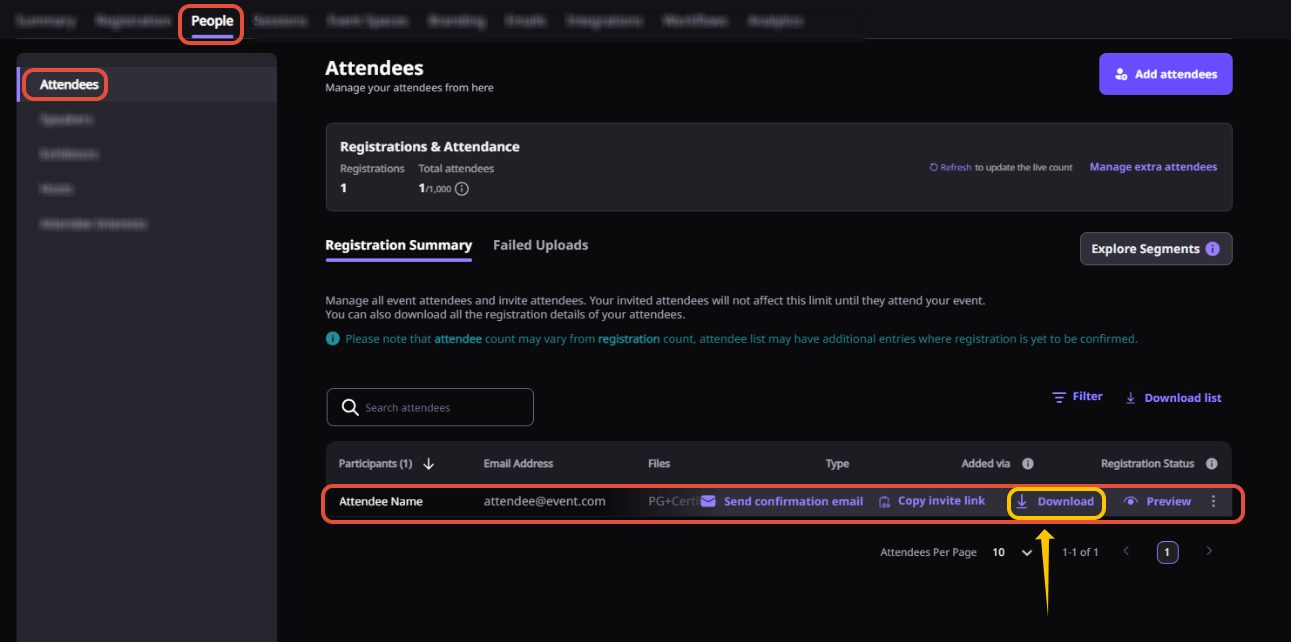
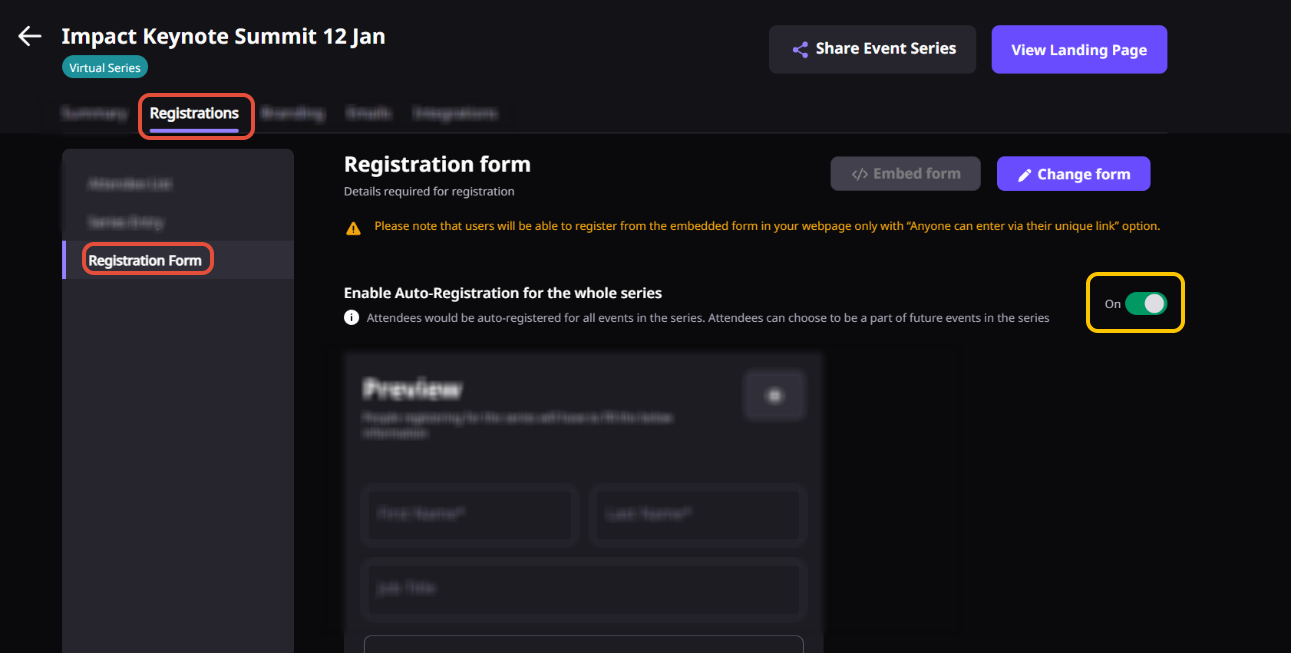
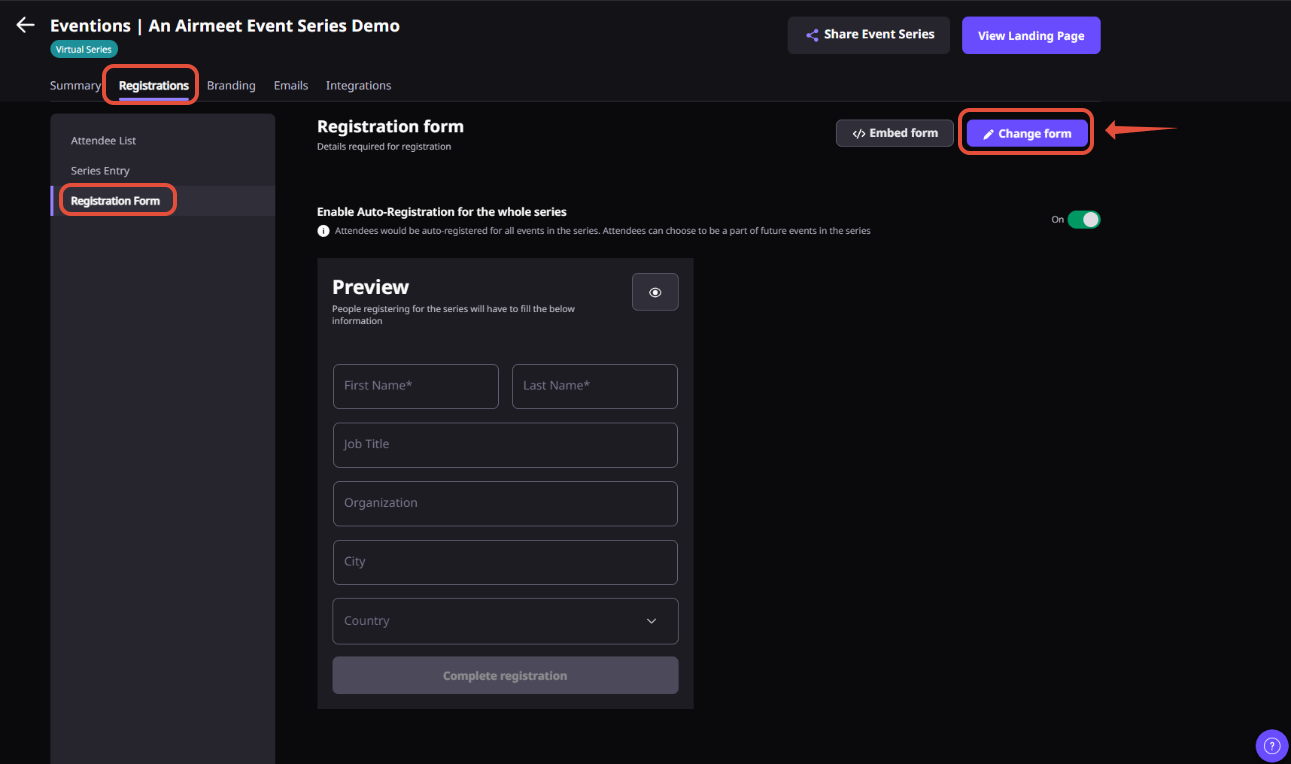
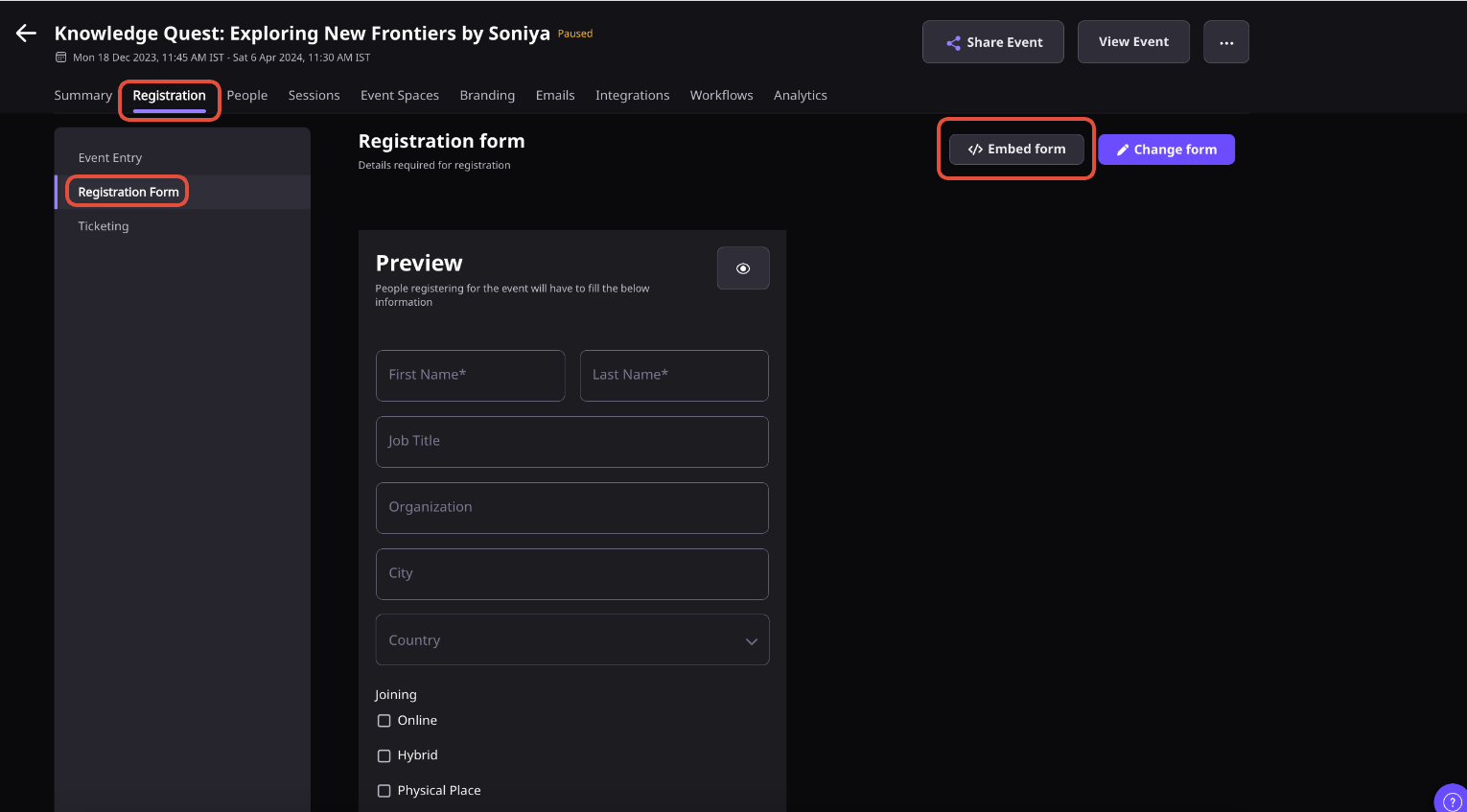
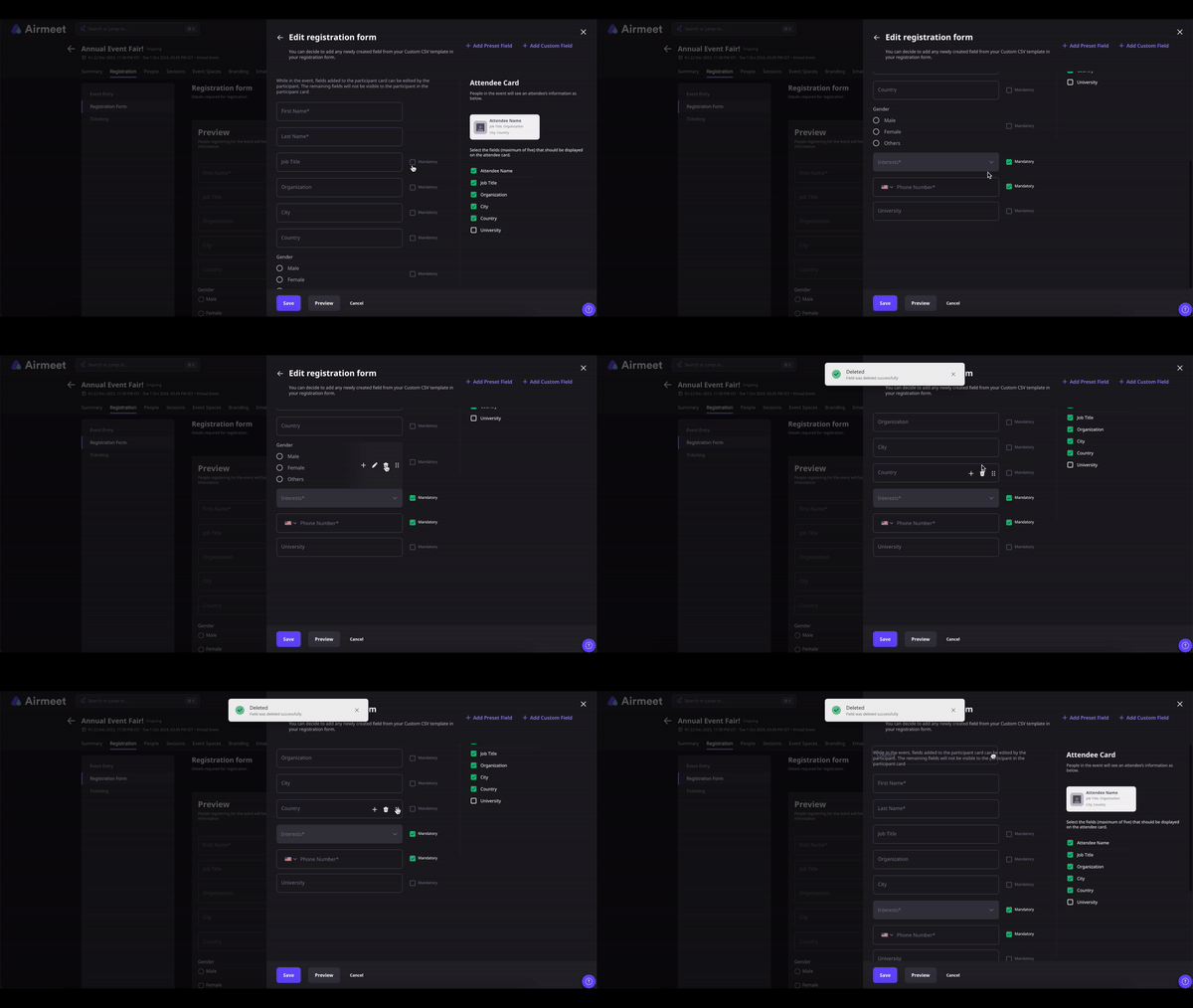
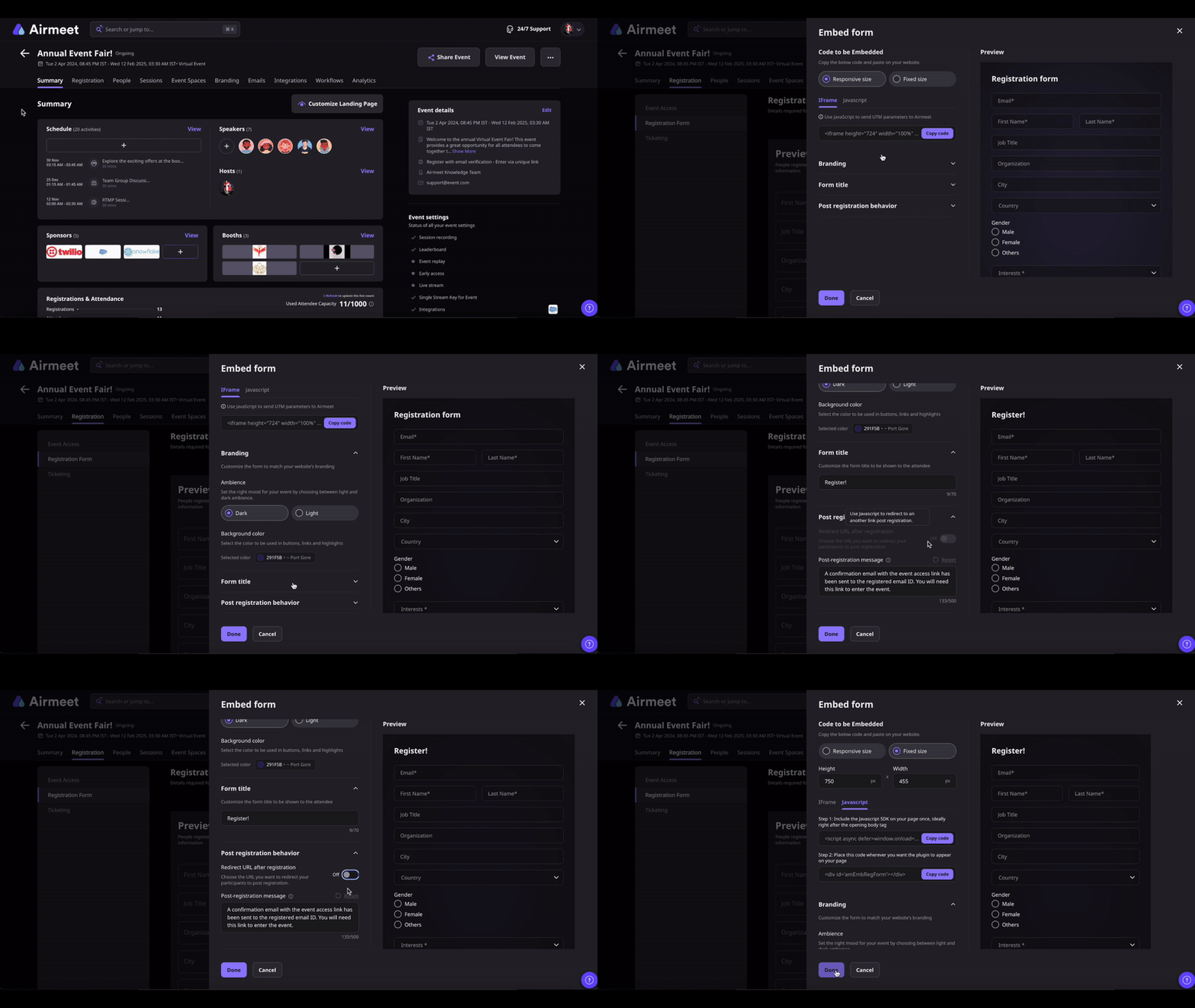
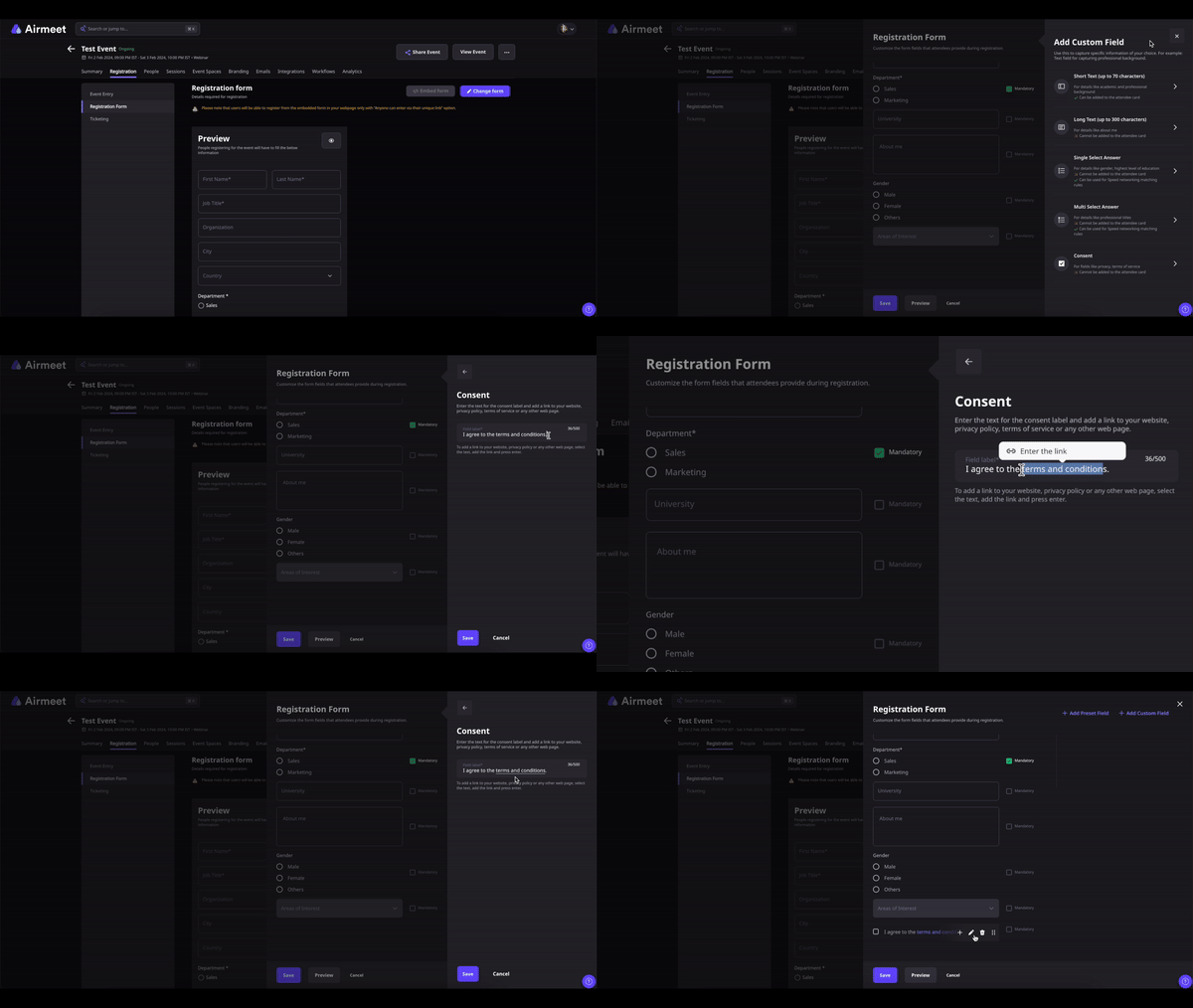
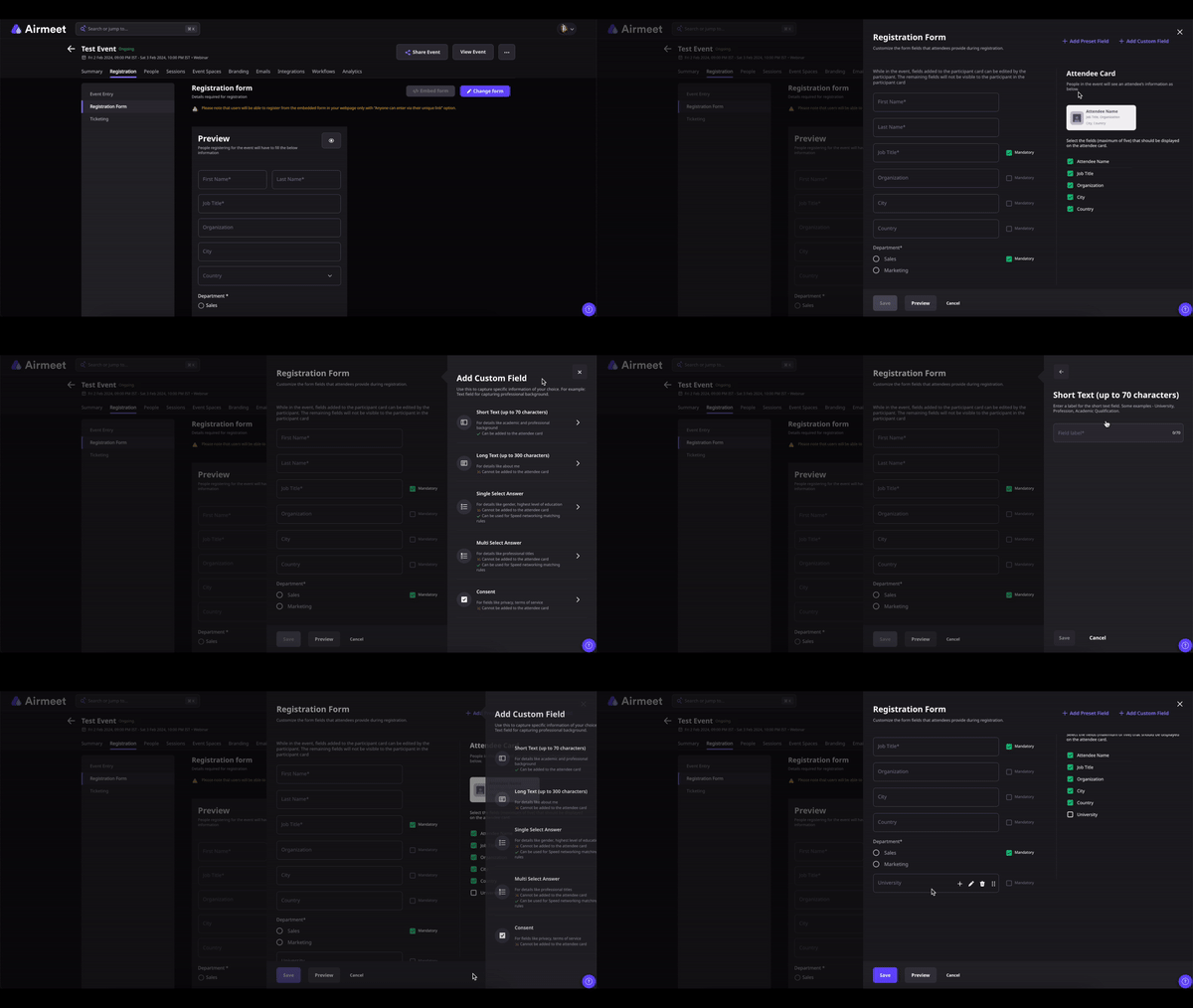
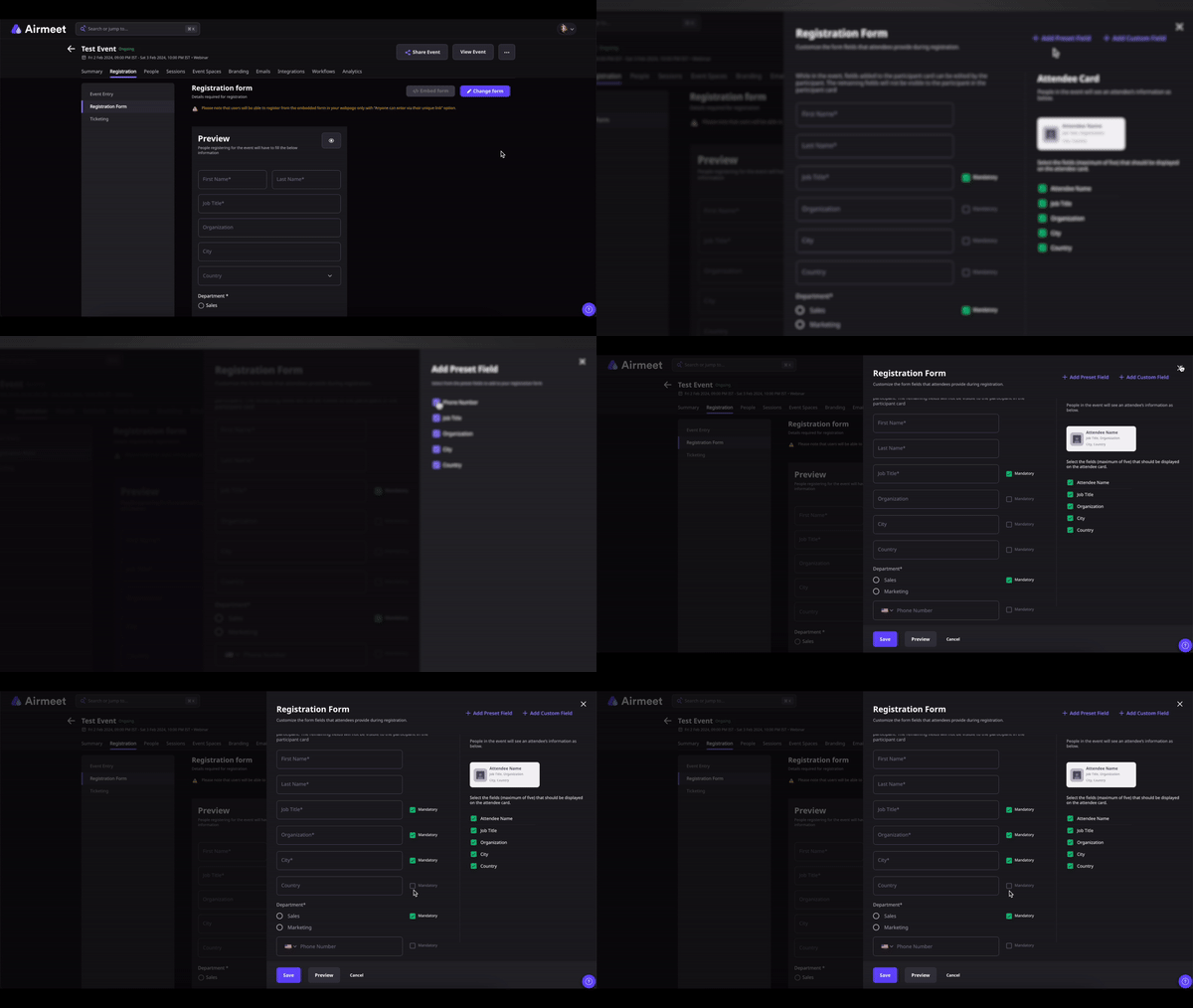
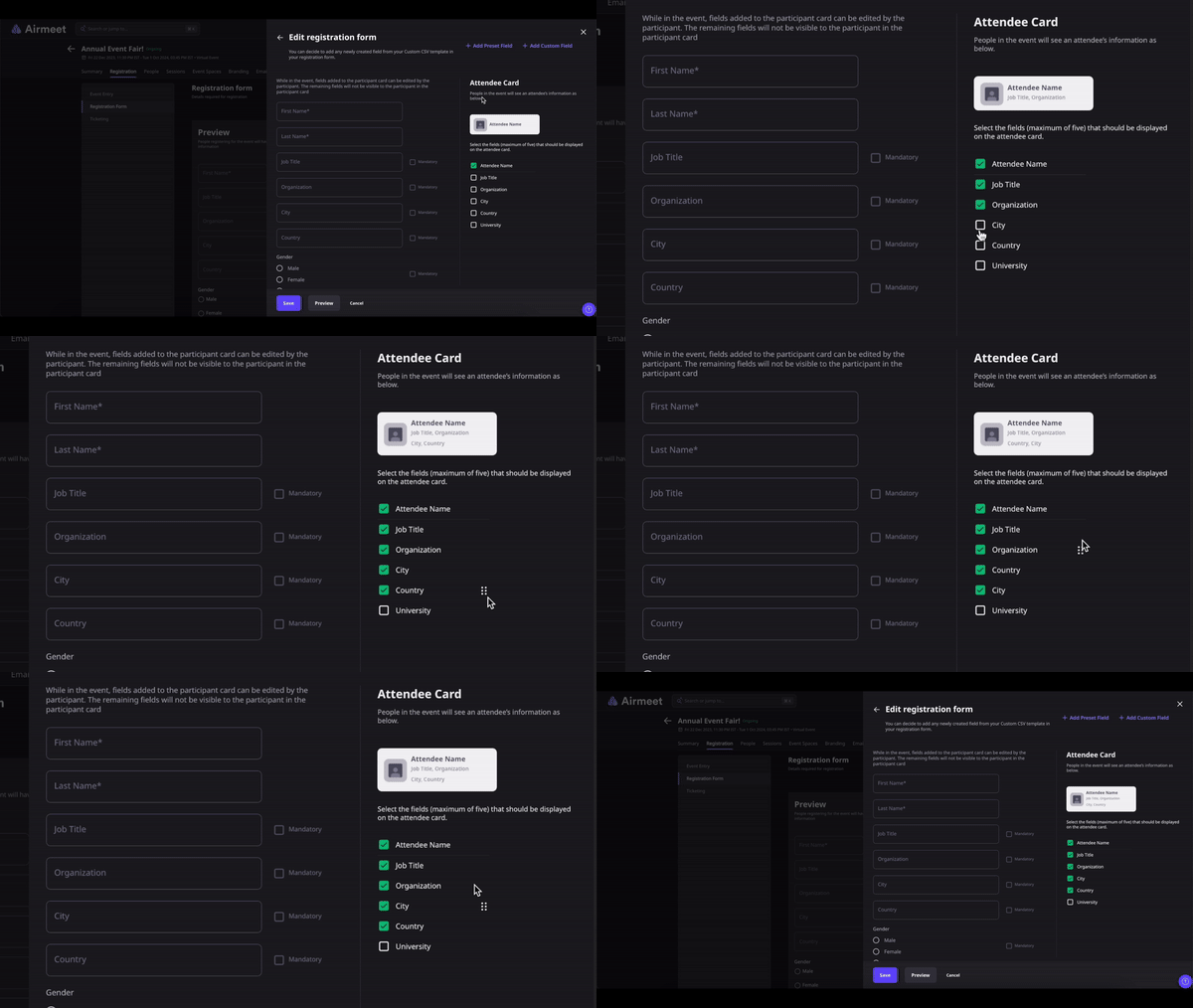
Explore real screenshots from the Airmeet Help Center that demonstrate how to configure custom registration forms, customize attendee cards, add file upload fields and manage registration settings. These screenshots provide a visual walkthrough of the setup process and help the organizers in understanding each configuration step before publishing their event.
Step-by-Step Process
Setting up a custom registration form in Airmeet takes just a few steps. Follow the process below to collect the attendee information you need and personalize the registration experience.
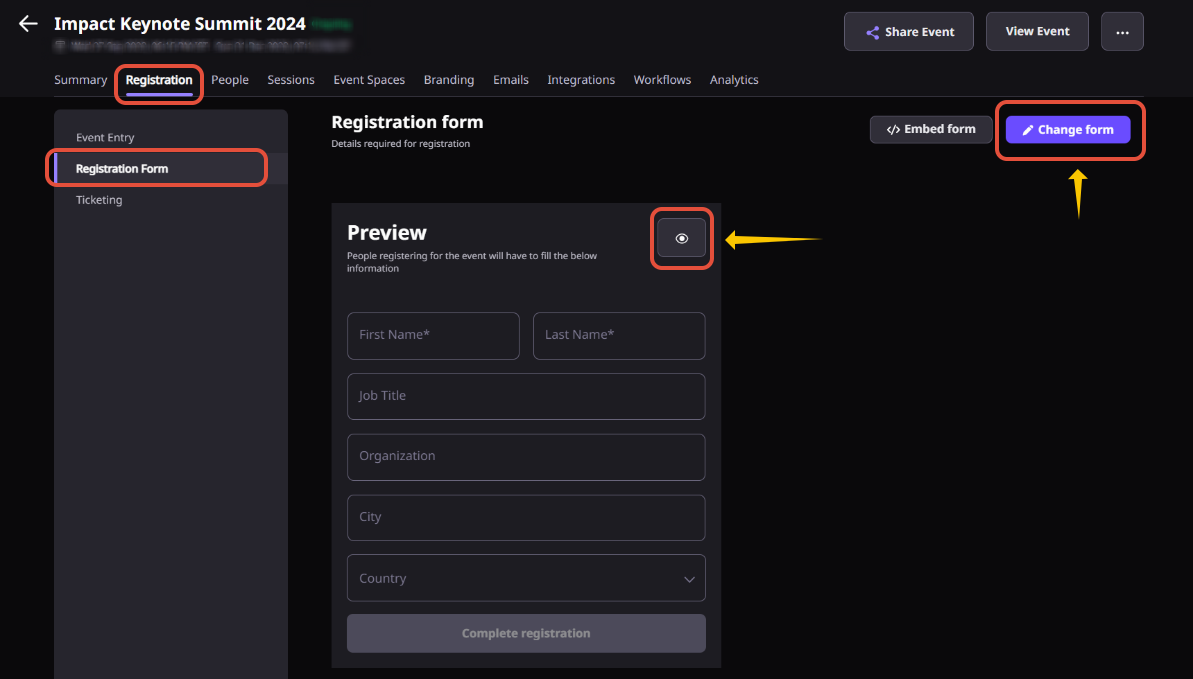
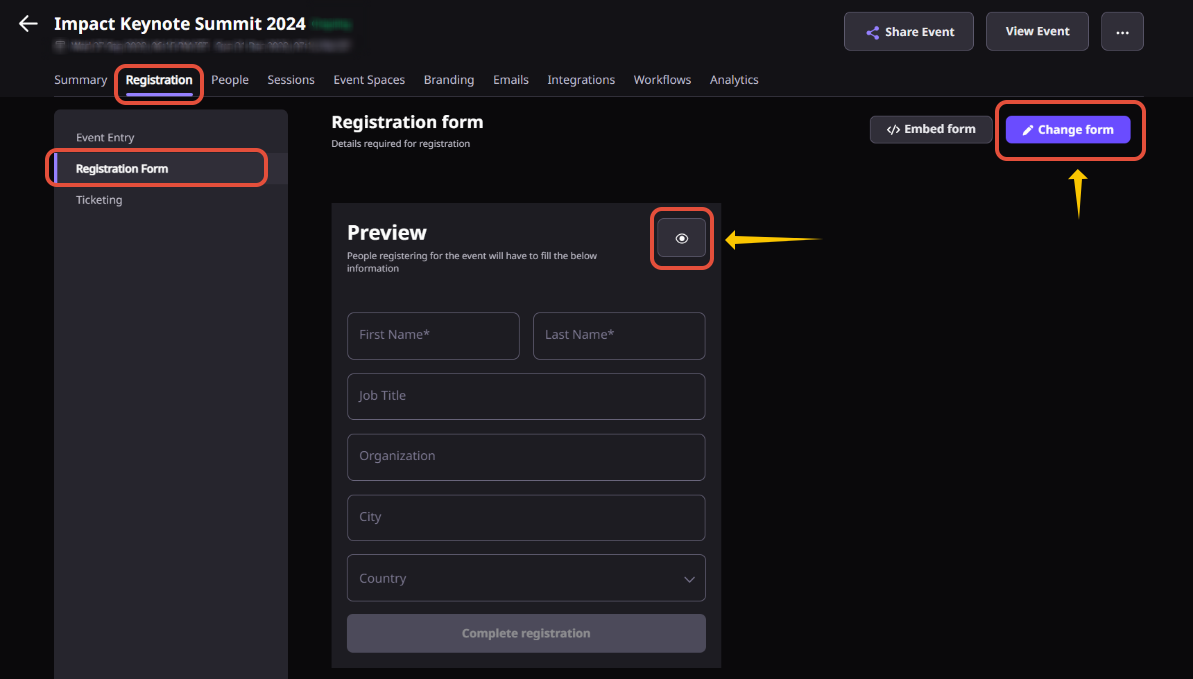
Step 1. Open the Registration Form Settings
From your Event Dashboard, navigate to Registrations & then Registration Form. This is where you can manage your event’s registration experience, customize attendee information, and configure attendee cards. Click the Preview icon and select Edit, or simply click Change Form to start making changes.
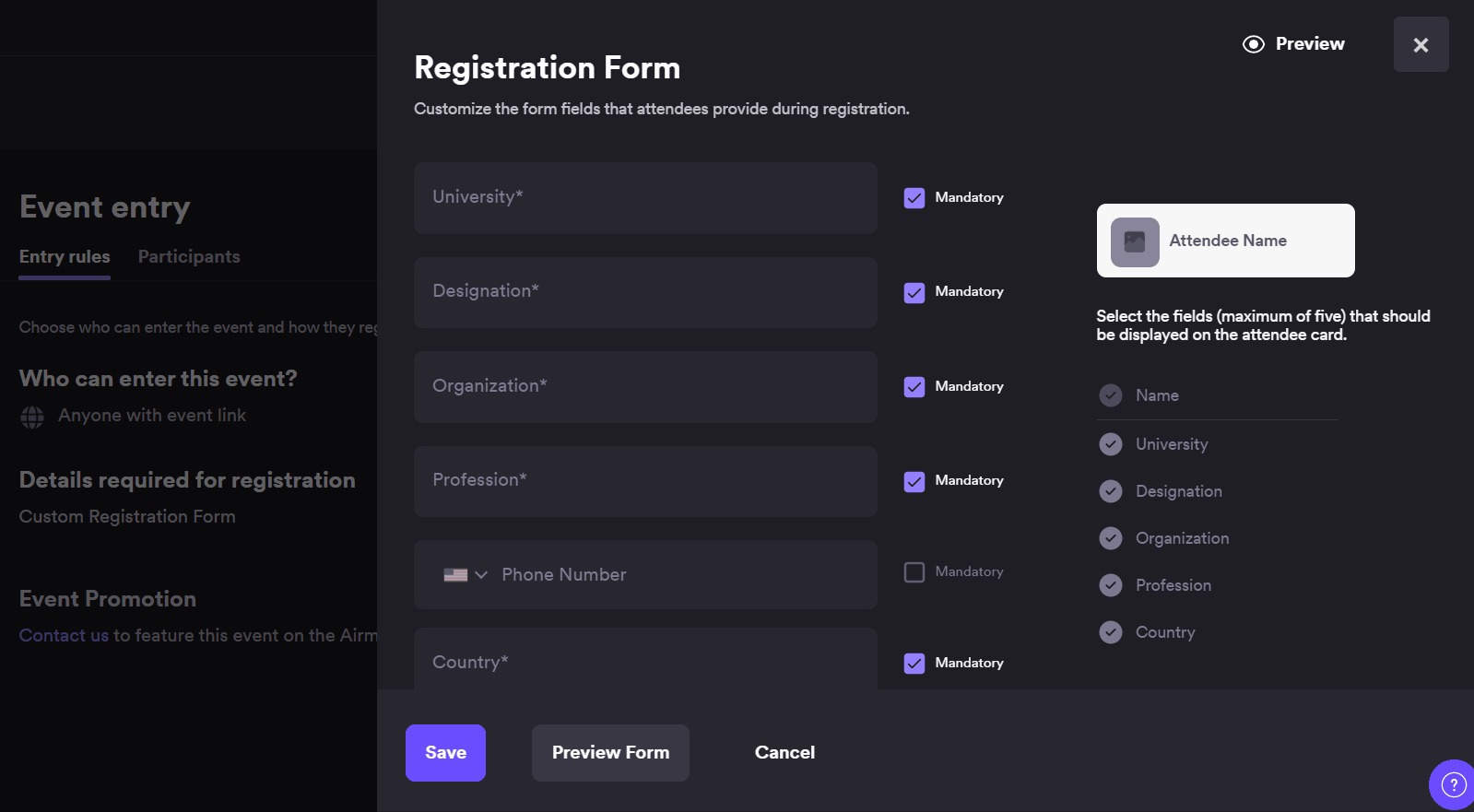
Step 2. Add Preset or Custom Fields
Choose the fields you want your attendees to complete during registration.
Preset Fields include commonly used fields such as Organization, Designation, City, Country, and Phone Number. These can be marked as optional or mandatory.
Custom Fields allow you to collect additional information using Short Text, Long Text, Single Select, Multi Select, Consent, or File Upload fields based on your event requirements.
Airmeet supports up to 50 registration fields, giving organizers complete flexibility to build forms for webinars, conferences, product launches, training programs, and more.
Step 3. Customize the Attendee Card
Select which registration details should appear on attendee profile cards during the event. This helps speakers, hosts, sponsors, and attendees quickly understand who they’re interacting with.
You can display preset fields along with Short Text custom fields and choose up to five attendee card fields.
Step 4. Configure Advanced Form Options
Further tailor your registration experience by making fields mandatory, adding consent checkboxes, enabling file uploads for supporting documents, or using conditional logic to display questions only when relevant. This keeps registration forms concise while collecting richer attendee information when needed.
Step 5. Organize and Review Your Form
Drag and drop fields to arrange them in the desired order or remove fields that are no longer required. Review both the registration form and attendee card to ensure they capture the right information and provide a smooth registration experience before publishing.
Step 6. Publish and Share
Once you are satisfied with the setup, save your changes and publish the registration form. You can share the registration link directly with attendees or embed the registration form on your website or landing page to create a seamless registration experience. Registration data is automatically captured and can later be exported for reporting and follow-up.
Why Choose Airmeet for Custom Registration Form?
Airmeet's Custom Registration Form is purpose-built for event organizers who need more than basic attendee information. Whether you are running webinars, virtual summits, hybrid events, event series or in-person experiences, you can collect the exact data required to personalize engagement and improve post-event outcomes.
Built for Every Event Format Create registration experiences that work across webinars, conferences, product launches, training sessions, event series, and in-person events without changing your workflow.
Flexible Registration Fields Go beyond standard name and email fields by adding custom questions, dropdowns, checkboxes, file uploads, and other fields that match your event objectives.
Better Attendee Context Capture important details such as job role, company, industry, region, interests, learning goals, or purchase intent so speakers, hosts, and sales teams have meaningful attendee insights before the event begins.
Cleaner Follow-up Collect structured registration data from the start to reduce manual data cleanup, improve audience segmentation, and support more personalized post-event communication and lead nurturing.
help Center
Relevant Help Articles
Explore guides and tutorials to help you create, customize, and host exceptional events on Airmeet.
How to setup and customize registration form and attendee card for your Airmeet event?
“I was really excited to see how alive Airmeet seemed. The first time I raised my virtual hand to ask a question, I was brought up on stage, my camera flipped on, and I was able to talk with the presenters, that was the sold-moment in my head! That is what I wanted. We weren't going to be speaking at our audience. We wanted a two-way engagement. With the analytics in the background, that was my “Aha moment!”
Victoria YounesExecutive Events Manager
Incredible Companies Use Airmeet
Most loved Virtual Events Platform
“I was really excited to see how alive Airmeet seemed. The first time I raised my virtual hand to ask a question, I was brought up on stage, my camera flipped on, and I was able to talk with the presenters, that was the sold-moment in my head! That is what I wanted. We weren't going to be speaking at our audience. We wanted a two-way engagement. With the analytics in the background, that was my “Aha moment!”
Victoria YounesExecutive Events Manager
Incredible Companies Use Airmeet
Most loved Virtual Events Platform
“I was really excited to see how alive Airmeet seemed. The first time I raised my virtual hand to ask a question, I was brought up on stage, my camera flipped on, and I was able to talk with the presenters, that was the sold-moment in my head! That is what I wanted. We weren't going to be speaking at our audience. We wanted a two-way engagement. With the analytics in the background, that was my “Aha moment!”
Victoria YounesExecutive Events Manager
Incredible Companies Use Airmeet
Most loved Virtual Events Platform
“I was really excited to see how alive Airmeet seemed. The first time I raised my virtual hand to ask a question, I was brought up on stage, my camera flipped on, and I was able to talk with the presenters, that was the sold-moment in my head! That is what I wanted. We weren't going to be speaking at our audience. We wanted a two-way engagement. With the analytics in the background, that was my “Aha moment!”