Airmeet features

Attendee Engagement

Make every live session feel like a two-way revenue conversation – with stage invitations, raised hands, Q&A, polls, chat highlights, calls to action, banners, and recognition.

Attendee Engagement
Passive audiences make revenue webinars harder to read

The Problem

Passive audiences make revenue webinars harder to read

A silent audience leaves marketers guessing. Speakers cannot tell which topics resonate, high-intent questions disappear in a fast chat, and the people most ready to contribute remain anonymous in the crowd.
That weakens the live experience and the follow-up: generic nurture replaces contextual conversations, while valuable buying signals stay trapped inside the session.

The Solution

Turn passive viewers into active participants

Airmeet brings audience participation directly into the live-session experience. Hosts and co-hosts can invite attendees to the stage, approve raised hands, highlight chat messages, questions, and polls on stage, and guide participation without disrupting the flow of the session.
Stage banners and lower thirds add visual prompts, while calls to action can direct attention toward an offer or next step. Leaderboards can recognize participation and sustain momentum across the event.
Turn passive viewers into active participants

Use Cases

Benefits across virtual event use cases

Demand-generation webinars

Use polls and Q&A to uncover priorities, then invite a strong participant on stage to turn a common objection into a live buying conversation.

Product launches

Bring audience questions, reactions, and live participation into product demonstrations so launches feel more interactive and authentic.

Benefits across virtual event use cases

Customer education

Use raised hands and stage invitations to diagnose real workflows, demonstrate answers, and reinforce adoption.

Community and thought leadership

Reward useful contributions with on-stage visibility, banners, and leaderboards that make expertise feel shared.

Actual Product Screenshots

Step-by-Step: Manage attendee engagement during a live session

Step 1. Start your live session

Begin the session as the host or co-host. Open the People in Session panel to monitor attendees throughout the event.

Step 2. Invite attendees to the stage

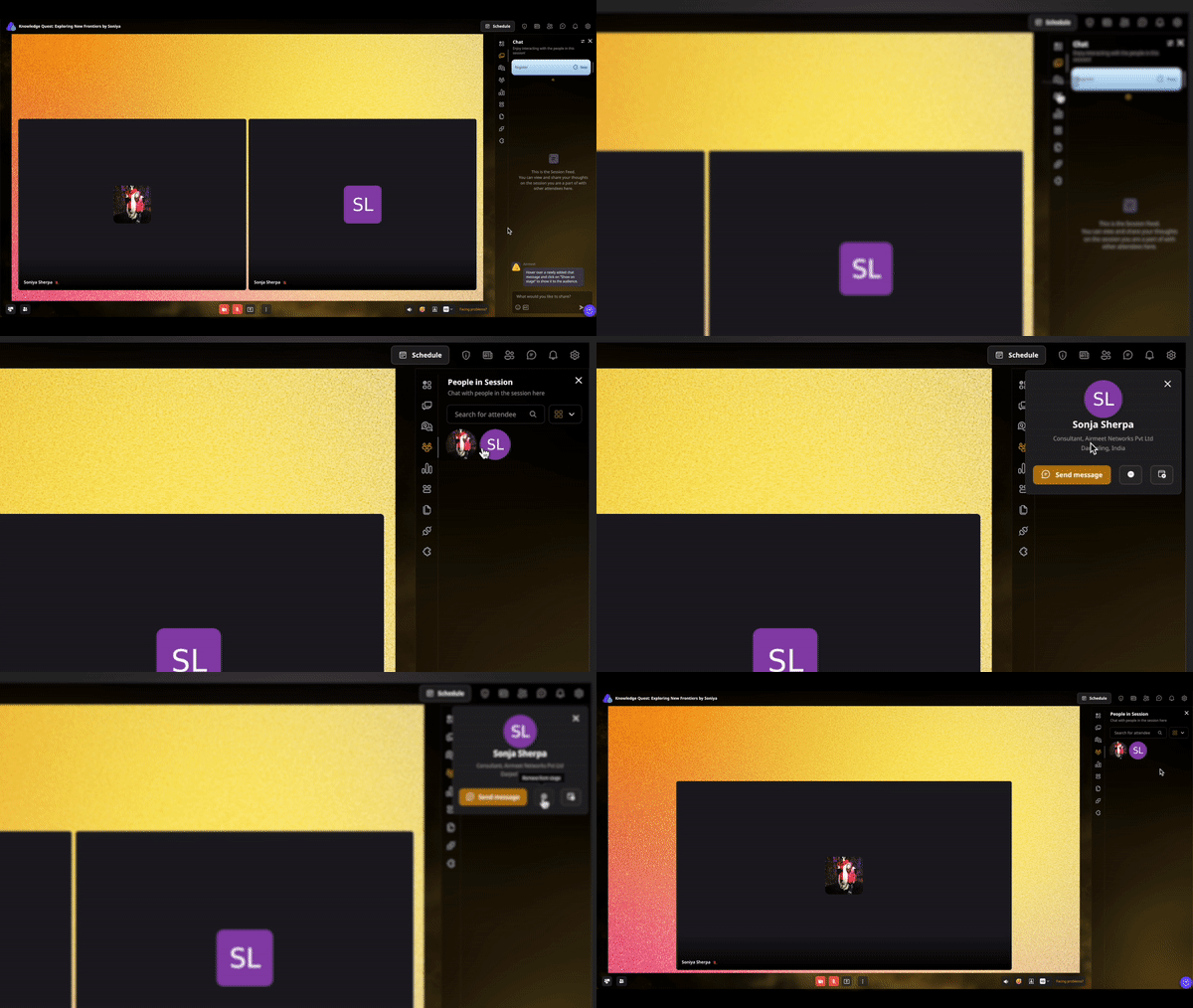
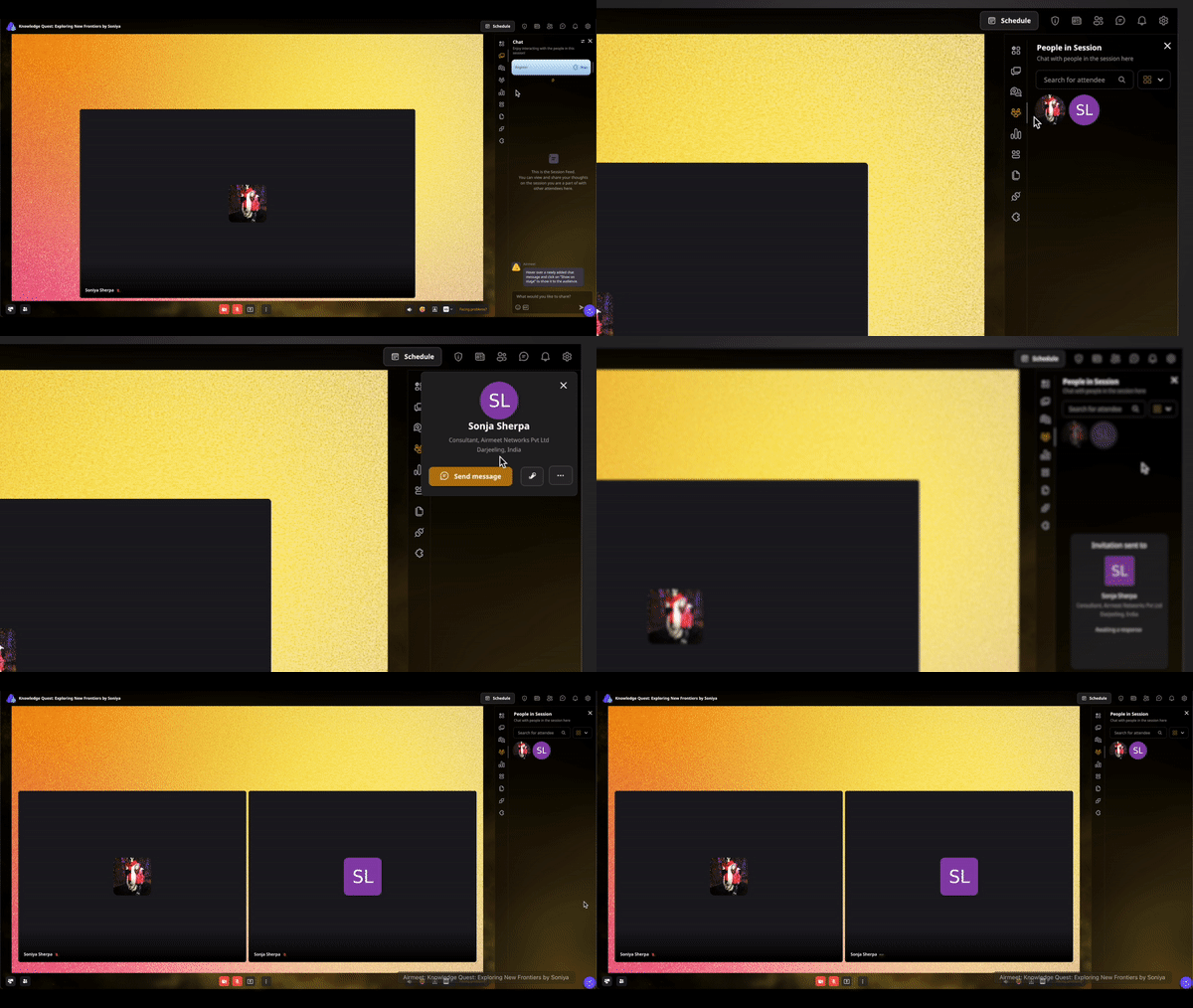
To bring someone on stage, hover over their name in People in Session and select Invite to Stage. The attendee joins after accepting the invitation.

Step 3. Review raised-hand requests

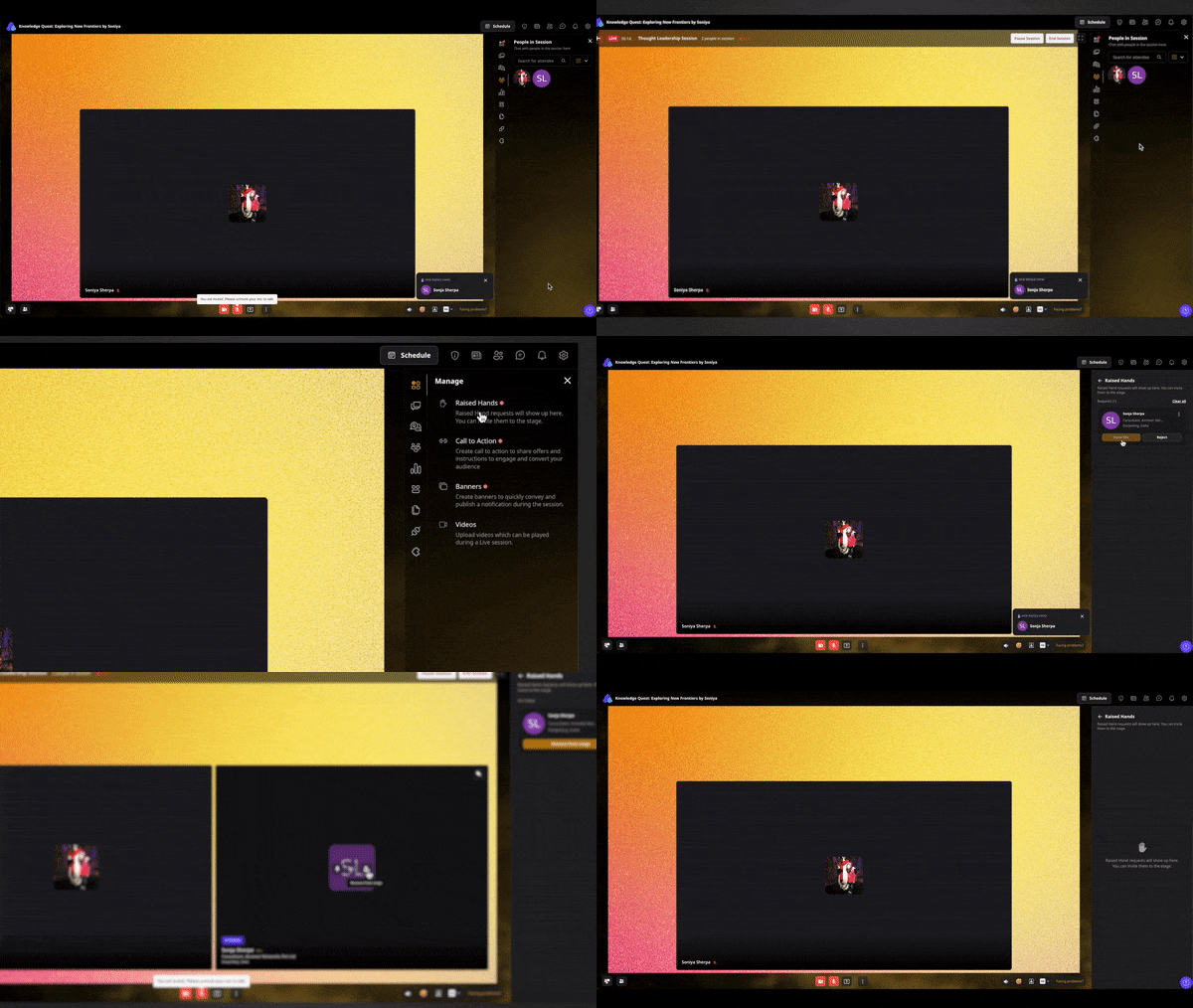
When attendees use Raise Hand, review the requests and invite selected participants to speak live on stage.

Step 4. Display audience contributions

Highlight important audience participation by showing chat messages, Q&A, or poll results directly on the live stage.

Step 5. Keep the audience engaged

Run live polls, encourage questions, display stage banners or lower thirds, launch calls to action, and recognize participation with the Leaderboard where enabled.

Step 6. Manage the stage

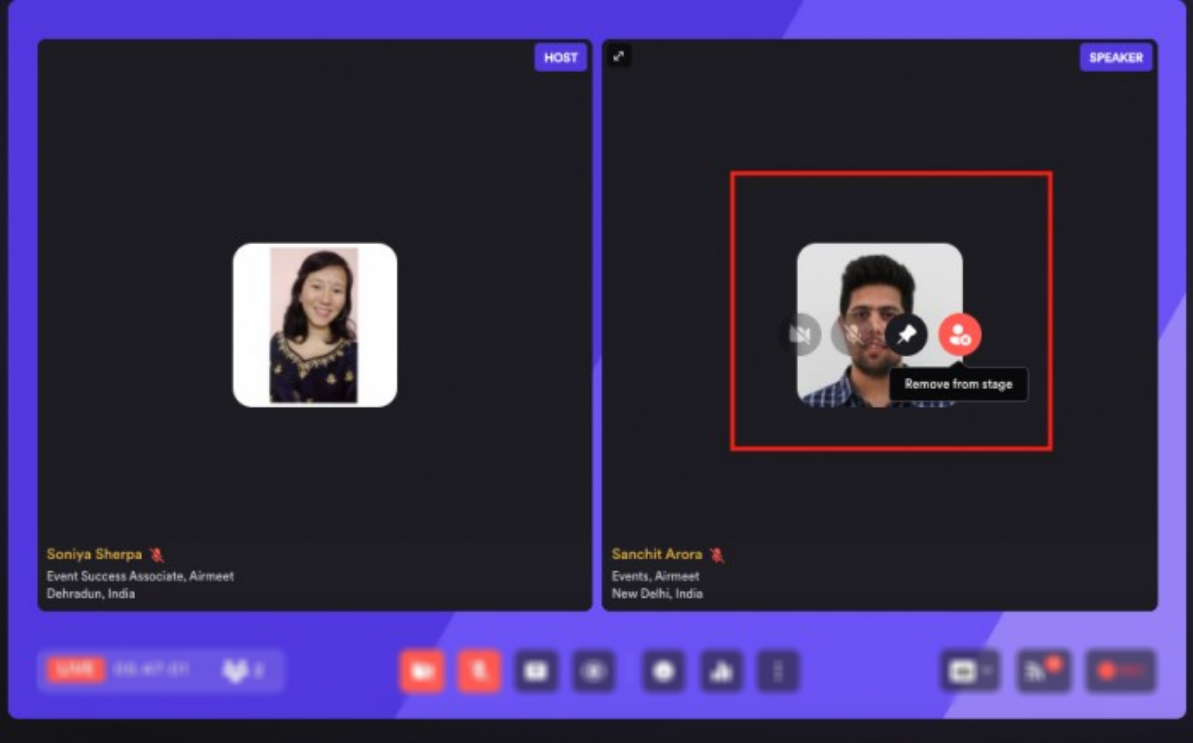
Mute or remove participants from the stage when the discussion ends to keep the session organized and focused.

Step 7. Use engagement insights after the session

Review audience questions, poll responses, chat activity, stage participation, and other engagement signals to inform follow-up and future events.

Why Airmeet

Why choose Airmeet for attendee engagement

Airmeet brings every major engagement tool into one live-stage experience. Instead of switching between disconnected moderation tools, hosts can invite attendees, surface audience contributions, launch engagement prompts, and guide conversations from a single workflow.

The result is a more responsive brand experience and richer context for post-event follow-up—while hosts and co-hosts retain control over who appears on stage and what the audience sees.

help Center

Relevant Help Articles

Explore guides and tutorials to help you create, customize, and host exceptional events on Airmeet.
Manage attendee engagement during a live session
Invite attendees to the stage
Raise Hand: what it is and how to use it
Show chat, polls, and Q&A on the stage
Create and publish polls

FAQs

Frequently Asked Questions

Open People in Session, hover over the attendee, and select Invite to Stage. The attendee appears on stage after accepting. 

An attendee requests speaking access with Raise Hand. The host or co-host reviews the request and can hand them the mic to join the live stage. 

Yes. Multiple attendees can raise hands; hosts accept participants subject to the session’s stage-speaker limit. 

Yes. Session chat can be surfaced on the live stage, helping a relevant comment become part of the shared program.

Yes. Airmeet provides host controls for displaying session questions and session-level polls on the live stage. 

Hosts can use chat, Q&A, polls, reactions, CTAs, stage banners, lower thirds, and leaderboards, depending on event setup and plan availability. 

Hosts and co-hosts control stage invitations and raised-hand approvals. Attendees can accept or reject an invitation. 

Yes. Hosts and co-hosts can remove an attendee who joined through Invite to Stage or Raise Hand.

Dynamic Calls to Action give attendees a clear next step during a live session, such as booking a meeting, downloading a resource, registering for another event, or visiting a landing page. Organizers can launch CTAs at the right moment to connect engagement with meaningful business actions.

Review audience questions, poll responses, stage participation, chat activity, CTA clicks, and other engagement signals to identify follow-up opportunities, prioritize conversations, and improve future webinar content. The available data depends on your Airmeet plan, event format, and integrations.

Airmeet features

Other Features to Explore

Discover more powerful features that help you create engaging, branded, and seamless event experiences with Airmeet.
Dynamic Calls-to-action (CTA)
Set up an attendee engagement leaderboard
Create a stage banner or lower third

Incredible Companies Use Airmeet

Most loved Virtual Events Platform

Incredible Companies Use Airmeet

Most loved Virtual Events Platform

Incredible Companies Use Airmeet

Most loved Virtual Events Platform

Incredible Companies Use Airmeet

Most loved Virtual Events Platform

Incredible Companies Use Airmeet

Most loved Virtual Events Platform