AirGenie helps webinar marketers turn Airmeet event context into reviewed social media content ideas and draft posts for post-event promotion, demand generation, sales follow-up, and always-on audience engagement.
Turn webinar momentum into social content before it fades
Revenue webinars create quotable ideas, audience questions, product narratives, and customer pain points. The bottleneck is turning those raw moments into channel-ready social posts quickly enough to support follow-up while the topic is still timely.
Event insights stay buried Recordings, chat, Q&A, and session themes often sit unused after the live program ends.
Social teams rewrite from scratch Marketers must manually convert one webinar into posts for LinkedIn, X, employee advocacy, and nurture.
Generic AI misses the context A blank prompt rarely knows the speaker angle, audience intent, buyer pain, or event promise.
AirGenie gives marketers an event-context starting point
AI Social Media Content should be positioned as a fast first-draft workflow: Airmeet event and session context informs the social angle, AirGenie produces draft content, and the marketing team reviews it for accuracy, brand voice, and channel fit before publishing.
Source-aware prompts Use webinar context instead of starting from an empty generic prompt.
Campaign-ready angles Create short-form hooks for recap posts, attendance follow-up, launch messaging, and thought leadership.
Human review built in Airmeet cautions that AI-generated output may require edits, so final approval remains with the team.
Built for velocity Reduce the manual work between a finished webinar and the first wave of social distribution.
Benefits across revenue-focused virtual event use cases
AI Social Media Content helps B2B teams stretch one webinar into multiple useful touchpoints without losing the original event context.
Demand Generation Webinars
Turn expert discussion into post-event LinkedIn hooks, paid-social tests, and retargeting copy.
Customer education sessions
Package best practices, adoption tips, and customer questions into bite-sized learning content.
Product launch webinars
Convert demo moments, proof points, and objections into launch follow-up posts.
Executive thought leadership
Repurpose strategic conversations into concise POV posts for executives and brand channels.
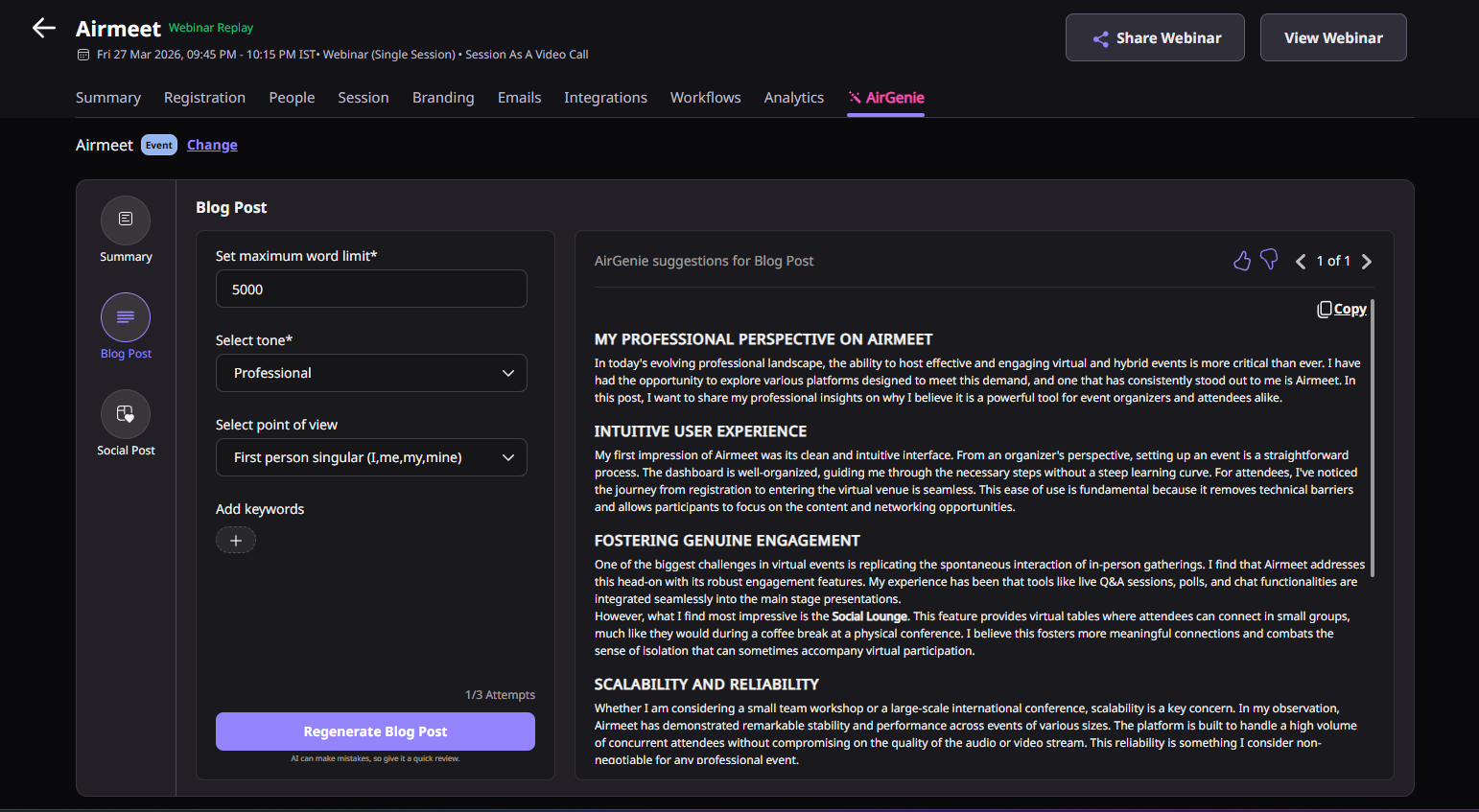
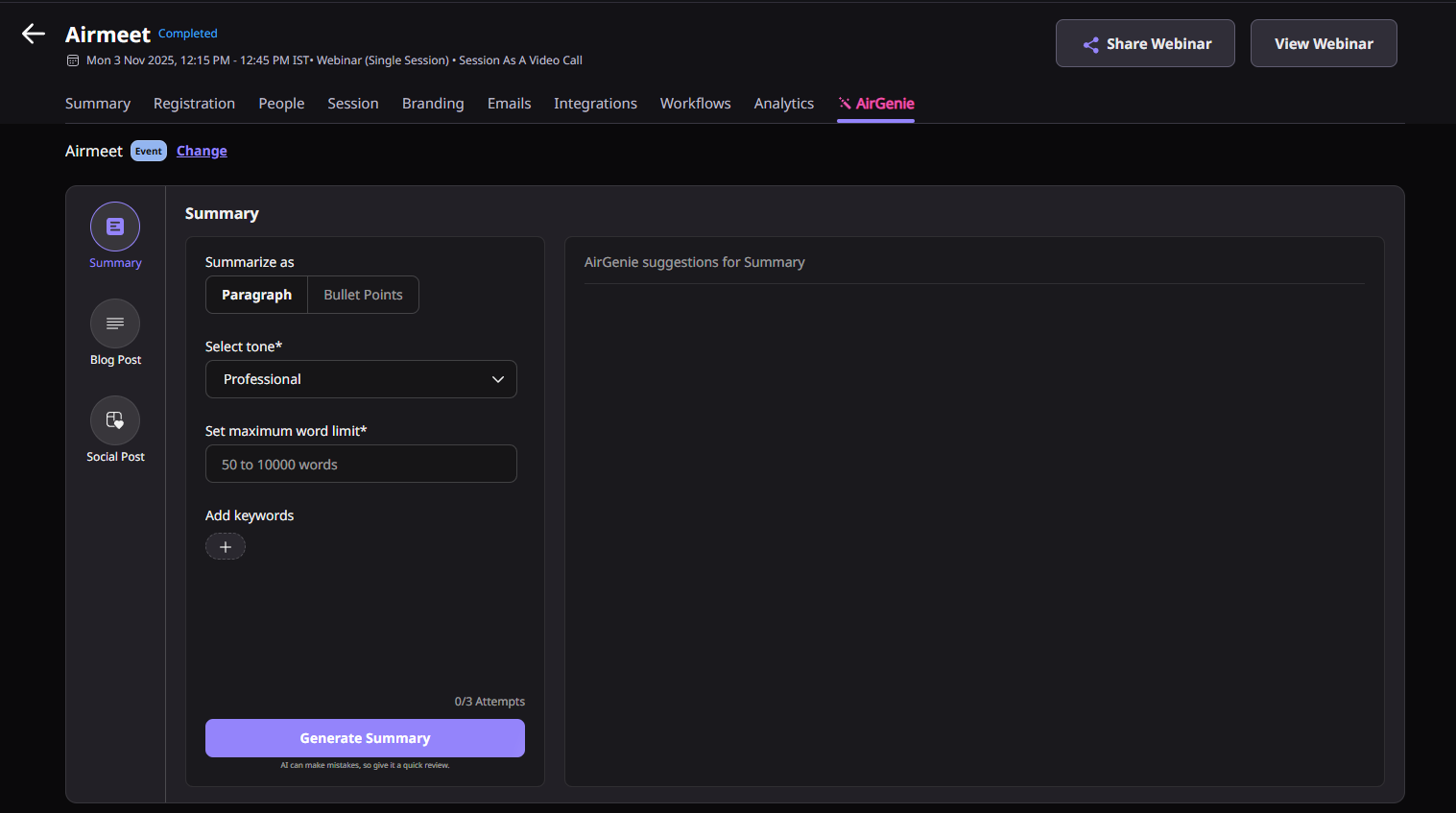
Actual Product Screenshots
Step-by-step process
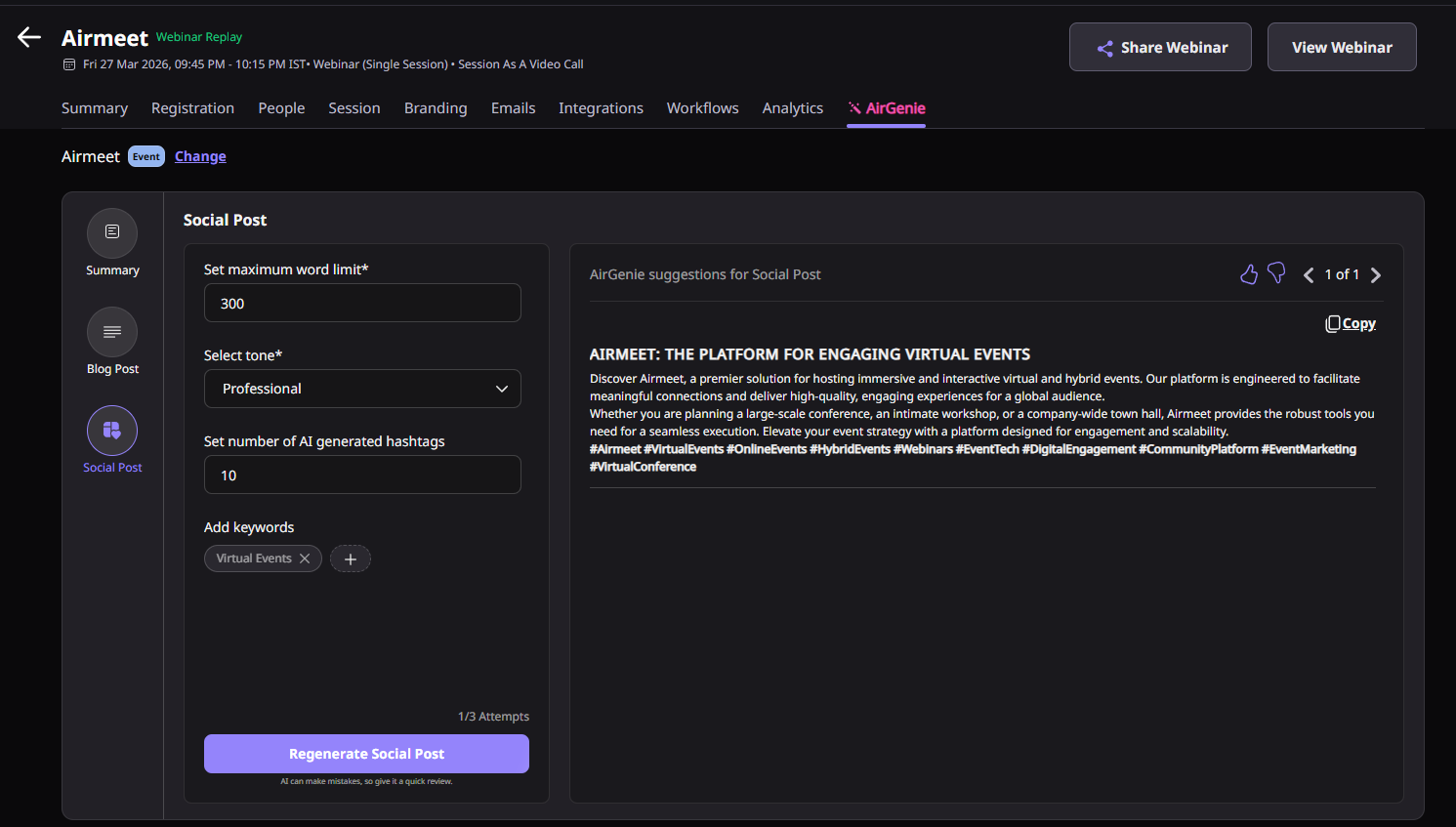
AirGenie's AI Social Post helps organizers transform webinar discussions into ready-to-review social media content that supports post-event engagement and campaign promotion.
Step 1. Open AI Social Post
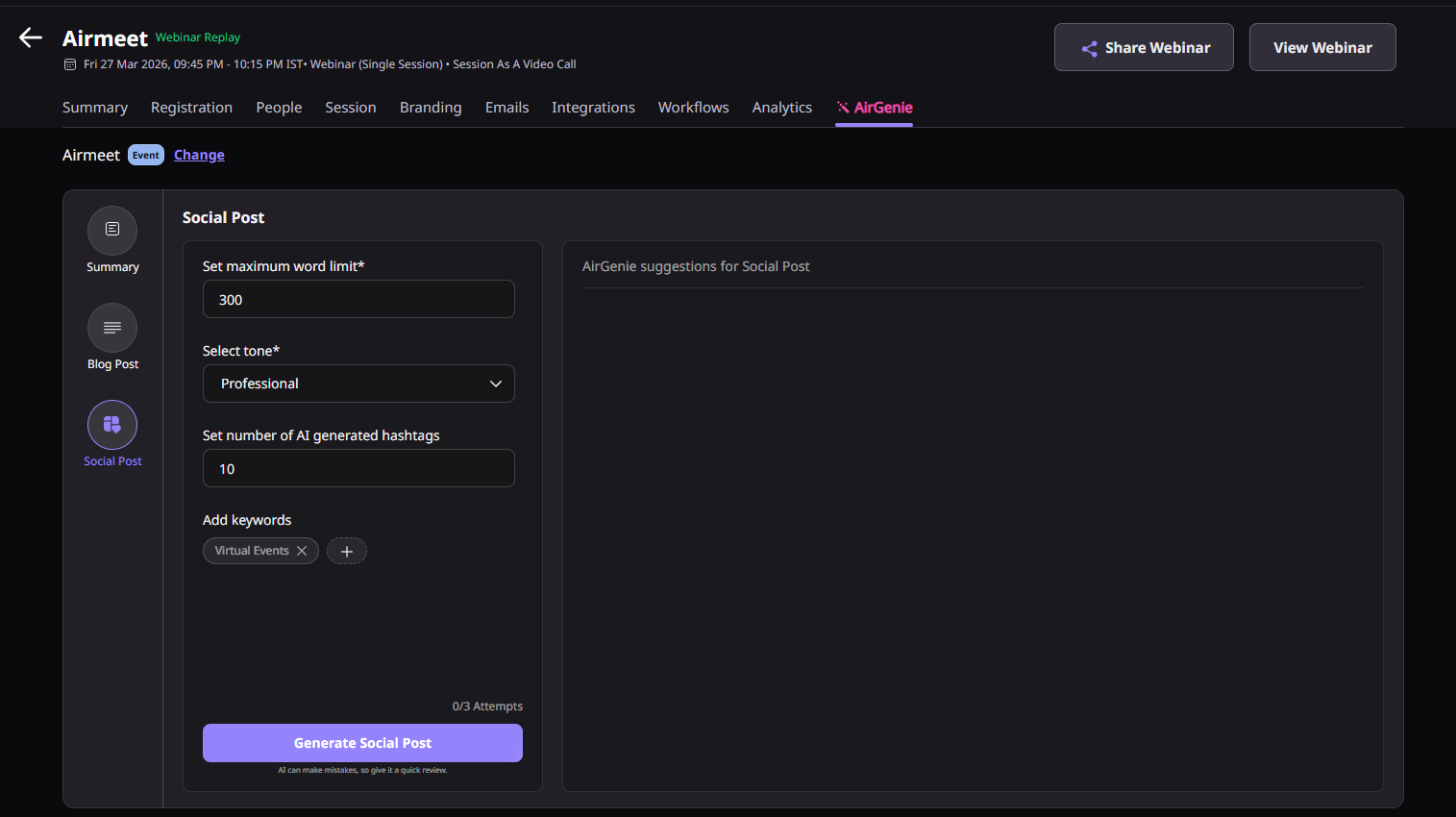
Navigate to your Airmeet event and access the AI Social Post feature within AirGenie. Select whether you want to generate content based on the entire event or a specific session.
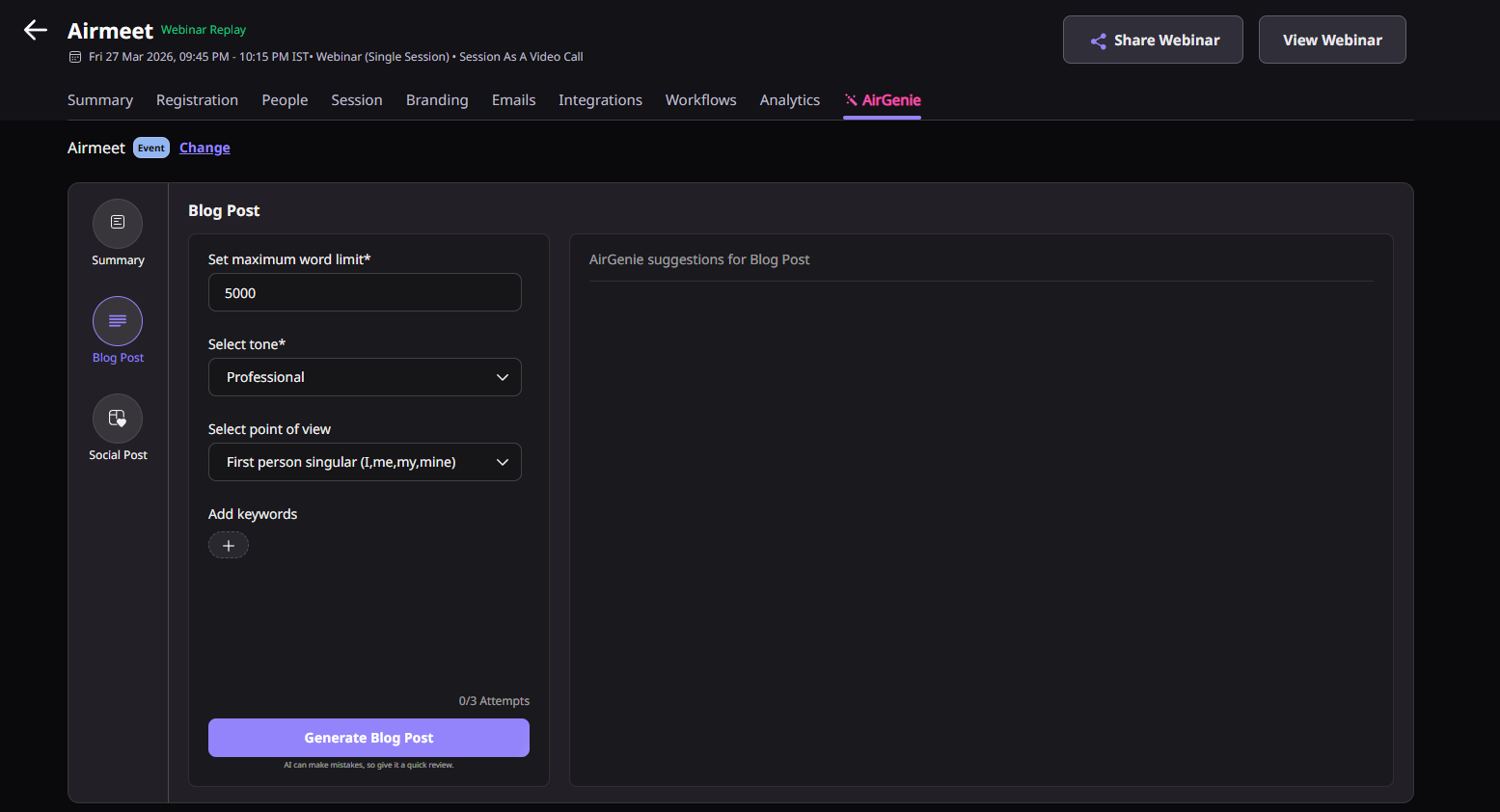
Step 2. Configure Your Content Preferences
Customize the AI output by selecting your preferred social platform, tone, point of view, maximum word count, keywords, and hashtag count. These settings help tailor the content to your target audience and chosen channel.
Step 3. Generate the Social Post
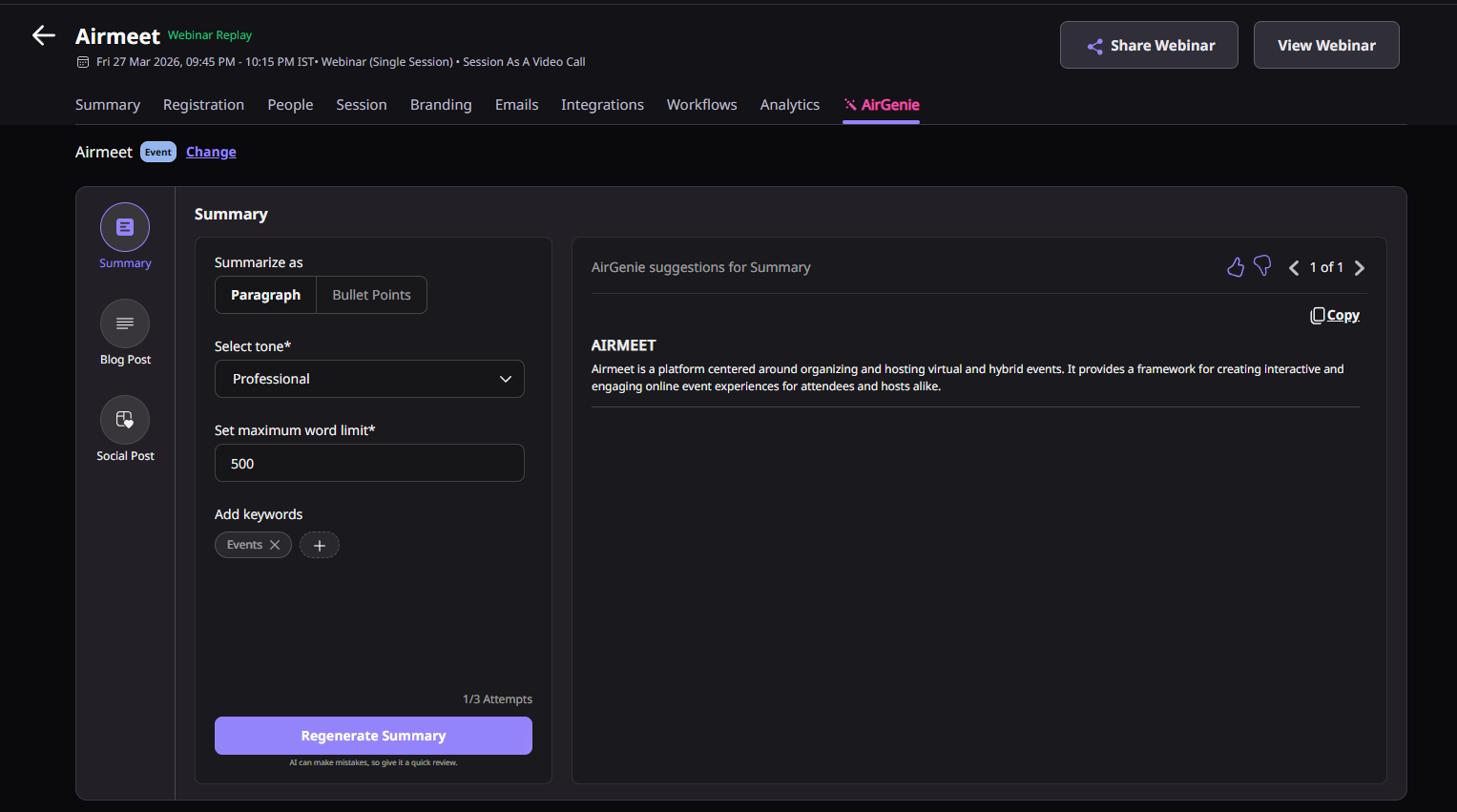
Click Generate to allow AirGenie to create a draft social media post using your event context. The AI uses webinar discussions and event details to produce content that reflects the event’s key themes and messaging.
Step 4. Review and Refine the Draft
Review the generated post for factual accuracy, brand voice, messaging, and compliance with your organization’s social media guidelines. Make any necessary edits before publishing.
Step 5. Copy and Publish
Copy the finalized social media post and publish it across your preferred marketing channels. The generated content can support webinar promotion, event recaps, thought leadership, attendee engagement, and ongoing demand generation campaigns.
Why choose Airmeet for AI Social Media Content?
Airmeet already contains the webinar context marketers need: the topic, sessions, speakers, audience engagement, and follow-up signals, making AirGenie a strong starting point. AirGenie AI Social Media Content helps marketing teams create event-driven social content without starting from a blank page. By using actual webinar context, organizers can quickly generate relevant social media drafts that extend the impact of every event.
Create Social Content from Real Event Context Generate posts using your webinar's sessions, speakers, and discussions instead of relying on generic AI prompts, resulting in more relevant and engaging content.
Accelerate Post-Event Marketing Reduce the time between webinar completion and social promotion by generating draft content that can be reviewed and published quickly while audience interest remains high.
Customize Content for Different Channels Adjust tone, keywords, point of view, word count, and hashtags to create social posts that align with your brand voice and the requirements of different platforms.
Extend the Value of Every Webinar Repurpose webinar highlights into LinkedIn posts, X updates, event recap promotions, thought leadership content, customer engagement posts, and campaign follow-ups without recreating content from scratch.
Keep Marketing Teams in Control AirGenie provides AI-assisted first drafts while allowing marketers to review, edit, and approve every post before publication, ensuring quality and brand consistency.
Support Revenue-Focused Campaigns Whether you are promoting demand generation webinars, product launches, customer education sessions, or executive events, AI Social Post helps keep conversations active long after the webinar ends.
Help Center
Relevant articles
Explore guides and tutorials to help you create, customize, and host exceptional events on Airmeet.
It is a product marketing positioning feature that leverages AirGenie to turn Airmeet webinar context into reviewed social media content ideas and draft posts.
Teams can adapt reviewed copy for LinkedIn, X, employee advocacy, paid-social tests, community posts, newsletter teasers, and sales follow-up snippets.
“I was really excited to see how alive Airmeet seemed. The first time I raised my virtual hand to ask a question, I was brought up on stage, my camera flipped on, and I was able to talk with the presenters, that was the sold-moment in my head! That is what I wanted. We weren't going to be speaking at our audience. We wanted a two-way engagement. With the analytics in the background, that was my “Aha moment!”
Victoria YounesExecutive Events Manager
Incredible Companies Use Airmeet
Most loved Virtual Events Platform
“I was really excited to see how alive Airmeet seemed. The first time I raised my virtual hand to ask a question, I was brought up on stage, my camera flipped on, and I was able to talk with the presenters, that was the sold-moment in my head! That is what I wanted. We weren't going to be speaking at our audience. We wanted a two-way engagement. With the analytics in the background, that was my “Aha moment!”
Victoria YounesExecutive Events Manager
Incredible Companies Use Airmeet
Most loved Virtual Events Platform
“I was really excited to see how alive Airmeet seemed. The first time I raised my virtual hand to ask a question, I was brought up on stage, my camera flipped on, and I was able to talk with the presenters, that was the sold-moment in my head! That is what I wanted. We weren't going to be speaking at our audience. We wanted a two-way engagement. With the analytics in the background, that was my “Aha moment!”
Victoria YounesExecutive Events Manager
Incredible Companies Use Airmeet
Most loved Virtual Events Platform
“I was really excited to see how alive Airmeet seemed. The first time I raised my virtual hand to ask a question, I was brought up on stage, my camera flipped on, and I was able to talk with the presenters, that was the sold-moment in my head! That is what I wanted. We weren't going to be speaking at our audience. We wanted a two-way engagement. With the analytics in the background, that was my “Aha moment!”