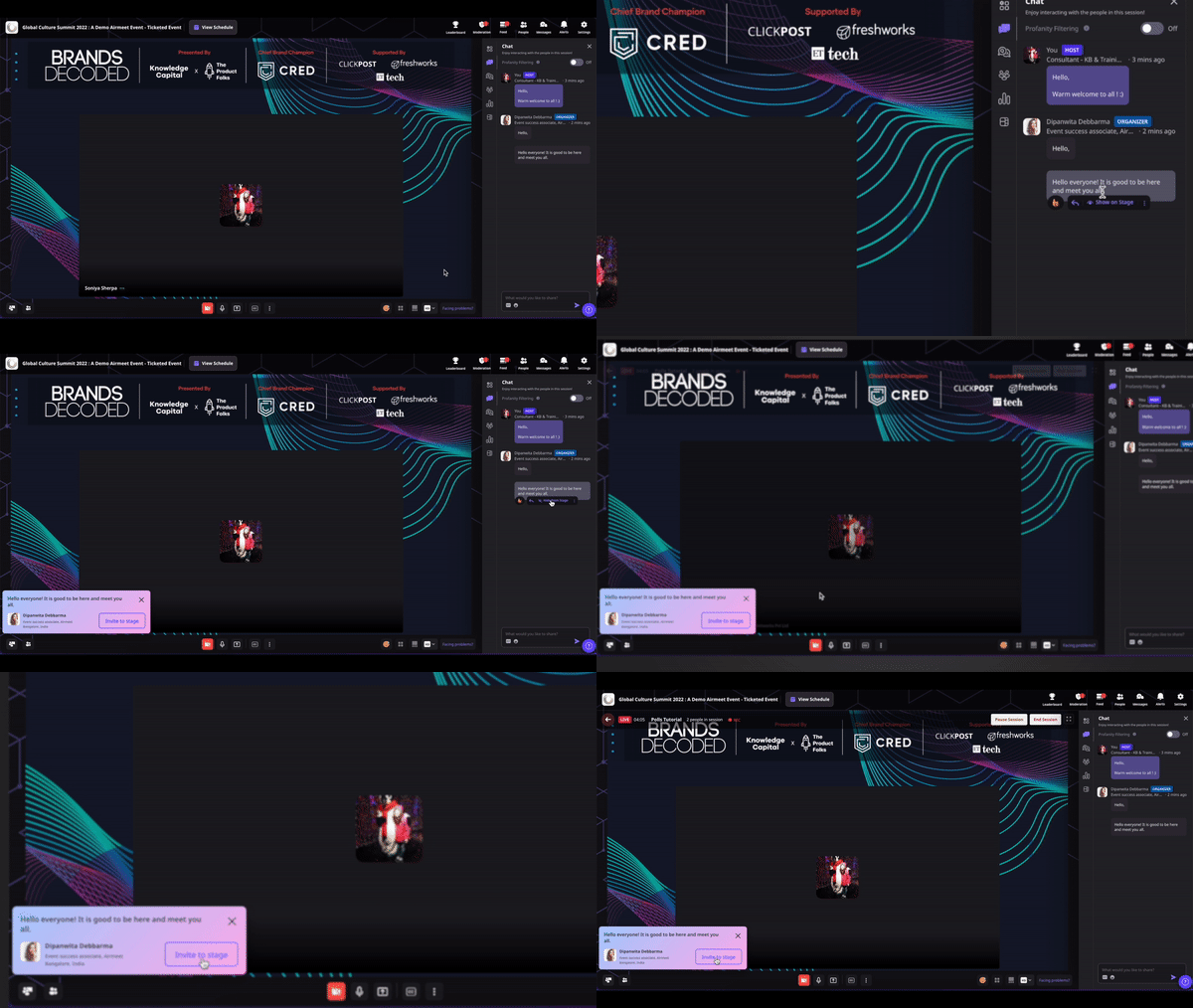
Turn audience input into the moment everyone sees. Airmeet lets hosts and speakers bring selected chat messages, attendee questions, and live poll results onto the webinar stage—so engagement becomes part of the presentation, not a sidebar distraction.
The audience is speaking. Is your stage listening?
High-intent questions can disappear in a fast-moving Q&A feed while speakers continue on a different track.
Strong comments and customer stories stay confined to a side panel, invisible to attendees focused on the stage.
Poll participation drops when the prompt and results compete with slides, speaker video, and chat for attention.
Without a shared focal point, hosts miss natural moments to clarify objections, validate demand, and deepen the conversation.
The Solution
Move the best audience signal into the center of the experience
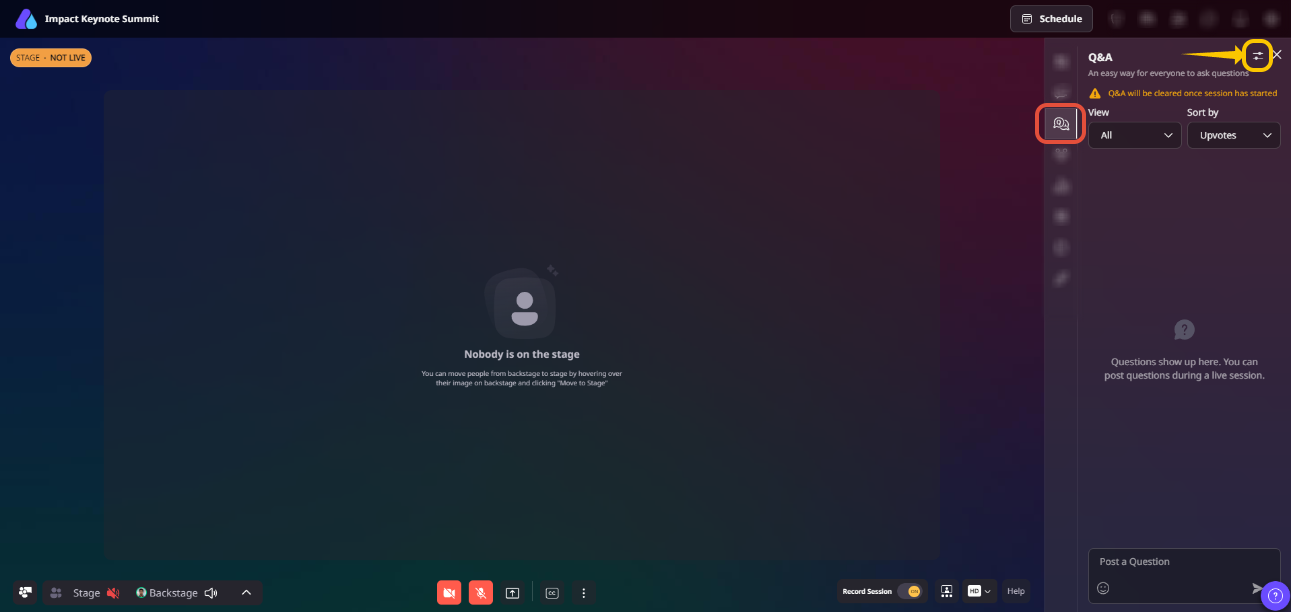
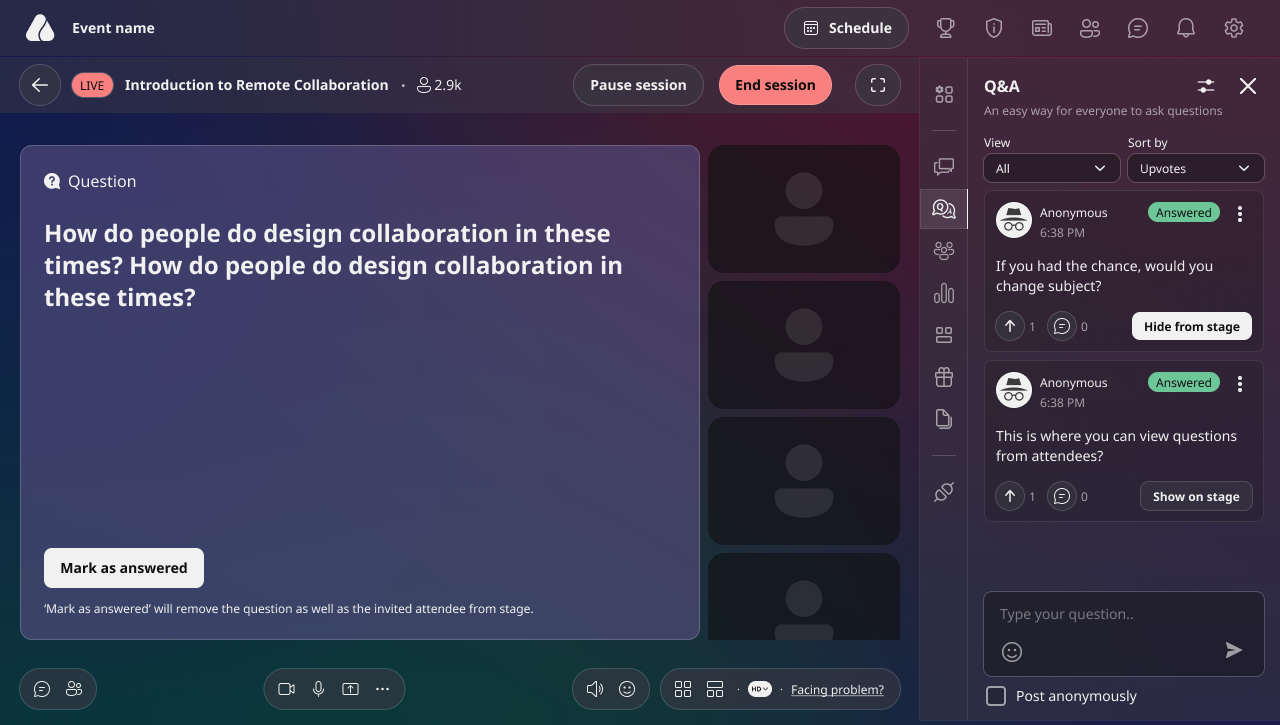
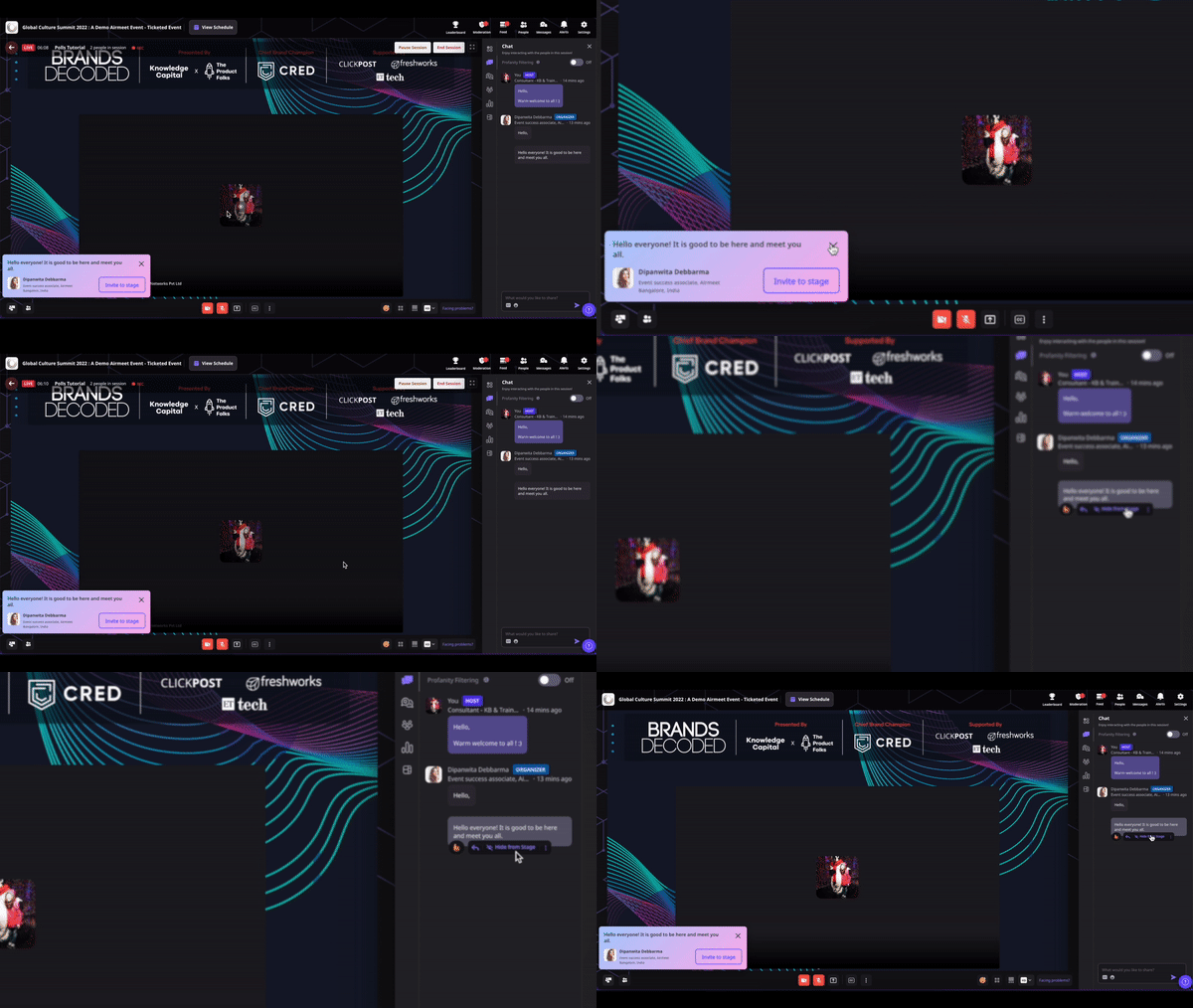
Select a relevant chat message, question, or published session poll from the live-session controls.
Choose Show on Stage to place that item where every attendee can see it alongside the live conversation.
Use the spotlight to answer, discuss, or invite participation. Polls can be answered from the stage display or the right-side controls.
Hide the item when the moment is complete, then spotlight the next signal that advances the session.
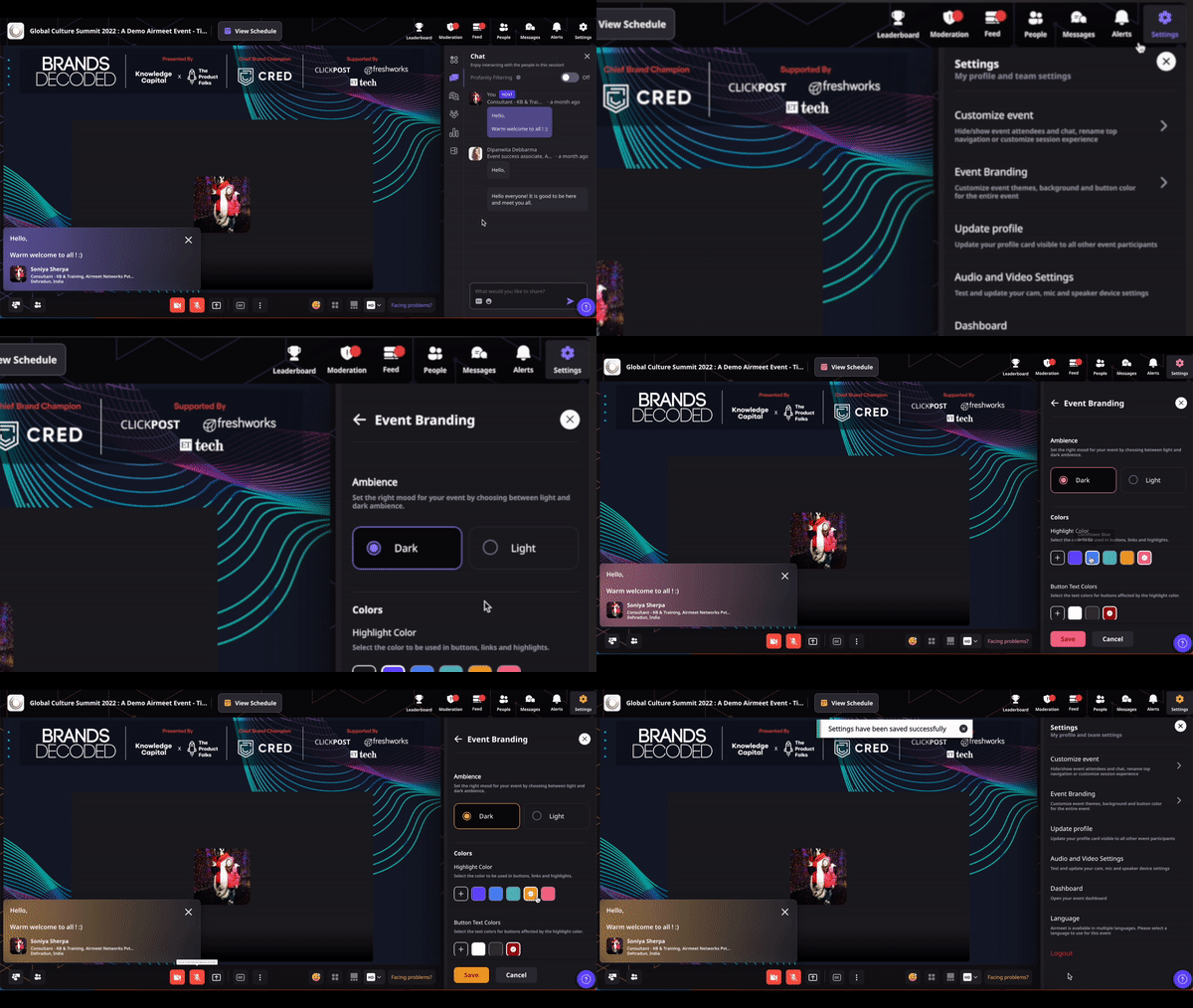
Use event highlight colors to keep spotlighted content aligned with the event's visual identity where supported.
Use Cases
Benefits across revenue-focused webinar use cases
Demand generation webinars
Spotlight a buying question or live poll to surface priorities that can guide the discussion and inform follow-up.
Product launches and demos
Bring feature questions and audience reactions onto the stage while attention is highest.
Customer education
Highlight a common question so the expert answer becomes useful to the entire audience.
Executive thought leadership
Turn a sharp attendee comment or point of view into a curated, two-way conversation.
Actual Product Screenshots
Why Airmeet
Why choose Airmeet for spotlighting engagement
Airmeet brings audience participation into the live narrative without forcing hosts to abandon the stage experience. Controlled spotlighting keeps the conversation relevant, visible, and on-brand; gives speakers a shared focal point; and creates stronger context for revenue-team follow-up.
Plan a few engagement prompts around qualification, objections, and next-step intent; spotlight the strongest responses, then use the discussion context to make post-webinar follow-up more relevant.
Airmeet features
Other Features to Explore
Discover more powerful features that help you create engaging, branded, and seamless event experiences with Airmeet.
“I was really excited to see how alive Airmeet seemed. The first time I raised my virtual hand to ask a question, I was brought up on stage, my camera flipped on, and I was able to talk with the presenters, that was the sold-moment in my head! That is what I wanted. We weren't going to be speaking at our audience. We wanted a two-way engagement. With the analytics in the background, that was my “Aha moment!”
Victoria YounesExecutive Events Manager
Incredible Companies Use Airmeet
Most loved Virtual Events Platform
“I was really excited to see how alive Airmeet seemed. The first time I raised my virtual hand to ask a question, I was brought up on stage, my camera flipped on, and I was able to talk with the presenters, that was the sold-moment in my head! That is what I wanted. We weren't going to be speaking at our audience. We wanted a two-way engagement. With the analytics in the background, that was my “Aha moment!”
Victoria YounesExecutive Events Manager
Incredible Companies Use Airmeet
Most loved Virtual Events Platform
“I was really excited to see how alive Airmeet seemed. The first time I raised my virtual hand to ask a question, I was brought up on stage, my camera flipped on, and I was able to talk with the presenters, that was the sold-moment in my head! That is what I wanted. We weren't going to be speaking at our audience. We wanted a two-way engagement. With the analytics in the background, that was my “Aha moment!”
Victoria YounesExecutive Events Manager
Incredible Companies Use Airmeet
Most loved Virtual Events Platform
“I was really excited to see how alive Airmeet seemed. The first time I raised my virtual hand to ask a question, I was brought up on stage, my camera flipped on, and I was able to talk with the presenters, that was the sold-moment in my head! That is what I wanted. We weren't going to be speaking at our audience. We wanted a two-way engagement. With the analytics in the background, that was my “Aha moment!”