Turn sponsor visibility into buyer conversations and measurable interest. Give every exhibitor a branded destination where attendees can discover solutions, join lounge-table conversations, watch demos, explore resources, and signal interest—without leaving the event experience.
Static sponsor listings make it hard to start meaningful conversations, explain complex products, or capture buying intent. Attendees bounce between disconnected links; exhibitors lose context; and event marketers struggle to show sponsors where engagement happened. An Exhibition booth turns scattered touchpoints into one guided journey—from discovery to conversation to qualified follow-up.
The Solution
A complete exhibitor experience inside your event
Create multiple branded booths, assign exhibitors, enable booth chat and live broadcasts, host conversations at virtual tables, publish videos and downloadable resources, and capture attendee interest—all within the event experience.
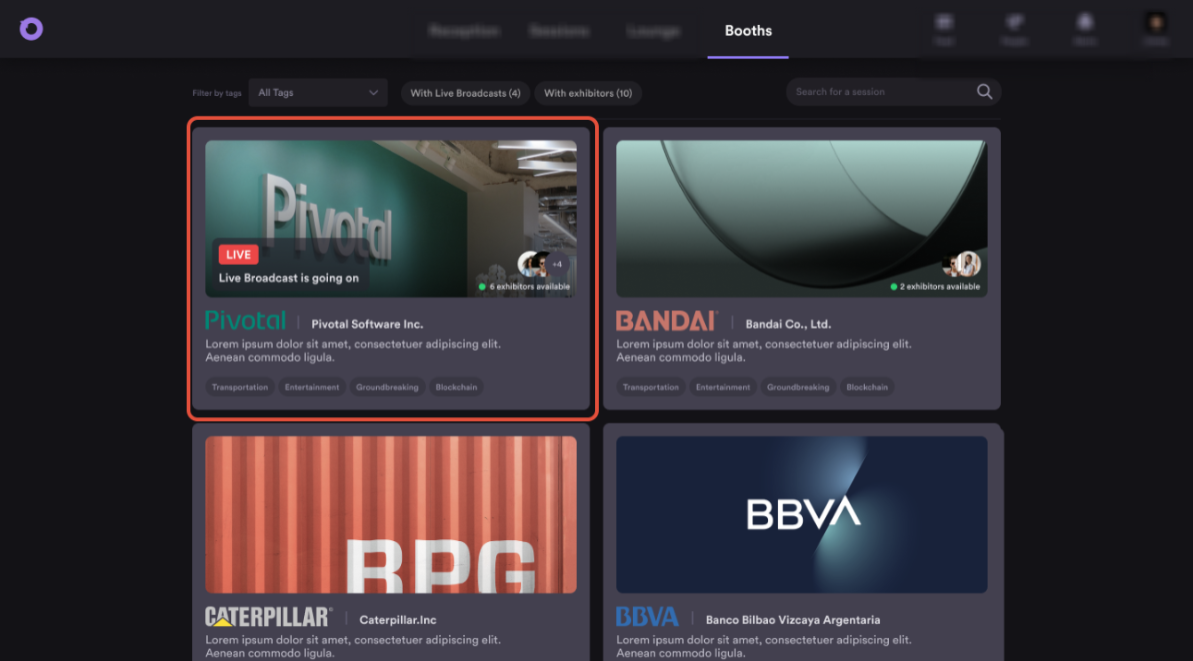
Booth Engagement Mode can also prioritize booths with live broadcasts and online exhibitors, making it easier for attendees to discover active sponsor experiences.
Use Cases
Built for every sponsor engagement moment
Sponsor showcase
Give sponsors a high-value place to meet prospects and demonstrate expertise.
Product launch expo
Combine a live demo, downloadable proof, and direct follow-up intent.
Partner marketplace
Let complementary vendors tell connected stories in one event space.
Customer or recruiting fair
Create focused destinations for teams, programs, and conversations.
Each booth can carry a distinct story while the exhibition area keeps discovery simple for attendees.
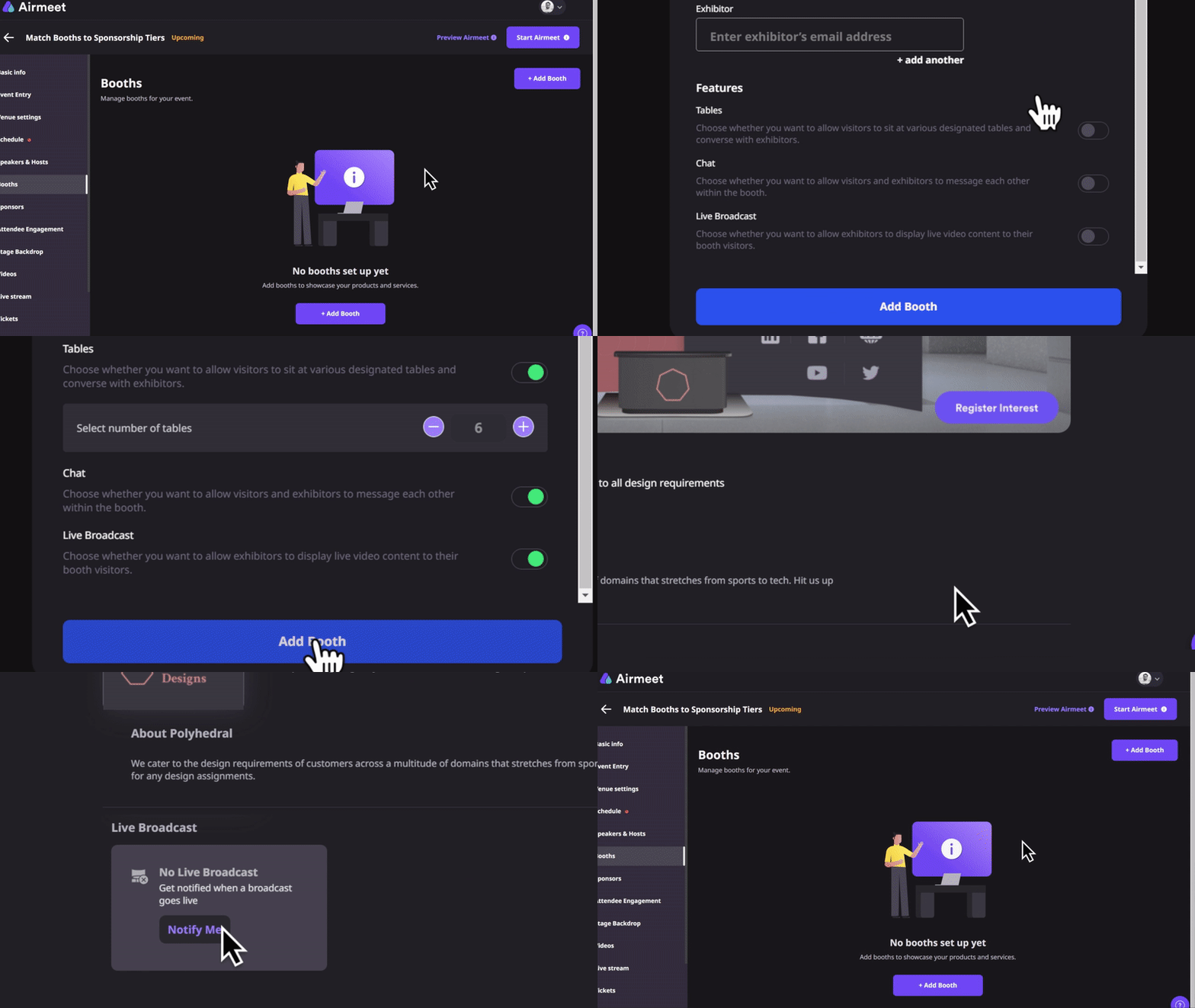
Actual Product Screenshots
Step-by-step process
Set up an Exhibition Booth in Airmeet:
Step 1. Create a booth
Open the Event Dashboard, go to the Booths section, and add a new booth. Give it a name, description, and branding that reflects the exhibitor or sponsor.
Step 2. Assign exhibitors
Invite booth exhibitors and assign them to the booth so they can manage content, interact with attendees, and host live activities.
Step 3. Customize the booth experience
Add your booth banner, logo, description, videos, downloadable resources, and external links. Choose the layout that best fits the exhibitor’s goals.
Step 4. Enable engagement features
Turn on features such as booth chat, lounge tables, live broadcasts, and the I’m Interested CTA to encourage attendee interaction and capture buying intent.
Step 5. Publish the booth
Review the setup and publish the booth so it appears in the event’s exhibition area.
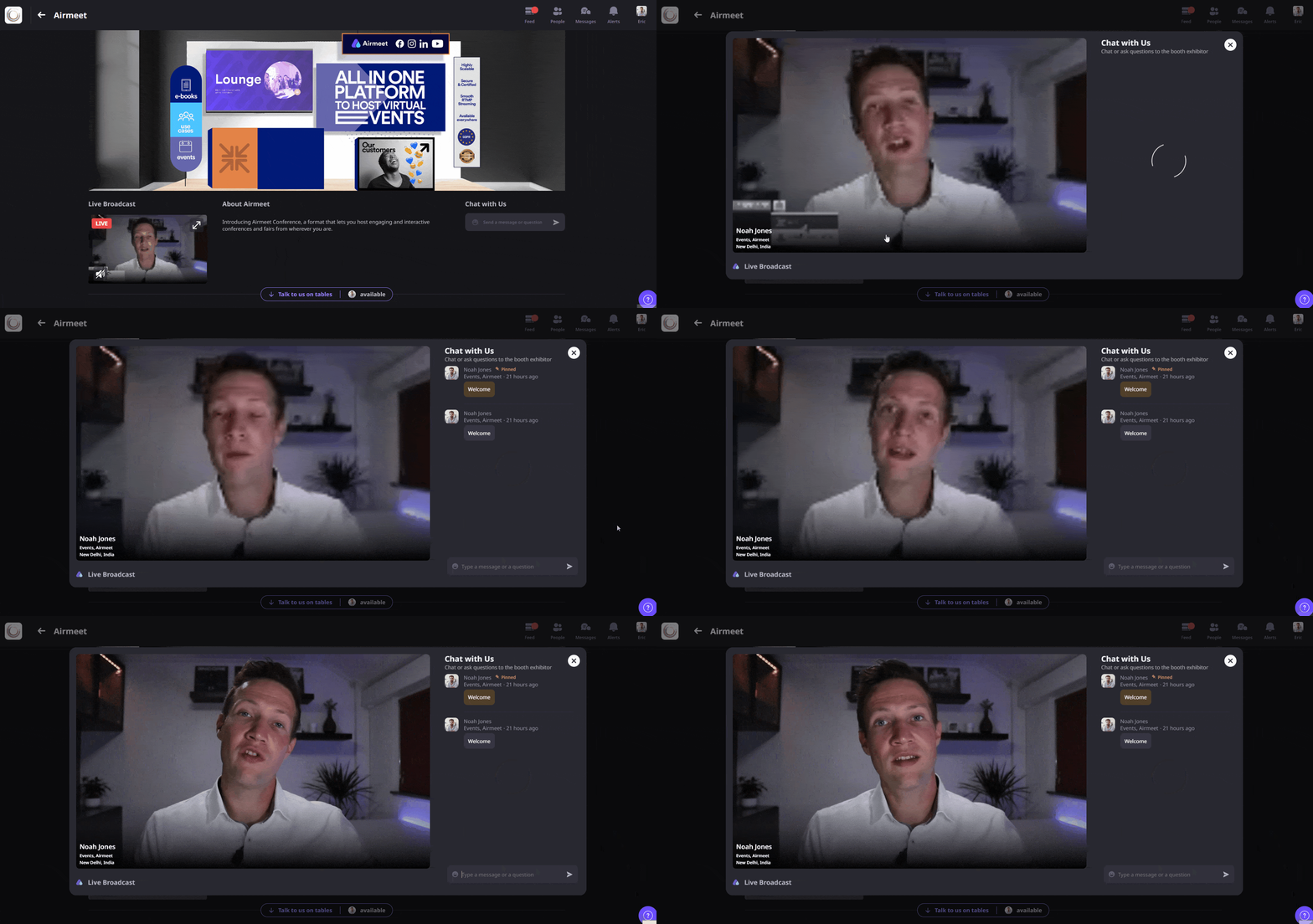
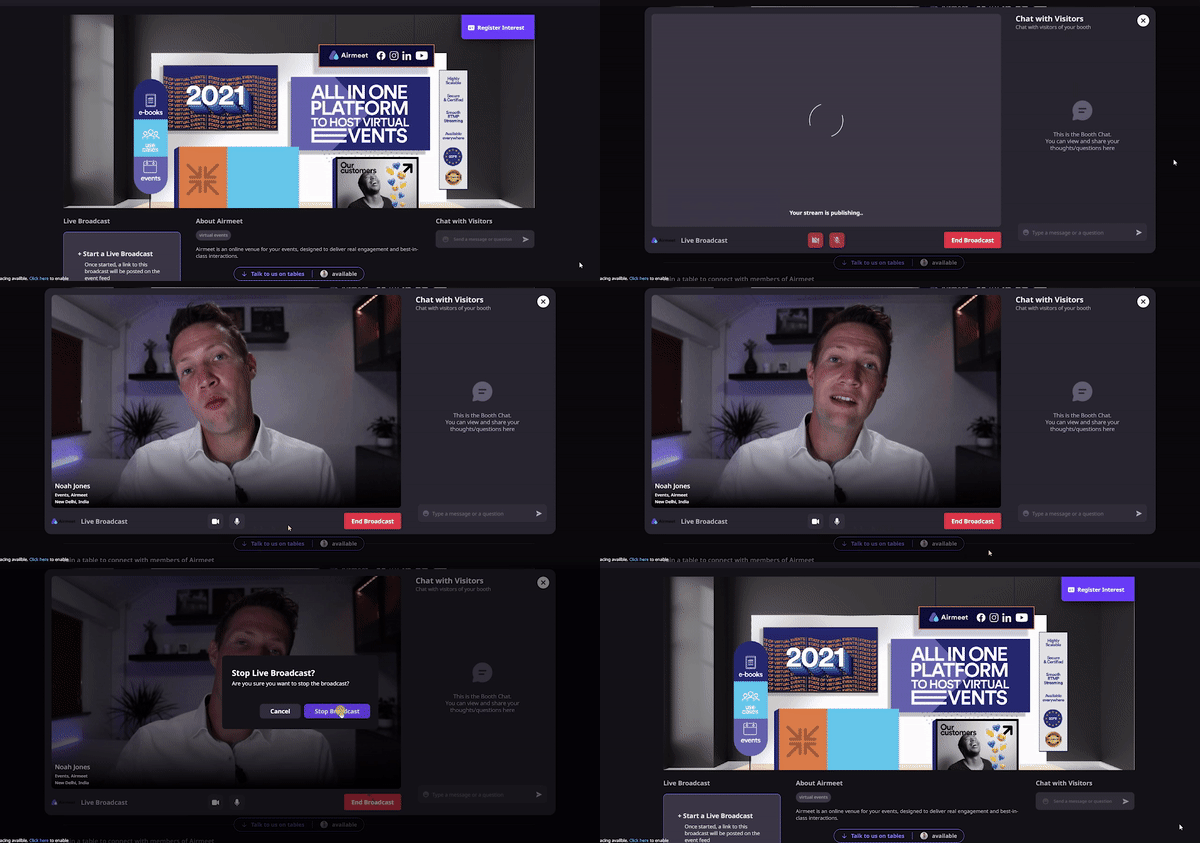
Step 6. Engage attendees during the event
Exhibitors can host live demos, answer questions in chat, meet visitors at lounge tables, and guide attendees through their products and resources.
Step 7. Monitor visitor activity
Use the Visitors and Leads views to see who visited the booth, expressed interest, or interacted with the exhibitor during the event.
Step 8. Follow up after the event
Review engagement data, download lead information where available, and continue conversations with attendees who showed interest.
Why Airmeet
Why choose Airmeet for Exhibition Booth
Airmeet connects the booth experience to the wider revenue event: agenda-driven booth sessions can direct traffic; live broadcasts and online exhibitors can rise in the booth directory; attendees can talk at tables or chat; and engagement signals such as booth visits, submitted interest, and resource interactions can contribute to richer attendee profiles. The result is a sponsor experience designed for interaction—not passive placement.
help Center
Relevant Help Articles
Explore guides and tutorials to help you create, customize, and host exceptional events on Airmeet.
An Exhibition Booth is a dedicated virtual space where exhibitors can showcase their brand, share resources, host live demos, meet attendees, and capture interest—all within the Airmeet event experience.
Visitors can express interest using the I’m Interested button, while exhibitors can view booth visitors and engagement details to identify prospects and plan timely follow-ups.
Yes. Attendees can join lounge tables for smaller group discussions or connect with booth representatives through booth chat, depending on the booth configuration.
Booths can include branding, videos, descriptions, external links, and downloadable resources such as brochures, whitepapers, presentations, and flyers.
Yes. Organizers can configure booth settings, assign exhibitors, enable or disable chat, live broadcasts, lounge tables, and editing permissions, and manage the order in which booths appear.
When Booth Engagement Mode is enabled, Airmeet highlights booths with live broadcasts first, followed by booths with online exhibitors, making it easier for attendees to find active conversations.
Airmeet supports different booth layouts, including Standard, Custom, and Poster layouts, allowing exhibitors to choose the presentation style that best suits their content and branding.
A successful booth starts with clear branding, a concise value proposition, helpful resources, a well-planned demo, and designated team members who are available to engage with visitors throughout the event.
Airmeet features
Other Features to Explore
Discover more powerful features that help you create engaging, branded, and seamless event experiences with Airmeet.
“I was really excited to see how alive Airmeet seemed. The first time I raised my virtual hand to ask a question, I was brought up on stage, my camera flipped on, and I was able to talk with the presenters, that was the sold-moment in my head! That is what I wanted. We weren't going to be speaking at our audience. We wanted a two-way engagement. With the analytics in the background, that was my “Aha moment!”
Victoria YounesExecutive Events Manager
Incredible Companies Use Airmeet
Most loved Virtual Events Platform
“I was really excited to see how alive Airmeet seemed. The first time I raised my virtual hand to ask a question, I was brought up on stage, my camera flipped on, and I was able to talk with the presenters, that was the sold-moment in my head! That is what I wanted. We weren't going to be speaking at our audience. We wanted a two-way engagement. With the analytics in the background, that was my “Aha moment!”
Victoria YounesExecutive Events Manager
Incredible Companies Use Airmeet
Most loved Virtual Events Platform
“I was really excited to see how alive Airmeet seemed. The first time I raised my virtual hand to ask a question, I was brought up on stage, my camera flipped on, and I was able to talk with the presenters, that was the sold-moment in my head! That is what I wanted. We weren't going to be speaking at our audience. We wanted a two-way engagement. With the analytics in the background, that was my “Aha moment!”
Victoria YounesExecutive Events Manager
Incredible Companies Use Airmeet
Most loved Virtual Events Platform
“I was really excited to see how alive Airmeet seemed. The first time I raised my virtual hand to ask a question, I was brought up on stage, my camera flipped on, and I was able to talk with the presenters, that was the sold-moment in my head! That is what I wanted. We weren't going to be speaking at our audience. We wanted a two-way engagement. With the analytics in the background, that was my “Aha moment!”