See who showed up, what held their attention, and which actions signal real buying intent.
Airmeet connects live attendee behavior with audience segments and downloadable event reports, so every webinar can inform the next campaign and the next sales conversation.
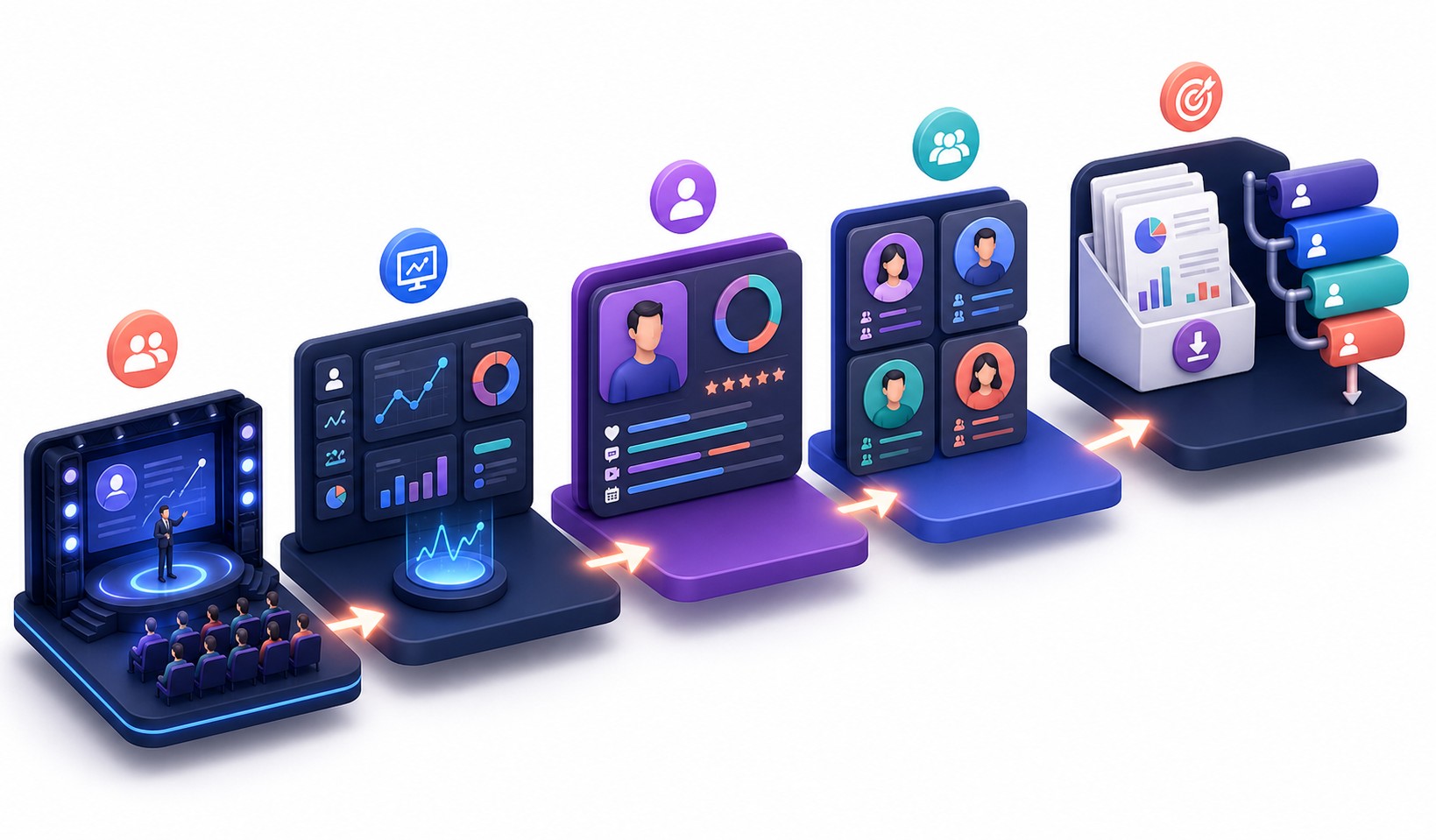
A registration count cannot tell you who stayed, participated, explored or acted. Fragmented spreadsheets make the picture harder to use. Revenue teams need context across the attendee journey: sessions joined, time spent, questions, chat, polls, networking, sponsor interactions, CTA clicks and replay viewing.
The Solution
Unify every meaningful attendee interaction
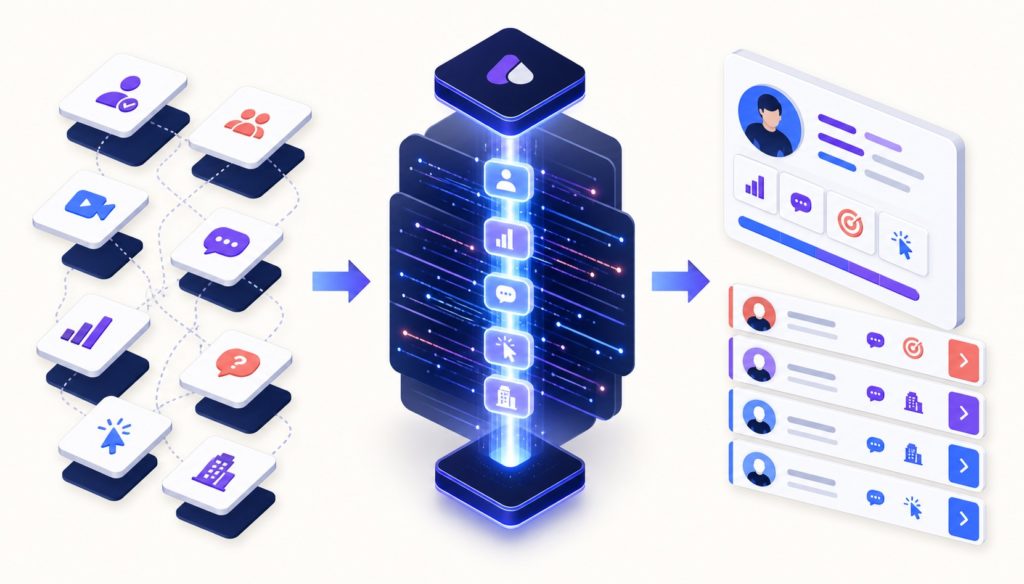
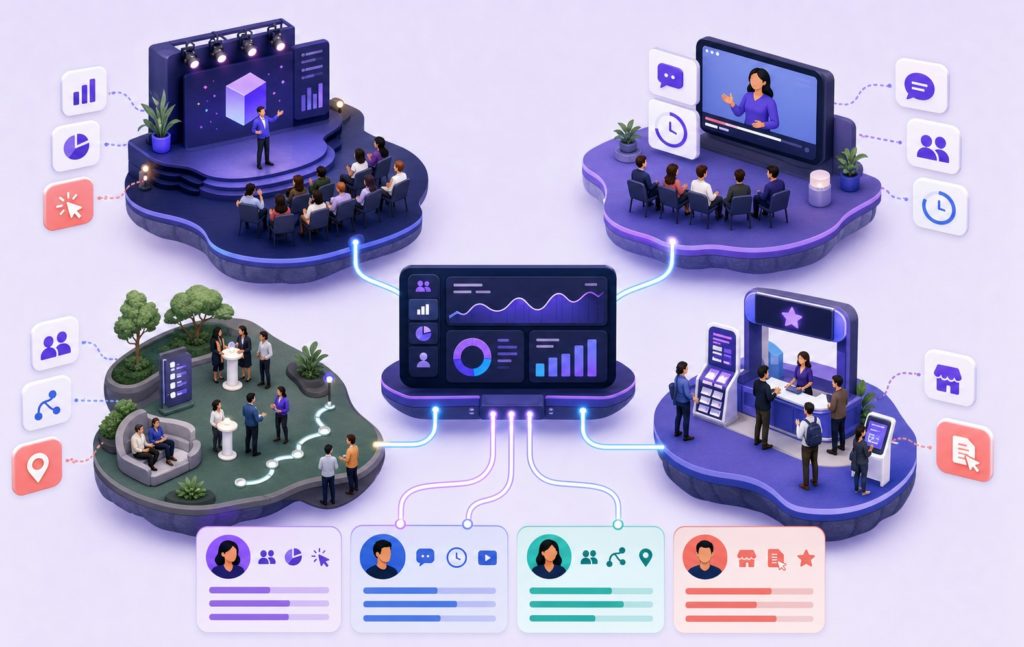
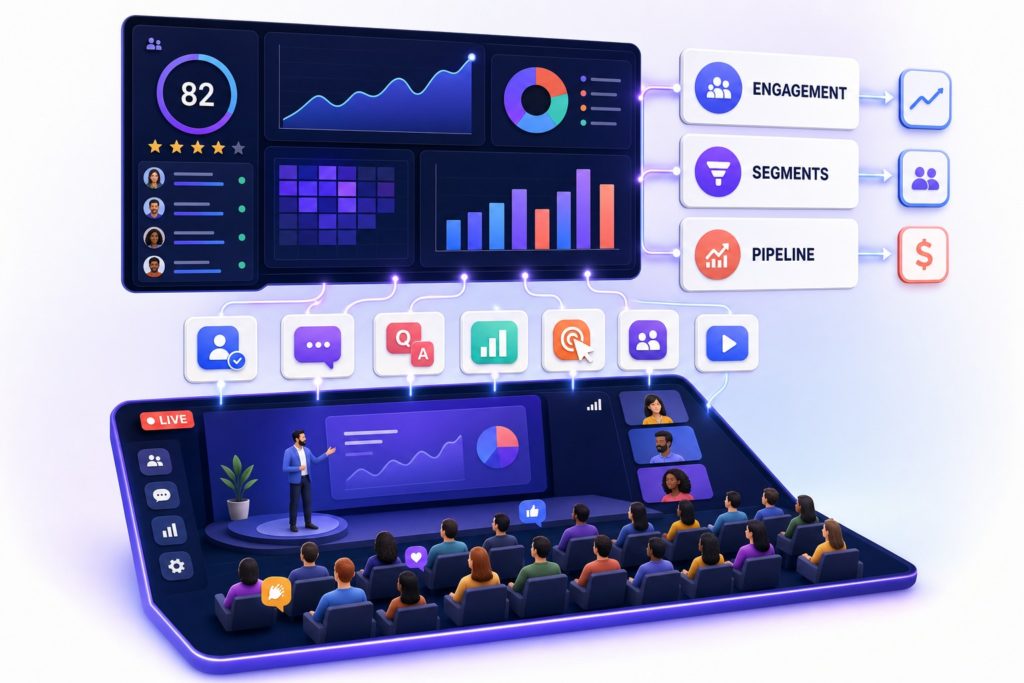
Airmeet brings registrations, attendance, engagement, networking, booth activity, and post-event interactions together in one analytics experience at individual and aggregate levels. This gives marketing and sales teams detailed reports for deeper analysis, segmenting audiences, smarter follow-up, and better event planning.
Optimize live Use real-time patterns to adjust pacing, prompts and participation.
Prioritize intent Use engagement context to focus relevant follow-up.
Prove value Connect session, sponsor, booth and CTA activity to outcomes.
Improve the next event Turn questions, polls and session paths into programming insight.
Use Cases
Benefits across revenue-focused event use cases
Demand-generation webinars
Identify engaged prospects by attendance, watch time, questions, polls and CTA interaction.
Product launches and demos
See which topics, moments and product actions earned attention.
Customer and community events
Understand repeat participation, networking behavior and content interests.
Partner and sponsor programs
Report on sponsor exposure, booth traffic, content clicks and contact-interest signals.
Actual Product Screenshots
Step-by-step process
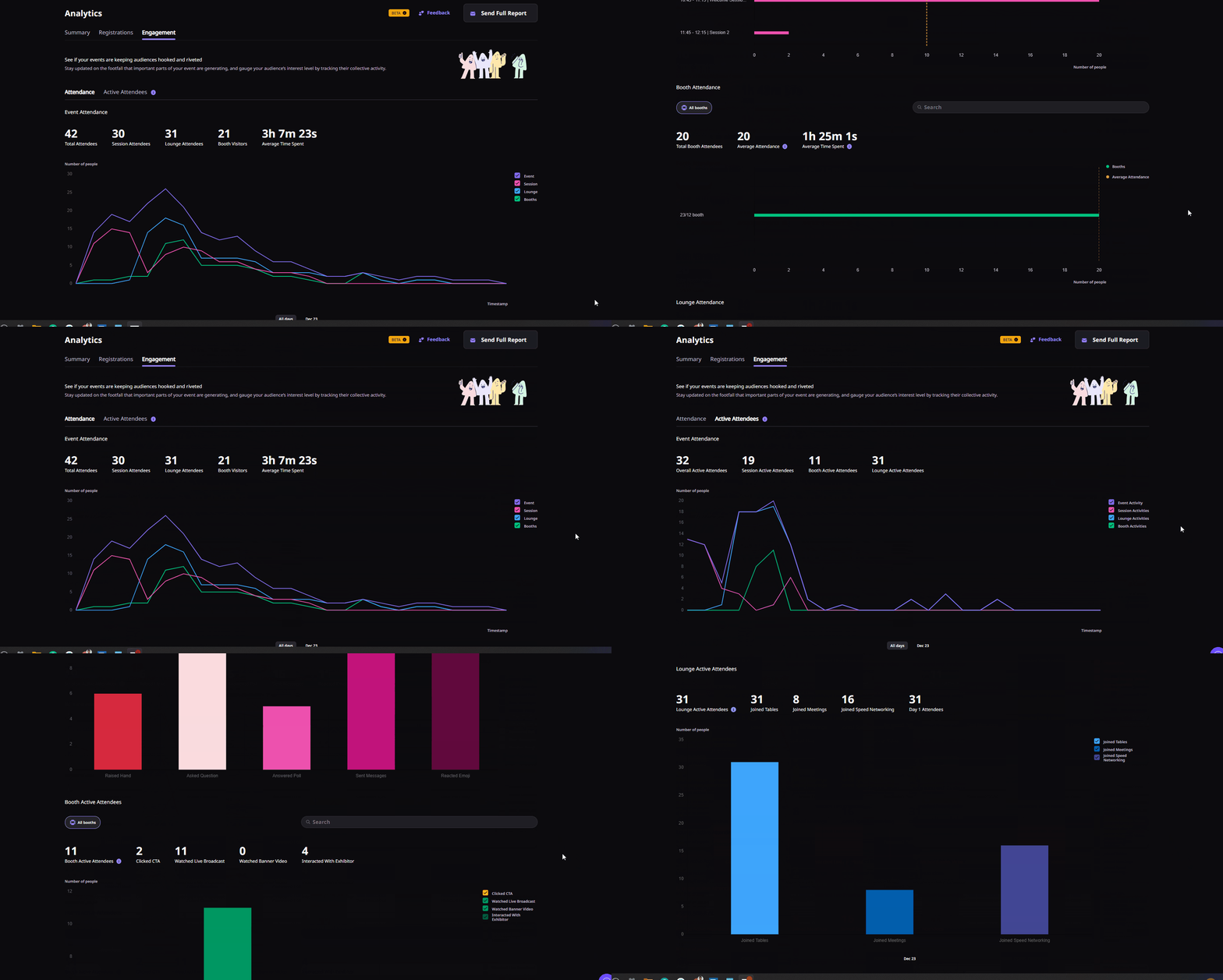
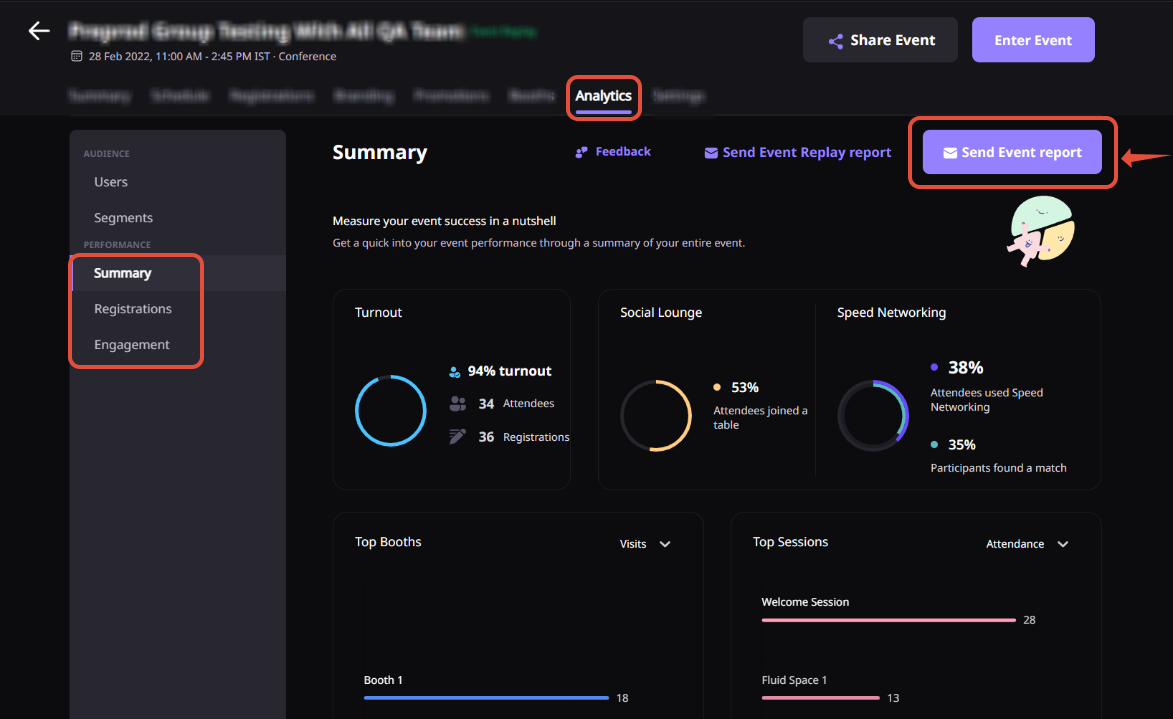
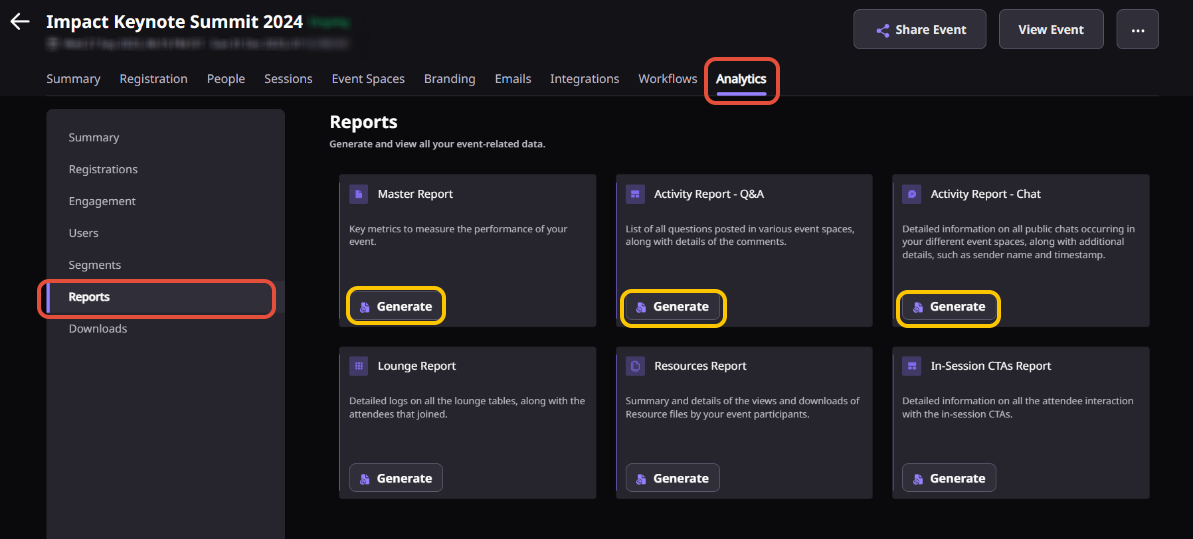
Step 1. Open the Analytics Dashboard
From your Event Dashboard, navigate to the Analytics section to access live event performance and attendee engagement data.
Step 2. Monitor engagement during the event
Track attendee activity as your event progresses. Review metrics such as registrations, attendance, watch time, session participation, chat activity, questions, polls, networking, booth engagement, CTA clicks, and other available engagement signals.
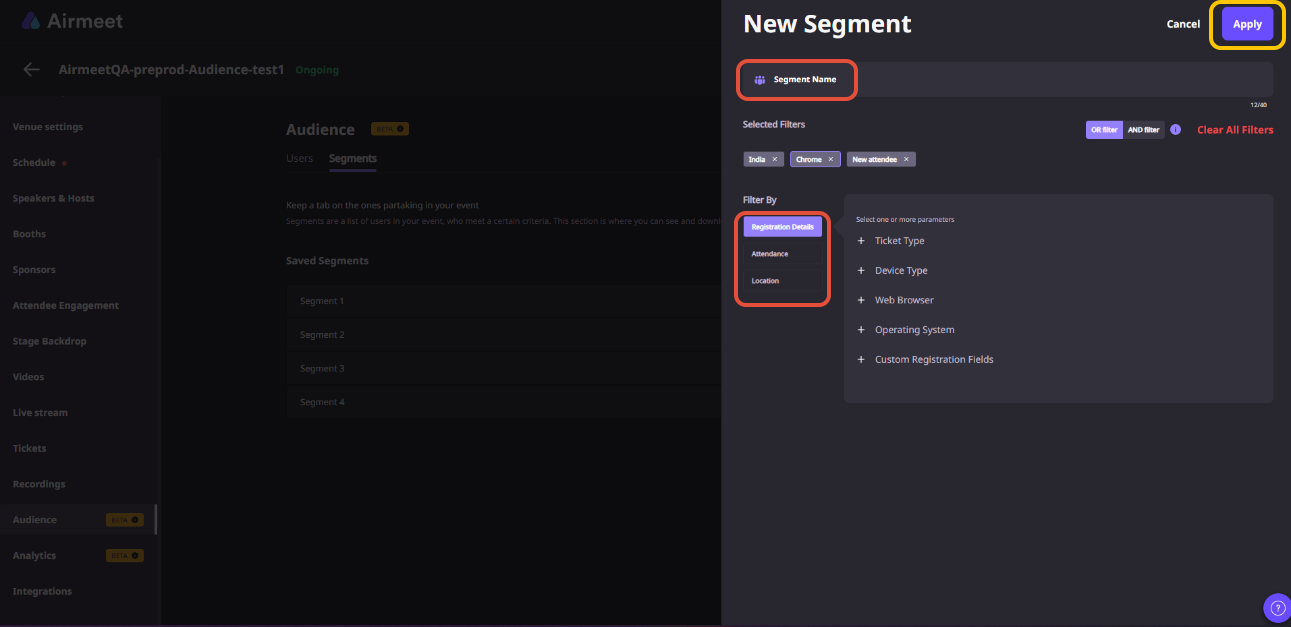
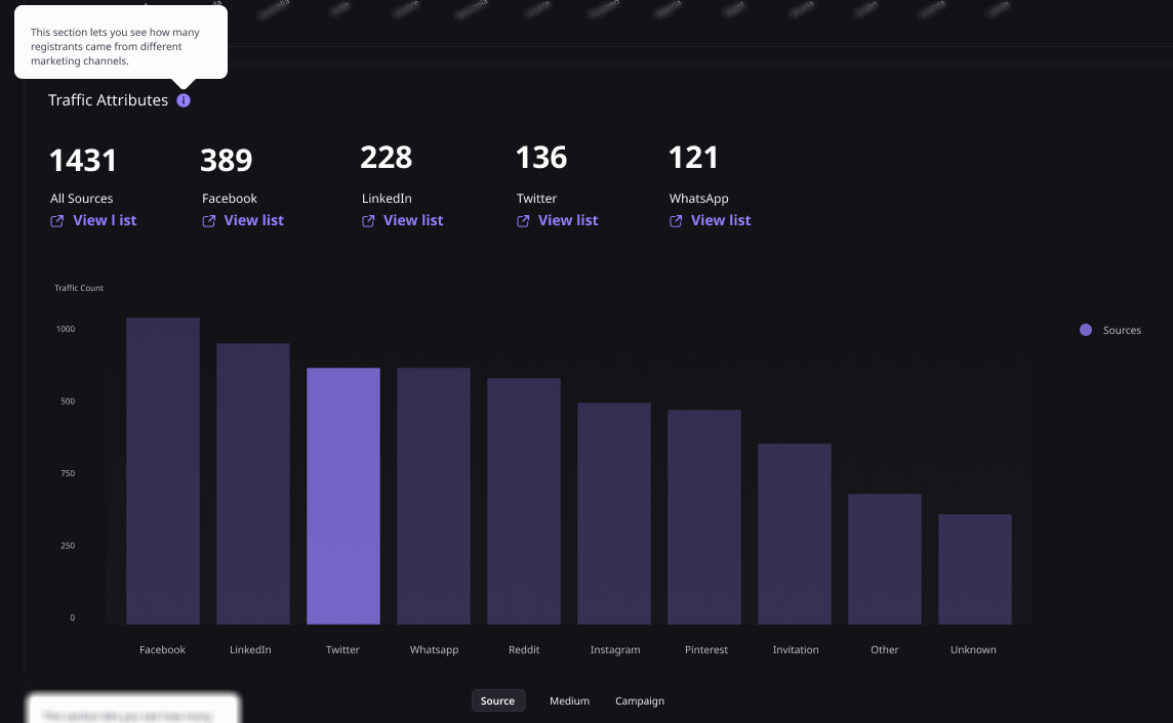
Step 3. Explore audience segments
Use Airmeet’s segmentation tools to group attendees based on their behavior and engagement. This helps you identify highly engaged participants and create more targeted follow-up campaigns.
Step 4. Generate detailed reports
Open the Reports tab, select the report you want, and generate it. Available reports may vary depending on your event format and plan.
Step 5. Download and share insights
Once the report is ready, download it for deeper analysis or share it with your marketing, sales, and event teams.
Step 6. Prioritize follow-up
Open the Reports tab, select the report you want, and generate it. Available reports may vary depending on your event format and plan.
Step 7. Improve future events
Review participation trends, popular sessions, engagement patterns, and attendee behavior to optimize your content, event format, and audience engagement strategy for future events.
Why Airmeet
Why choose Airmeet for attendee analytics
Airmeet connects every meaningful event interaction to individual attendee profiles—not just top-line attendance metrics. Depending on event format and plan, detailed reports can include registration and activity details, session participation, chat and Q&A, polls, bookmarks, networking, CTA interactions, replay viewing, sponsor engagement and booth behavior.
This creates a practical bridge from live experience to segmentation, campaign learning and revenue follow-up—without losing the nuance behind the number.
help Center
Relevant Help Articles
Explore guides and tutorials to help you create, customize, and host exceptional events on Airmeet.
What kind of Analytics report is generated by Airmeet?
Attendee Analytics gives organizers a complete view of how people engaged with an event. Instead of looking only at registrations or attendance, you can understand how attendees interacted with sessions, polls, chat, networking, booths, CTAs, and other event activities.
You can start viewing analytics shortly after your event begins. Event analytics become available about 10 minutes after the event starts, allowing organizers to monitor engagement while the event is still live.
Depending on your event format, reports can include registrations, attendance, watch time, session participation, questions, chat messages, poll responses, networking activity, bookmarks, booth engagement, CTA clicks, replay viewing, and more.
Yes. Airmeet’s AirProfile assigns an engagement score on a scale of 1 to 100, helping organizers quickly identify attendees who were most actively involved during the event.
Yes. Engagement data can help marketing and sales teams identify highly engaged prospects and prioritize follow-up based on actual attendee behavior alongside their existing lead qualification process.
Airmeet offers several reports, including Master, Q&A, Chat, and Lounge reports. The reports available depend on your event format and subscription plan.
Yes. For supported event formats, analytics can include booth visits, sponsor interactions, resource downloads, video views, link clicks, table participation, and attendee interest signals.
“I was really excited to see how alive Airmeet seemed. The first time I raised my virtual hand to ask a question, I was brought up on stage, my camera flipped on, and I was able to talk with the presenters, that was the sold-moment in my head! That is what I wanted. We weren't going to be speaking at our audience. We wanted a two-way engagement. With the analytics in the background, that was my “Aha moment!”
Victoria YounesExecutive Events Manager
Incredible Companies Use Airmeet
Most loved Virtual Events Platform
“I was really excited to see how alive Airmeet seemed. The first time I raised my virtual hand to ask a question, I was brought up on stage, my camera flipped on, and I was able to talk with the presenters, that was the sold-moment in my head! That is what I wanted. We weren't going to be speaking at our audience. We wanted a two-way engagement. With the analytics in the background, that was my “Aha moment!”
Victoria YounesExecutive Events Manager
Incredible Companies Use Airmeet
Most loved Virtual Events Platform
“I was really excited to see how alive Airmeet seemed. The first time I raised my virtual hand to ask a question, I was brought up on stage, my camera flipped on, and I was able to talk with the presenters, that was the sold-moment in my head! That is what I wanted. We weren't going to be speaking at our audience. We wanted a two-way engagement. With the analytics in the background, that was my “Aha moment!”
Victoria YounesExecutive Events Manager
Incredible Companies Use Airmeet
Most loved Virtual Events Platform
“I was really excited to see how alive Airmeet seemed. The first time I raised my virtual hand to ask a question, I was brought up on stage, my camera flipped on, and I was able to talk with the presenters, that was the sold-moment in my head! That is what I wanted. We weren't going to be speaking at our audience. We wanted a two-way engagement. With the analytics in the background, that was my “Aha moment!”