


Turn completed webinar sessions into an on-demand buyer journey—so no-shows can catch up, high-intent content keeps generating value, and eligible audiences retain the right access.

The Problem
The Solution

Virtual Event Use Cases
Turn missed live sessions into gated content that continues generating qualified engagement.
Keep demos and launch sessions available for buying committees that couldn't attend live.
Build an always-available learning library without managing recordings manually.
Extend thought leadership beyond event day with controlled replay access.
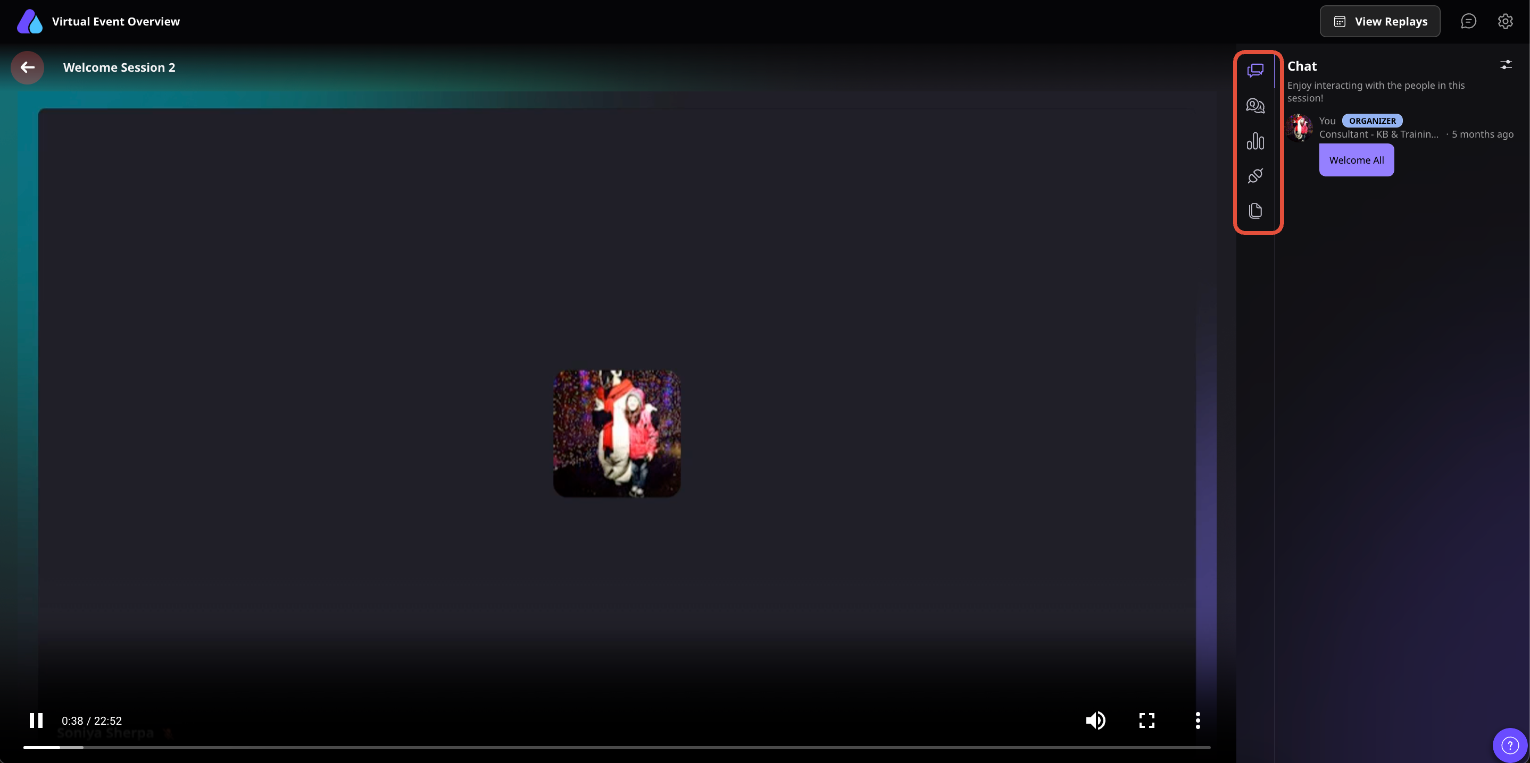
Open Event Dashboard, go to Customize and then go to Event Settings; make sure Session Replay is enabled if you want attendees to access recordings after the live session.
Run your event as planned. Airmeet automatically records supported sessions while recording is enabled.
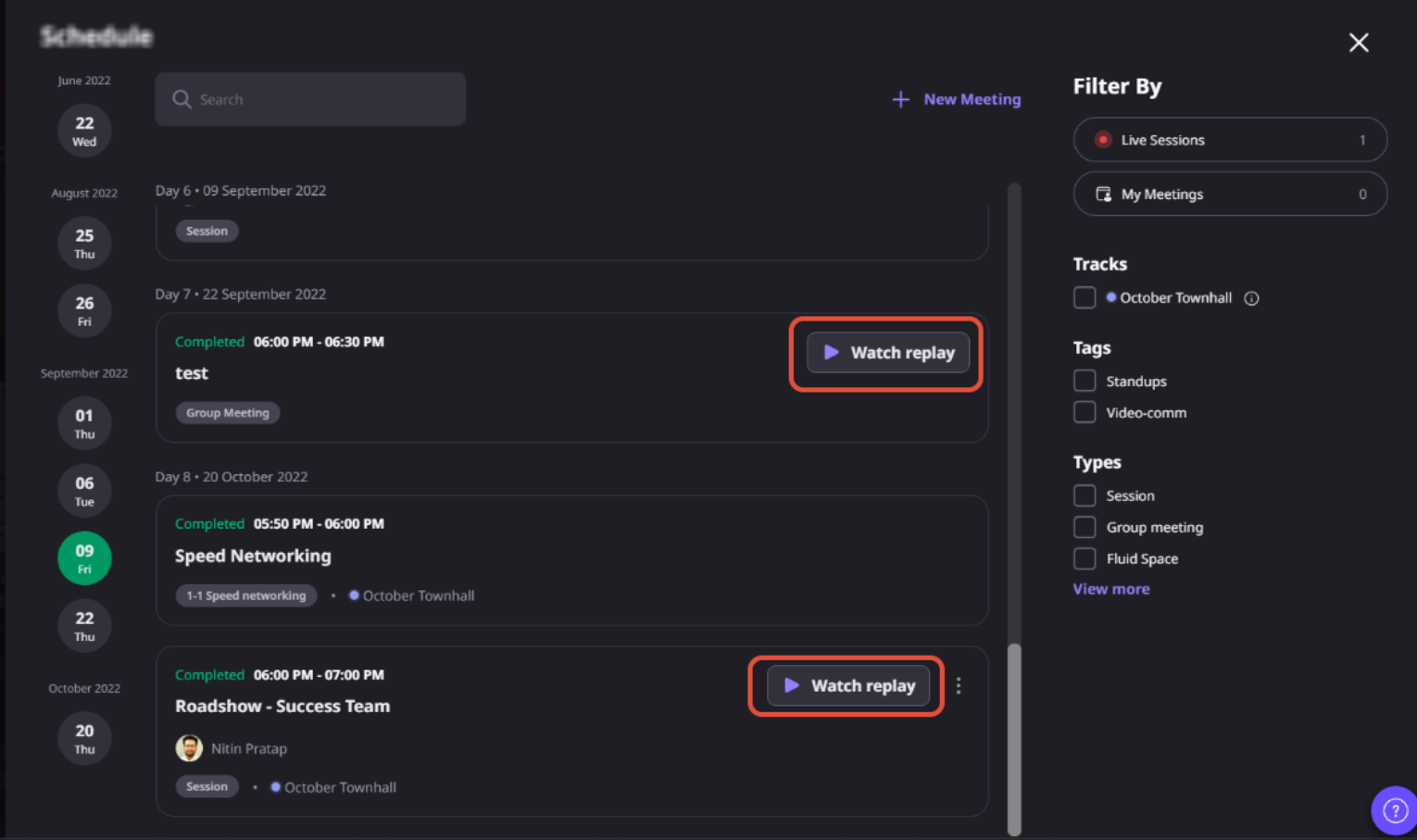
After each session ends, Airmeet processes the recording. Once processing is complete, the replay becomes available for eligible attendees.
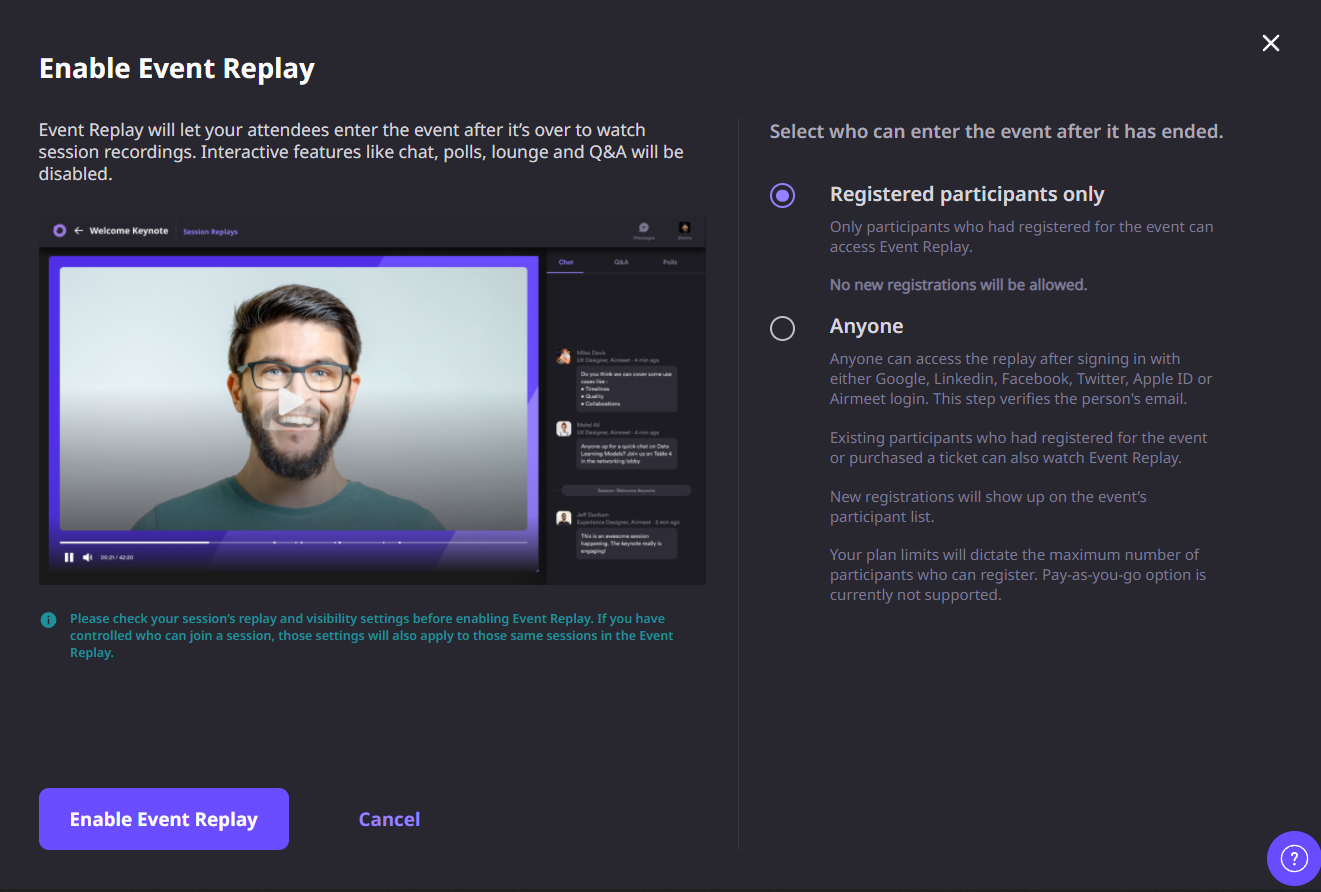
When your event is complete, mark it as Ended. This allows organizers to enable Event Replay for the entire event experience.
Choose who can access the replay experience based on your event settings, such as registered attendees, verified users, or eligible ticket holders.
If certain sessions had restricted access during the live event, those same permissions continue to apply to their recordings.
Invite attendees back to revisit completed sessions through the Event Replay experience instead of sending individual recording links.
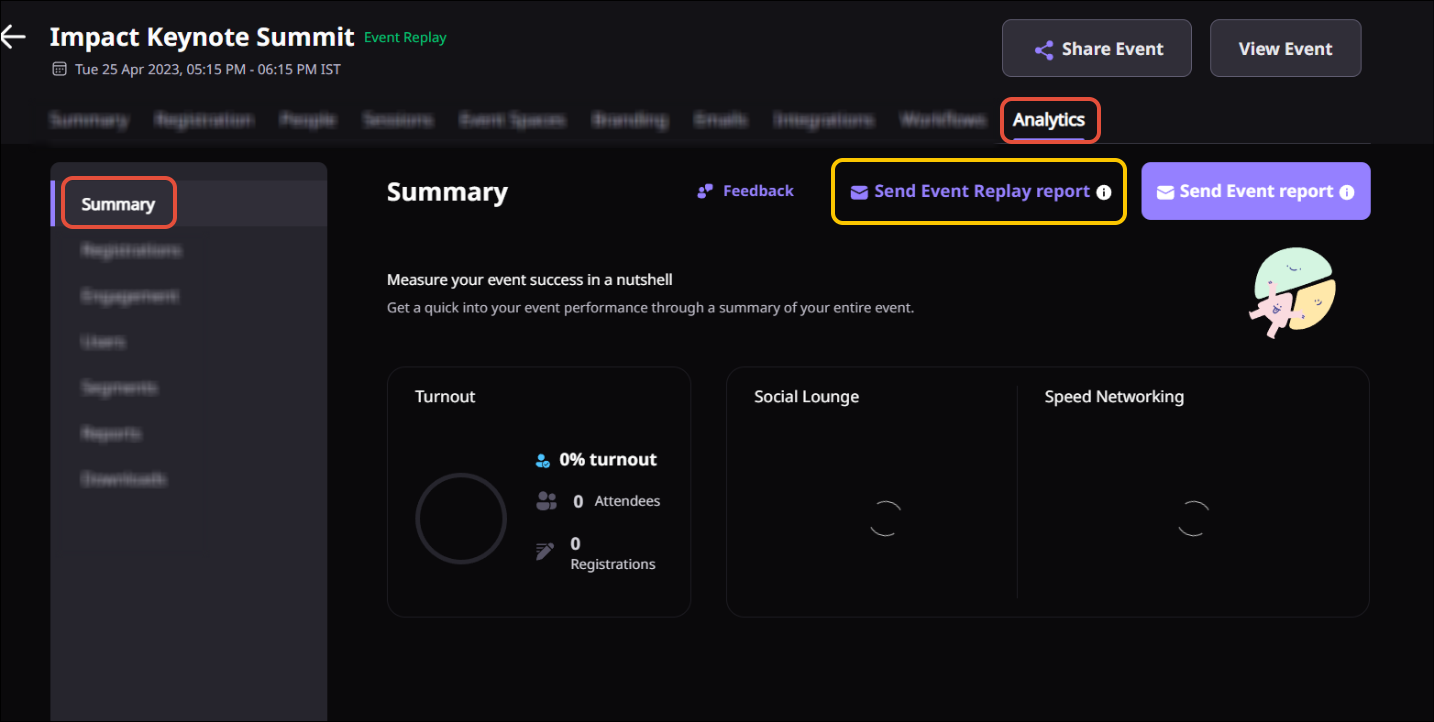
Download replay reports to see who watched, how long they viewed sessions, and use those insights to prioritize post-event follow-up.
Why Airmeet
Session Replay lets attendees watch an individual session after its recording has been processed. Event Replay creates a complete post-event experience where attendees can revisit all eligible recorded sessions from one place after the event has ended.
Replay becomes available shortly after a session ends, once Airmeet has finished processing the recording. Processing time varies depending on the session length.
Session Replay is available for recorded sessions, but organizers can choose to disable it if they don’t want recordings to be accessible. Event Replay must be enabled separately after the event has ended.
That depends on how your event is configured. Organizers can allow replay access for registered attendees only or enable broader verified access where supported. Ticketing and event settings also affect who can view replays.
Yes. If a session was restricted during the live event, those eligibility rules continue to apply to its replay. Only attendees who were eligible for the original session can access the recording.
Yes. For ticketed events, replay access follows the event’s ticketing and access rules. Eligible ticket holders can view recordings based on the permissions configured by the organizer.
Yes. Airmeet supports replay viewing on supported mobile browsers and the Airmeet mobile apps, making it easy for attendees to catch up from virtually anywhere.
Yes. Airmeet provides replay reporting that includes viewer information and watch-time metrics. These insights help marketing and sales teams identify engaged attendees and prioritize follow-up campaigns.


Incredible Companies Use Airmeet

Most loved Virtual Events Platform

Incredible Companies Use Airmeet

Most loved Virtual Events Platform

Incredible Companies Use Airmeet
Most loved Virtual Events Platform

