Off-brand event moments Generic colors and CTAs make campaigns feel disconnected in the live event.
Inconsistent visual identity Teams struggle to keep pages, sessions, lounges, and CTAs aligned.
Low recall after the event A standard-looking event makes the brand harder to remember.
How Airmeet Solves It
Theme colors Apply a consistent event theme across attendee-facing spaces.
CTA accents Make important actions visible and on brand.
Live branding Pair themes with broader live event branding.
Session styling Extend brand consistency into session-level experiences.
Benefits by Event Use Case
Discover how Airmeet adapts to different event formats, helping you deliver engaging experiences and achieve your unique event goals.
Webinars
Make recurring thought leadership feel premium.
Summits
Unify tracks, stages, lounges, and CTAs.
Product launches
Turn reveals and demos into branded moments.
Customer events
Create a familiar community environment.
Training programs
Keep enablement sessions visually consistent.
Town halls
Make leadership updates feel polished and official.
Actual Product Screenshots
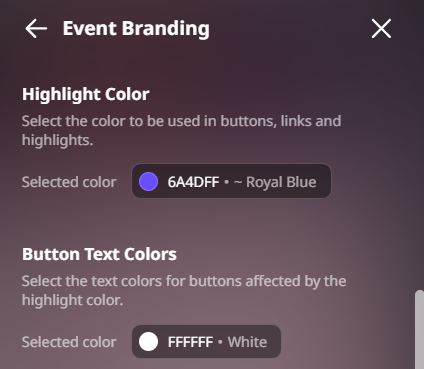
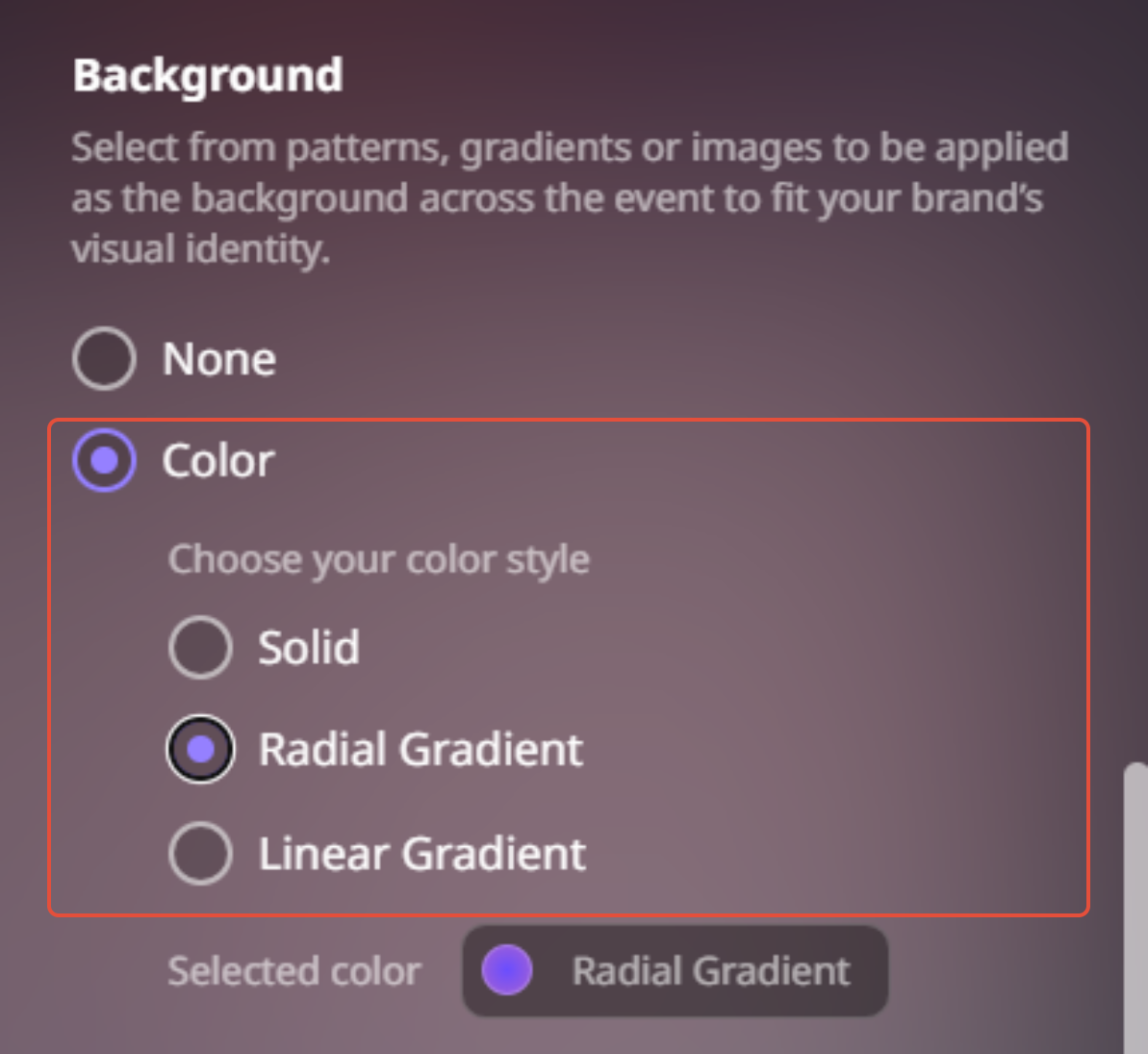
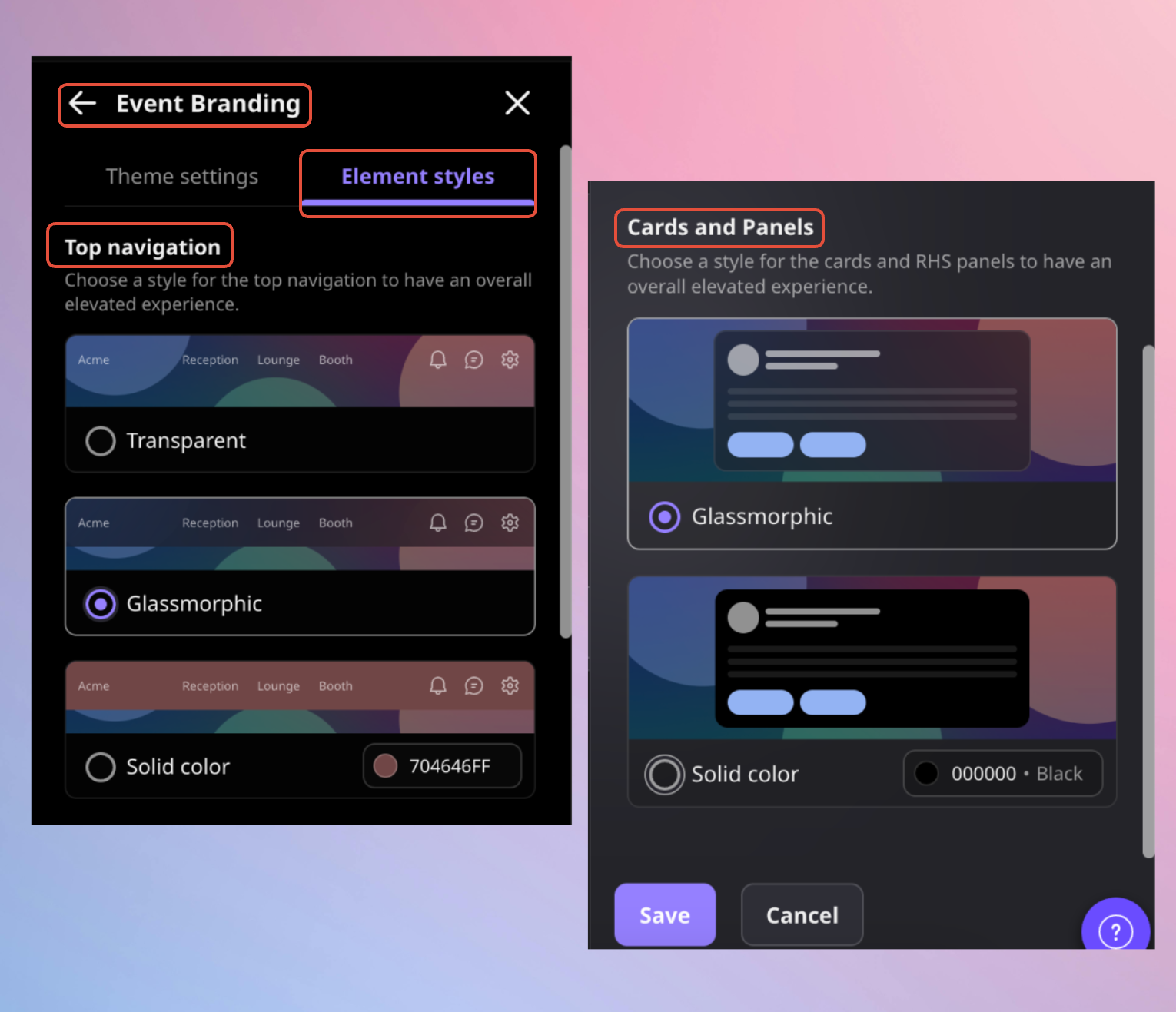
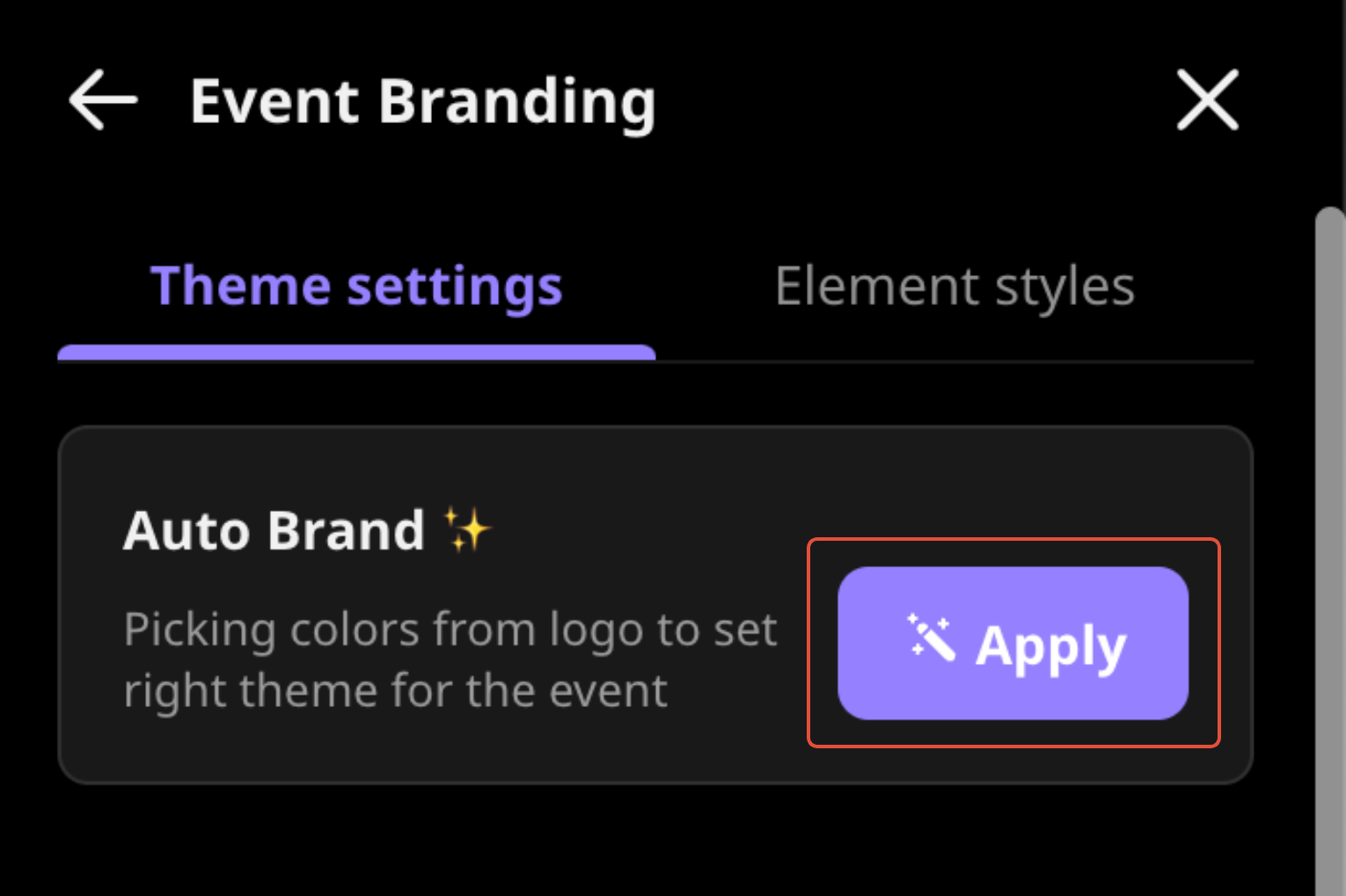
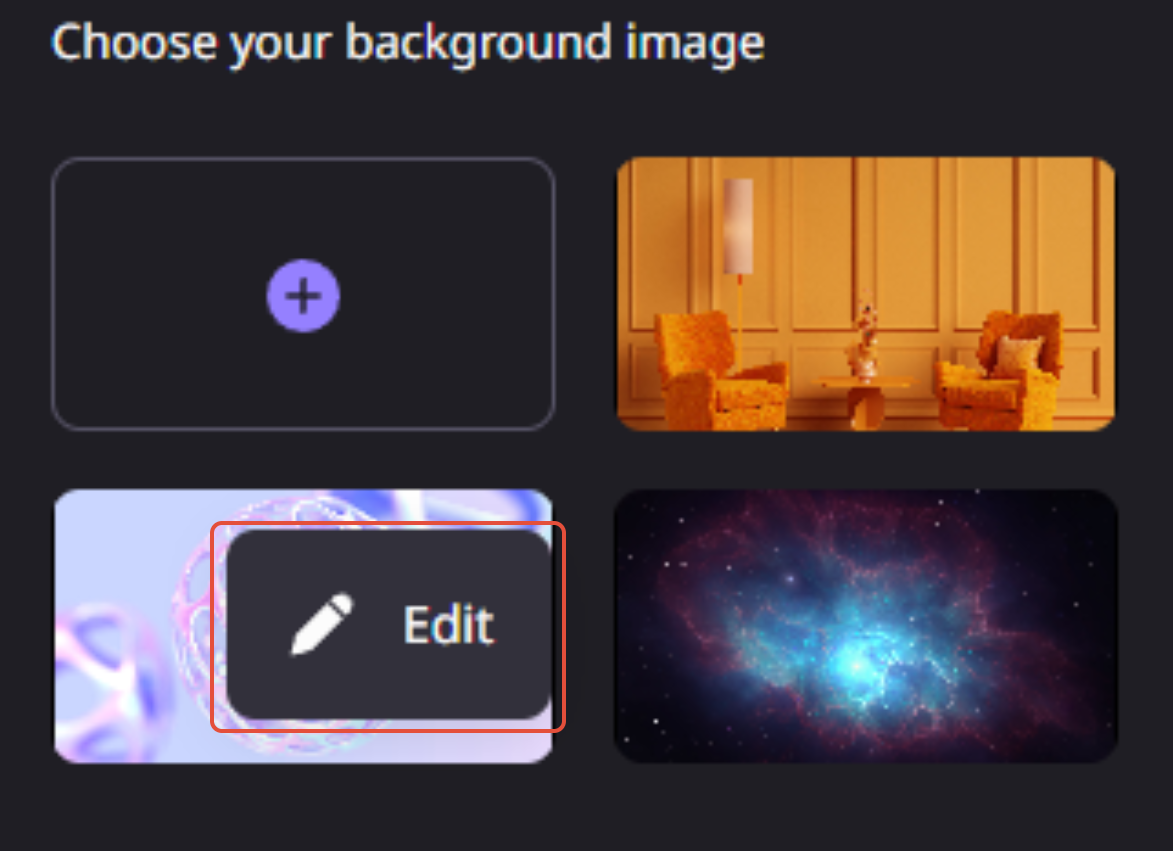
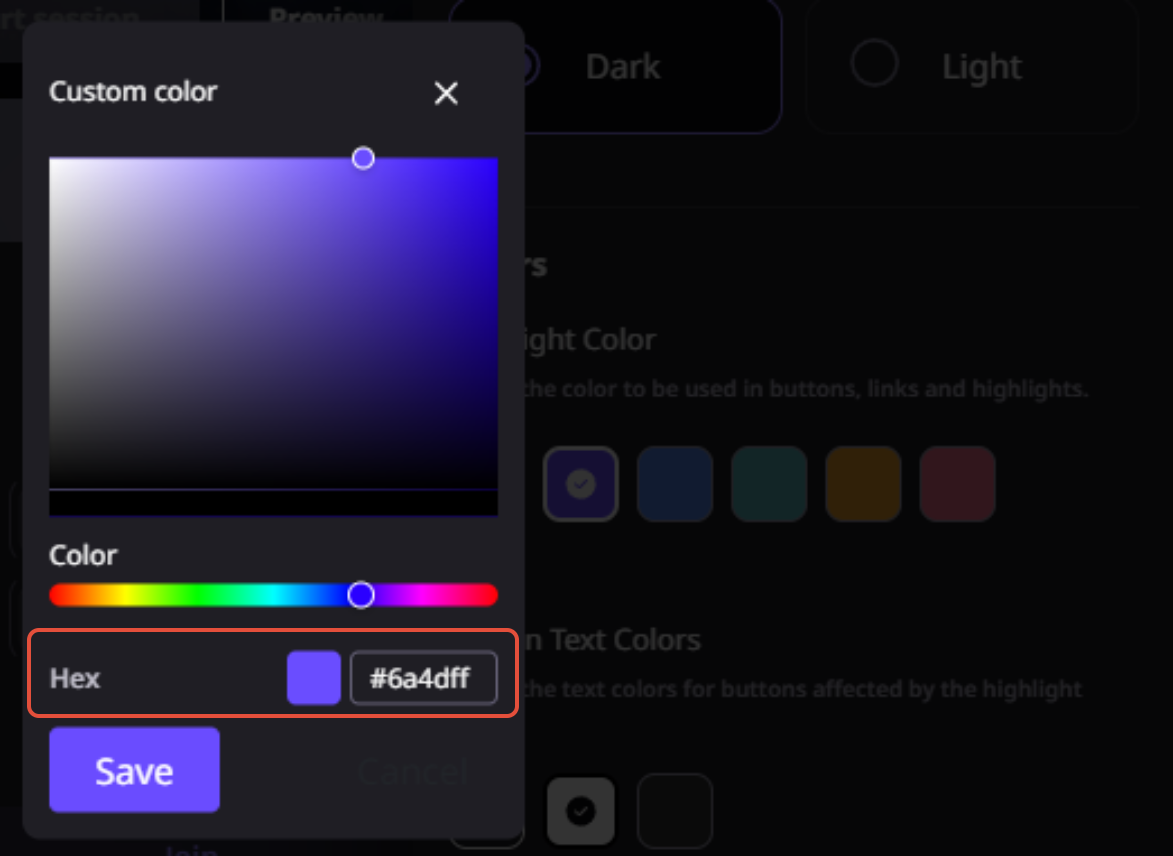
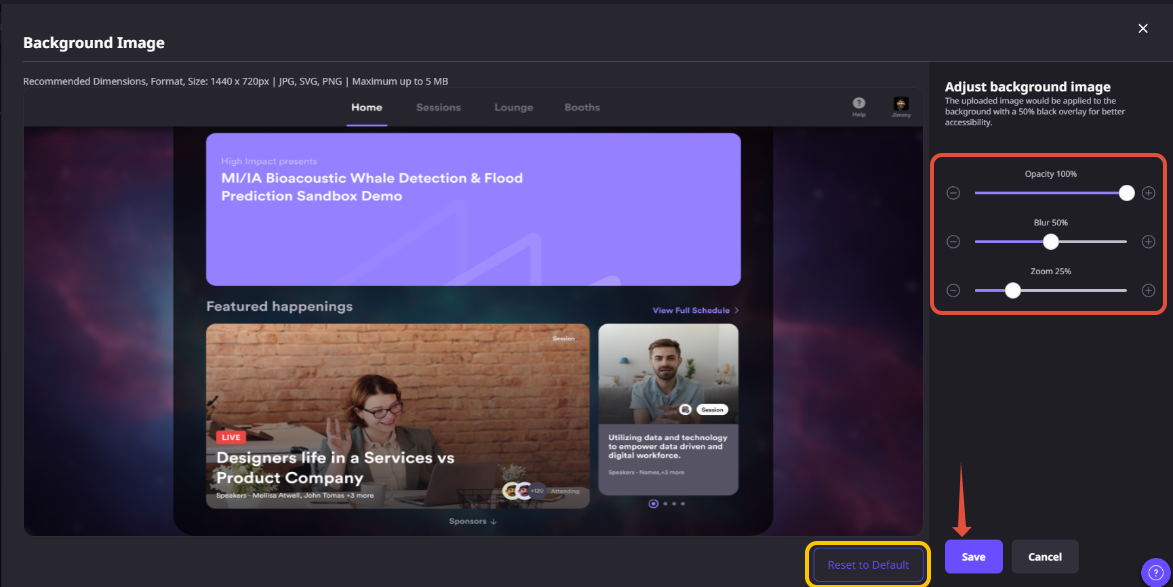
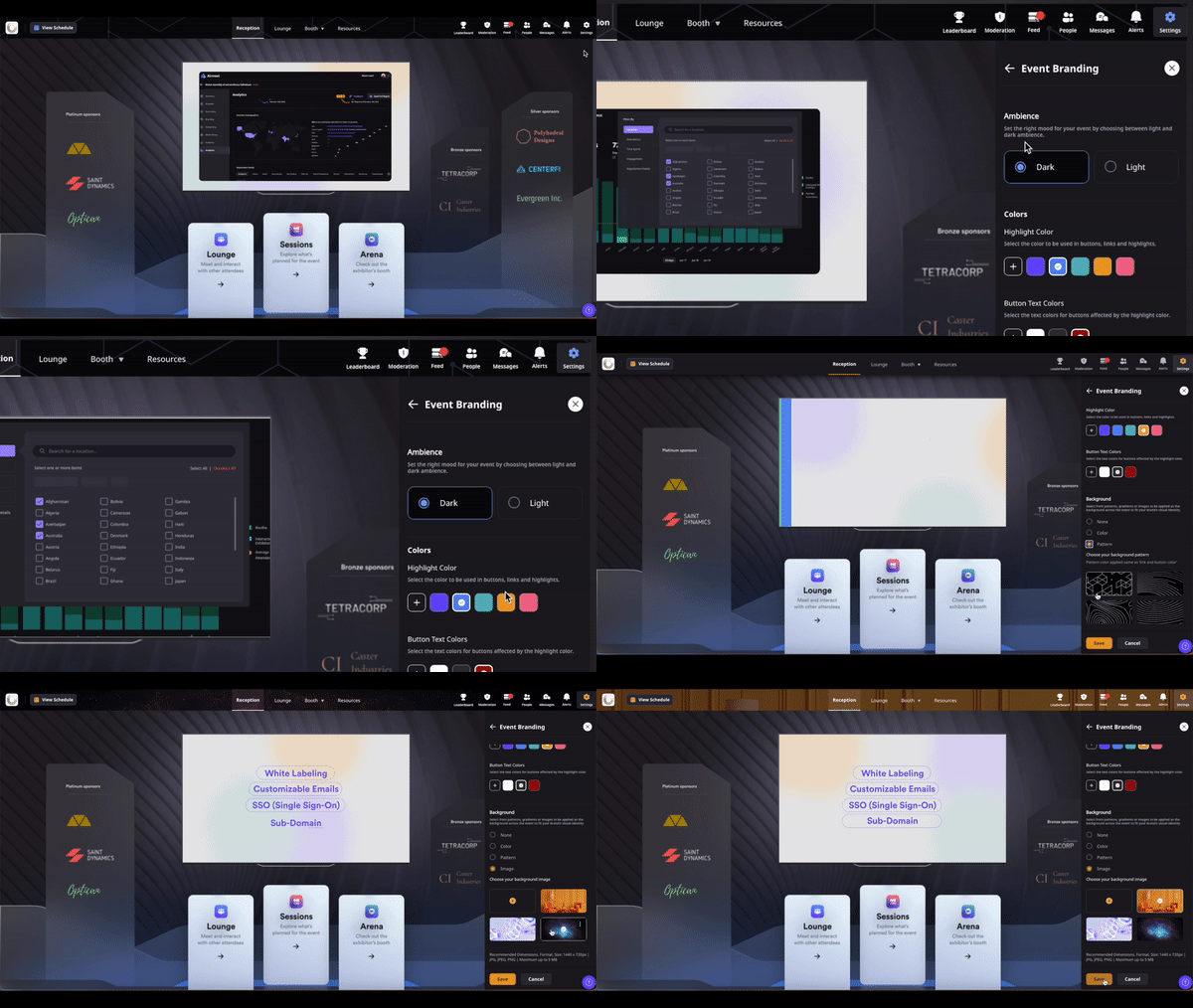
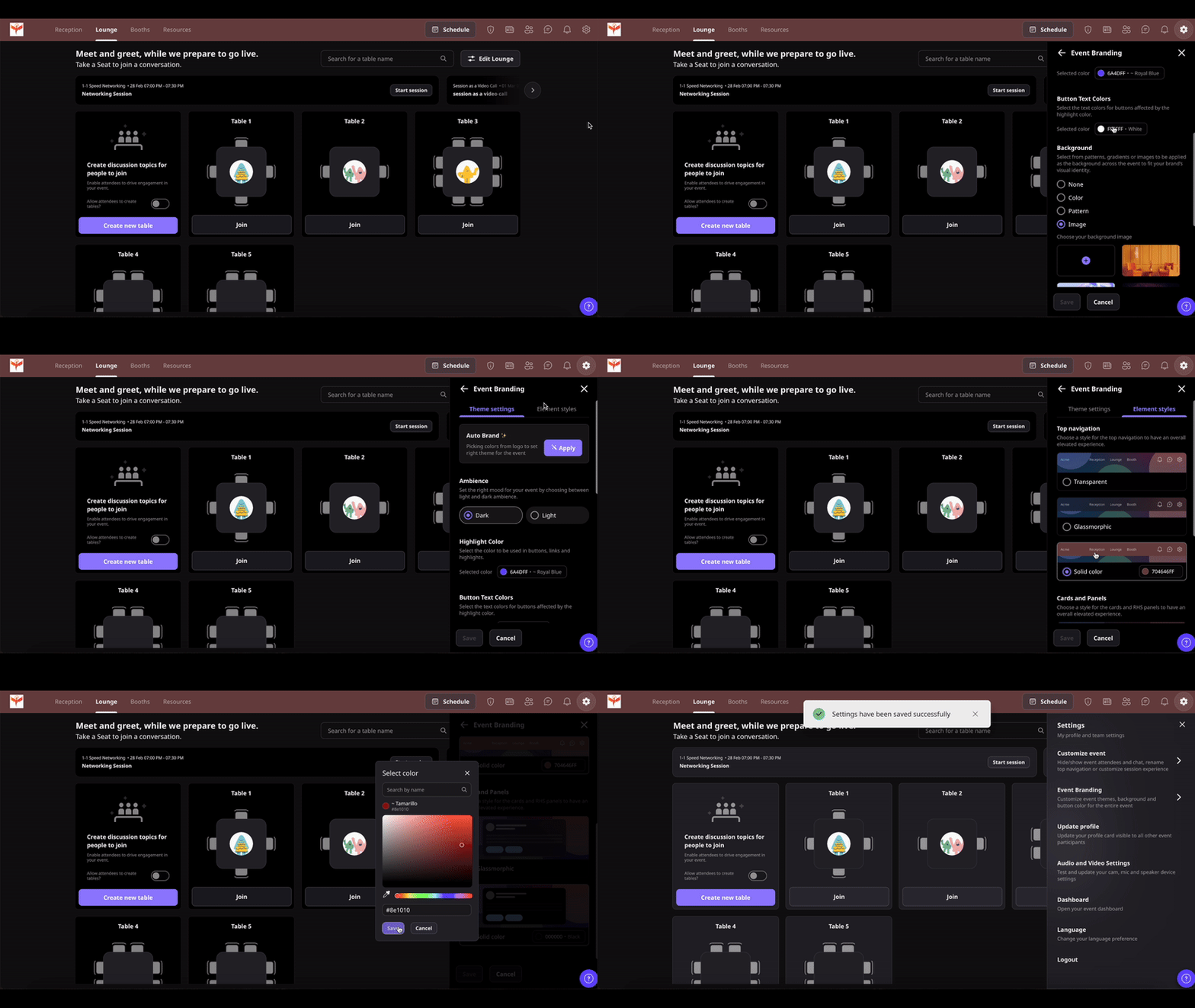
See how Airmeet's Event Theme Customization works through real product screenshots from the Airmeet Help Center. These screenshots demonstrate how to change your event theme, customize CTA accent colors, preview branding updates, and create a consistent visual experience across attendee-facing pages. They provide a clear walkthrough of the branding workflow before your event goes live.
Step-by-Step Process
Customizing your event theme in Airmeet is quick and helps you deliver a polished, branded attendee experience. Follow these steps to update your event's theme and CTA accent color.
Step 1. Open Your Event
Open your event in “Preview Mode” before the event starts or access it while the event is live. Click the “Settings” icon in the top-right corner of the event interface.
Step 2. Navigate to Event Branding
From the “Settings” menu, select “Event Branding.” This section allows you to customize the overall appearance of your event, including the event theme and CTA accent colors.
Step 3. Select an Event Theme
Choose either the “Light Theme” or “Dark Theme,” depending on your event branding and visual preferences. The selected theme is applied across attendee-facing areas to create a consistent experience.
Step 4. Customize the CTA Accent Color
Select an accent color for your event’s call-to-action buttons and interactive elements. You can choose from the available color options or enter a custom HEX or HSL color value to match your organization’s brand guidelines.
Step 5. Save Your Changes
After selecting the theme and CTA accent color, click “Save” to apply your changes. You can review the updated appearance before attendees join the event.
Step 6. Deliver a Branded Attendee Experience
Once saved, your selected theme and CTA accent color are reflected across supported attendee-facing pages, creating a cohesive and professional event experience that aligns with your brand.
Note: Event theme customization is available both before the event begins and during a live event.
Why Choose Airmeet for Event Theme Customization?
Airmeet's Event Theme Customization helps organizers create branded, professional event experiences without additional design effort. Whether you are hosting webinars, conferences, product launches, customer events, or internal meetings, you can maintain consistent branding from registration through the live event.
Built for Event Branding Theme customization is designed specifically for virtual & hybrid events, making it easy to create a polished experience that reflects your organization's brand.
Complete Brand Control Customize event themes and CTA accent colors to match your campaign, product, or corporate identity, ensuring every attendee touchpoint feels cohesive.
Consistent Across Event Formats Apply the same branding experience across webinars, summits, product launches, training programs, customer events, and town halls without managing separate design assets.
Improve Brand Recognition Consistent colors and branding help attendees immediately recognize your organization, improve brand recall, and create a more memorable event experience from registration to post-event follow-up.
help Center
Relevant Help Articles
Explore guides and tutorials to help you create, customize, and host exceptional events on Airmeet.
How to change the event theme and CTA's accent color?
“I was really excited to see how alive Airmeet seemed. The first time I raised my virtual hand to ask a question, I was brought up on stage, my camera flipped on, and I was able to talk with the presenters, that was the sold-moment in my head! That is what I wanted. We weren't going to be speaking at our audience. We wanted a two-way engagement. With the analytics in the background, that was my “Aha moment!”
Victoria YounesExecutive Events Manager
Incredible Companies Use Airmeet
Most loved Virtual Events Platform
“I was really excited to see how alive Airmeet seemed. The first time I raised my virtual hand to ask a question, I was brought up on stage, my camera flipped on, and I was able to talk with the presenters, that was the sold-moment in my head! That is what I wanted. We weren't going to be speaking at our audience. We wanted a two-way engagement. With the analytics in the background, that was my “Aha moment!”
Victoria YounesExecutive Events Manager
Incredible Companies Use Airmeet
Most loved Virtual Events Platform
“I was really excited to see how alive Airmeet seemed. The first time I raised my virtual hand to ask a question, I was brought up on stage, my camera flipped on, and I was able to talk with the presenters, that was the sold-moment in my head! That is what I wanted. We weren't going to be speaking at our audience. We wanted a two-way engagement. With the analytics in the background, that was my “Aha moment!”
Victoria YounesExecutive Events Manager
Incredible Companies Use Airmeet
Most loved Virtual Events Platform
“I was really excited to see how alive Airmeet seemed. The first time I raised my virtual hand to ask a question, I was brought up on stage, my camera flipped on, and I was able to talk with the presenters, that was the sold-moment in my head! That is what I wanted. We weren't going to be speaking at our audience. We wanted a two-way engagement. With the analytics in the background, that was my “Aha moment!”