



Instead of forcing prospects to install software, these tools let people join instantly—making every interaction smoother and more accessible. This shift isn’t just about convenience; it reflects a larger trend toward faster, cleaner & more buyer-friendly digital experiences.
What Is a No-Download Webinar Platform?
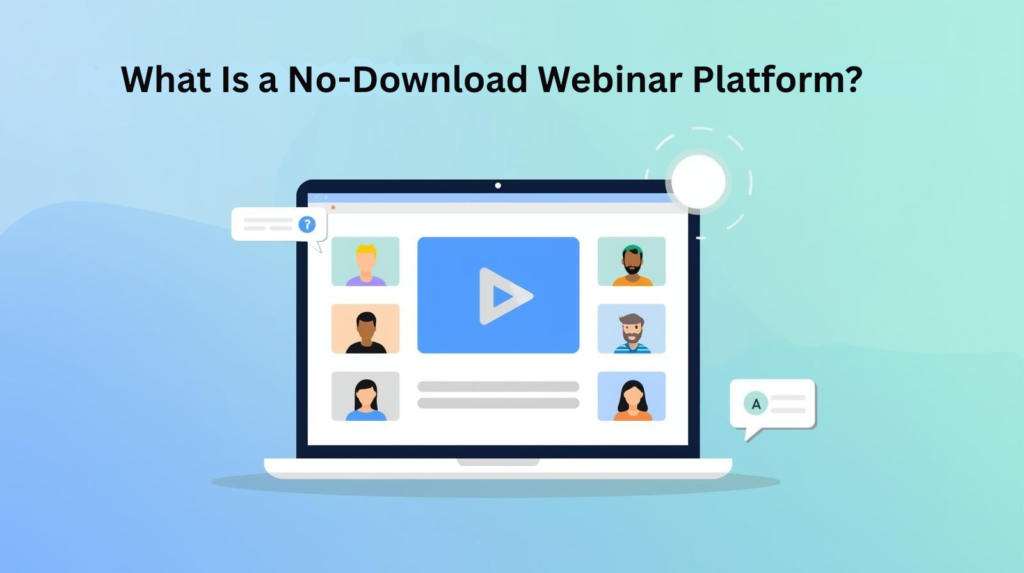
A no-download webinar platform allows attendees to participate in virtual events straight from their web browser, without requiring them to install any kind of software, plugins, or applications. These browser-based solutions eliminate the barrier to entry by allowing attendees to click a link and instantly access your webinar from any device.
Unlike traditional webinar tools that require participants to download dedicated software before joining, browser-based platforms use web technologies like WebRTC (Web Real-Time Communication) to enable live video, audio, and interactive features directly in the browser. This means your prospects, customers, and team members can join your events in seconds, rather than minutes.
For B2B marketers as well as event organizers, this seemingly small technical difference creates massive operational advantages. When you eliminate the download step, you remove one of the biggest friction points that prevent people from attending your webinars.
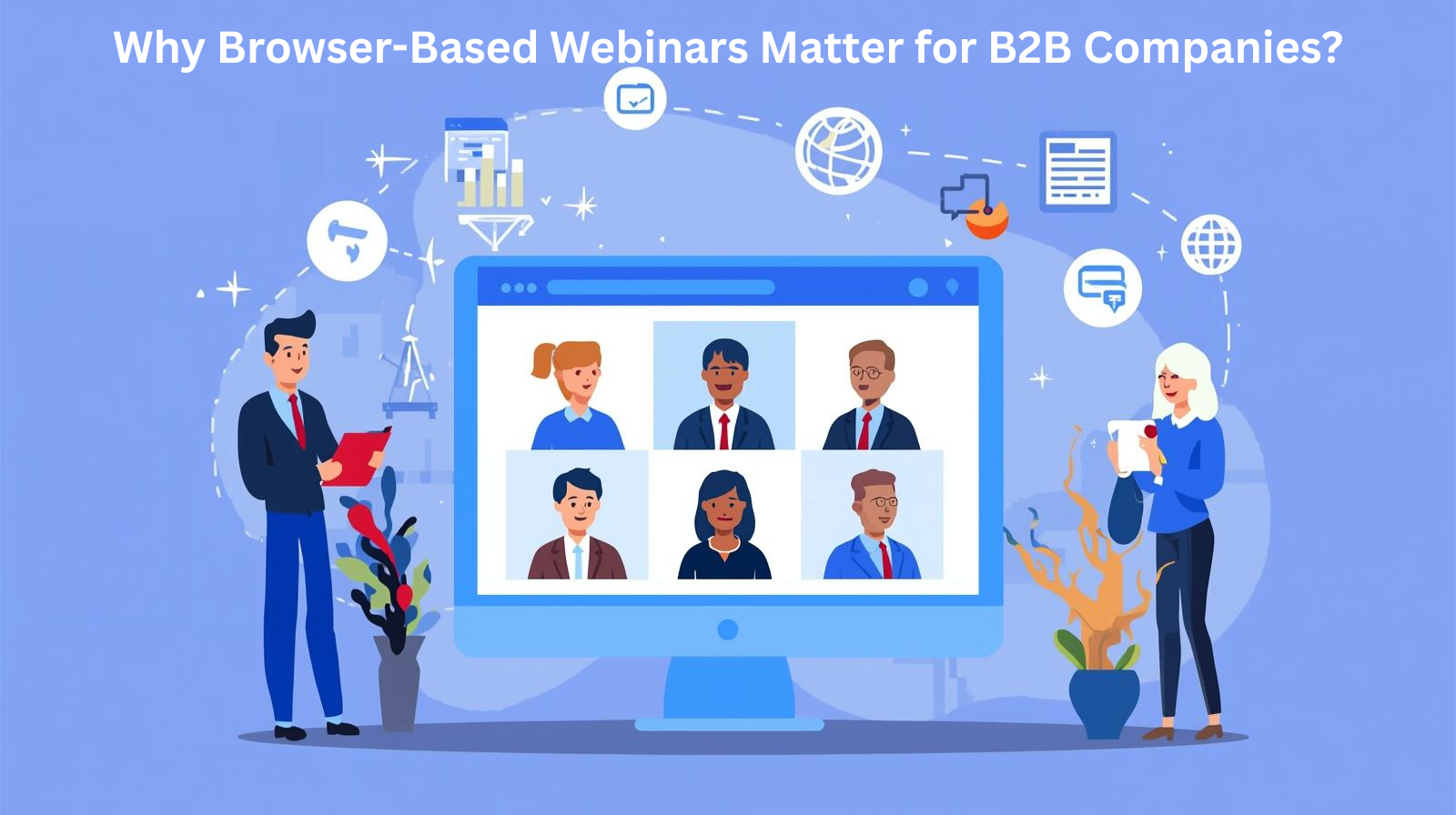
Why Browser-Based Webinars Matter for B2B Companies?
The Download Barrier Is Killing Your Attendance Rates
About 57% of people who register for webinars actually show up, and download requirements are a major contributor to this attendance gap. Every extra step between registration & attendance costs you potential attendees. Here’s what happens when the attendees need to download software to join a webinar-
- They arrive at the webinar start time only to discover they need to install something.
- Downloads fail due to corporate IT restrictions or firewall settings.
- Installation processes eat into valuable webinar time.
- Some participants give up entirely and leave.
Browser-based platforms eliminate these issues entirely and the attendees can simply click on your link and they are in—no waiting, no installation headaches, no IT approvals needed.
Universal Access Across Devices and Operating Systems
Without the need to download any software, participants of all backgrounds and locations can join with ease. Your sales prospects might be on Windows laptops, your customer success team on MacBooks, and your mobile workforce on tablets.
A no-download platform works seamlessly across all these scenarios because it doesn’t require any separate apps or versions. This universal compatibility is important for B2B scenarios where-
- IT teams limit software installations on business machines.
- Participants attend from different locations, including offices, homes and from different devices.
- International viewers can access your content from different time zones, and infrastructural circumstances.
- Last-minute attendees require immediate access without preparatory time.
Speed and Convenience Drive Engagement
Browser-based software that eliminates most lag, and glitches because there’s no need for data to travel through a third-party app. This direct connection improves reliability and creates a smoother experience for everyone who is involved in it. When your webinar platform is as simple as clicking a link, you see immediate benefits like-
- Higher attendance rates because people actually show up.
- Better first impressions as events start on time without any kind of technical delays.
- Increased participation from mobile users, those who join the webinar between meetings.
- Reduced support requests—from attendees who are struggling with downloads for attending the webinar.
Key Benefits of No-Download Webinar Platforms for B2B Marketing
1. Eliminate Technical Barriers and Increase Show-Up Rates
For B2B marketers running demand generation programs, every percentage point increase in attendance directly impacts pipeline generation. If you are investing in webinar promotion to drive your registrations, the difference between 50% and 60% attendance means additional qualified prospects experiencing your content.
2. Reach Mobile and Remote Workforce
Meeting bookings during webinars have tripled, and live chat with sales teams has grown by 51% as engagement features become more accessible. Browser-based platforms make these interactive elements available to everyone, regardless of device.
The modern B2B buyer researches solutions on multiple devices throughout their day. Your no-download platform needs to support the following-
- Sales prospects joining from mobile devices between the meetings
- Remote teams collaborating from home offices worldwide
- C-level executives accessing the content from tablets during travel
- Field teams participating from customer sites
3. Accelerate Time-to-Value
When a prospect expresses interest in your solution, you want them to get into a demo or educational webinar as quickly as possible. As per data, 48% of audience registrations occur 1-7 days before the webinar—indicating that many decisions to attend the webinar happen close to the event date.
Browser-based platforms support this just-in-time engagement by allowing for the following-
- Instant access to on-demand content without setup time.
- Same-day webinar participation for urgent buying situations.
- Quick transitions from website visits to live interactions.
- Spontaneous meeting bookings when prospects indicate interest.
4. Improve IT and Security Compliance
Corporate IT departments often restrict software installations because of security & compliance reasons. Browser-based webinar platforms work within these constraints as they operate through approved browsers that already meet enterprise security standards.
This compatibility is important—especially when you are-
- Engaging with those enterprise prospects who have strict IT policies
- Running internal town halls for your distributed teams
- Hosting compliance-sensitive content that require audit trails
- Supporting regulated industries with specific security requirements
Leading no-download platforms helps in maintaining the enterprise-grade security certifications while also delivering the convenience of browser access.
For example, platforms with ISO 27001:2022 certification and SOC 2 Type 2 attestation demonstrate commitment to security without sacrificing accessibility.
How Airmeet Delivers Premium No-Download Webinar Experiences
Airmeet webinars are purpose-built to drive pipeline. While basic video conferencing tools focus on broadcasting content, Airmeet’s Premium Webinars platform emphasizes the interactive, conversion-focused features that B2B marketing teams need to accelerate revenue.
The platform’s dynamic calls-to-action feature enables organizers to place conversion opportunities directly in the webinar experience. Instead of waiting until after the event to send follow-up emails, you can drive actions like booking meetings, starting free trials, or downloading resources while attendees are actively engaged.
Real GTM outcomes matter: Airmeet’s approach connects webinar engagement directly to revenue metrics through features like-
- Event intent scoring finds high-value prospects based on behavior.
- Native CRM connectors automatically sync attendee data.
- ROI tracking dashboards that link webinar activity to pipeline creation.
- Real-time data assist sales teams prioritize follow-up.
Deep Integration with Your Marketing Stack
Airmeet offers deep, marketer-friendly HubSpot integration for hands-off sync and follow-up. The platform syncs attendee engagement data to HubSpot contacts, and can notify account owners of high-intent activities, allowing for tailored nurture sequences and sales follow-ups without requiring any kind of manual data exports.
Airmeet seamlessly links Salesforce campaigns. The Salesforce integration synchronizes event registrations, and attendee interaction with Campaign Members, completing the registration-to-revenue cycle and making it simple to illustrate the impact of webinars on sales results.
Beyond CRM connections, Airmeet integrates with-
- Marketing automation platforms like Marketo for automated workflows.
- Analytics tools including Google Tag Manager for conversion tracking.
- Zapier for connecting to 8,000+ applications.
- Public APIs for custom integrations with your unique tech stack.
With this extensive integration environment, your no-download webinar platform becomes a seamless part of your demand generation machine, rather than a solitary product that requires manual data handling by your team.
Turn Passive Viewers into Active Participants
Airmeet’s Social Lounge and Speed Networking facilitate real-world buyer conversations. While most webinar platforms confine engagement of the attendees to chat boxes and Q&A, Airmeet offers structured networking opportunities to help attendees, speakers, and sponsors make genuine relationships.
The Social Lounge enables table-based mingling before the event begins, during breaks, and after the session—recreating the hallway conversations that make in-person events valuable. Speed Networking (Serendipity Sessions) provides timed 1:1 matches with configurable rules. It helps attendees to make relevant connections—depending on their requirements, interests, buying stage, etc.
These networking features transform webinars from one-way broadcasts into genuine relationship-building opportunities. For B2B marketers—it means:
- Higher engagement scores as attendees actively participate rather than passively watch
- Better lead quality from prospects who demonstrate interest through networking
- Stronger community building that increases customer retention and advocacy
- More meeting bookings as prospects connect with sales reps naturally
Professional Production Without Extra Tools
Airmeet’s backstage & bring-to-stage controls help to streamline flawless production. Before going live, hosts can use Backstage to practice, evaluate audio and video quality, and coordinate with speakers. During the event, moderators can welcome guests to the stage, handle raise-hand interactions and also ensure that the segments flow smoothly.
These production features deliver professional experiences without requiring-
- External broadcasting software like OBS or vMix for basic events.
- Technical producers to manage every session.
- Extensive training for speakers and moderators.
- Complex setup time before each webinar.
These efficiency improvements result in substantial time and cost savings for B2B marketing teams and event companies that conduct several webinars each week.
Extend Webinar Value with Instant Replays
Airmeet extends webinar shelf-life with instant Session Replay and Event Replay hubs. Nearly a third of attendees go back and watch on-demand content after experiencing it live, and making this content easily accessible maximizes your webinar investment.
Session Replay becomes available almost immediately after each session ends, allowing
- Registrants who couldn’t attend live to catch up on their schedule
- Attendees to review key segments they want to remember
- Sales teams to share specific sections with prospects in follow-up
- Content marketers to repurpose recordings across multiple channels
Event Replay combines recordings into an on-demand hub with access controls, transforming live webinars into ongoing lead generation assets that provide value long after the event has ended.
What B2B Marketers Must Prioritize in a No-Download Webinar Platform
1. True Browser Compatibility Across Devices
Not every “browser-based” platform is made equally. Look for solutions that don’t require certain versions or settings and function in all of the main browsers (Chrome, Firefox, Safari, and Edge). The platform should automatically identify the capabilities of the device, and make the necessary adjustments that are required.
Test the platform yourself across different scenarios—such as
- Join from a mobile device on cellular connection.
- Access from a corporate network with firewall restrictions.
- Try different browsers to verify consistent experience.
- Check if features degrade gracefully on older devices.
2. Interactive Engagement Features
As per studies, 63% of respondents say that Q&A widgets typically drive the most engagement. Your platform should support polls, Q&A, raise hand, and chat as baseline features. Advanced platforms add networking spaces, breakout rooms, and dynamic CTAs for deeper interaction.
3. Robust Analytics and CRM Integration
The integration of webinar data into your CRM system gives sales teams immediate access to insights for targeted follow-up.
Essential analytics capabilities include the following-
- Individual attendee activity tracking showing which sessions, polls, and CTAs each person engaged with.
- Intent scoring that identifies high-value prospects based on the behavior patterns of the attendees.
- Real-time dashboards displaying engagement metrics during live events.
- Exportable reports for sharing results with the stakeholders.
- ROI tracking that connects webinar investment to pipeline outcomes.
Your analytics should answer the following questions-
- Which attendees stayed for the full session?
- Who clicked your CTAs?
- What questions did prospects ask?
- Which leads should sales prioritize?
4. Branding and Customization Options
Your webinar experience reflects your brand. Look for solutions that allow you to customize the following-
- Landing pages with your brand colors, logos, and messaging.
- Registration forms with the custom fields you require.
- Create email templates for invitations, reminders and follow-ups.
- Create a webinar interface to ensure that the event setting reflects your brand.
- Thank you notes and future steps can be found on the post-event pages.
Fully branded experiences improve brand recall and generate more professional perceptions; influencing purchasing decisions of the attendees.
5. Scalability and Reliability
Your platform needs to handle both intimate sessions and large-scale events. Hence verify the following-
- Maximum attendee capacity meets your largest anticipated events.
- Performance under load maintains quality as audiences grow.
- Uptime guarantees ensure reliability for critical events.
- Backup features like local recording in case of connection issues.
- Global infrastructure delivers consistent experience worldwide.
6. Security and Compliance
Enterprise buyers & regulated industries require specific security certifications. Hence, look for platforms with the following-
- SOC 2 Type 2 attestation demonstrating operational security controls.
- ISO 27001 certification validating information security management.
- GDPR compliance for handling European data appropriately.
- Data encryption both in transit and at rest.
- Access controls for managing who can view and share content.
Airmeet satisfies enterprise security standards with ISO 27001:2022 and SOC 2 Type 2 certifications, and is hosted on AWS infrastructure with strong encryption and frequent security audits.
How to Choose the Right No-Download Webinar Platform for Your B2B Company
Step 1: Define Your Primary Use Cases
Start by clarifying exactly what you need webinars to accomplish-
- Demand generation webinars for lead capture and pipeline creation.
- Product demos and sales enablement for opportunity acceleration.
- Customer training, and onboarding for adoption and retention.
- Partner enablement for channel relationship building.
- Internal communications for team alignment and culture.
Different use cases prioritize different features like-
- CRM integration and calls to action are required for demand generation webinars.
- Training webinars necessitate breakout sessions and assessments.
- Town halls require scale and accessibility.
Step 2: Evaluate Integration Requirements
The integration of webinar data into a CRM system helps sales teams have immediate access to insights for targeted follow-up. Map out your martech stack and verify that your webinar platform connects with-
- Your CRM (Salesforce, HubSpot, Microsoft Dynamics).
- Marketing automation (Marketo, Pardot, Eloqua).
- Analytics tools (Google Analytics, Tag Manager).
- Communication platforms (Slack, Microsoft Teams).
- Registration systems (if using separate landing page tools).
Native integrations are preferable to third-party connections because they’re more reliable and require less maintenance.
Step 3: Test the Attendee Experience
The easiest way to evaluate a no-download platform is to use it like an attendee would use it when they are attending your webinar. Most vendors provide free trials or demonstration events. Join these sessions and evaluate the following-
- How easy is it to join?
- Count the clicks from registration to webinar.
- Does everything work on mobile?
- Test from your phone.
- Are interactive features intuitive?
- Try polls, Q&A and networking.
- What’s the video and audio quality?
- Assess from different connections.
- Is the interface distracting or intuitive?
- Notice what helps vs. hinders.
If your team struggles with the test experience, your prospects and customers will too.
Step 4: Verify Scalability & Support
As your webinar program grows, you will require a platform that scales with you. That is why before selecting a platform, you need to check whether or not
- The attendee capacity of the platform supports your growth trajectory.
- Concurrent event limits of the platform allows for multiple simultaneous webinars.
- User permissions accommodate team expansion.
- Support availability of the platform matches your event schedule (including global time zones).
- Professional services help with high-impact events.
Airmeet automates the webinar lifecycle via native integrations, APIs, and Zapier, making it easier to scale your program without proportionally increasing operational overhead.
Step 5: Calculate Total Cost of Ownership
Look beyond the monthly subscription fee to understand the underlying costs. Here’s what you should look for in a platform-
- Platform subscriptions are depending on attendee capacity and features.
- Connecting to your technology stack incurs integration fees.
- Production time for event planning and management.
- Support required from both vendors & internal resources.
- Training is required to ensure your team’s proficiency.
A platform with a higher subscription price may deliver a greater ROI through time savings, increasing attendance rates and stronger analytics—all of which lead to improved business outcomes.
Take Action: Evaluate Your Current Webinar Platform
If your current webinar solution needs downloads or causes friction for attendees, you are missing out on chances. Each percentage point increase in attendance leads to more qualified conversations, deeper relationships, and, eventually, more income.
Consider these questions-
- What percentage of registrants attend your live webinars?
- How many support queries do you receive about attending events?
- Can mobile users completely engage in your webinars?
- Does your platform link with your CRM to enable automatic follow-up?
- Can you prove webinar ROI with hard pipeline data?
If you are unsure about any of these answers, look into modern no-download options that make webinar participation as simple as clicking a link.
Begin increasing your webinar performance today. The finest browser-based platforms include free trials, allowing you to see the difference firsthand — as both an organizer and an attendee. Test how quickly prospects can join, how easily they can interact and how data flows into your CRM.
In today’s competitive B2B landscape, your webinar platform is more than simply a tool; it’s an income stream. Make sure that the platform works as hard as your team members.
FAQs
Yes, modern browser-based webinar platforms offer full feature parity with downloaded solutions. LiveWebinar runs completely in the browser on HTML5 which means there is no additional software to install by the viewers while providing screen sharing, recording, polls, Q&A, breakout rooms, and all the features you’d expect from traditional webinar software.
The main distinction is in the delivery system, not the capabilities. Browser-based platforms use web technologies to provide quality webinar experiences that do not require any kind of downloads.
Browser-based platforms are often more compatible with corporate IT standards because they employ approved web browsers rather than new software installations. Standard web traffic ports are usually already permitted, whereas dedicated software often requires special firewall rules.
Nevertheless, confirm with your IT staff if the technical specifications of the platform you have selected matches with your security guidelines or not; particularly with regard to peer-to-peer connections and outbound streaming.
Quality browser-based platforms include adaptive bitrate technology. This technology automatically adjusts video quality based on available bandwidth, and it ensures smooth experiences of the attendees even on slower connections.
Features that help maintain quality includes the following-
- Automatic quality adjustment for video streams.
- Audio-only fallback if video bandwidth is insufficient.
- Dial-in options for audio participation when the internet is poor.
- Buffering optimization to prevent interruptions.
- Connection monitoring that alerts hosts to participant issues.
Yes, professional browser-based platforms support cloud recording, which captures everything like video, audio, screen sharing, and interactive elements — without requiring participants to download recording software. Recordings are usually accessible as soon as the event ends.
Advanced platforms include features like-
- Automatic transcription.
- Chapters.
- The option to modify recordings before sharing.
Reputable platforms identify browser capabilities, and either give a suitable experience or offer clear upgrading instructions. Most modern browsers (Chrome, Firefox, Safari, and Edge) have automatic updates, thus compatibility is rarely an issue.
For enterprises with older browser needs, assess compatibility during the vendor evaluation process using actual user scenarios.