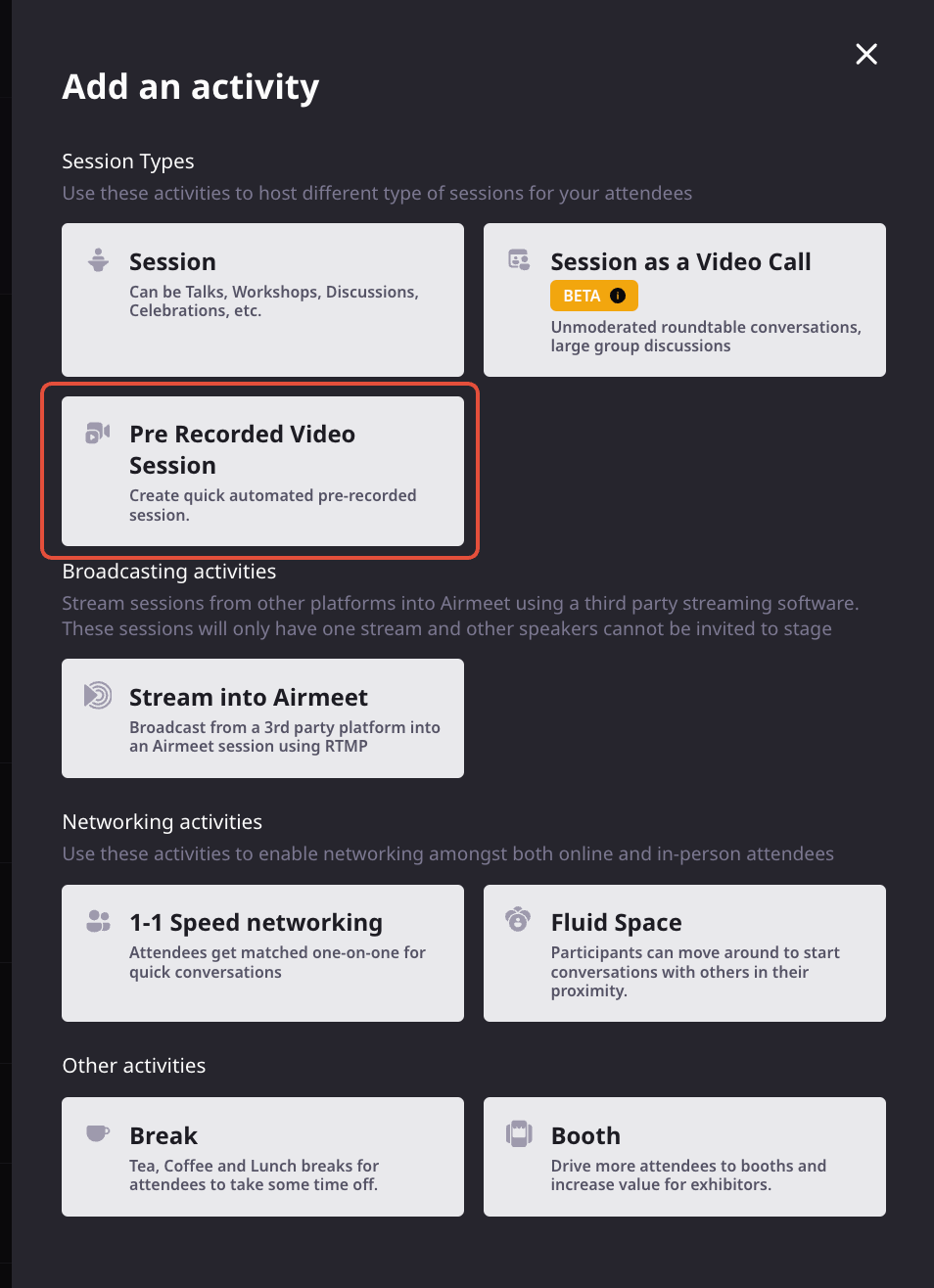
Deliver polished, revenue-focused webinars your way. Schedule an uploaded video to run automatically, or send a professionally produced RTMP feed from your broadcast stack directly to the Airmeet stage.
Revenue webinars must feel live, reliable, and on-brand. Even when speakers are unavailable, content needs precise timing, or a production team should work as an external encoder. A live-only setup creates avoidable risk, while disconnected broadcast tools can make it harder to keep the attendee experience, engagement, and follow-up in one place.
The Problem
Production Complexity Can Distract From The Pipeline
Live delivery adds variables Speaker availability, connectivity, and last-minute production changes can put an important campaign moment at risk.
External tools create handoffs Producers need a clean way to bring a finished broadcast into the event experience without rebuilding the show.
Timing errors erode trust A video that starts late or runs beyond the agenda can disrupt transitions, sponsor commitments, and attendee attention.
Polish alone is not enough A great feed still needs an event destination where participants can discover sessions, engage, and create actionable signals.
The Solution
Choose Automation Or Live Production Control
Automate approved content Schedule a complete pre-recorded session for consistent delivery without requiring a host to press Start at the scheduled time.
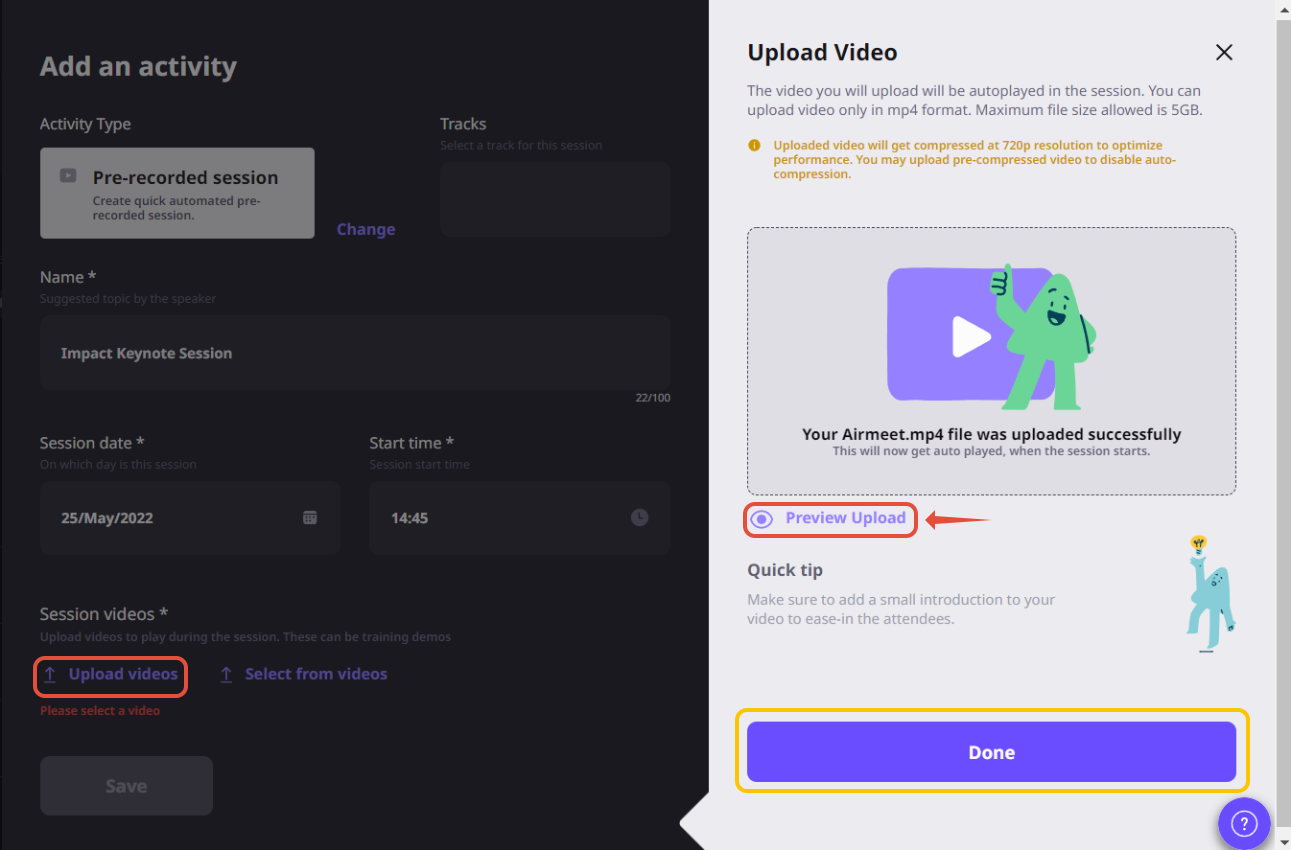
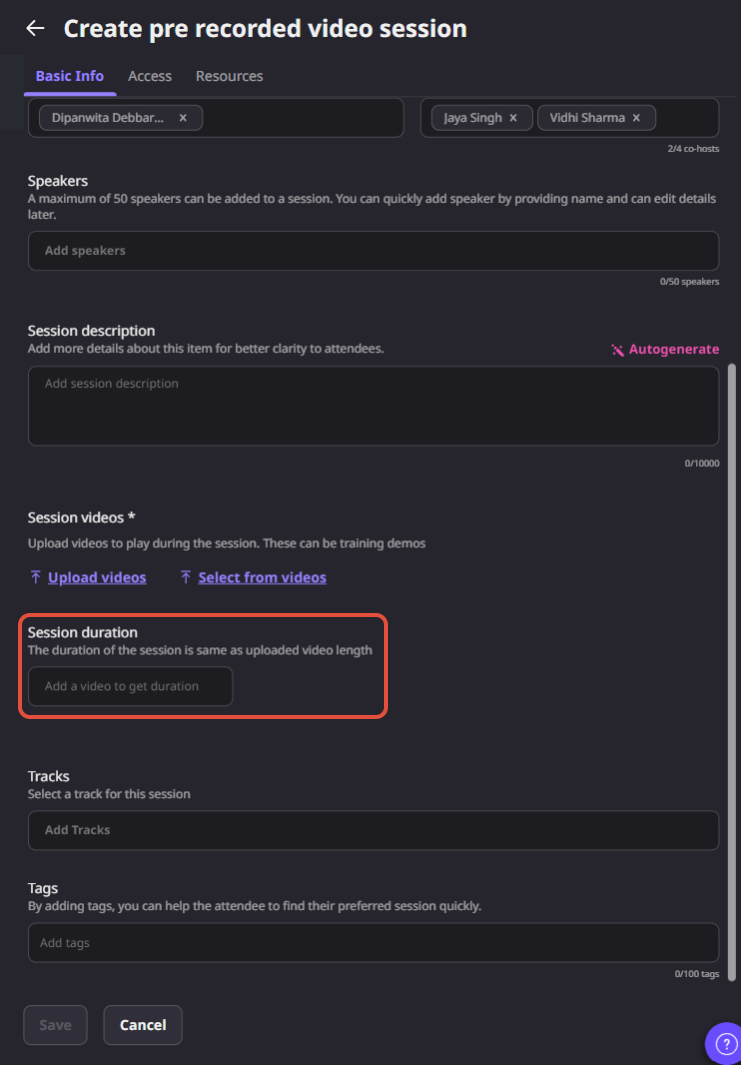
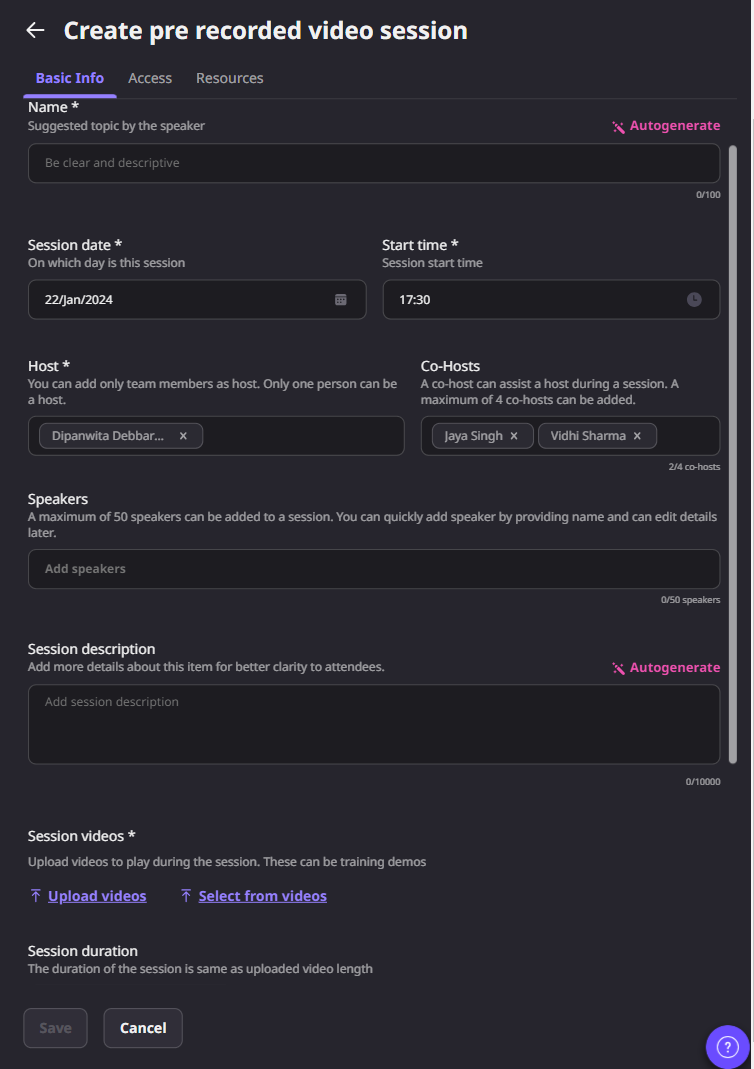
Reuse your video library Upload a new video or select an existing asset, then attach session details, tags, speakers, and optional resources.
Keep the producer's toolchain Send output from RTMP-capable tools such as OBS, StreamYard, Vimeo, or vMix directly into an Airmeet session.
Preview before the audience sees it Confirm the feed backstage and start the session only after the producer and host see the expected input.
Airmeet supports two complementary paths. - Create a pre-recorded video session, upload or select an MP4 from the video library, and let the session start and end with the scheduled video. - Or create a stream in an Airmeet session, copy the stream URL and stream key into an RTMP-capable encoder, verify the incoming feed backstage, and start the session for attendees
Virtual Event Use Cases
Benefits For Different Virtual Event Use Cases
Use pre-recorded automation when consistency and repeatability matter most. Use RTMP when a production team needs live switching, compositing, remote contributors, or an existing encoder workflow.
Demand generation webinars
Schedule polished evergreen sessions that deliver the same approved story every time.
Product launches
Stream a producer-led show with branded scenes and controlled transitions into Airmeet.
Executive broadcasts
Reduce presenter risk by mixing prepared segments with a professionally managed feed.
Global webinar programs
Reuse proven content across time zones while keeping each session in the event agenda.
Product Screenshots
Why Airmeet
Why Choose Airmeet For This Feature
Airmeet lets webinar teams preserve production choice without fragmenting the buyer experience. Marketers can schedule a finished video, producers can keep their preferred RTMP workflow, and attendees still arrive in an Airmeet event built for discovery and engagement. That combination helps teams protect content quality, reduce operational stress, and keep the campaign journey connected to follow-up.
Flexible delivery modes Match the format to the moment instead of forcing every webinar through the same production setup.
Operational control Use scheduled autoplay for repeatability or backstage verification for producer-led streams.
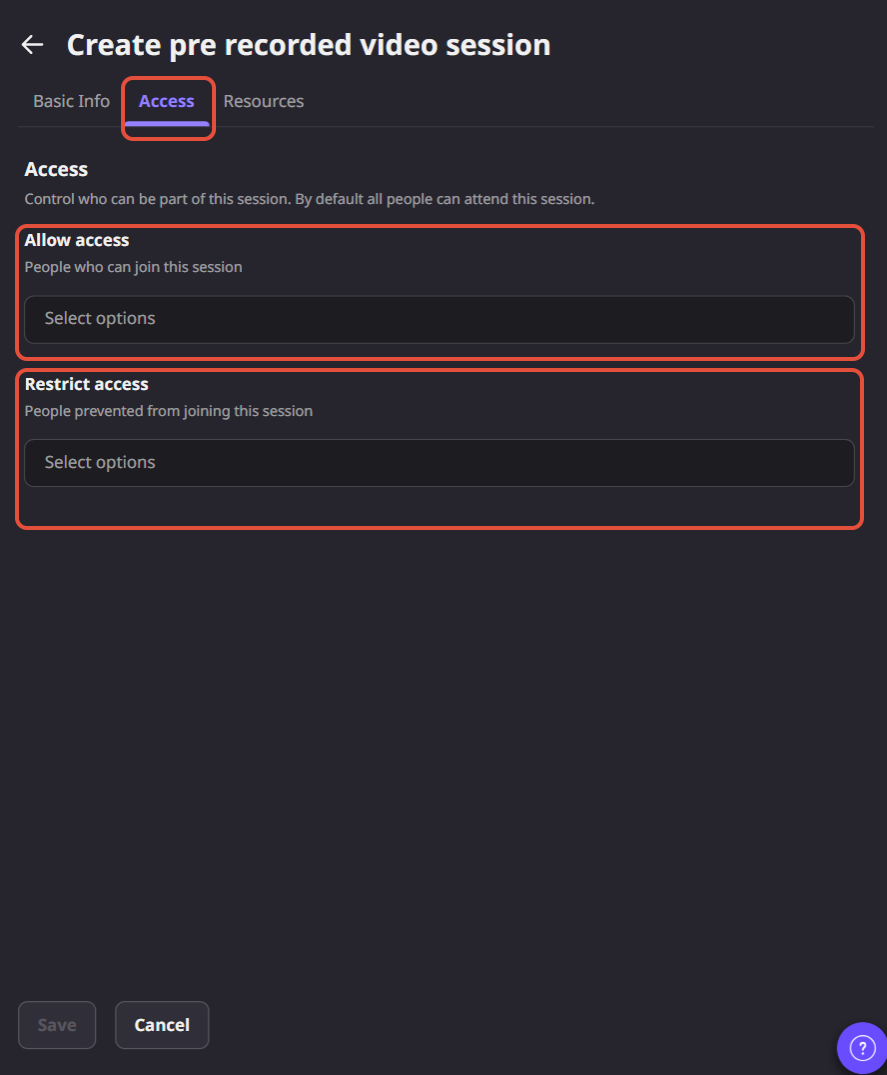
Built around sessions Keep titles, timing, tracks, tags, access controls, resources, and engagement connected to the agenda.
Designed for webinar programs Standardize a repeatable path across evergreen content, launches, partner events, and regional broadcasts.
help Center
Relevant Help Articles
Explore guides and tutorials to help you create, customize, and host exceptional events on Airmeet.
How to Automate live sessions with Pre-recorded video on Airmeet
A Pre-Recorded Video session plays one uploaded video automatically on the schedule.
RTMP stream-in receives a live output from an external encoder or broadcasting platform and is started for attendees after the feed is visible backstage.
No, a host, co-host, or speaker is not required for the scheduled autoplay. A host or co-host may still start early or pause before the scheduled time if needed.
Yes. Start the encoder, verify the incoming signal backstage, and only then start the Airmeet session for attendees. It is recommended to use a wired connection for a more stable streaming experience.
“I was really excited to see how alive Airmeet seemed. The first time I raised my virtual hand to ask a question, I was brought up on stage, my camera flipped on, and I was able to talk with the presenters, that was the sold-moment in my head! That is what I wanted. We weren't going to be speaking at our audience. We wanted a two-way engagement. With the analytics in the background, that was my “Aha moment!”
Victoria YounesExecutive Events Manager
Incredible Companies Use Airmeet
Most loved Virtual Events Platform
“I was really excited to see how alive Airmeet seemed. The first time I raised my virtual hand to ask a question, I was brought up on stage, my camera flipped on, and I was able to talk with the presenters, that was the sold-moment in my head! That is what I wanted. We weren't going to be speaking at our audience. We wanted a two-way engagement. With the analytics in the background, that was my “Aha moment!”
Victoria YounesExecutive Events Manager
Incredible Companies Use Airmeet
Most loved Virtual Events Platform
“I was really excited to see how alive Airmeet seemed. The first time I raised my virtual hand to ask a question, I was brought up on stage, my camera flipped on, and I was able to talk with the presenters, that was the sold-moment in my head! That is what I wanted. We weren't going to be speaking at our audience. We wanted a two-way engagement. With the analytics in the background, that was my “Aha moment!”
Victoria YounesExecutive Events Manager
Incredible Companies Use Airmeet
Most loved Virtual Events Platform
“I was really excited to see how alive Airmeet seemed. The first time I raised my virtual hand to ask a question, I was brought up on stage, my camera flipped on, and I was able to talk with the presenters, that was the sold-moment in my head! That is what I wanted. We weren't going to be speaking at our audience. We wanted a two-way engagement. With the analytics in the background, that was my “Aha moment!”