Broaden Market
Impact with
Immersive Events
Strengthen Bonds,
Boost Engagement
Turn every valuable attendee action into visible momentum. Airmeet’s Leaderboard ranks participants using configurable points for activities such as joining sessions, answering polls, asking questions, and visiting sponsor booths—then helps organizers recognize top contributors with prizes and winner announcements.
The Problem
The Solution
Use Cases
Reward poll responses and thoughtful questions to keep prospects active and reveal themes for smarter follow-up.
Create a participation thread across sessions so attendees have a reason to explore more of the agenda.
Incentivize booth visits to support sponsor visibility and distribute attendee attention beyond the main stage.
Reinforce learning behaviors such as joining sessions, answering polls, and asking useful questions.
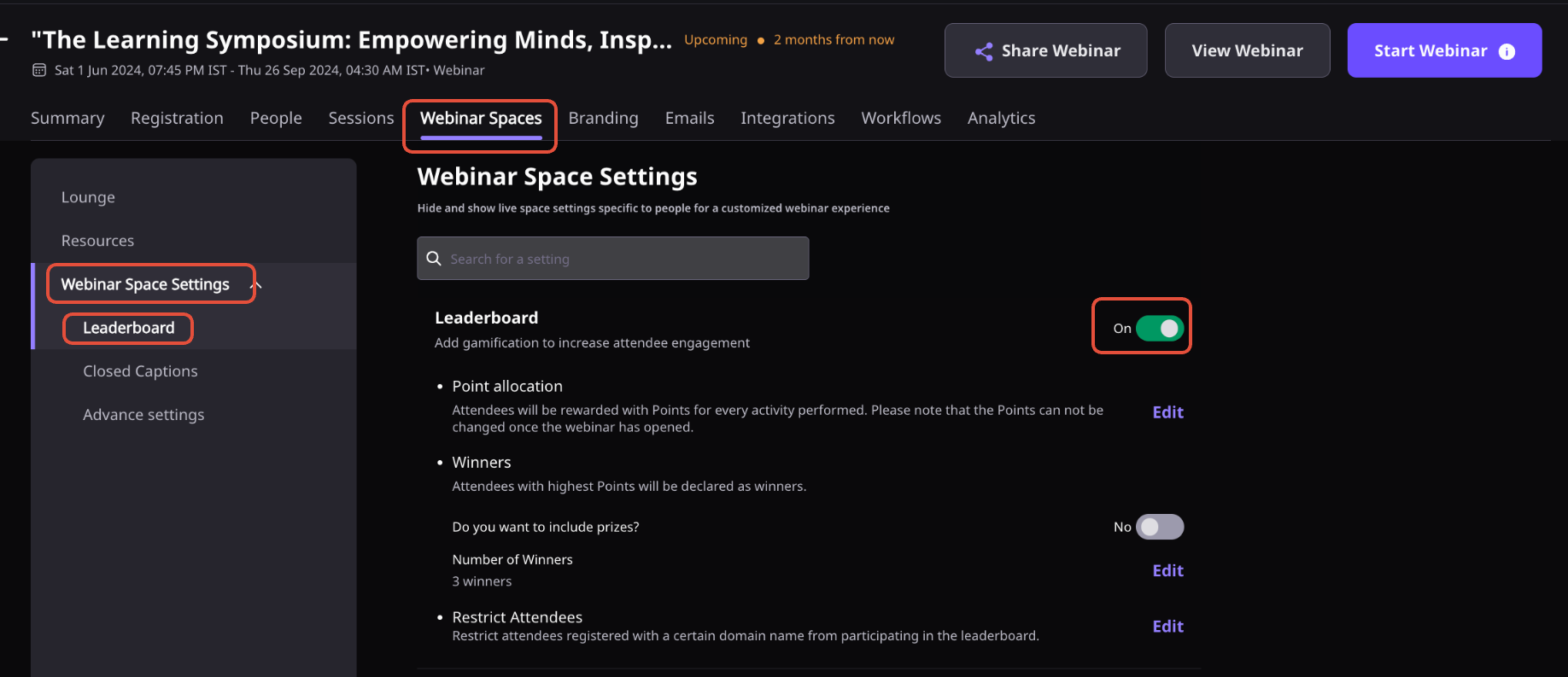
Open the Event Dashboard, navigate to Engagement, Leaderboard, and turn the feature on before your event begins.
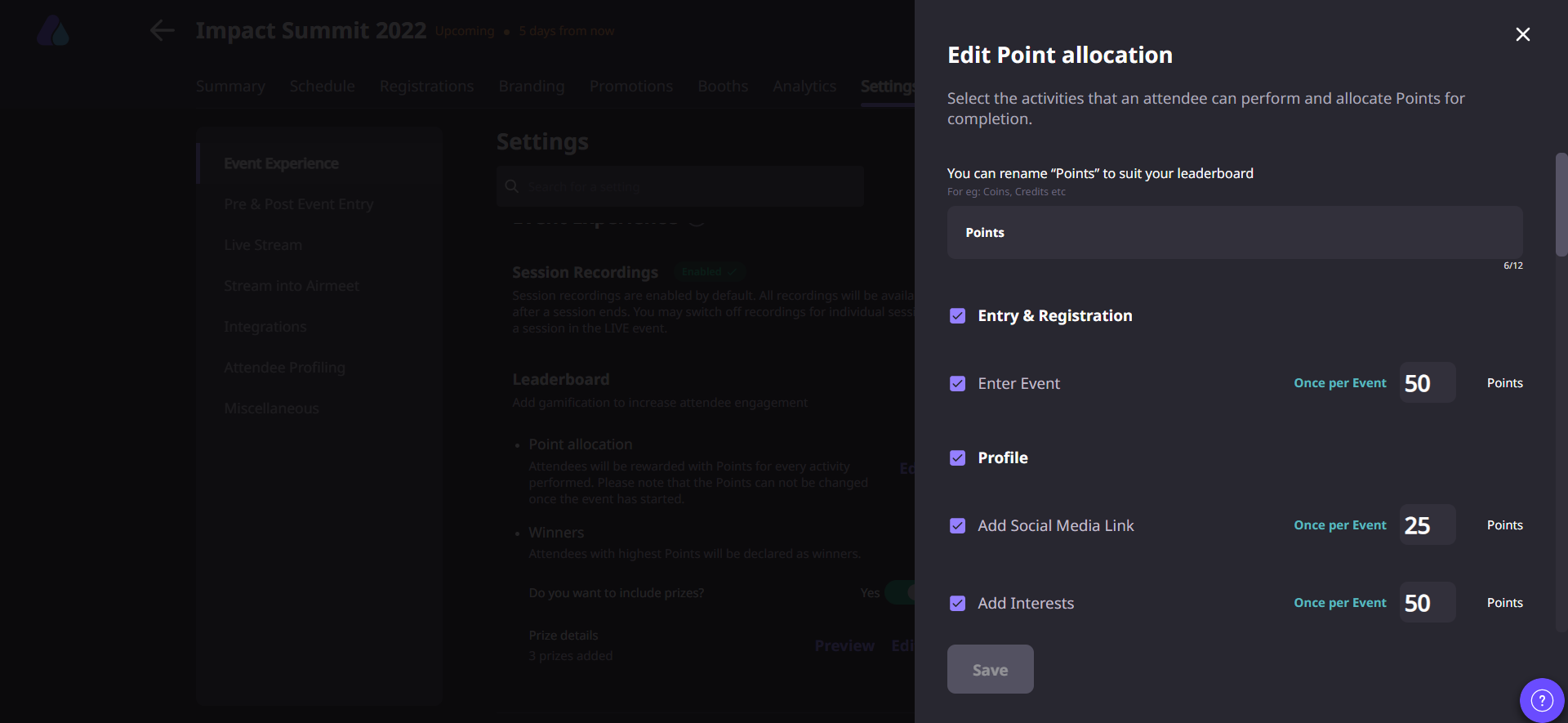
Select the attendee actions that should earn points, such as joining sessions, answering polls, asking questions, participating in chat, or visiting sponsor booths. Available activities vary by event format.
Allocate a point value to every selected activity based on your engagement goals. Airmeet currently supports assigning up to 100 points for an individual activity.
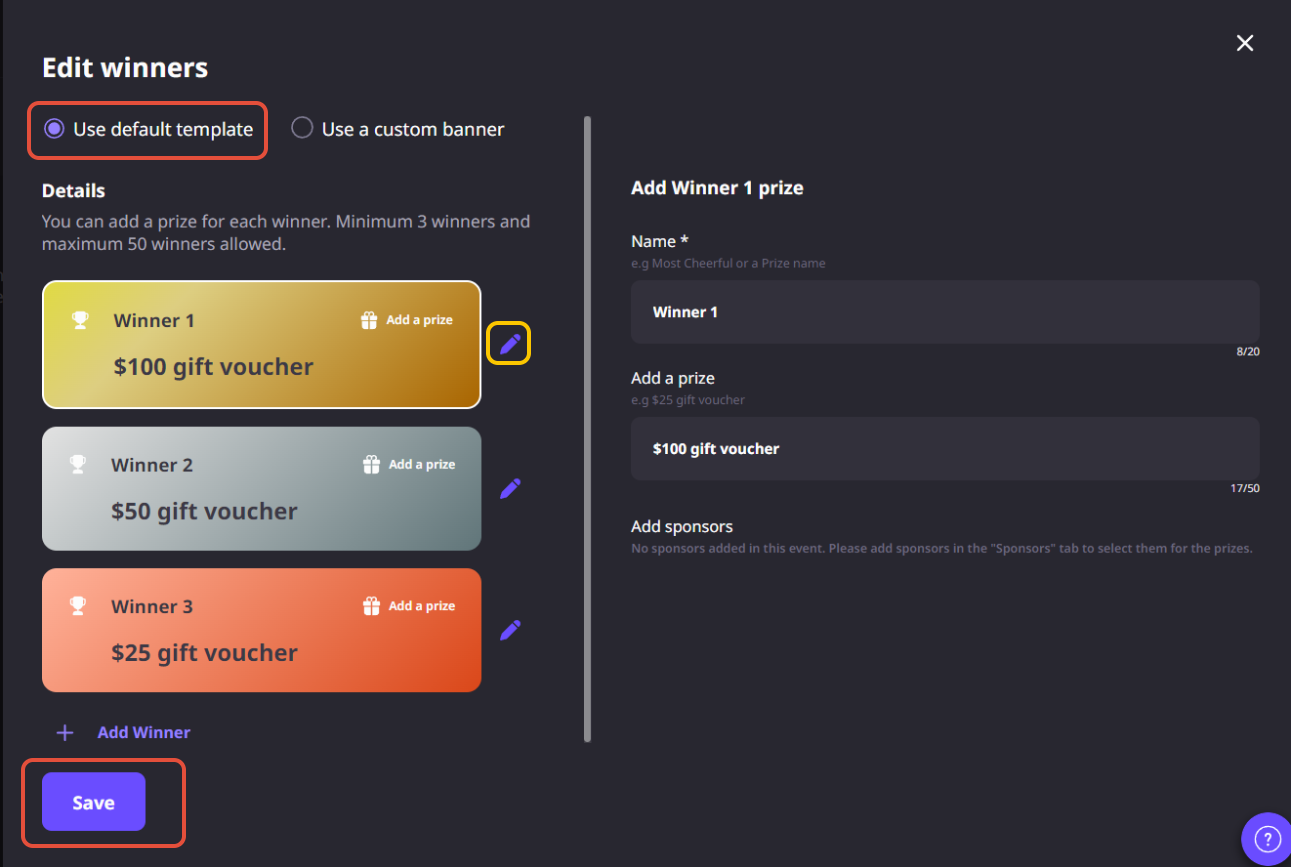
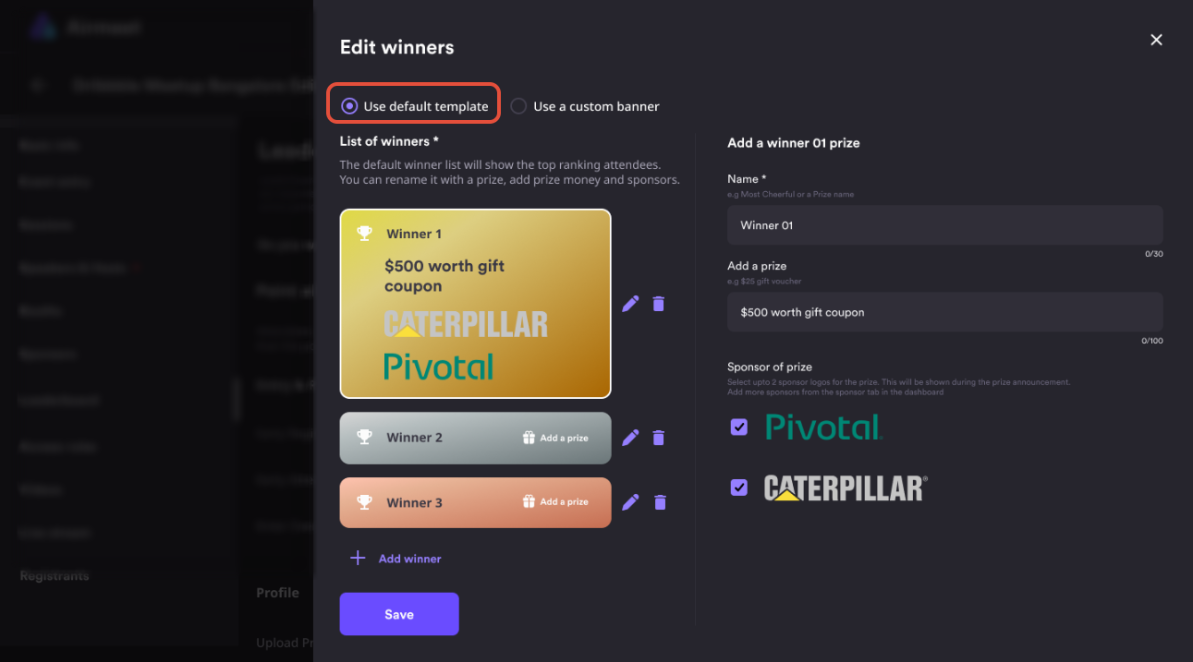
Decide how many winners you would like to recognize, add prize details, and choose either the default prize layout or upload a custom prize banner that matches your event branding.
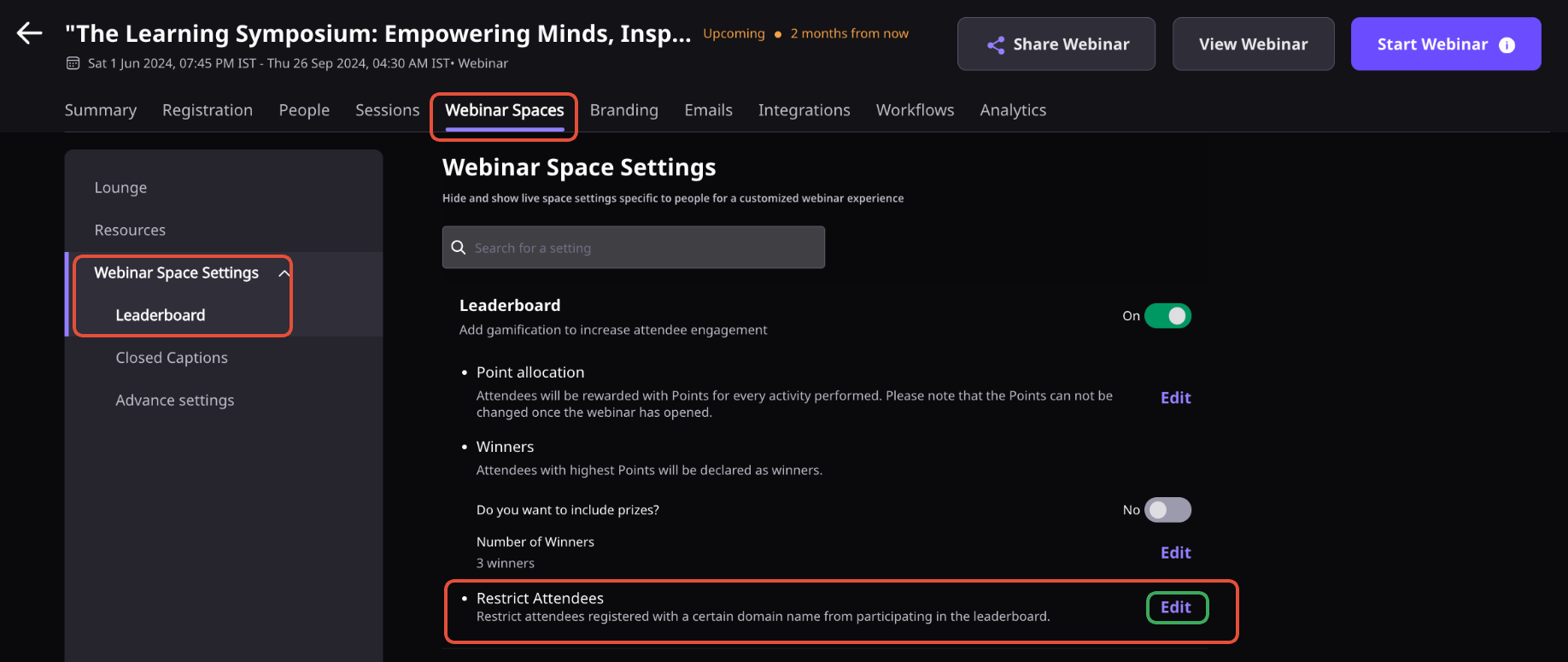
Choose whether attendees can view the points playbook, and optionally exclude participants from specific email domains if they shouldn’t be eligible for the competition.
Save your configuration before the event starts. Once the event goes live, the Leaderboard automatically tracks eligible attendee activities and updates rankings in real time.
Monitor live rankings throughout the event and share the current top participants in the Event Feed to encourage friendly competition and sustained participation.
When the competition concludes, announce the winners on the center screen. You can also reset the Leaderboard to begin a new competition during the same event if needed.
Download the Leaderboard report to view participant rankings, total points earned, and attendee details for post-event recognition and engagement analysis.
Why Airmeet
It is an attendee gamification feature that automatically ranks participants using a points system configured by the event organizer.
Organizers decide which activities earn points before the event begins. Depending on your event format, attendees can earn points for actions such as joining sessions, answering polls, asking questions, participating in chat, or visiting sponsor booths.
Yes. Before the event begins, organizers can decide which attendee activities earn points and assign a point value to each one. You can award up to 100 points for an individual activity, allowing you to align the scoring system with your engagement goals.
No. Point values must be finalized while the event is still in Preview mode. Once the event has started, the scoring configuration is locked and cannot be changed, so it’s a good idea to review your setup before going live.
Yes. Organizers can define winners and prizes using the default prize layout or upload a custom prize banner, then reveal winners when the competition ends or resets.
You can recognize anywhere from 3 to 50 winners in a Leaderboard competition. This gives you the flexibility to reward just the top performers or celebrate a larger group of engaged participants, depending on your event goals.
Yes. Organizers can restrict participants registered with specified email domains from taking part in Leaderboard activities.
Organizers can show the activity-point playbook or hide that breakdown through event customization settings.
Yes. Organizers can end the current competition and reset the Leaderboard to start a new one. This makes it easy to run separate competitions for different sessions, event days, or engagement campaigns while keeping previous Leaderboard history available.
After a Leaderboard ends, the event report can include rank, participant name, final points, and email address when the event entry method captures it.
Broaden Market
Impact with
Immersive Events
Strengthen Bonds,
Boost Engagement
Incredible Companies Use Airmeet
Most loved Virtual Events Platform
Incredible Companies Use Airmeet
Most loved Virtual Events Platform
Incredible Companies Use Airmeet
Most loved Virtual Events Platform
Incredible Companies Use Airmeet
Most loved Virtual Events Platform
Incredible Companies Use Airmeet
Most loved Virtual Events Platform
Incredible Companies Use Airmeet
Most loved Virtual Events Platform
Incredible Companies Use Airmeet
Most loved Virtual Events Platform